
Quick Form: Fieldwork Forms
Inspection & questionnaire
Dirancang untuk iPhone, iPad, iPod touch
Gratis · Pembelian dalam aplikasi
- Batasan usia17+
- KategoriKegunaan
- Pengembangnelson quiroz
- BahasaInggris+ 5 lainnya
- Ukuran111,3 MB
Tertaut ke halaman resmi App Store
Download.org tidak menyimpan file Quick Form: Fieldwork Forms apa pun. Tombol ini membuka halaman aplikasi di App Store, tempat nelson quiroz menerbitkannya. Halaman terakhir diperiksa pada 17/11/2026.
Tangkapan layar

Tentang
Pengembang belum menyediakan teks ini dalam bahasa Anda.
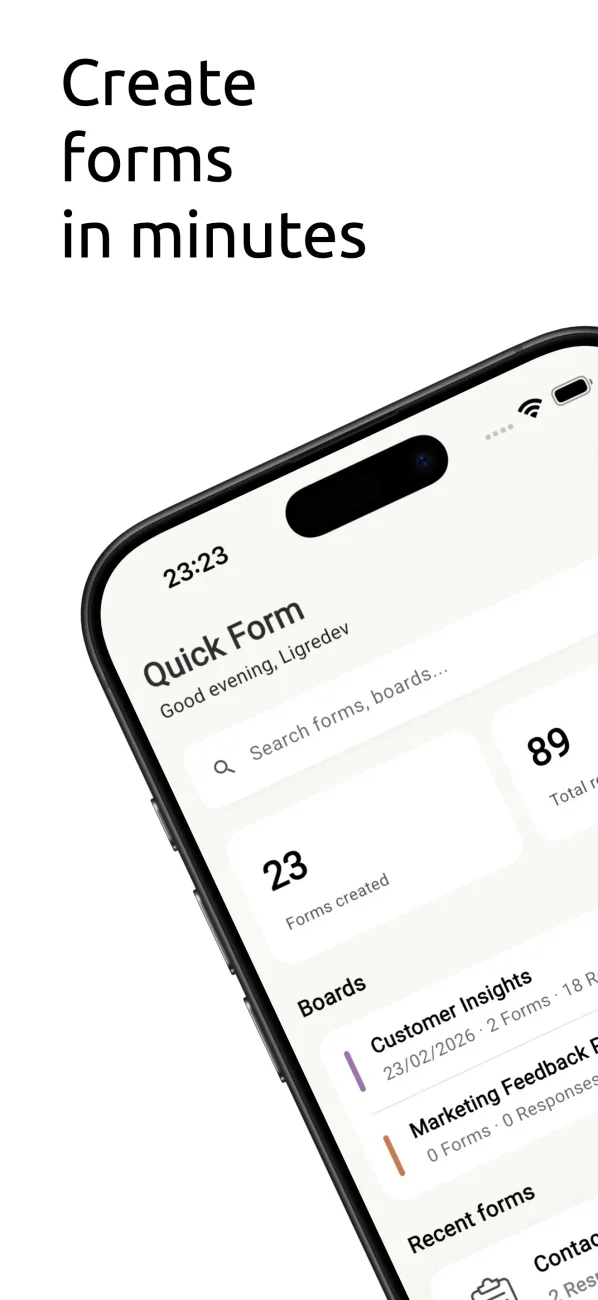
Create the forms you need and collect useful data with Quick Form, an AI form generator and form builder for your phone or tablet. Build surveys, inspection checklists, inventory records, site visit forms, and work orders for everyday tasks and field work.
From gathering customer feedback to recording equipment checks, customize each form around the information you need.
Create forms with AI
Describe the form you want and get a starting structure with suggested fields. Review and edit the result before publishing, or build your form yourself.
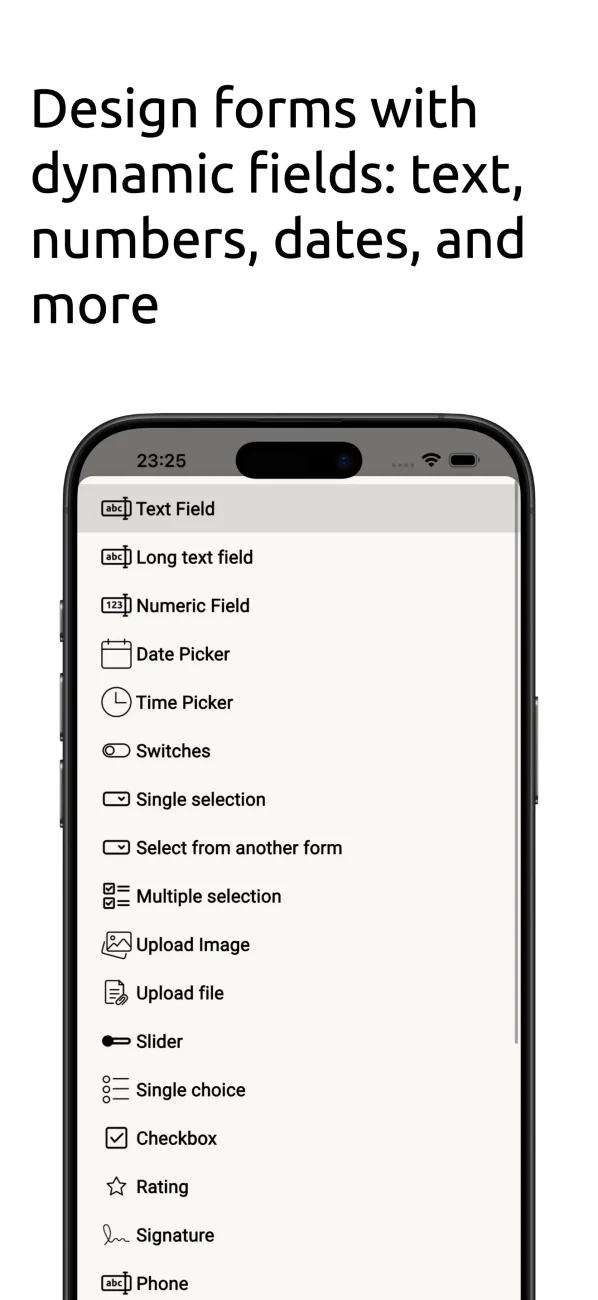
Customize every question
Add text, numbers, dates, single or multiple choice questions, photos, signatures, and other fields. Mark required questions and use conditional rules to show fields based on previous answers.
Collect data offline
Complete forms without an internet connection when working in the field. Keep capturing responses and sync your records when connectivity returns.
Capture responses with less typing
Use Smart Capture to scan a document or dictate information by voice to fill in responses. Review the captured information before saving it.
Share forms by link or QR code
Send a direct link or QR code to collect responses from other devices. Customize public forms with your colors, logo, buttons, and completion screen.
Turn responses into useful reports
Review responses, filter records, and use AI reports to generate summaries, tables, and key insights. Explore the information you have collected and prepare reports for your next task.
Export data in familiar formats
Export your information to PDF, CSV, or Excel to share it with others or use it in other tools. Keep data collection and data export connected to your existing workflow.
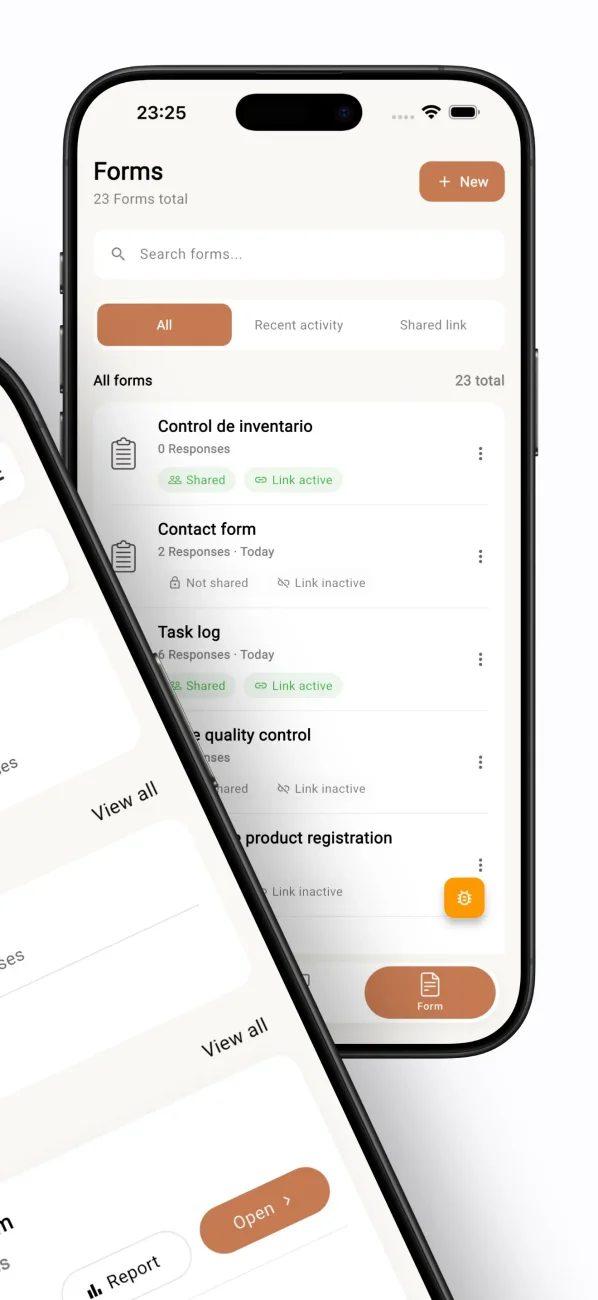
Organize recurring work
Duplicate, edit, and group forms for tasks you perform regularly. Adapt a form for another site visit, inspection, inventory check, or survey.
Quick Form is designed for individuals, professionals, businesses, and small teams who need a practical way to create forms and organize the information they collect.
Build your next form with Quick Form.
Some advanced features may require a subscription or credits.
Terms of Use: https://www.apple.com/legal/internet-services/itunes/dev/stdeula/
Yang baru
Versi 2.5.14 · 26/10/2026
Improved subscription and account linking flows. Resume workspace setup without losing your selected forms. Includes scanner fixes and stability improvements.
Privasi aplikasi
Yang dinyatakan nelson quiroz di App Store tentang cara aplikasi ini menangani data.
-
Data yang digunakan untuk melacak Anda
Dapat digunakan untuk melacak Anda di aplikasi dan situs web milik perusahaan lain.
- Pengenal
-
Data yang ditautkan dengan Anda
Dapat dikumpulkan dan ditautkan dengan identitas Anda.
- Info kontak
- Pengenal
-
Data yang tidak ditautkan dengan Anda
Dapat dikumpulkan, tetapi tidak ditautkan dengan identitas Anda.
- Info kontak
- Data penggunaan
- Diagnostik
Praktik privasi dapat bervariasi, misalnya berdasarkan fitur yang Anda gunakan atau usia Anda.
Informasi
- Penjual
- nelson quiroz
- Kategori
- Kegunaan
- Versi
- 2.5.14
- Diperbarui
- 26/10/2026
- Dirilis
- 18/1/2025
- Ukuran
- 111,3 MB
- Memerlukan
- iOS 15.6 atau yang lebih baru
- Batasan usia
- 17+
- Harga
- Gratis
- Pembelian dalam aplikasi
- Ya
- Bahasa
- Inggris, Prancis, Hindi, Jepang, Portugis, Spanyol
- Hak cipta
- © Ligre Dev
Mungkin Anda juga suka
-
 Coin Identifier Money ScannerKegunaan
-
 PDF Fill & eSign SignatureKegunaan
-
 QR Code, Barcode Scanner AppKegunaan
-
 Authenticator 2FA - Auth CoreKegunaan
-
 Screen Mirroring ◦ Smart CastKegunaan
-
 Sign PDF: Document SignatureKegunaan
-
 Screen Mirroring ‣ Smart CastKegunaan
-
 Bass Booster • Loud Sound AppKegunaan
-
 Spy Scanner: Devices DetectorKegunaan
-
 LED Light Controller: RemoteKegunaan