
Quick Form: Fieldwork Forms
Inspection & questionnaire
Designed for iPhone, iPad, iPod touch
Free · In-app purchases
- Age rating17+
- CategoryUtilities
- Developernelson quiroz
- LanguagesEnglish+ 5 more
- Size111.3 MB
Links to the official App Store page
Download.org hosts no file of Quick Form: Fieldwork Forms. The button opens its official App Store page, published by nelson quiroz. Listing last checked on Nov 17, 2026.
Screenshots

About
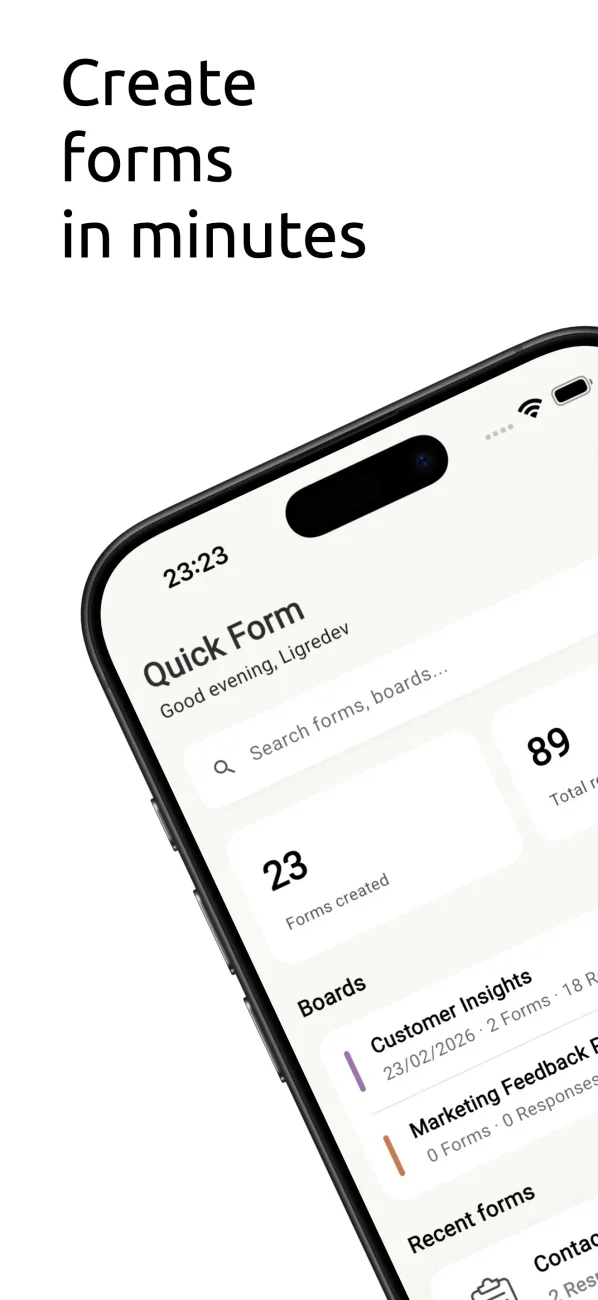
Create the forms you need and collect useful data with Quick Form, an AI form generator and form builder for your phone or tablet. Build surveys, inspection checklists, inventory records, site visit forms, and work orders for everyday tasks and field work.
From gathering customer feedback to recording equipment checks, customize each form around the information you need.
Create forms with AI
Describe the form you want and get a starting structure with suggested fields. Review and edit the result before publishing, or build your form yourself.
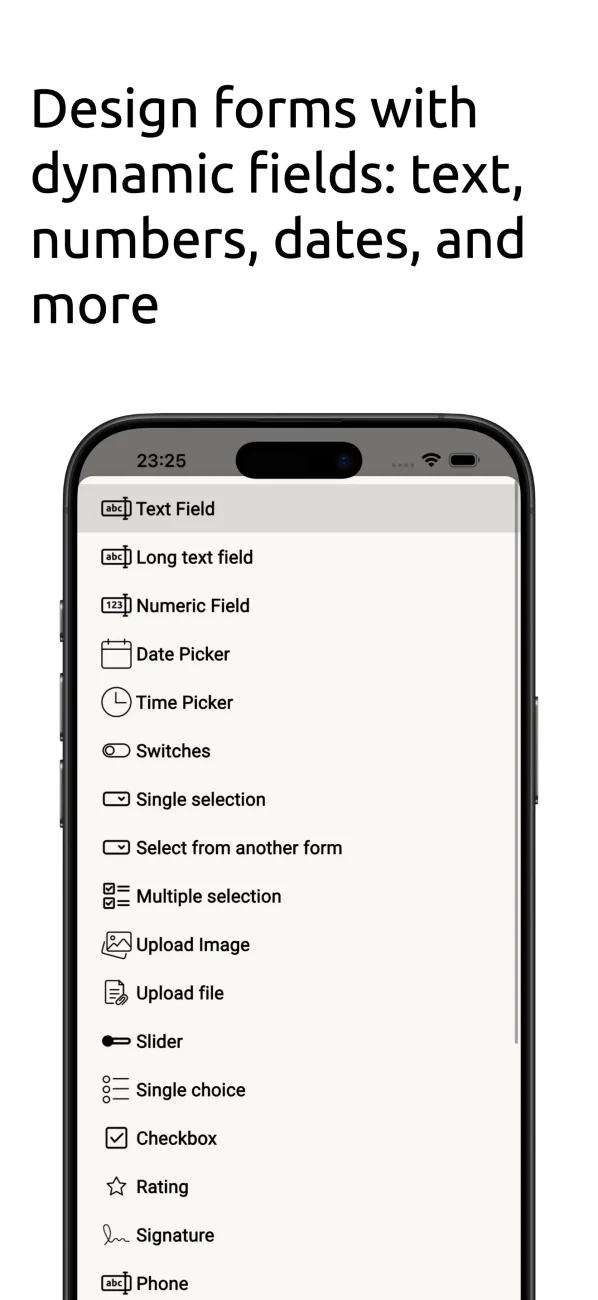
Customize every question
Add text, numbers, dates, single or multiple choice questions, photos, signatures, and other fields. Mark required questions and use conditional rules to show fields based on previous answers.
Collect data offline
Complete forms without an internet connection when working in the field. Keep capturing responses and sync your records when connectivity returns.
Capture responses with less typing
Use Smart Capture to scan a document or dictate information by voice to fill in responses. Review the captured information before saving it.
Share forms by link or QR code
Send a direct link or QR code to collect responses from other devices. Customize public forms with your colors, logo, buttons, and completion screen.
Turn responses into useful reports
Review responses, filter records, and use AI reports to generate summaries, tables, and key insights. Explore the information you have collected and prepare reports for your next task.
Export data in familiar formats
Export your information to PDF, CSV, or Excel to share it with others or use it in other tools. Keep data collection and data export connected to your existing workflow.
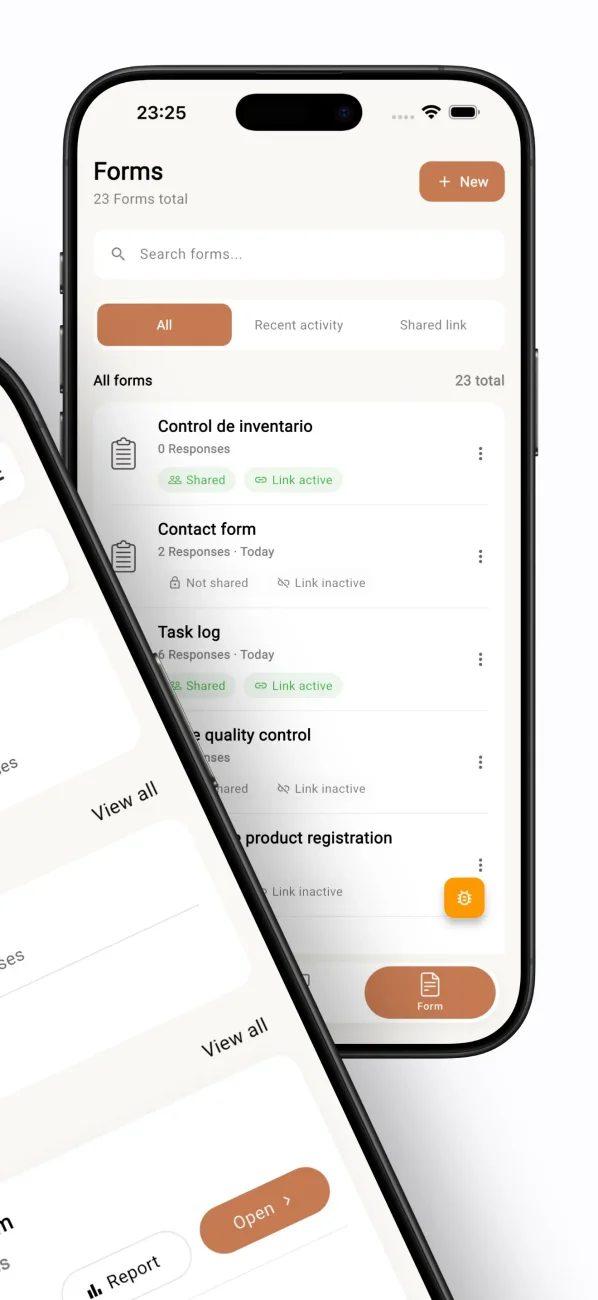
Organize recurring work
Duplicate, edit, and group forms for tasks you perform regularly. Adapt a form for another site visit, inspection, inventory check, or survey.
Quick Form is designed for individuals, professionals, businesses, and small teams who need a practical way to create forms and organize the information they collect.
Build your next form with Quick Form.
Some advanced features may require a subscription or credits.
Terms of Use: https://www.apple.com/legal/internet-services/itunes/dev/stdeula/
What’s new
Version 2.5.14 · Oct 26, 2026
Improved subscription and account linking flows. Resume workspace setup without losing your selected forms. Includes scanner fixes and stability improvements.
App privacy
What nelson quiroz declares on the App Store about how this app handles data.
-
Data used to track you
May be used to track you across apps and websites owned by other companies.
- Identifiers
-
Data linked to you
May be collected and linked to your identity.
- Contact info
- Identifiers
-
Data not linked to you
May be collected but is not linked to your identity.
- Contact info
- Usage data
- Diagnostics
Privacy practices may vary, for example with the features you use or your age.
Information
- Seller
- nelson quiroz
- Category
- Utilities
- Version
- 2.5.14
- Updated
- Oct 26, 2026
- Released
- Jan 18, 2025
- Size
- 111.3 MB
- Requires
- iOS 15.6 or later
- Age rating
- 17+
- Price
- Free
- In-app purchases
- Yes
- Languages
- English, French, Hindi, Japanese, Portuguese, Spanish
- Copyright
- © Ligre Dev
You might also like
-
 Coin Identifier Money ScannerAI Scan Value Price Checker ID
-
 PDF Fill & eSign SignatureSign Documents & Scan PDFs
-
 QR Code, Barcode Scanner AppScan Smarter, Anywhere!
-
 Authenticator 2FA - Auth Core2FA & MFA Authentication App
-
 Screen Mirroring ◦ Smart CastWireless Display - Air TV App
-
 Sign PDF: Document SignatureDigital Doc Signer App, e-Fill
-
 Screen Mirroring ‣ Smart CastWireless Display - Air TV App
-
 Bass Booster • Loud Sound AppPowerful Hz Boost ‣ Deep Music
-
 Spy Scanner: Devices DetectorSpy Device Detector & Scanner
-
 LED Light Controller: RemoteSmart Lamp ‣ Bulb Hue Lighting