Quick Note: Sticky Notes Menu
Floating Memo, Todo & Widget
Dirancang untuk iPhone, iPad, Mac
Gratis · Pembelian dalam aplikasi
- Batasan usia4+
- KategoriProduktivitas
- PengembangKauntey Suryawanshi
- BahasaInggris+ 5 lainnya
- Ukuran17,6 MB
Tertaut ke halaman resmi App Store
Download.org tidak menyimpan file Quick Note: Sticky Notes Menu apa pun. Tombol ini membuka halaman aplikasi di App Store, tempat Kauntey Suryawanshi menerbitkannya. Halaman terakhir diperiksa pada 23/11/2026.
Tangkapan layar
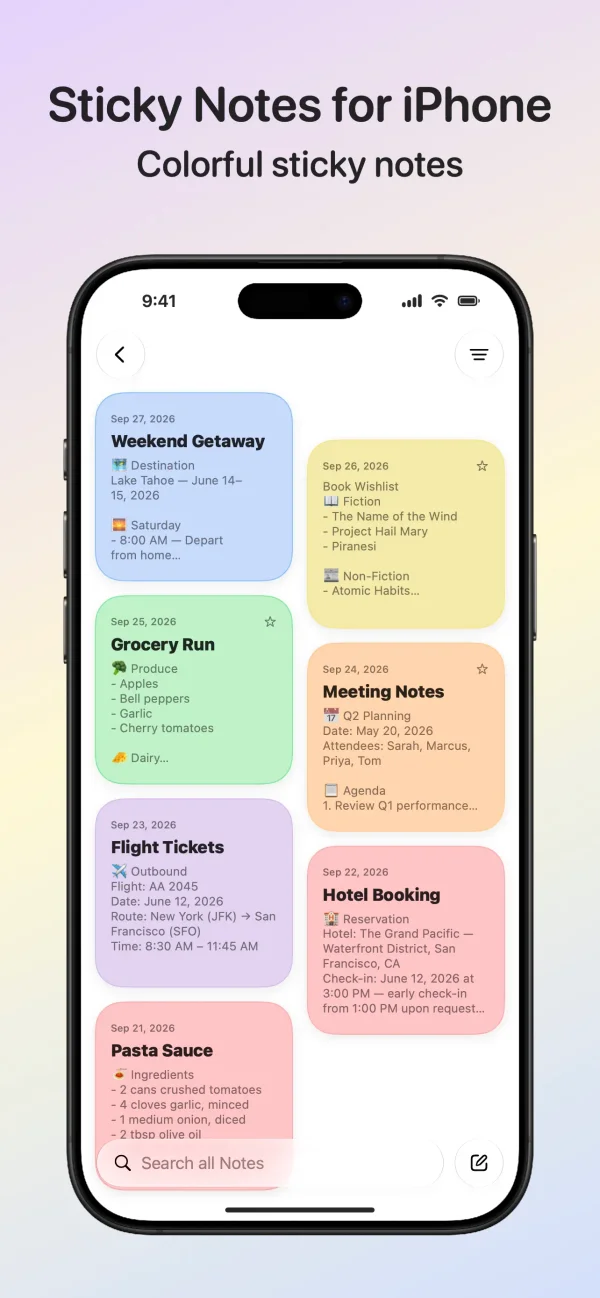
Tentang
Pengembang belum menyediakan teks ini dalam bahasa Anda.
Your notes in your pocket, and on your Mac. Jot something down on your iPhone and it's waiting on your Mac before you sit down.
Quick Note is a fast, focused notepad with rich text, folders, and instant search. iCloud sync keeps every note current across iPhone, iPad, and Mac.
■ QUICK TO CAPTURE
Open the app and start typing. No launch screen. No login. Just your note.
■ RICH TEXT ABOVE THE KEYBOARD
A formatting bar sits right on top of the keyboard, so styling never interrupts your typing.
• Headings, Bold, Italics, Strikethrough
• Highlight and named links
• Bullet, Dashed, Numbered, and Checklists
■ ORGANIZE YOUR WAY
• Folders — group related notes together
• Favorites — keep your most-used notes at the top
• Note colors — tell topics apart at a glance
• Search — find any note by title or content in an instant
• Trash — deleted notes stay recoverable
■ SYNCS WITH YOUR MAC
On the Mac, Quick Note lives in the menu bar and floats above your work. Everything you write on iPhone shows up there, and everything you write there shows up here — automatically, over iCloud.
■ SET UP THE WAY YOU LIKE
• Pick a default note color, or let it be random
• Sort your notes the way you think
• Spell checking as you type
• Adjustable text size
Quick Note Pro unlocks unlimited notes, folders, and every note color. It's a one-time purchase — never a subscription — and it covers iPhone, iPad, and Mac together.
Questions or feedback? k.suryawanshi@gmail.com
Yang baru
Versi 1.3.0 · 17/11/2026
Introducing Ask My Notes: ask about anything you've written and get answers drawn from your notes, generated by Apple Intelligence. Tap Ask My Notes at the top of the screen, or touch and hold Quick Note on your Home Screen, and try:
“What are the key points from my lecture notes?”
“Summarize my meeting notes”
Requires iOS 27 or iPadOS 27 with Apple Intelligence.
Images in Notes: paste or drag images into any note, from Photos, Safari and more.
Drag to Organize: on iPad, drag notes onto a folder or the Trash in the sidebar to move them.
Privasi aplikasi
Yang dinyatakan Kauntey Suryawanshi di App Store tentang cara aplikasi ini menangani data.
-
Data yang tidak ditautkan dengan Anda
Dapat dikumpulkan, tetapi tidak ditautkan dengan identitas Anda.
- Data penggunaan
- Diagnostik
Praktik privasi dapat bervariasi, misalnya berdasarkan fitur yang Anda gunakan atau usia Anda.
Informasi
- Penjual
- Kauntey Suryawanshi
- Kategori
- Produktivitas
- Versi
- 1.3.0
- Diperbarui
- 17/11/2026
- Dirilis
- 17/2/2020
- Ukuran
- 17,6 MB
- Memerlukan
- iOS 18 atau yang lebih baru
- Batasan usia
- 4+
- Harga
- Gratis
- Pembelian dalam aplikasi
- Ya
- Bahasa
- Inggris, Prancis, Jerman, Italia, Jepang, Tionghoa Sederhana
- Hak cipta
- Copyright © 2026 Kaunteya Suryawanshi. All Rights reserved.
Mungkin Anda juga suka
-
 Sticky Notes - PostyProduktivitas
-
 Desktop Note - Notes & PhotosProduktivitas
-
 Notes: Aesthetic NotesProduktivitas
-
 All Notes AppProduktivitas
-
 Notepad – Private NotesProduktivitas
-
 Notes - Notepad, NotebookProduktivitas
-
 Serious NotebookProduktivitas
-
 Sync Sticky NotesProduktivitas
-
 Quick Note: Catatan & memoWidget, pengingat, daftar
-
 Comet NotesProduktivitas