Quick QR code Generator pro
scan, make share with designs
Dirancang untuk iPhone, iPad
Gratis · Pembelian dalam aplikasi
- Batasan usia4+
- KategoriKegunaan
- PengembangMiyuki Kikuchi
- BahasaInggris
- Ukuran10,3 MB
Tertaut ke halaman resmi App Store
Download.org tidak menyimpan file Quick QR code Generator pro apa pun. Tombol ini membuka halaman aplikasi di App Store, tempat Miyuki Kikuchi menerbitkannya. Halaman terakhir diperiksa pada 18/11/2026.
Tangkapan layar


Tentang
Pengembang belum menyediakan teks ini dalam bahasa Anda.
QuickQRConverter turns your QR codes into beautiful, print-ready templates you can use right away — no design app needed.
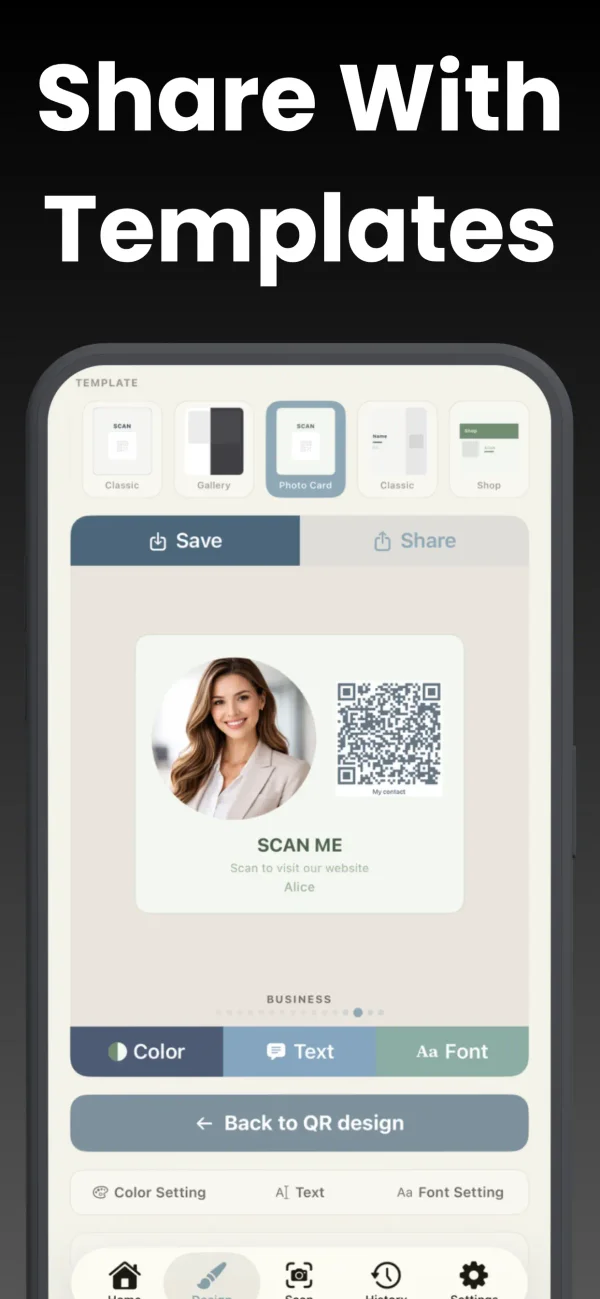
Most QR code apps just give you a bare image. QuickQRConverter goes further by placing your QR code into professionally designed templates like business cards, sticker banners, posters, and message cards. Generate, customise, and save — all in one app.
WHAT YOU CAN CREATE
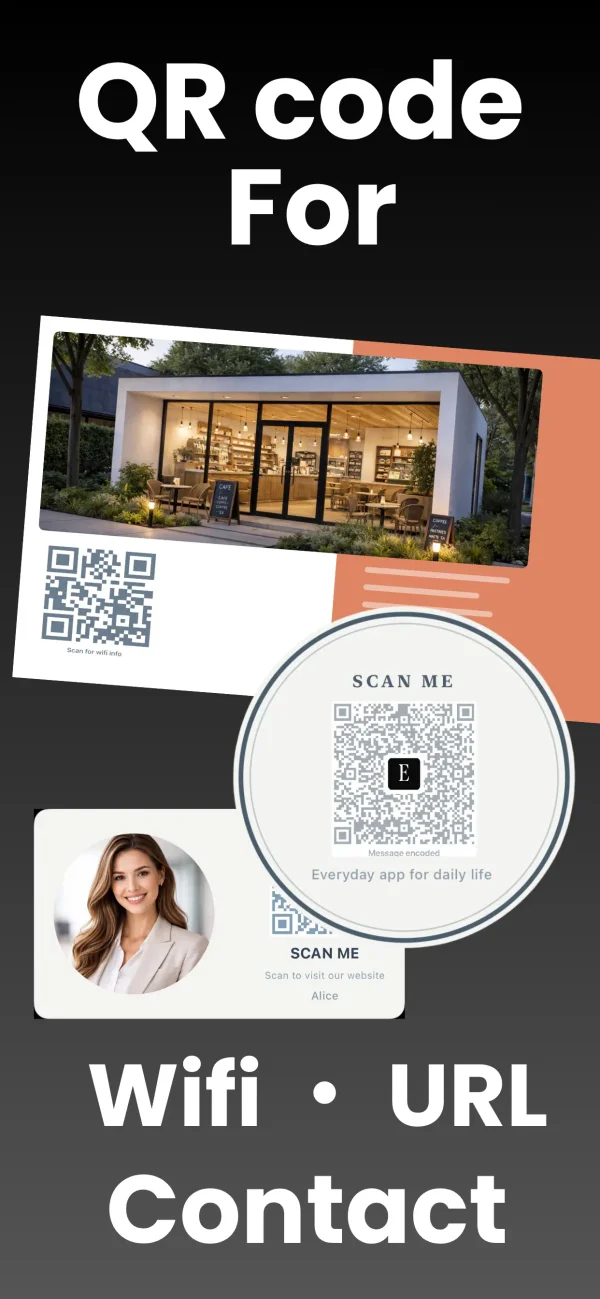
- URL and website links
- Wi-Fi access cards (guests scan to connect instantly)
- Contact cards (vCard with name, phone, email, address)
- Plain text and notes
- Photo-based QR codes
SCAN AND READ INSTANTLY
Point your camera at any QR code or barcode and get results in seconds. The built-in scanner reads URLs, Wi-Fi credentials, contact info, and plain text — then lets you open, copy, or save with one tap. Works offline with no internet required.
TEMPLATES FOR EVERY OCCASION
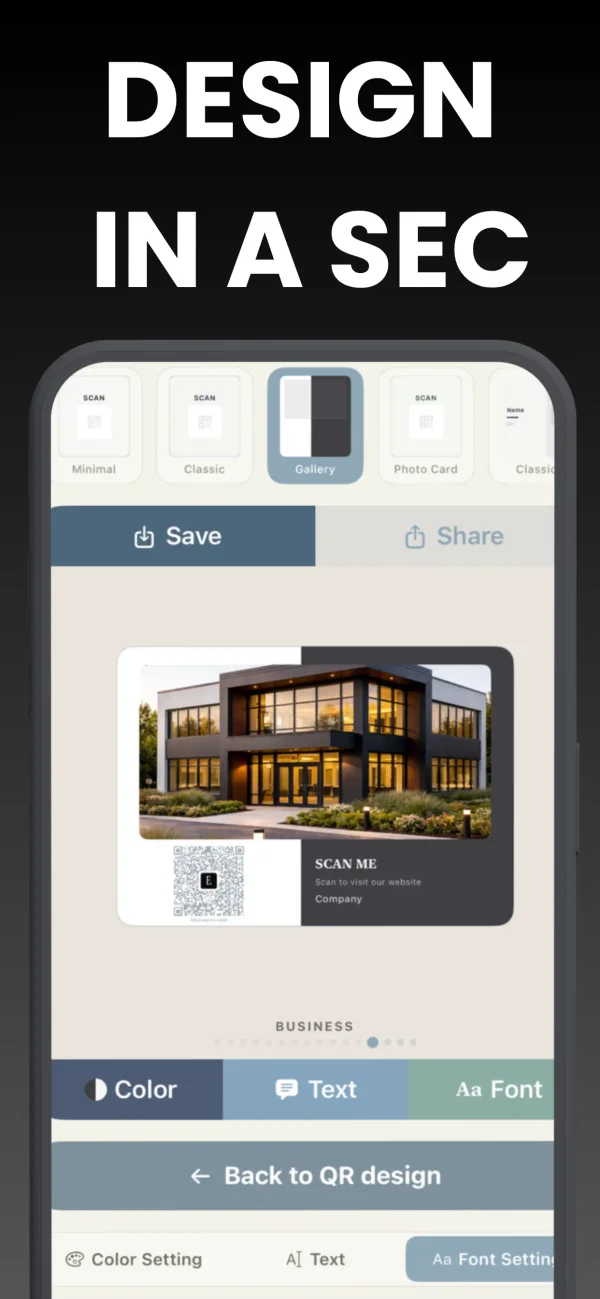
Choose from multiple template styles including Simple Outline, Card Message, Business Card, Sticker Banner, and more. Each template comes with sub-styles like Ribbon, Badge, Classic, Shop Card, Arch Poster, Flag Poster, and Gallery — all designed to look great on screen and in print.
CUSTOMISE YOUR DESIGN
- Multiple colour themes with curated palettes
- Font options: serif, rounded, heavy, and mono
- Add your logo or choose from built-in SF Symbol icons
- Adjust QR code colours and intensity
- Full preview before saving
PREMIUM FEATURES
Upgrade to QuickQR Premium to unlock:
- All templates and sub-styles
- All colour themes and fonts
- Logo overlay on QR codes
- No watermark on saved designs
- No ads
- Unlimited history
- High-resolution export for professional printing
Free users can create and scan QR codes with basic templates and colour choices. A small watermark is added to saved designs, which can be removed by watching a short ad or upgrading to premium.
Subscription options: weekly, monthly, yearly, or lifetime purchase. Weekly plan includes a 3-day free trial. Payment is charged to your Apple ID account at confirmation of purchase. Subscriptions automatically renew unless cancelled at least 24 hours before the end of the current period. You can manage or cancel subscriptions in your Apple ID account settings.
Privacy Policy: https://quickqrconverter.netlify.app/
EULA: https://www.apple.com/legal/internet-services/itunes/dev/stdeula/
Privasi aplikasi
Yang dinyatakan Miyuki Kikuchi di App Store tentang cara aplikasi ini menangani data.
-
Data yang digunakan untuk melacak Anda
Dapat digunakan untuk melacak Anda di aplikasi dan situs web milik perusahaan lain.
- Lokasi
- Pengenal
- Data penggunaan
-
Data yang tidak ditautkan dengan Anda
Dapat dikumpulkan, tetapi tidak ditautkan dengan identitas Anda.
- Lokasi
- Pengenal
- Data penggunaan
- Diagnostik
Praktik privasi dapat bervariasi, misalnya berdasarkan fitur yang Anda gunakan atau usia Anda.
Informasi
- Penjual
- Miyuki Kikuchi
- Kategori
- Kegunaan
- Versi
- 1.1
- Diperbarui
- 2/4/2026
- Dirilis
- 2/4/2026
- Ukuran
- 10,3 MB
- Memerlukan
- iOS 18.6 atau yang lebih baru
- Batasan usia
- 4+
- Harga
- Gratis
- Pembelian dalam aplikasi
- Ya
- Bahasa
- Inggris
- Hak cipta
- © Miyuki Kikuchi@Everyday App
Mungkin Anda juga suka
-
 MeeQR: QR Scanner & GeneratorKegunaan
-
 QR Code Scanner - Easy to ScanKegunaan
-
 QR Tools: QR Code ReaderKegunaan
-
 QR Codes – Quick GeneratorKegunaan
-
 QR & Barcode: Scan and CreateKegunaan
-
 Hotline: Notification AlarmsKegunaan
-
 Temukan pemindai kode batangKode n Kode Batang
-
 Simply QR Code generatorKegunaan
-
 WiFi QR: Share WiFi PasswordKegunaan
-
 Pembaca QR & Kode BatangHasilkan QR · Pindai massal