Quick QR code Generator pro
scan, make share with designs
Designed for iPhone, iPad
Free · In-app purchases
- Age rating4+
- CategoryUtilities
- DeveloperMiyuki Kikuchi
- LanguagesEnglish
- Size10.3 MB
Links to the official App Store page
Download.org hosts no file of Quick QR code Generator pro. The button opens its official App Store page, published by Miyuki Kikuchi. Listing last checked on Nov 18, 2026.
Screenshots


About
QuickQRConverter turns your QR codes into beautiful, print-ready templates you can use right away — no design app needed.
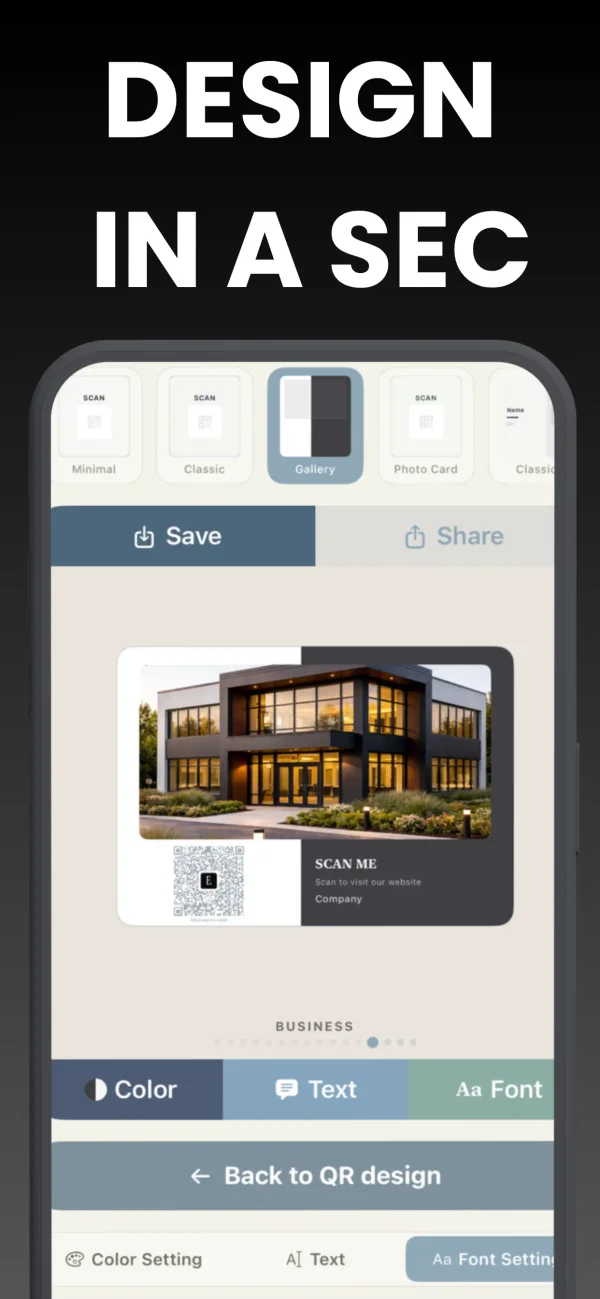
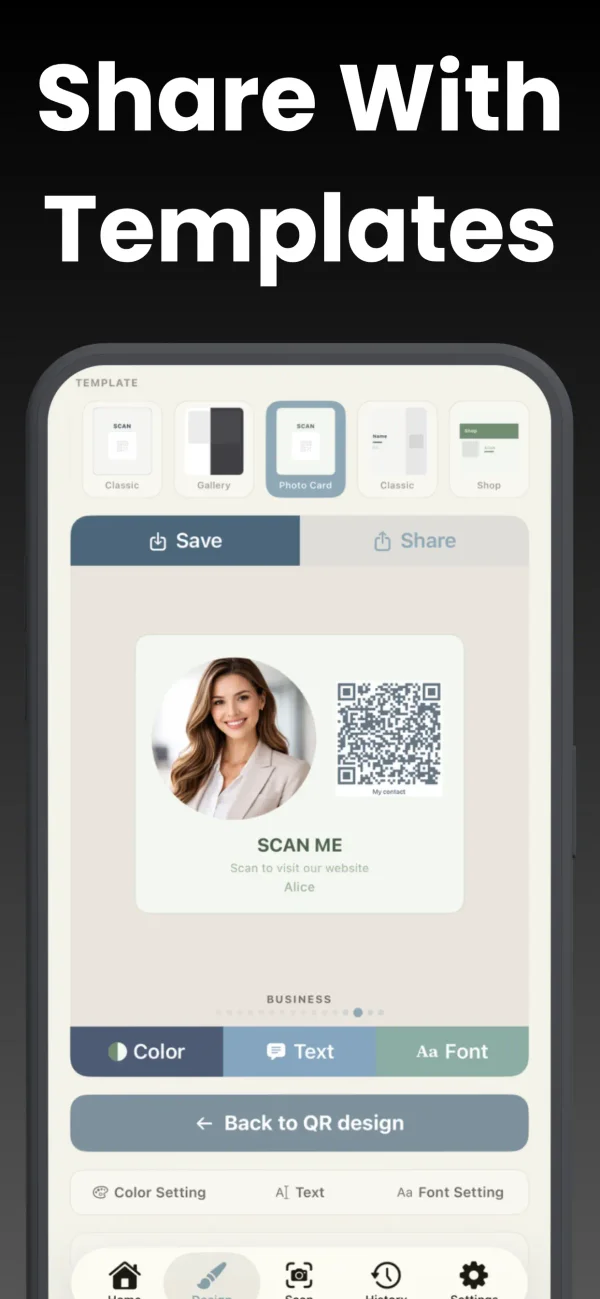
Most QR code apps just give you a bare image. QuickQRConverter goes further by placing your QR code into professionally designed templates like business cards, sticker banners, posters, and message cards. Generate, customise, and save — all in one app.
WHAT YOU CAN CREATE
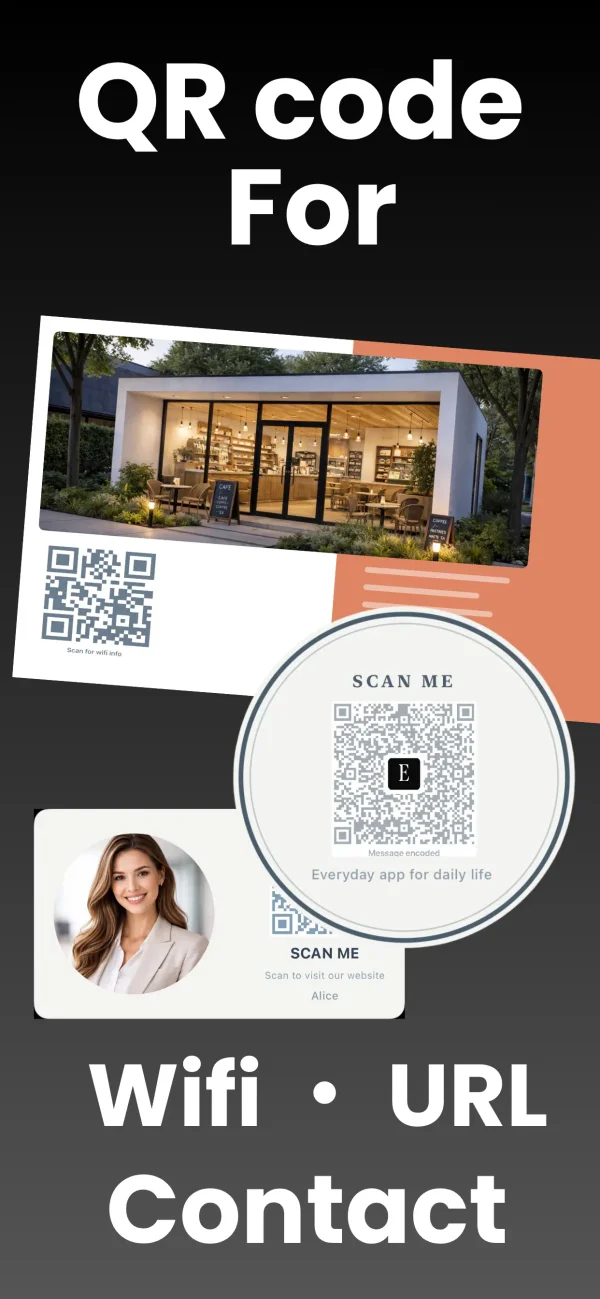
- URL and website links
- Wi-Fi access cards (guests scan to connect instantly)
- Contact cards (vCard with name, phone, email, address)
- Plain text and notes
- Photo-based QR codes
SCAN AND READ INSTANTLY
Point your camera at any QR code or barcode and get results in seconds. The built-in scanner reads URLs, Wi-Fi credentials, contact info, and plain text — then lets you open, copy, or save with one tap. Works offline with no internet required.
TEMPLATES FOR EVERY OCCASION
Choose from multiple template styles including Simple Outline, Card Message, Business Card, Sticker Banner, and more. Each template comes with sub-styles like Ribbon, Badge, Classic, Shop Card, Arch Poster, Flag Poster, and Gallery — all designed to look great on screen and in print.
CUSTOMISE YOUR DESIGN
- Multiple colour themes with curated palettes
- Font options: serif, rounded, heavy, and mono
- Add your logo or choose from built-in SF Symbol icons
- Adjust QR code colours and intensity
- Full preview before saving
PREMIUM FEATURES
Upgrade to QuickQR Premium to unlock:
- All templates and sub-styles
- All colour themes and fonts
- Logo overlay on QR codes
- No watermark on saved designs
- No ads
- Unlimited history
- High-resolution export for professional printing
Free users can create and scan QR codes with basic templates and colour choices. A small watermark is added to saved designs, which can be removed by watching a short ad or upgrading to premium.
Subscription options: weekly, monthly, yearly, or lifetime purchase. Weekly plan includes a 3-day free trial. Payment is charged to your Apple ID account at confirmation of purchase. Subscriptions automatically renew unless cancelled at least 24 hours before the end of the current period. You can manage or cancel subscriptions in your Apple ID account settings.
Privacy Policy: https://quickqrconverter.netlify.app/
EULA: https://www.apple.com/legal/internet-services/itunes/dev/stdeula/
App privacy
What Miyuki Kikuchi declares on the App Store about how this app handles data.
-
Data used to track you
May be used to track you across apps and websites owned by other companies.
- Location
- Identifiers
- Usage data
-
Data not linked to you
May be collected but is not linked to your identity.
- Location
- Identifiers
- Usage data
- Diagnostics
Privacy practices may vary, for example with the features you use or your age.
Information
- Seller
- Miyuki Kikuchi
- Category
- Utilities
- Version
- 1.1
- Updated
- Apr 2, 2026
- Released
- Apr 2, 2026
- Size
- 10.3 MB
- Requires
- iOS 18.6 or later
- Age rating
- 4+
- Price
- Free
- In-app purchases
- Yes
- Languages
- English
- Copyright
- © Miyuki Kikuchi@Everyday App
You might also like
-
 MeeQR: QR Scanner & GeneratorCustom QR Codes & Barcode Scan
-
 QR Code Scanner - Easy to ScanScan, Create & Manage QR Codes
-
 QR Tools: QR Code ReaderGenerator, WiFi & Batch Export
-
 QR Codes – Quick GeneratorCreate custom QR codes
-
 QR & Barcode: Scan and CreateBarcode, Document & Photo Scan
-
 Hotline: Notification AlarmsTurn alerts into real alarms
-
 Find Barcode-scannerCode n Barcode
-
 Simply QR Code generatorCreate your vCard in a QrCode
-
 WiFi QR: Share WiFi PasswordGuest QR for home and rentals
-
 QR & Barcode Scanner GeneratorQR Scan,Generate,Batch