Quicki: Auto Paste Keyboard
Save & Paste Text Snippets
Dirancang untuk iPhone
Gratis · Pembelian dalam aplikasi
- Batasan usia4+
- KategoriProduktivitas
- PengembangAmirmahdi Fathi
- BahasaInggris+ 15 lainnya
- Ukuran15,1 MB
Tertaut ke halaman resmi App Store
Download.org tidak menyimpan file Quicki: Auto Paste Keyboard apa pun. Tombol ini membuka halaman aplikasi di App Store, tempat Amirmahdi Fathi menerbitkannya. Halaman terakhir diperiksa pada 14/11/2026.
Tangkapan layar


Tentang
Pengembang belum menyediakan teks ini dalam bahasa Anda.
Stop typing the same thing twice. Save your go-to texts once, then paste any of them anywhere with one tap, straight from your keyboard.
No app switching. No copy-paste juggling. Tap, sent.
Quicki is a snippet keyboard: a text expander for people who answer the same messages all day. Sellers, streamers, support teams, freelancers, and anyone who keeps retyping their address, email signature or "on my way".
PERFECT FOR
• Replying to customer DMs on Instagram, WhatsApp, TikTok and Telegram
• Email templates and signatures
• Filling forms with your address, phone and email
• Stream chat commands, links and greetings
• Answering reviews and support tickets
• Birthday wishes, invites and the jokes you send every week
• Promo blurbs and social links
WHY QUICKI
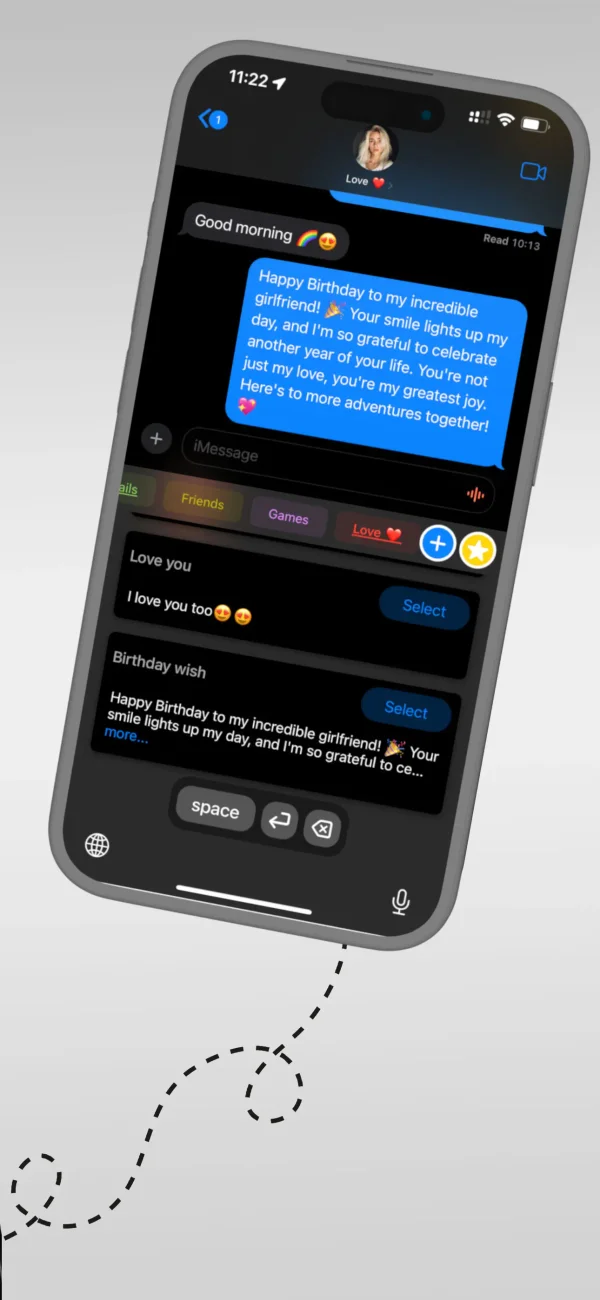
• One tap: open the Quicki keyboard, tap a snippet, it is pasted. No "copy" step.
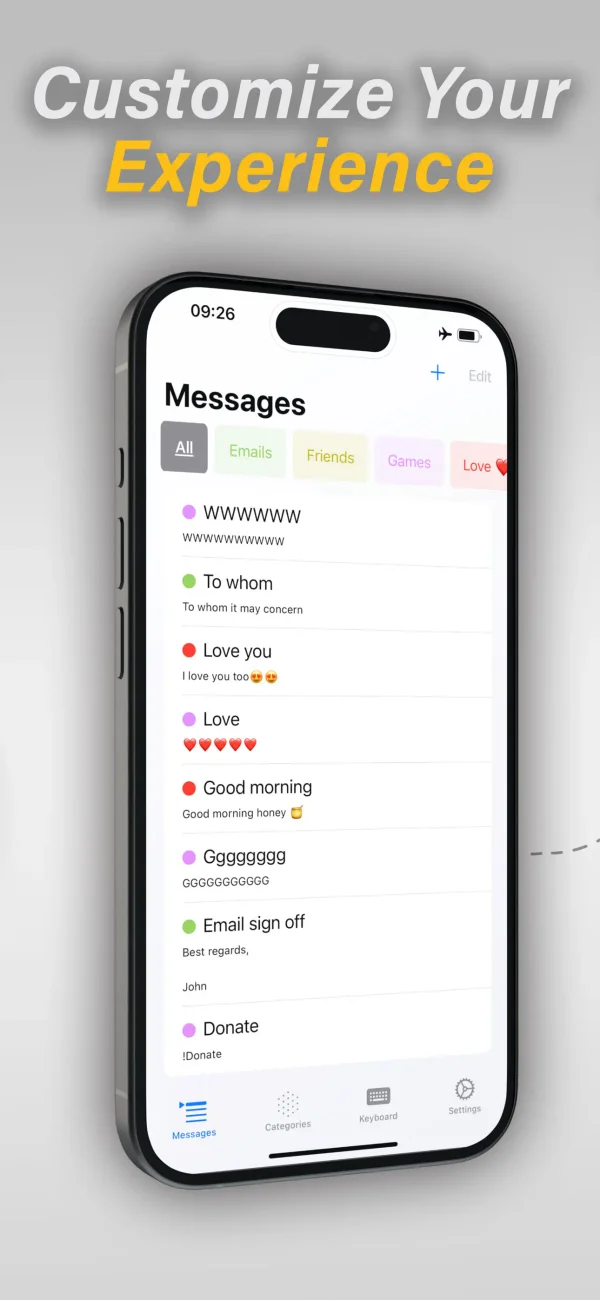
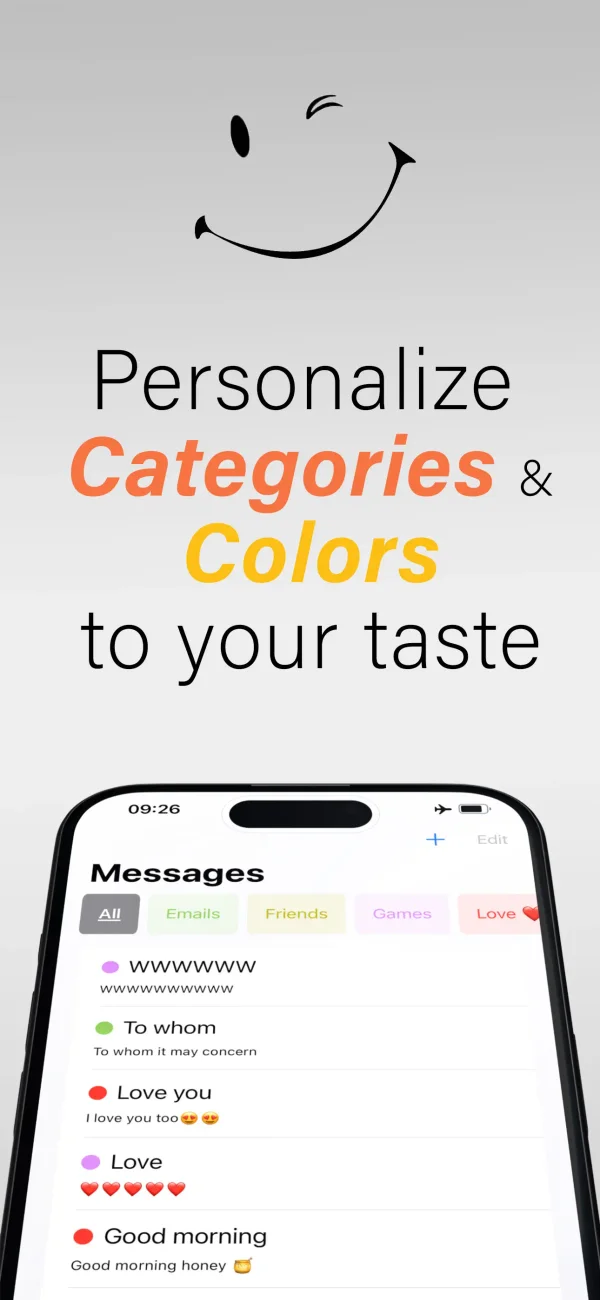
• Categories with colors: Shop DMs, Streaming, Support, Friends. Find the right text in a second.
• Works in every app: iMessage, WhatsApp, Instagram, Mail, Safari, Notes, anywhere a keyboard opens.
• Long texts, emojis and symbols supported. Preview any snippet before you send it.
• Fair price: monthly, quarterly or yearly. No weekly subscription.
HOW IT WORKS
1. Add your snippets in the Quicki app and sort them into categories.
2. Enable Quicki in Settings > General > Keyboard > Keyboards, and allow Full Access.
3. In any app, switch to the Quicki keyboard and tap a snippet. Done.
WHY FULL ACCESS
iOS only lets a keyboard read data shared by its own app when Full Access is on. Quicki uses it for one thing: reading the snippets you saved. Quicki does not log what you type, and your snippets are stored on your phone.
FREE VS PRO
Quicki is free to download. The free version includes 50 pastes and shows ads. After that, watch a short ad to get more pastes, or upgrade to Quicki Pro for unlimited pastes and no ads.
ADS AND PRIVACY
The free version shows ads from Google AdMob. If you allow tracking, ads may use your device's advertising identifier; if you decline, you still get ads, just not personalized ones. We use analytics and crash reports to improve the app. Quicki is a convenience tool, not a password manager: do not store passwords or card numbers in it.
QUICKI PRO (auto-renewing subscription)
• Pro Monthly: 4.99 USD per month
• Pro Quarterly: 9.99 USD per 3 months
• Pro Yearly: 19.99 USD per year
Prices may vary by country. Payment is charged to your Apple ID account at confirmation of purchase. The subscription renews automatically unless it is cancelled at least 24 hours before the end of the current period. Your account is charged for renewal within 24 hours before the end of the current period. Manage or cancel subscriptions in your App Store account settings after purchase.
Questions or ideas? developer@am1rft.com
Privacy Policy: https://quicki.am1rft.com/
Terms of Use: https://www.apple.com/legal/internet-services/itunes/dev/stdeula/
Yang baru
Versi 2.1.3 · 10/11/2026
Performance improvements.
Bug fixes.
Privasi aplikasi
Yang dinyatakan Amirmahdi Fathi di App Store tentang cara aplikasi ini menangani data.
-
Data yang digunakan untuk melacak Anda
Dapat digunakan untuk melacak Anda di aplikasi dan situs web milik perusahaan lain.
- Pengenal
- Data penggunaan
- Diagnostik
-
Data yang ditautkan dengan Anda
Dapat dikumpulkan dan ditautkan dengan identitas Anda.
- Pengenal
- Data penggunaan
- Diagnostik
Praktik privasi dapat bervariasi, misalnya berdasarkan fitur yang Anda gunakan atau usia Anda.
Informasi
- Penjual
- Amirmahdi Fathi
- Kategori
- Produktivitas
- Versi
- 2.1.3
- Diperbarui
- 10/11/2026
- Dirilis
- 4/4/2024
- Ukuran
- 15,1 MB
- Memerlukan
- iOS 16.0 atau yang lebih baru
- Batasan usia
- 4+
- Harga
- Gratis
- Pembelian dalam aplikasi
- Ya
- Bahasa
- Inggris, Arab, Belanda, Prancis, Jerman, Hindi, Italia, Jepang, Persian, Rusia, Tionghoa Sederhana, Spanyol + 4 lainnya
- Hak cipta
- © 2024-2026 Amirmahdi Fathi
Mungkin Anda juga suka
-
 Polymer - Clipboard ManagerProduktivitas
-
 Pastey - Papan Klip!Salin, edit, tempel
-
 Paste It - Clipboard KeyboardTempel otomatis & pintasan
-
 Paste Manager - Clipboard syncProduktivitas
-
 Copy & Paste - Clipboard AppProduktivitas
-
 Ditto – Clipboard CompanionProduktivitas
-
 Copy 'Em + Paste KeyboardProduktivitas
-
 Salin Tempel - Riwayat TeksSalin dan tempel cepat!
-
 Clipboard History+Produktivitas
-
 CopyNote: Keyboard ShortcutsProduktivitas