QuickQR: QR Code Generator
Scan, Create & Customize Codes
Dirancang untuk iPhone, iPad
Gratis
- Batasan usia4+
- KategoriKegunaan
- PengembangNirav Parmar
- BahasaInggris
- Ukuran2,7 MB
Tertaut ke halaman resmi App Store
Download.org tidak menyimpan file QuickQR: QR Code Generator apa pun. Tombol ini membuka halaman aplikasi di App Store, tempat Nirav Parmar menerbitkannya. Halaman terakhir diperiksa pada 10/11/2026.
Tangkapan layar

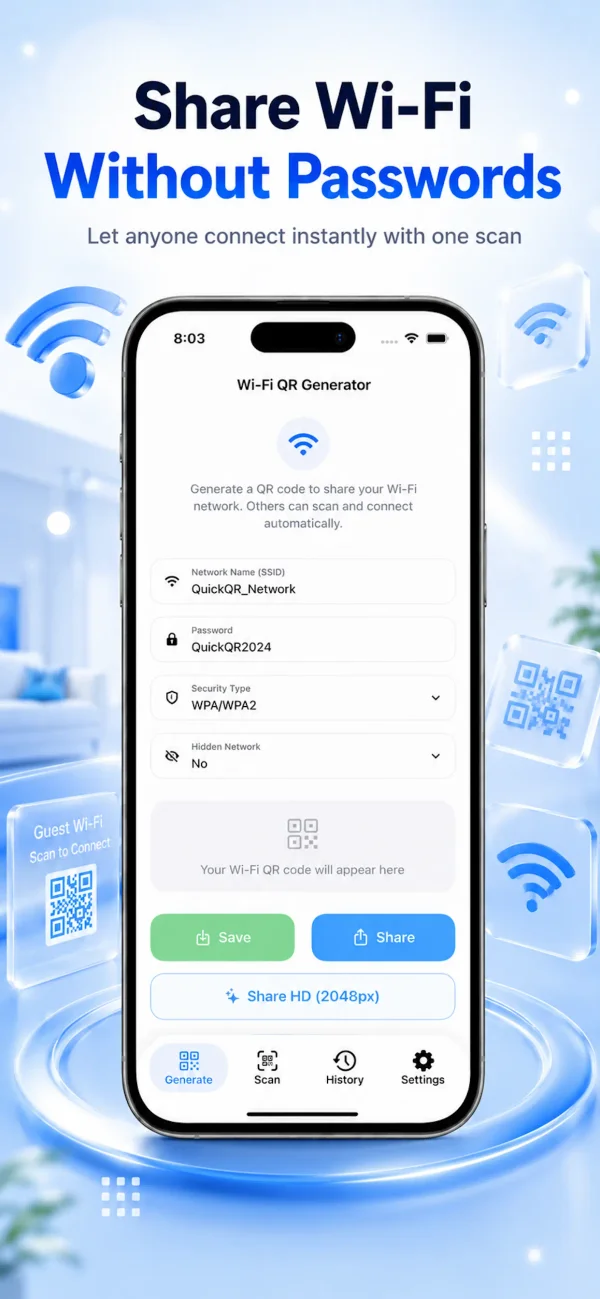
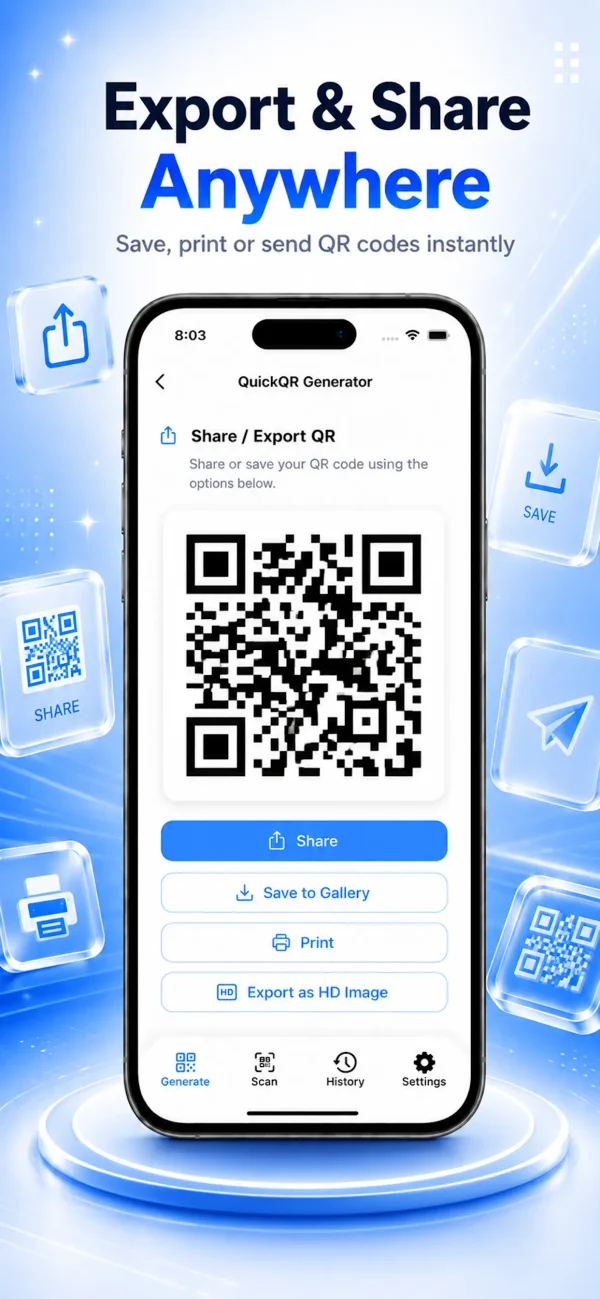
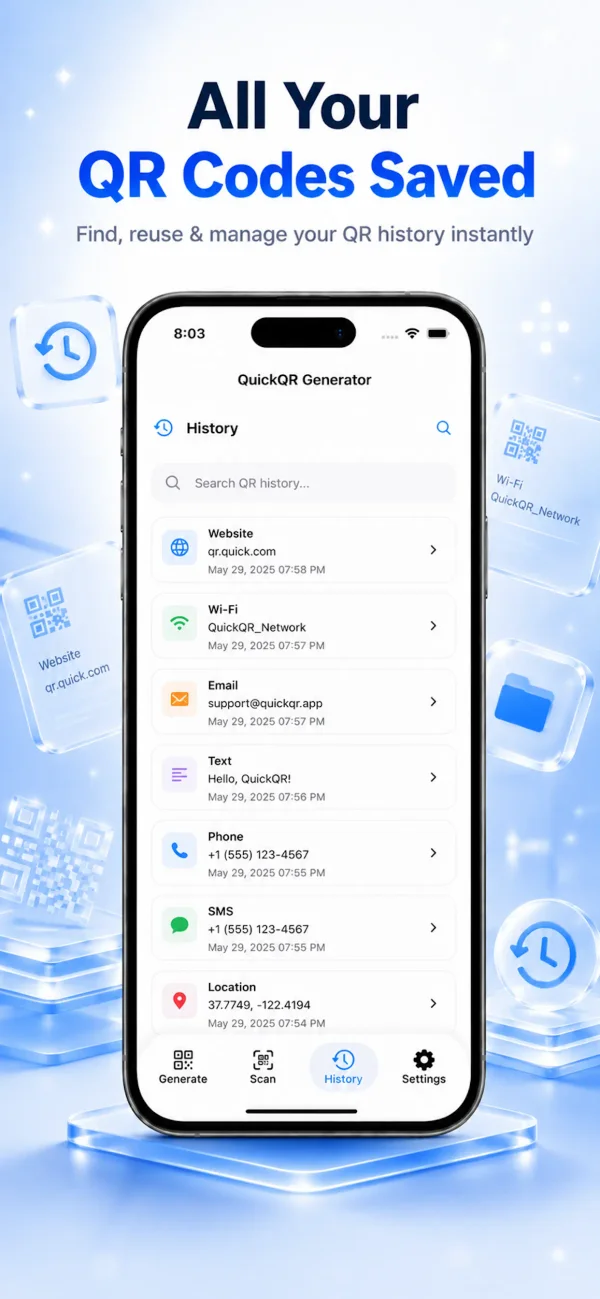
Tentang
Pengembang belum menyediakan teks ini dalam bahasa Anda.
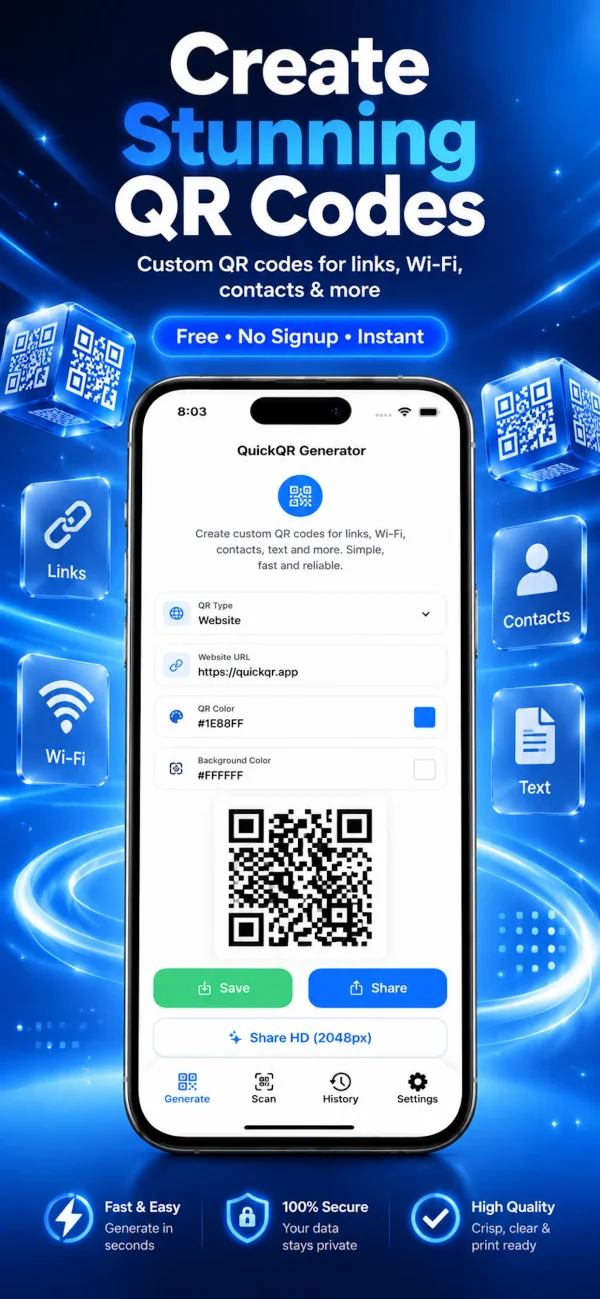
QuickQR is the fastest, cleanest way to create and scan QR codes on iPhone and iPad. Whether you're sharing a Wi-Fi password, a website, a phone number, or your menu, QuickQR turns it into a beautiful, scannable QR code in seconds — no ads, no sign-up, no fluff.
Designed for speed and built for everyday use, QuickQR pairs a powerful generator with a lightning-fast scanner and a full history of everything you've made. Customize colors, drop in a logo, add a background image, and export a QR code that actually looks like your brand.
WHAT YOU CAN DO
• Generate QR codes from text, URLs, email addresses, phone numbers, SMS messages, and Wi-Fi credentials
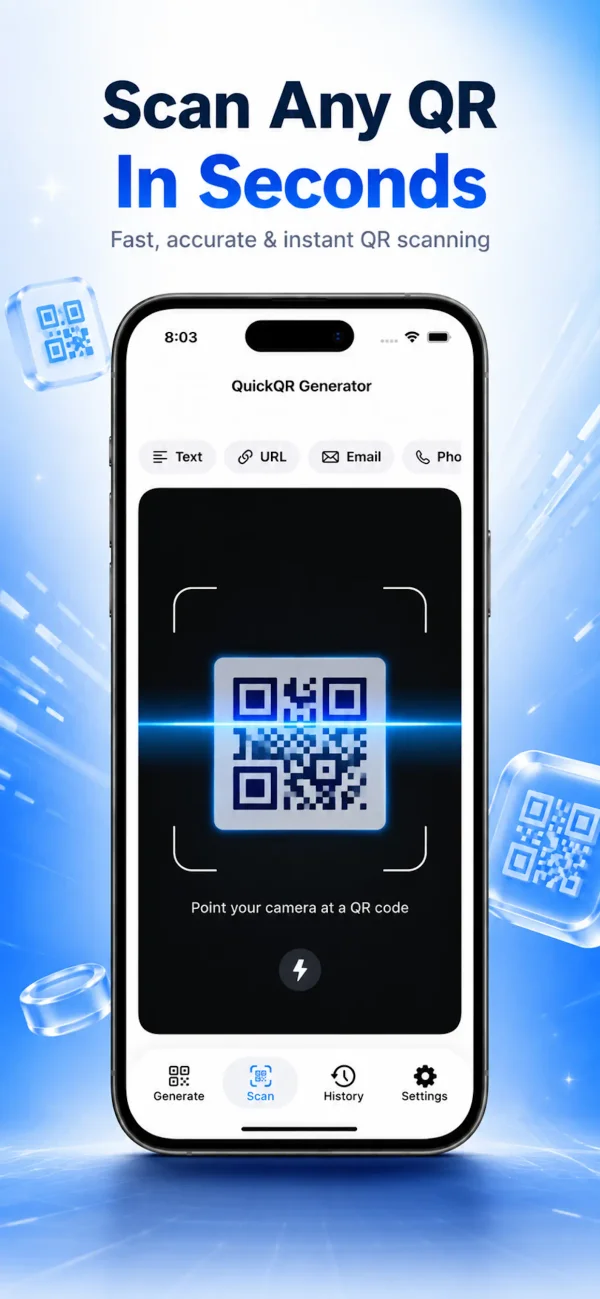
• Scan any QR code instantly with the built-in camera scanner
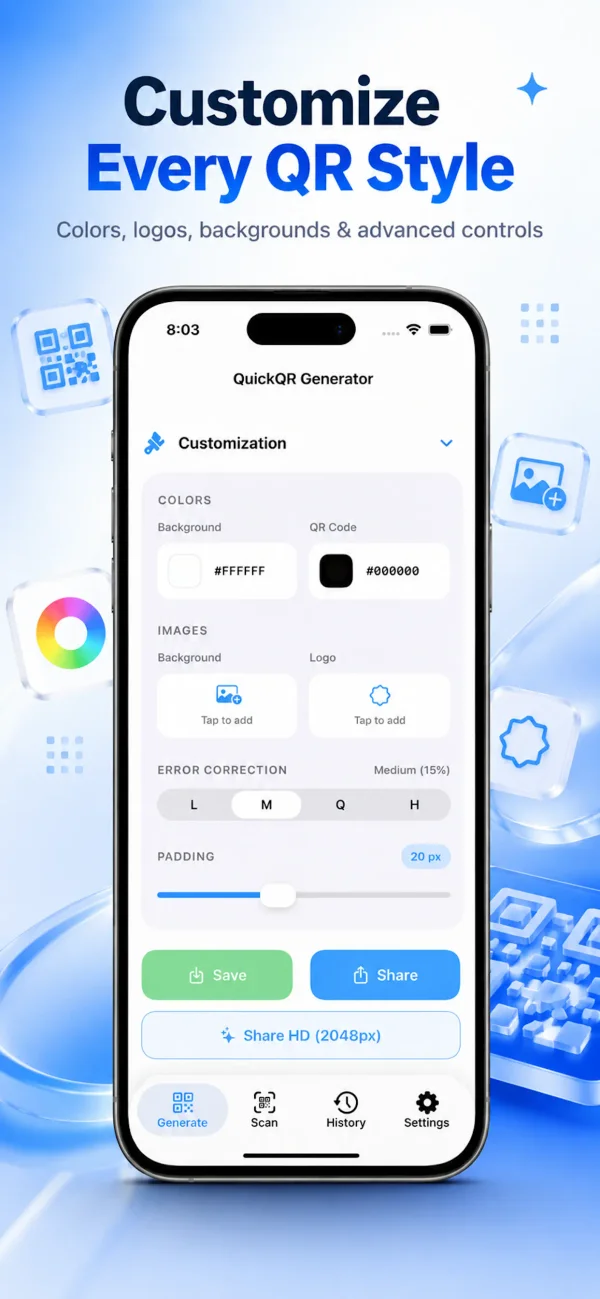
• Customize foreground and background colors with a full color picker
• Add a logo to the center of your QR code
• Use a custom image as the background
• Adjust padding and error-correction level for the perfect fit
• Save every code automatically to your private history
• Mark codes as favorites for one-tap access
• Share, copy, or save QR codes as high-resolution images
PERFECT FOR
• Restaurants & cafés — share digital menus, Wi-Fi passwords, and reviews
• Small businesses — link to your storefront, booking page, or socials
• Event organizers — print tickets, RSVPs, and check-in codes
• Real estate — connect listings to virtual tours and contact info
• Teachers & students — share assignments, links, and study resources
• Anyone — send your Wi-Fi to guests without typing a single character
SUPPORTED QR CODE TYPES
• Plain text — notes, messages, anything
• URL — open a website in any browser
• Email — pre-fill recipient, subject, and body
• Phone — start a call with one tap
• SMS — pre-fill a text message
• Wi-Fi — connect with a scan (WPA, WPA2, WEP, and open networks)
CUSTOMIZATION THAT STANDS OUT
QuickQR isn't just black squares on white. Every code is yours to design:
• Pick any foreground and background color combination
• Upload a logo to anchor your brand in the center of the code
• Use a photo or pattern as the QR background
• Choose error-correction levels (L, M, Q, H) so logos and color overlays stay scannable
• Fine-tune padding to match your layout — from edge-to-edge to bordered
Live preview shows your changes instantly so you can iterate without guessing.
PRIVACY FIRST
Your QR codes are yours. QuickQR runs entirely on-device:
• No account required
• No tracking, no analytics, no ads
• Your camera feed never leaves your phone
• Your QR history is stored locally on your device
We don't see what you scan or create — and we don't want to.
BUILT FOR iOS
• Native SwiftUI design that feels right at home on iPhone and iPad
• Dark Mode and Light Mode support
• Dynamic Type and full VoiceOver accessibility
• Works offline — no internet required to generate or scan
• Optimized for the latest iOS with smooth animations and instant response
FREE TO USE
QuickQR is free, with no hidden paywalls on core features. Generate as many QR codes as you want, scan as many as you need, and keep your full history on-device.
SUPPORT & FEEDBACK
We read every email. If you have an idea, a bug, or just want to say hi, tap "Contact Support" in the app's Settings and tell us what you need.
Thanks for choosing QuickQR — we hope it earns a permanent spot on your Home Screen.
Privasi aplikasi
Yang dinyatakan Nirav Parmar di App Store tentang cara aplikasi ini menangani data.
-
Data yang tidak ditautkan dengan Anda
Dapat dikumpulkan, tetapi tidak ditautkan dengan identitas Anda.
- Data penggunaan
- Diagnostik
Praktik privasi dapat bervariasi, misalnya berdasarkan fitur yang Anda gunakan atau usia Anda.
Informasi
- Penjual
- Nirav Parmar
- Kategori
- Kegunaan
- Versi
- 1.0
- Diperbarui
- 26/5/2026
- Dirilis
- 26/5/2026
- Ukuran
- 2,7 MB
- Memerlukan
- iOS 18.0 atau yang lebih baru
- Batasan usia
- 4+
- Harga
- Gratis
- Bahasa
- Inggris
- Hak cipta
- © 2026 All Rights Reserved by Nirav Parmar
Mungkin Anda juga suka
-
 QuickQR — QR & Barcode ScannerKegunaan
-
 QR Maker 8Kegunaan
-
 QR Generator Pro - Scan & MakeKegunaan
-
 FirstApps QR Code GeneratorKegunaan
-
 Bulk QR: QR Code MakerKegunaan
-
 QuickQR: URL QR Code GeneratorKegunaan
-
 Simple QR: Generator & ScannerScan Barcode, WiFi & Foto Kode
-
 QR Box • Pengelola CerdasAtur QR Code dengan Cepat
-
 Date Calculator & Date ManagerKegunaan
-
 WurstfingerKegunaan