- 対象年齢4+
- カテゴリユーティリティ
- 開発元Nirav Parmar
- 言語英語
- サイズ2.7 MB
App Storeの公式ページにリンクしています
Download.orgはQuickQR: QR Code Generatorのファイルを一切ホストしていません。ボタンを押すと、Nirav Parmarが公開しているApp Storeのアプリページが開きます。ページの最終確認:2026/11/10。
スクリーンショット

概要
開発元はこのテキストをお使いの言語で提供していません。
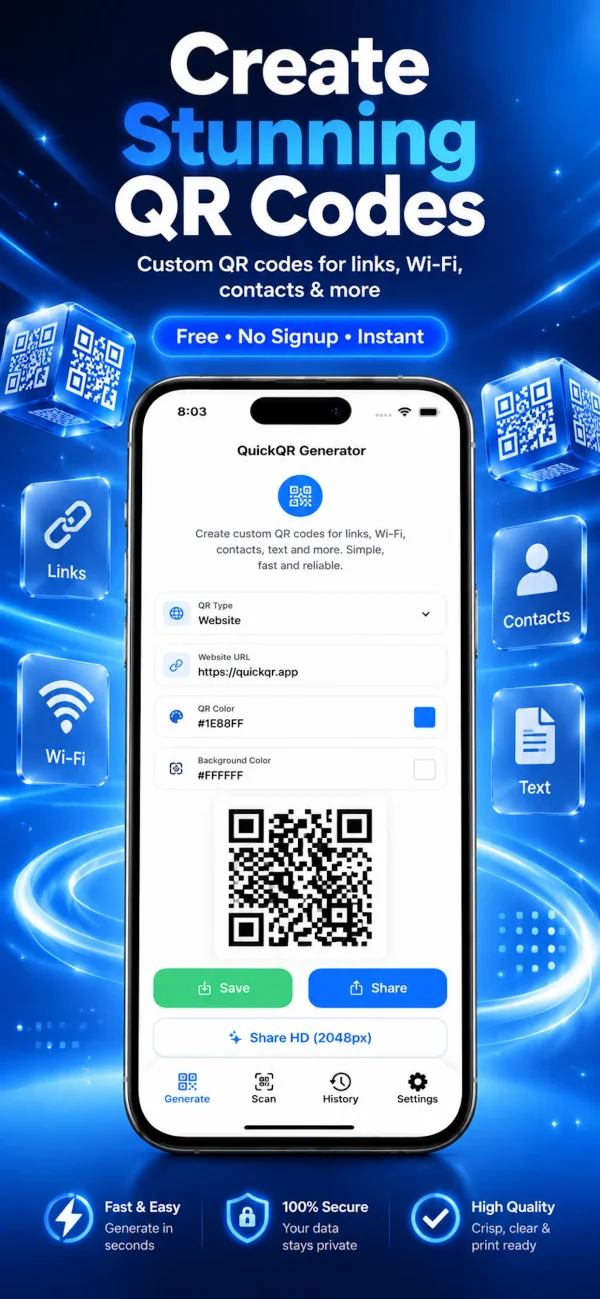
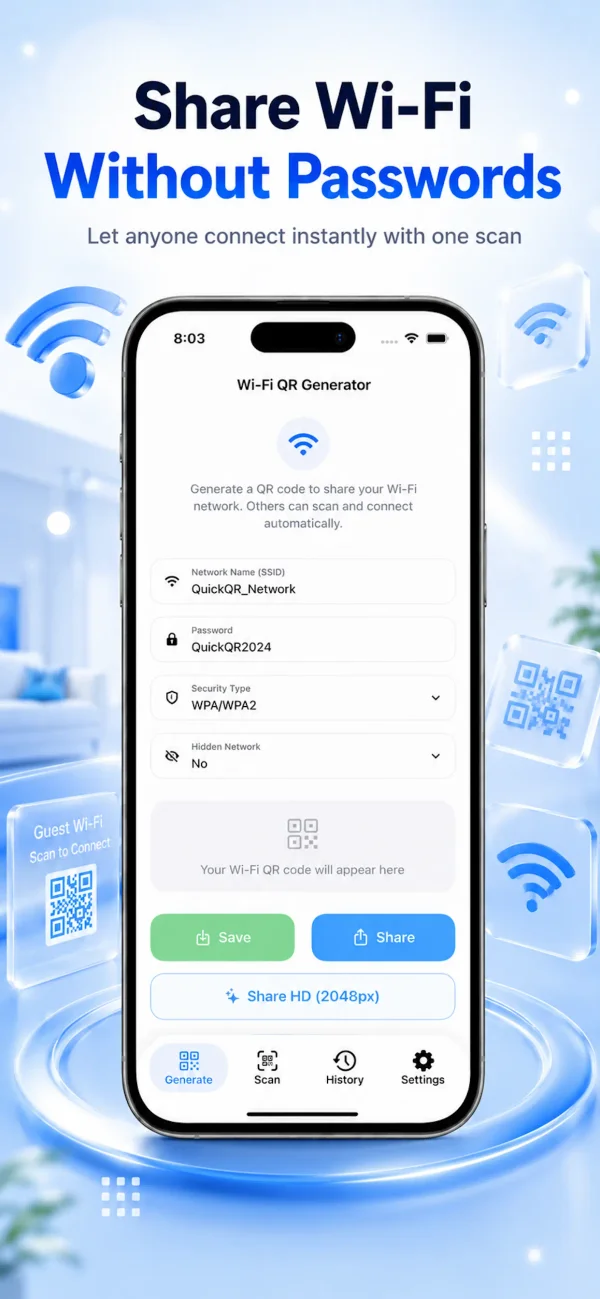
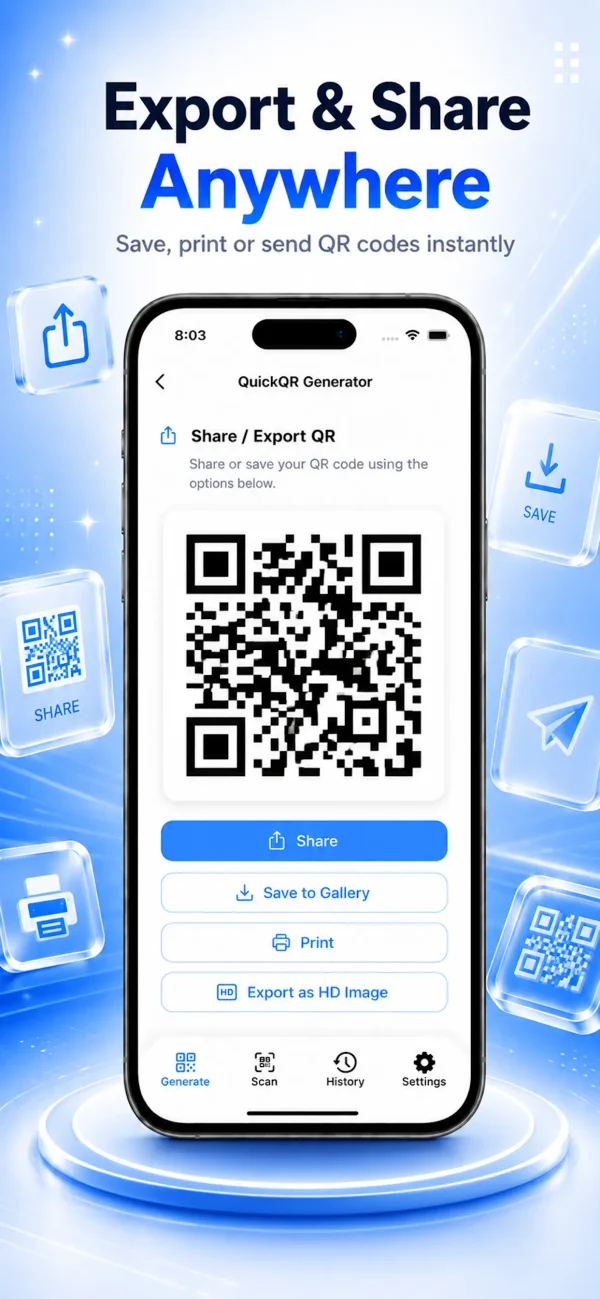
QuickQR is the fastest, cleanest way to create and scan QR codes on iPhone and iPad. Whether you're sharing a Wi-Fi password, a website, a phone number, or your menu, QuickQR turns it into a beautiful, scannable QR code in seconds — no ads, no sign-up, no fluff.
Designed for speed and built for everyday use, QuickQR pairs a powerful generator with a lightning-fast scanner and a full history of everything you've made. Customize colors, drop in a logo, add a background image, and export a QR code that actually looks like your brand.
WHAT YOU CAN DO
• Generate QR codes from text, URLs, email addresses, phone numbers, SMS messages, and Wi-Fi credentials
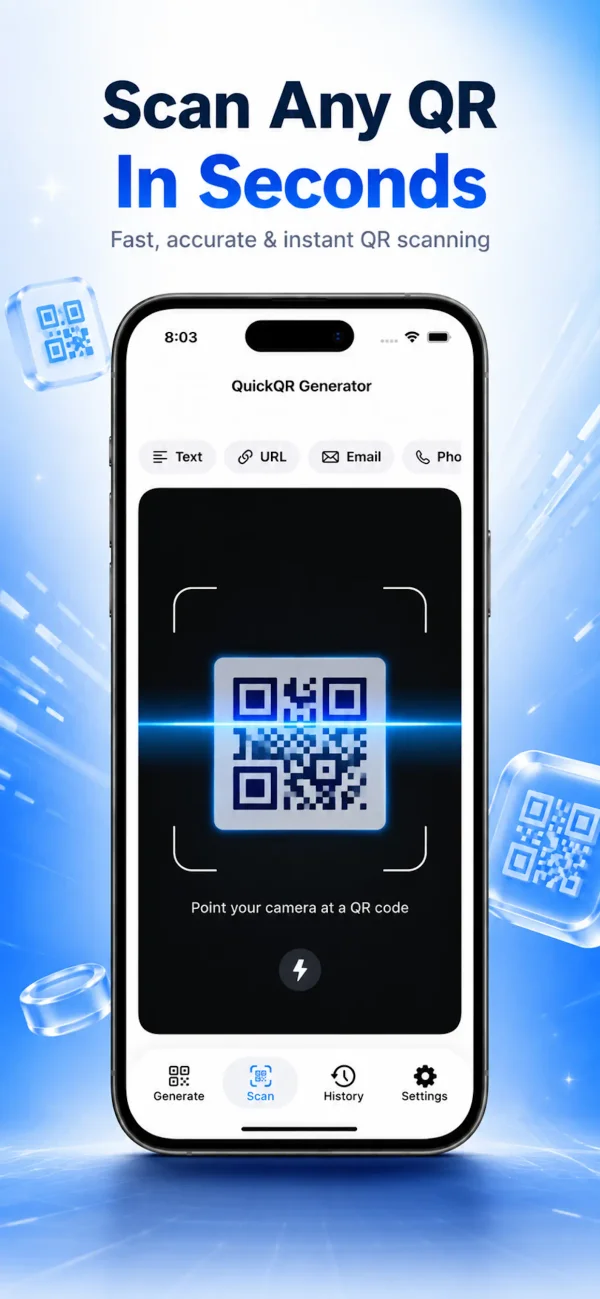
• Scan any QR code instantly with the built-in camera scanner
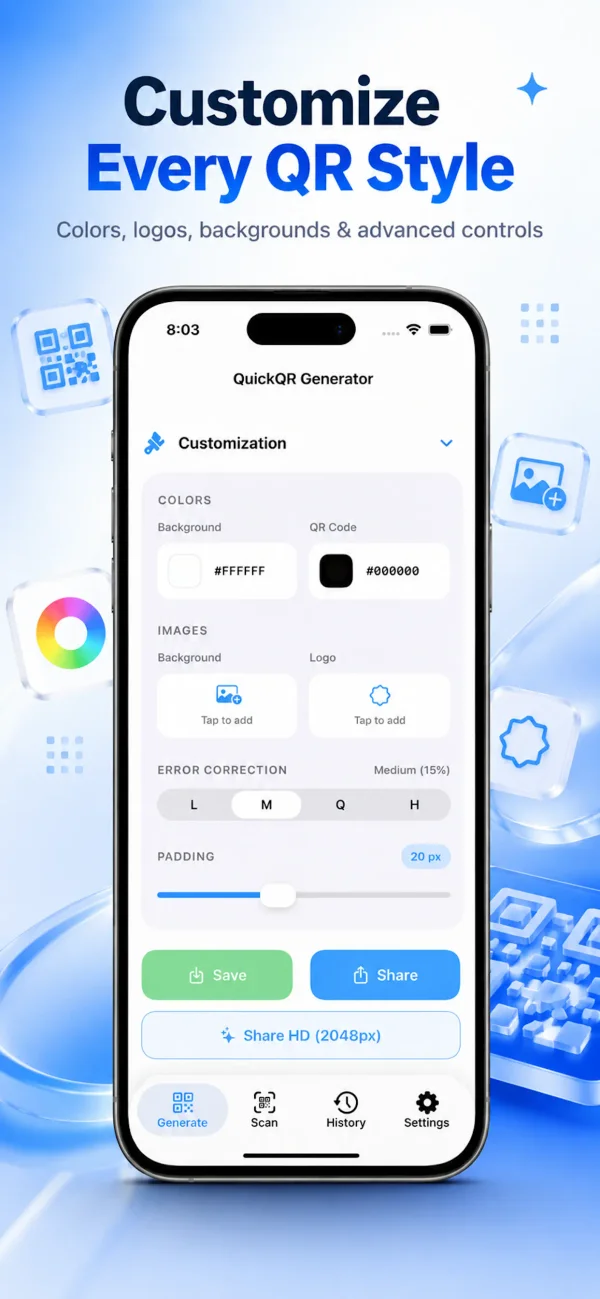
• Customize foreground and background colors with a full color picker
• Add a logo to the center of your QR code
• Use a custom image as the background
• Adjust padding and error-correction level for the perfect fit
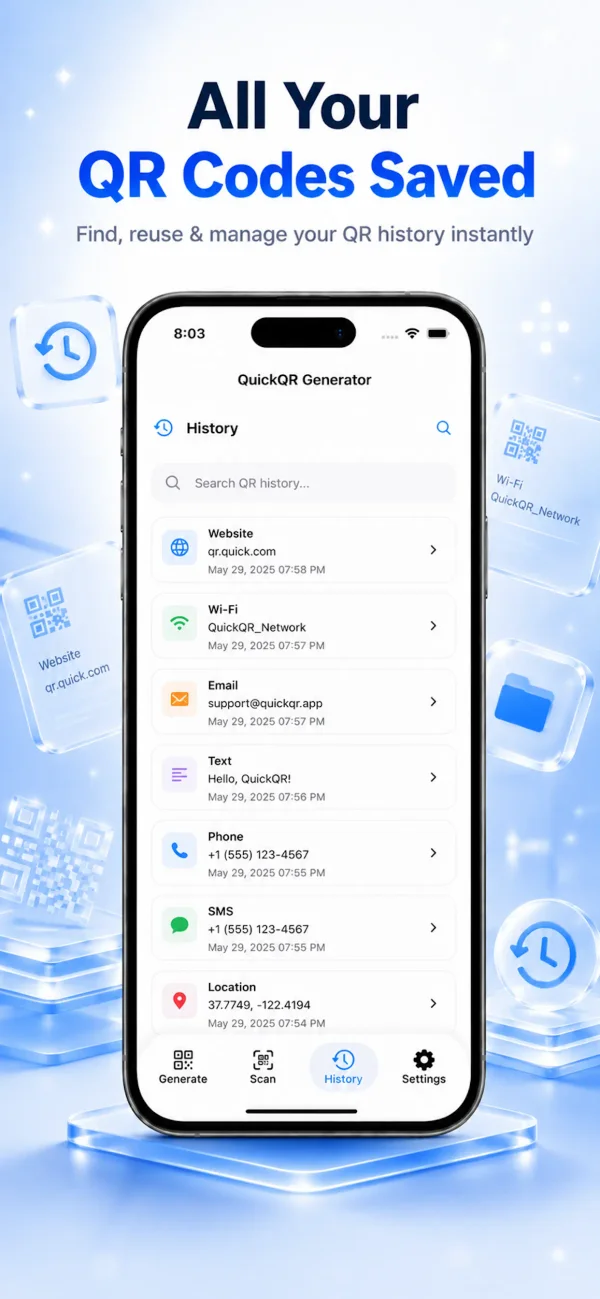
• Save every code automatically to your private history
• Mark codes as favorites for one-tap access
• Share, copy, or save QR codes as high-resolution images
PERFECT FOR
• Restaurants & cafés — share digital menus, Wi-Fi passwords, and reviews
• Small businesses — link to your storefront, booking page, or socials
• Event organizers — print tickets, RSVPs, and check-in codes
• Real estate — connect listings to virtual tours and contact info
• Teachers & students — share assignments, links, and study resources
• Anyone — send your Wi-Fi to guests without typing a single character
SUPPORTED QR CODE TYPES
• Plain text — notes, messages, anything
• URL — open a website in any browser
• Email — pre-fill recipient, subject, and body
• Phone — start a call with one tap
• SMS — pre-fill a text message
• Wi-Fi — connect with a scan (WPA, WPA2, WEP, and open networks)
CUSTOMIZATION THAT STANDS OUT
QuickQR isn't just black squares on white. Every code is yours to design:
• Pick any foreground and background color combination
• Upload a logo to anchor your brand in the center of the code
• Use a photo or pattern as the QR background
• Choose error-correction levels (L, M, Q, H) so logos and color overlays stay scannable
• Fine-tune padding to match your layout — from edge-to-edge to bordered
Live preview shows your changes instantly so you can iterate without guessing.
PRIVACY FIRST
Your QR codes are yours. QuickQR runs entirely on-device:
• No account required
• No tracking, no analytics, no ads
• Your camera feed never leaves your phone
• Your QR history is stored locally on your device
We don't see what you scan or create — and we don't want to.
BUILT FOR iOS
• Native SwiftUI design that feels right at home on iPhone and iPad
• Dark Mode and Light Mode support
• Dynamic Type and full VoiceOver accessibility
• Works offline — no internet required to generate or scan
• Optimized for the latest iOS with smooth animations and instant response
FREE TO USE
QuickQR is free, with no hidden paywalls on core features. Generate as many QR codes as you want, scan as many as you need, and keep your full history on-device.
SUPPORT & FEEDBACK
We read every email. If you have an idea, a bug, or just want to say hi, tap "Contact Support" in the app's Settings and tell us what you need.
Thanks for choosing QuickQR — we hope it earns a permanent spot on your Home Screen.
アプリのプライバシー
このアプリのデータの取り扱いについて、Nirav ParmarがApp Storeで申告している内容です。
-
ユーザーに関連付けられないデータ
収集される場合がありますが、ユーザーの識別情報には関連付けられません。
- 使用状況データ
- 診断
プライバシーの取り扱いは、ご利用の機能やお客様の年齢などに応じて異なる場合があります。
情報
- 販売元
- Nirav Parmar
- カテゴリ
- ユーティリティ
- バージョン
- 1.0
- 更新日
- 2026/5/26
- リリース
- 2026/5/26
- サイズ
- 2.7 MB
- 必要条件
- iOS 18.0以降
- 対象年齢
- 4+
- 価格
- 無料
- 言語
- 英語
- 著作権
- © 2026 All Rights Reserved by Nirav Parmar
こちらもおすすめ
-
 QuickQR — QR & Barcode Scannerユーティリティ
-
 QR Maker 8ユーティリティ
-
 QRジェネレーター Pro - スキャンネット不要の高速QRコード
-
 FirstApps QR Code Generatorユーティリティ
-
 まとめてQRユーティリティ
-
 QuickQR:URL・リンクをQRコードに即時変換・作成表示中のWebページをワンクリックで簡単共有・登録不要
-
 Simple QR:QRコードリーダー・QR作成アプリQRコード読み取り・バーコードリーダー・画像・WiFi
-
 QR Box • スマートQR管理QRコードを一括で保存・管理・表示できるオールインワンツール
-
 Date Calculator & Date Managerユーティリティ
-
 Wurstfingerユーティリティ