Ray Scan: PDF Document Scanner
Sign, Edit, Convert, Translate
Dirancang untuk iPhone, iPod touch
Gratis · Pembelian dalam aplikasi
- Batasan usia4+
- KategoriKegunaan
- PengembangArth Labs Inc.
- BahasaInggris
- Ukuran68,0 MB
Tertaut ke halaman resmi App Store
Download.org tidak menyimpan file Ray Scan: PDF Document Scanner apa pun. Tombol ini membuka halaman aplikasi di App Store, tempat Arth Labs Inc. menerbitkannya. Halaman terakhir diperiksa pada 29/11/2026.
Tangkapan layar
Tentang
Pengembang belum menyediakan teks ini dalam bahasa Anda.
Ray Scan turns your iPhone into a fast, sharp document scanner. Scan, sign, edit, convert and translate your documents in one app, with a clean new design.
SCAN THAT READS LIKE THE ORIGINAL
- Edge detection and auto capture find the page and take the shot for you
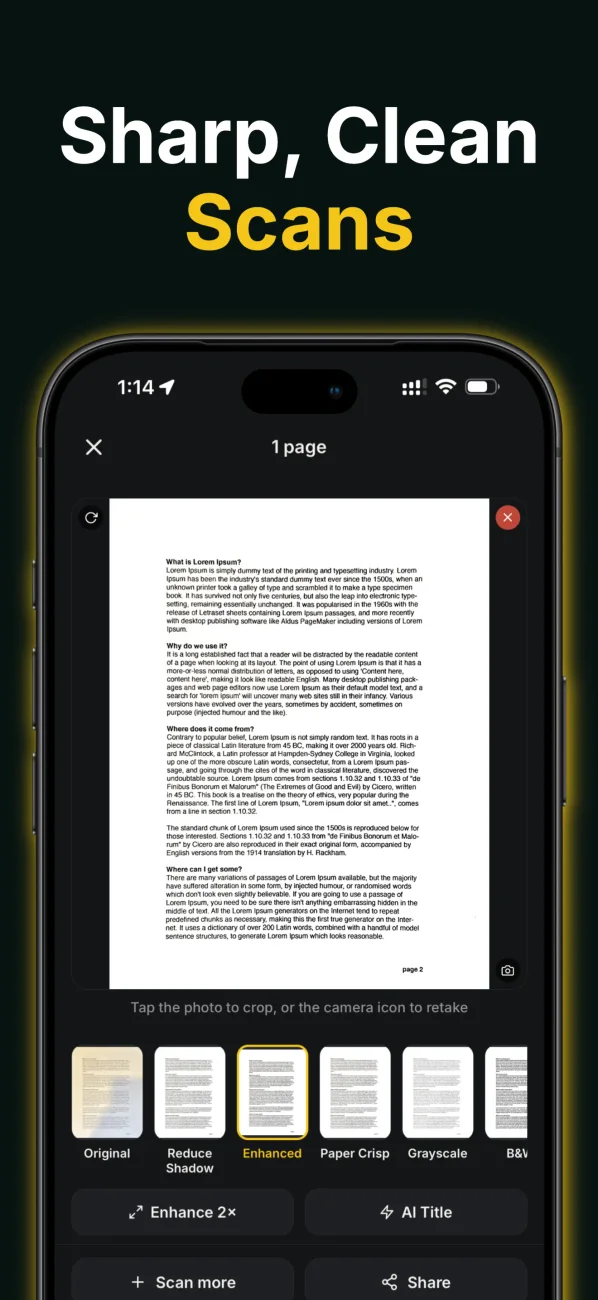
- Enhanced, Paper Crisp and Reduce Shadow make pages crisp and white while keeping faint print, punctuation and small marks
- Scan types for documents, receipts, ID cards, passports, business cards, whiteboards, book pages and photos
- Searchable PDFs: find any word across your library with on-device text recognition (OCR)
SIGN, FILL AND EDIT
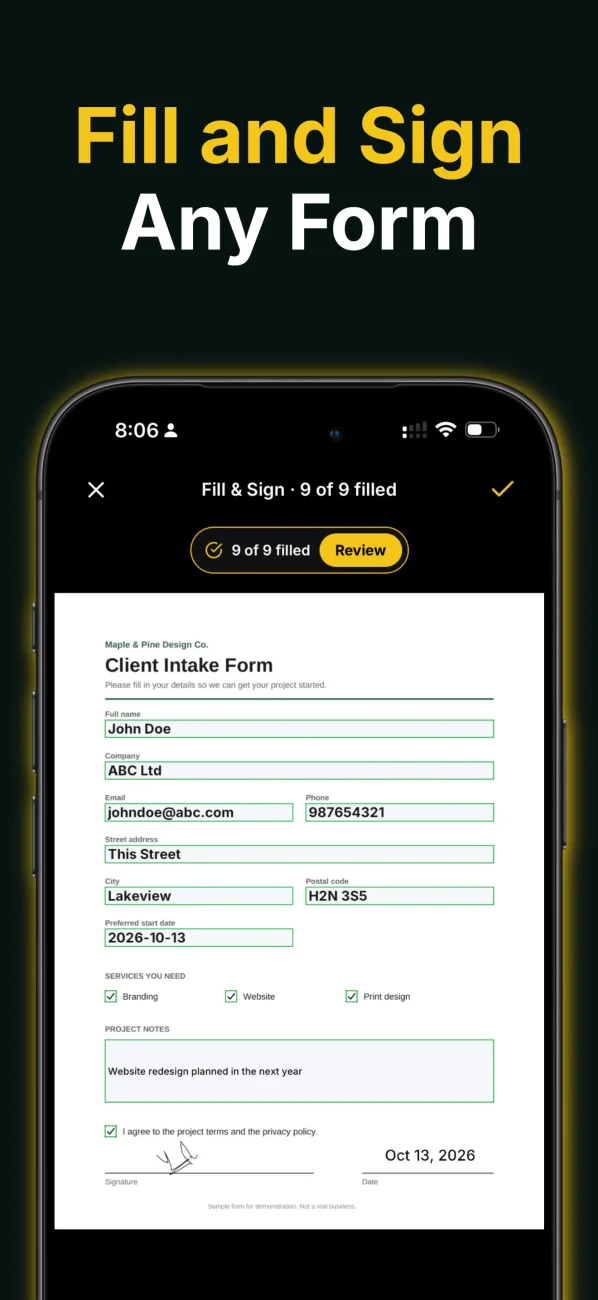
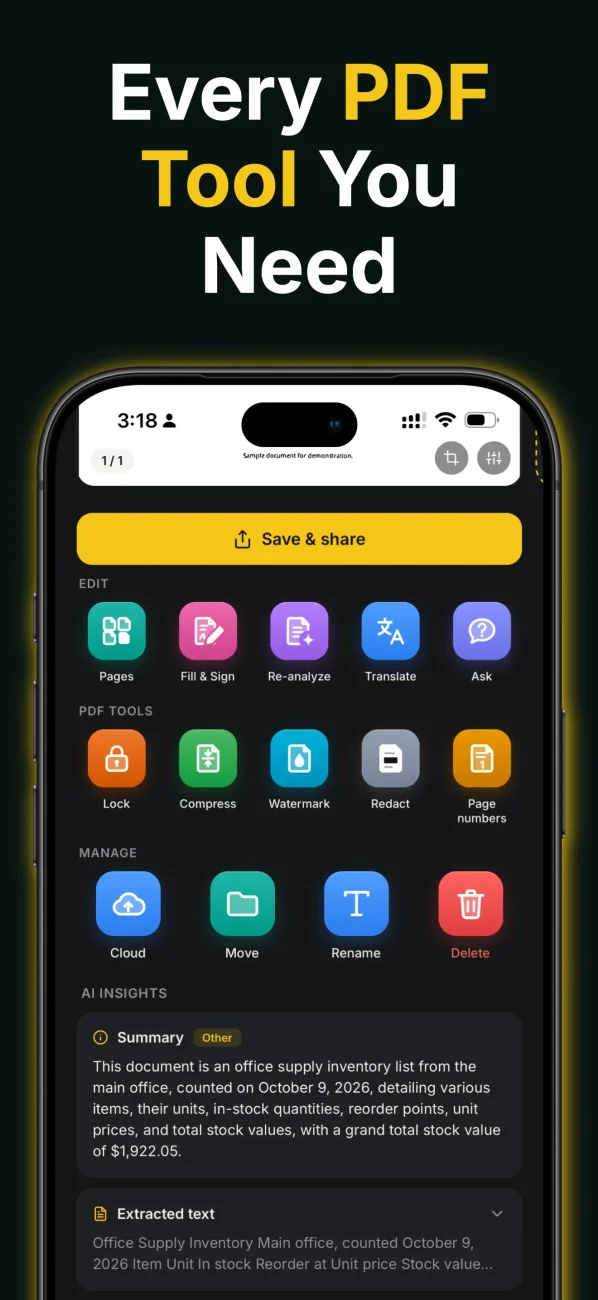
- Fill & Sign: fill a PDF's own form fields, add your signature, checkmarks and crosses
- Signatures you can draw, type or import from a photo
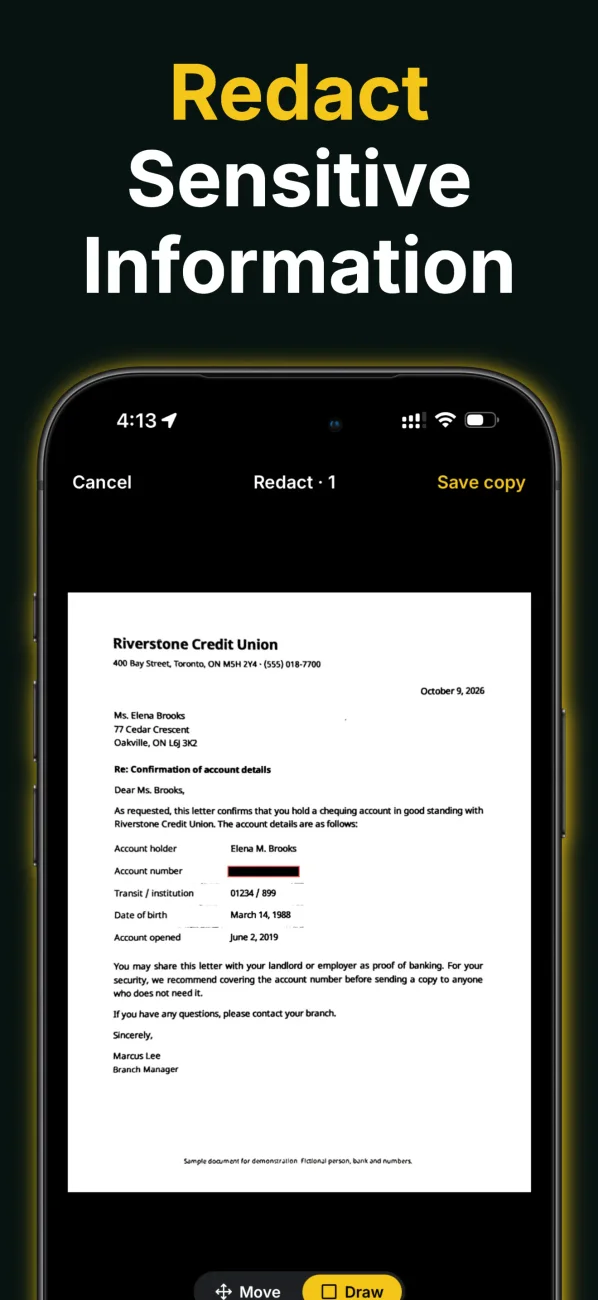
- Redact: black out text and save a copy with no hidden text left
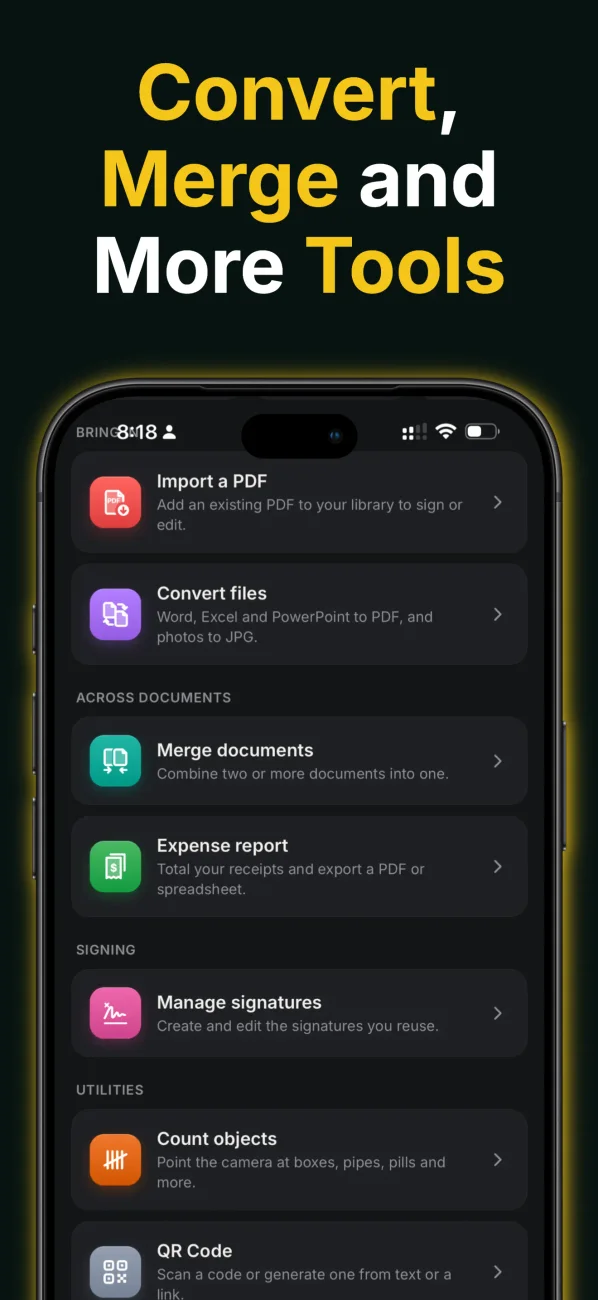
- Add page numbers and watermarks, merge, split and compress
- Lock a document with a password, and remove the password from a PDF you import
CONVERT
- Word, Excel, PowerPoint and text files to PDF
- iPhone HEIC photos to JPG
- Scan to Excel: turn a table on paper into an .xlsx or .csv you can edit
AI THAT DOES THE BUSYWORK
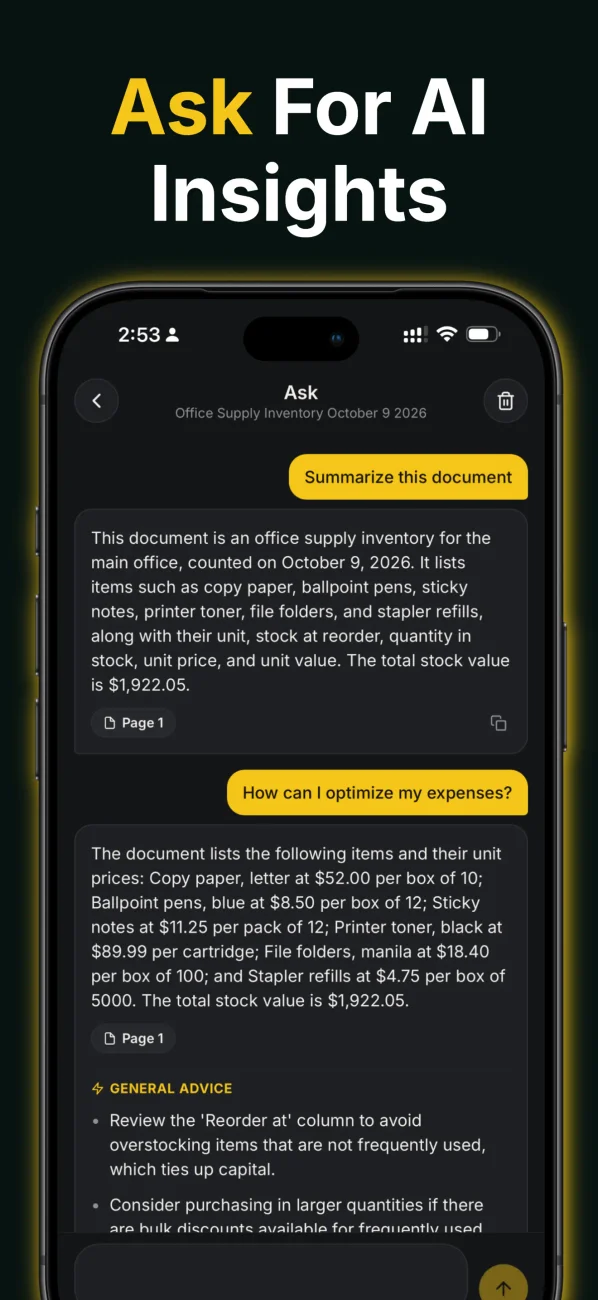
- Ask questions about a document and get answers drawn from its pages
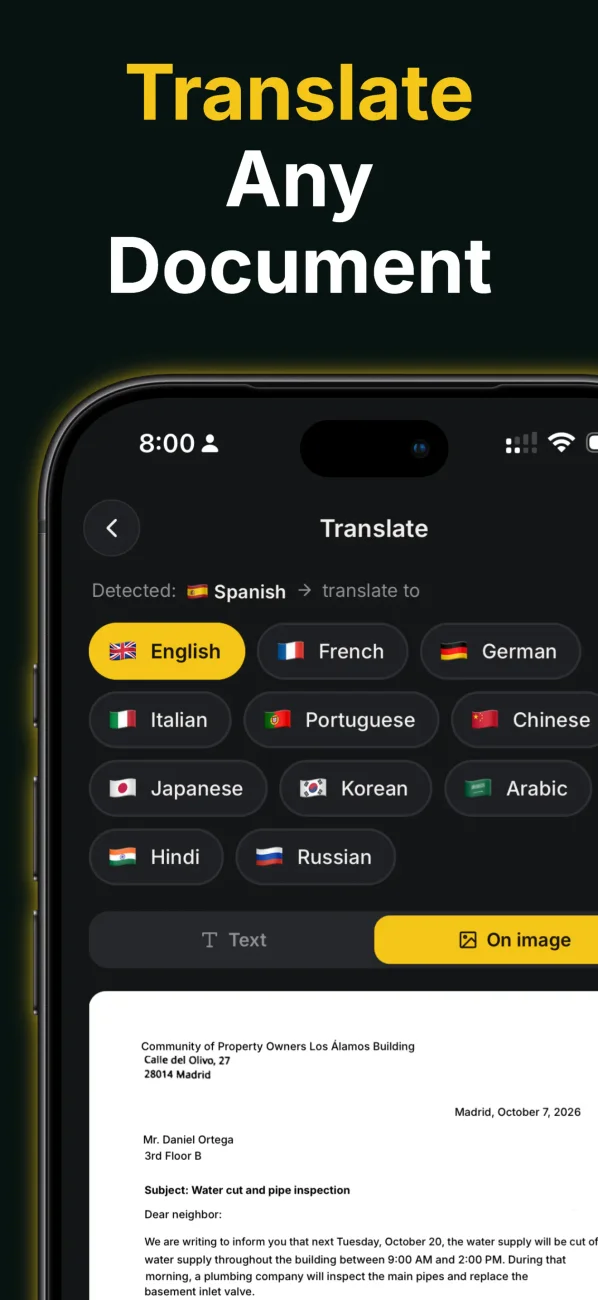
- Translate any page into 12 languages, on the image or as text
- Automatic file names and folders, summaries, and receipt and invoice details read for you
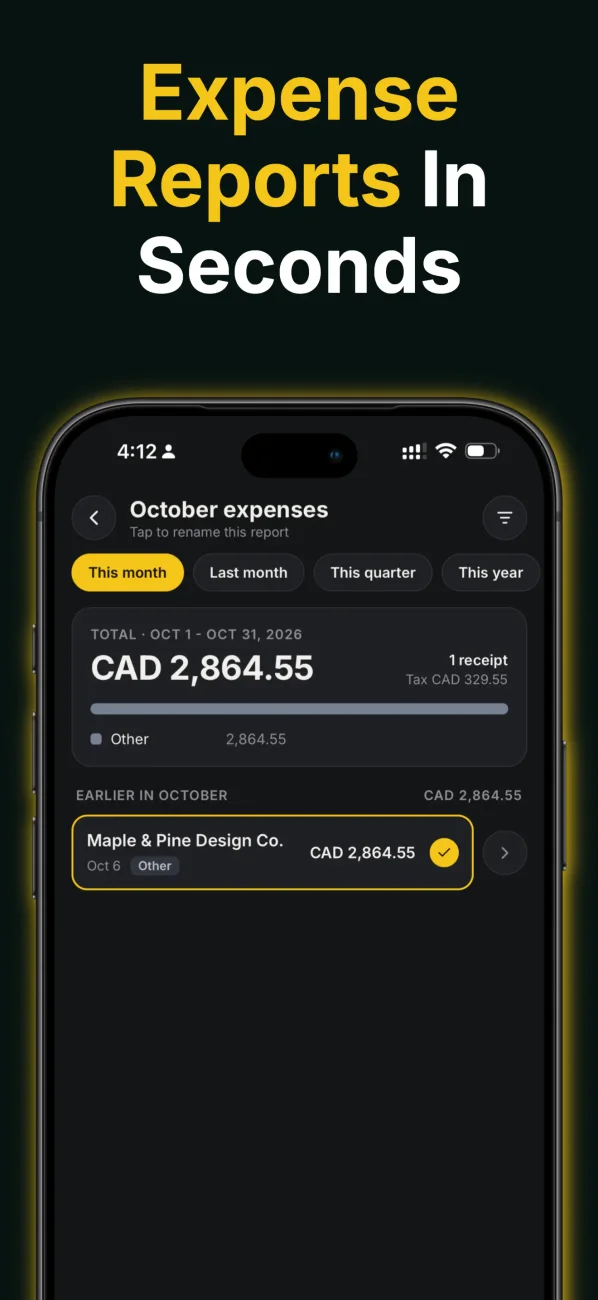
- Expense report: pick a date range, see totals by category, and export a PDF with your receipts
ORGANIZE AND SHARE
- Folders with their own colours and icons, tags and search
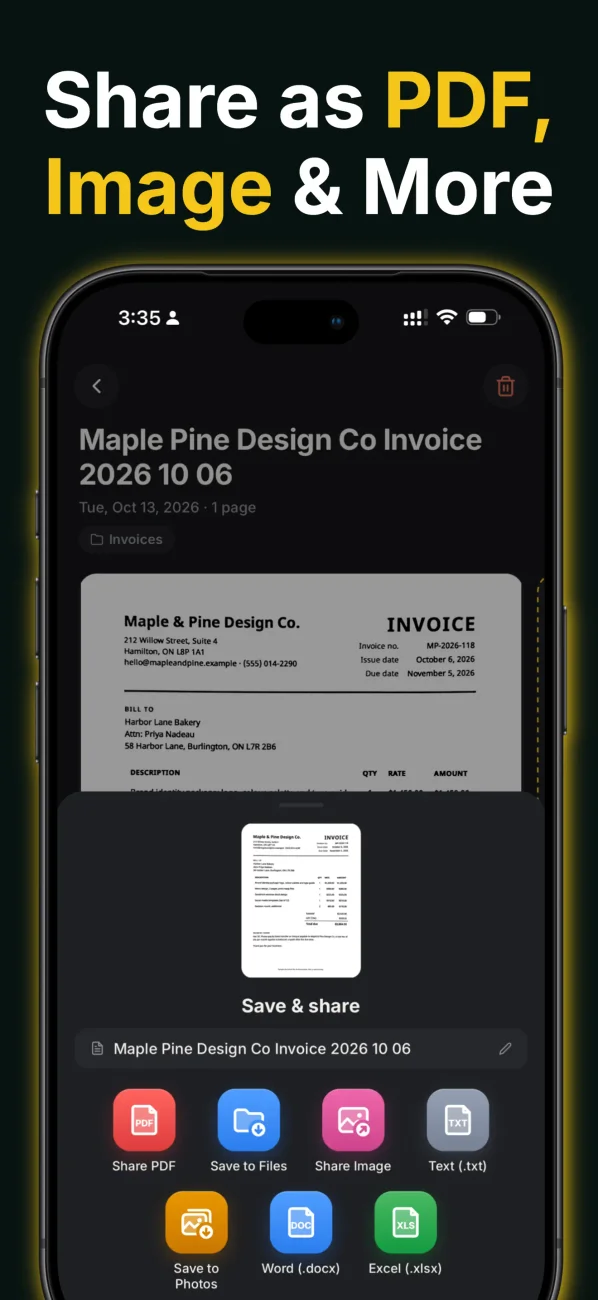
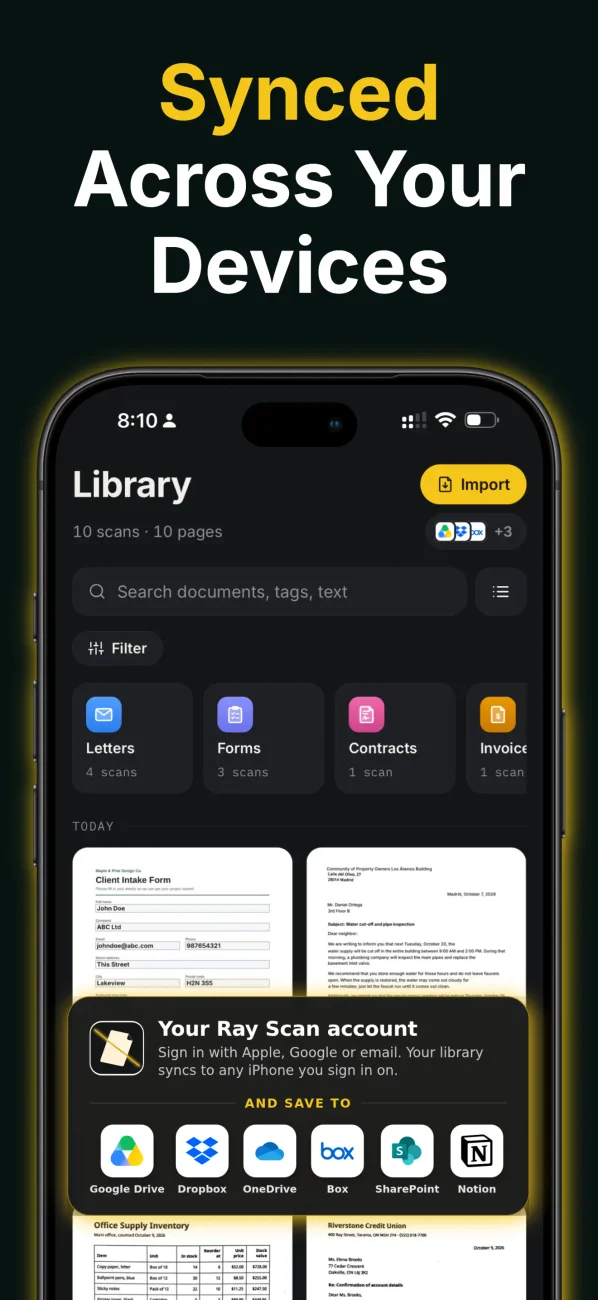
- Save to Google Drive, Dropbox, Box, OneDrive, SharePoint, Notion or the Files app
- Cloud sync across your devices with 5 GB of storage (Unlimited + AI)
- Each account sees only its own documents
- Sign in with Apple, Google, a passkey or an emailed code
MORE TOOLS
- Count objects: point the camera at boxes, pipes or pills and get a count you can correct
- QR codes: scan one, or make one from text or a link
PLANS
Free to download, with a monthly scan allowance and a few AI credits each month. Unlimited + AI unlocks unlimited scans, cloud sync and a monthly allowance of AI credits, as a monthly or yearly subscription or a one-time purchase. AI credit packs are available on any plan. Subscriptions renew automatically unless cancelled at least 24 hours before the end of the current period, and can be managed in your App Store account settings.
Terms of Use: https://rayscan.app/terms
Privacy Policy: https://rayscan.app/privacy
Yang baru
Versi 1.2 · 17/11/2026
ONE SIMPLE PLAN
- Unlimited + AI: unlimited scans, every tool and AI in one plan
- Subscribe monthly or yearly, or pay once with no subscription
- The monthly plan starts with a first month at a lower price
- AI credit packs whenever you need more AI, on any plan
FASTER SCANS
- Filters use every core of your iPhone, so pages finish much sooner
- Switching between filters is instant once a page is ready
- Save to Library while pages are still finishing
- The Library opens and scrolls faster with many documents
NEW
- Smart filter: Enhanced, plus crease lines removed from receipts
- Workflows: name, file and send each scan by itself, the way you set it up
- Sync rules: send folders or scan types to your cloud drive
- Send many documents to a cloud drive at once
- Essentials: a checklist for your ID, passport, licence and insurance card
Plus clearer receipts, Fill & Sign text sizes, and many fixes.
Privasi aplikasi
Yang dinyatakan Arth Labs Inc. di App Store tentang cara aplikasi ini menangani data.
-
Data yang ditautkan dengan Anda
Dapat dikumpulkan dan ditautkan dengan identitas Anda.
- Pembelian
- Info kontak
- Konten pengguna
- Pengenal
- Data penggunaan
- Diagnostik
Praktik privasi dapat bervariasi, misalnya berdasarkan fitur yang Anda gunakan atau usia Anda.
Informasi
- Penjual
- Arth Labs Inc.
- Kategori
- Kegunaan
- Versi
- 1.2
- Diperbarui
- 17/11/2026
- Dirilis
- 6/10/2026
- Ukuran
- 68,0 MB
- Memerlukan
- iOS 15.1 atau yang lebih baru
- Batasan usia
- 4+
- Harga
- Gratis
- Pembelian dalam aplikasi
- Ya
- Bahasa
- Inggris
- Hak cipta
- © 2026 Arth Labs Inc.
Mungkin Anda juga suka
-
 Morfi: File & PDF ConverterKegunaan
-
 LensifyKegunaan
-
 Cingle: Remote TV UniversalKontrol Smart TV, tanpa iklan
-
 WellKept: Your Well On RecordKegunaan
-
 NoteCard +: Catatan CepatMarkdown, foto, daftar tugas
-
 Brumi : Photo&Storage CleanerKegunaan
-
 So Annoying! Pemblokir IklanBebas popup dan banner cookie
-
 xDeskKegunaan
-
 TransFloat: AI Live TranslatorKegunaan
-
 Notchet: Clipboard ManagerKegunaan