
RollCut Panel
Sheet cutting & remnant stock
Dirancang untuk iPhone, iPad
Gratis · Pembelian dalam aplikasi
- Batasan usia4+
- KategoriKegunaan
- PengembangViktor Apukhtin
- BahasaKorea+ 12 lainnya
- Ukuran7,3 MB
Tertaut ke halaman resmi App Store
Download.org tidak menyimpan file RollCut Panel apa pun. Tombol ini membuka halaman aplikasi di App Store, tempat Viktor Apukhtin menerbitkannya. Halaman terakhir diperiksa pada 12/11/2026.
Tangkapan layar
Tentang
Pengembang belum menyediakan teks ini dalam bahasa Anda.
Turn a list of rectangular parts into a practical sheet cutting layout.
RollCut Panel helps you plan work with plywood, panels and sheet metal, keep useful remnants, and prepare documents for the workshop.
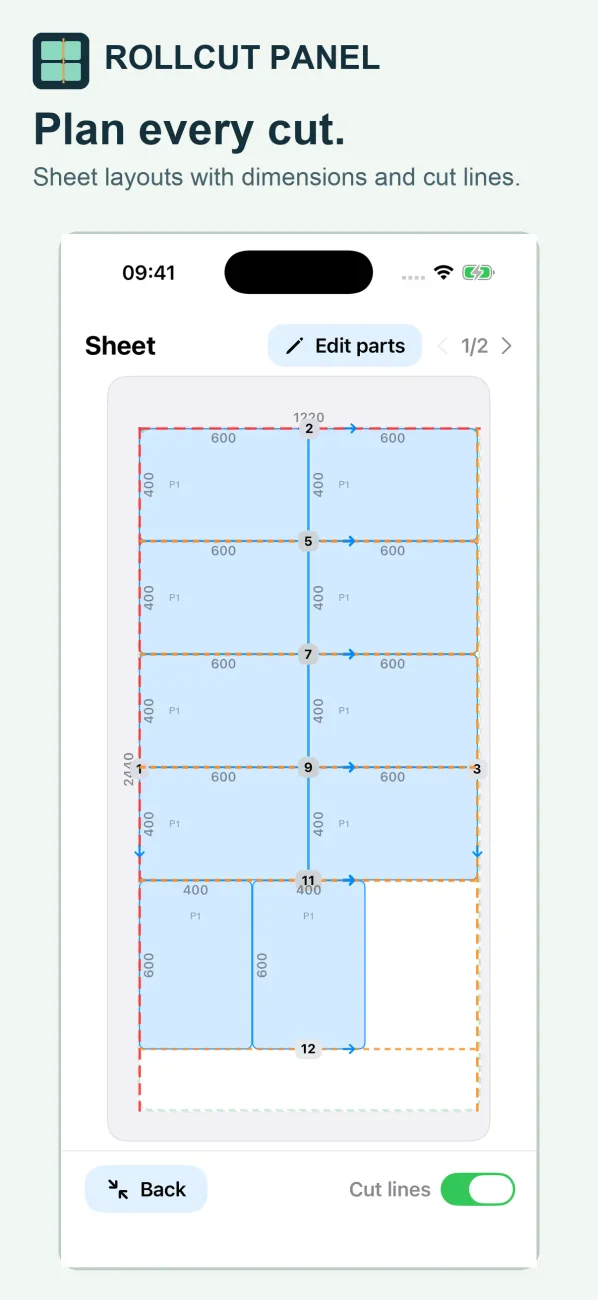
PLAN THE CUT
Enter part dimensions and quantities, paste a list, or recognize a photographed list with Apple’s on-device OCR. Set sheet dimensions, kerf, margins and rotation options. Inspect dimensions and cut lines in a full-screen layout.
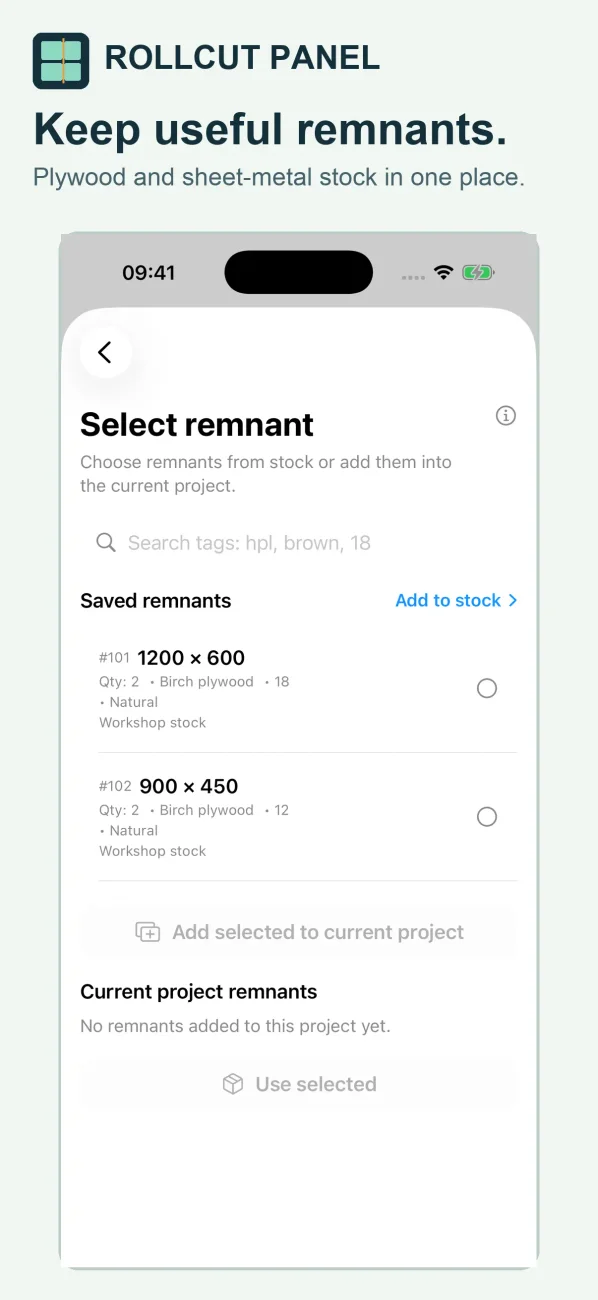
PUT REMNANTS BACK TO WORK
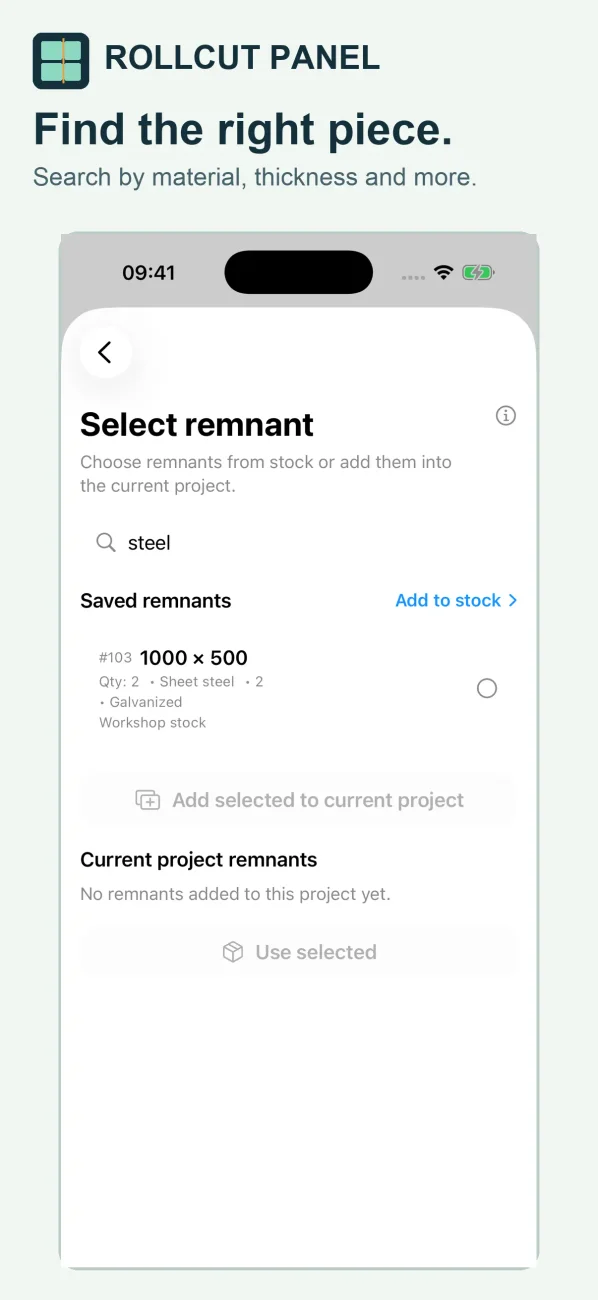
Keep a stock of plywood and sheet-metal remnants with dimensions, material, thickness, texture, color and notes. Search these characteristics, find a suitable piece, and add it to another project.
KEEP THE WORK ORGANIZED
Save, reopen and duplicate projects. Export PDF production documents and DXF drawings. Work in metric or imperial units on iPhone and iPad, with adaptive layouts for iPhone Duo.
FREE MODE AND PRO
Free mode currently supports calculations for one unique part size; a 90-degree rotation counts as the same size. RollCut Panel Pro unlocks mixed layouts with multiple part sizes. Monthly and yearly auto-renewable subscriptions are available. Prices and any eligible introductory offers are shown in the app. Manage or cancel your subscription in your Apple Account settings.
OCR uses Apple Vision/VisionKit.
Terms of Use (Apple Standard EULA): https://www.apple.com/legal/internet-services/itunes/dev/stdeula/
Privacy Policy: https://rollcut.app/privacy
Yang baru
Versi 1.2 · 31/10/2026
• Support for iPhone Duo, with layouts that adapt to the available screen space.
• Keep your project and entered values when opening, closing or rotating the device.
• Improved keyboard handling, clearer field labels and easier-to-tap dock controls.
• Improved full-screen cutting layouts and cut-line display across screen sizes.
• The app now starts in manual Input mode.
Privasi aplikasi
Yang dinyatakan Viktor Apukhtin di App Store tentang cara aplikasi ini menangani data.
-
Data tidak dikumpulkan
Pengembang tidak mengumpulkan data apa pun dari aplikasi ini.
Praktik privasi dapat bervariasi, misalnya berdasarkan fitur yang Anda gunakan atau usia Anda.
Informasi
- Penjual
- Viktor Apukhtin
- Kategori
- Kegunaan
- Versi
- 1.2
- Diperbarui
- 31/10/2026
- Dirilis
- 26/4/2026
- Ukuran
- 7,3 MB
- Memerlukan
- iOS 18.6 atau yang lebih baru
- Batasan usia
- 4+
- Harga
- Gratis
- Pembelian dalam aplikasi
- Ya
- Bahasa
- Korea, Jerman, Rusia, Vietnamese, Swensk (Swedia), Spanyol, Inggris, Ukraina, Italia, Jepang, Portugis, Polski (Polandia) + 1 lainnya
- Hak cipta
- © 2026 Viktor Apukhtin
Mungkin Anda juga suka
-
 Kerfly: Cut List OptimizerKegunaan
-
 Glessio: Cut List OptimizerKegunaan
-
 KerfMate: Cut List OptimizerKegunaan
-
 CutKit 2Kegunaan
-
 CutList Optimizer - CircleKegunaan
-
 Pemindai Jamur: Mold AcePemindai AI & Risiko Kesehatan
-
 XyloKerf: Cut List OptimizerKegunaan
-
 LineConstantsKegunaan
-
 PackShip: Shipping CalculatorKegunaan
-
 CutFlow: Cut List OptimizerKegunaan