
RollCut Panel
Sheet cutting & remnant stock
Designed for iPhone, iPad
In-app purchases
- Age rating4+
- CategoryUtilities
- DeveloperViktor Apukhtin
- LanguagesKorean+ 12 more
- Size7.3 MB
Links to the official App Store page
Download.org hosts no file of RollCut Panel. The button opens its official App Store page, published by Viktor Apukhtin. Listing last checked on Nov 12, 2026.
Screenshots
About
Turn a list of rectangular parts into a practical sheet cutting layout.
RollCut Panel helps you plan work with plywood, panels and sheet metal, keep useful remnants, and prepare documents for the workshop.
PLAN THE CUT
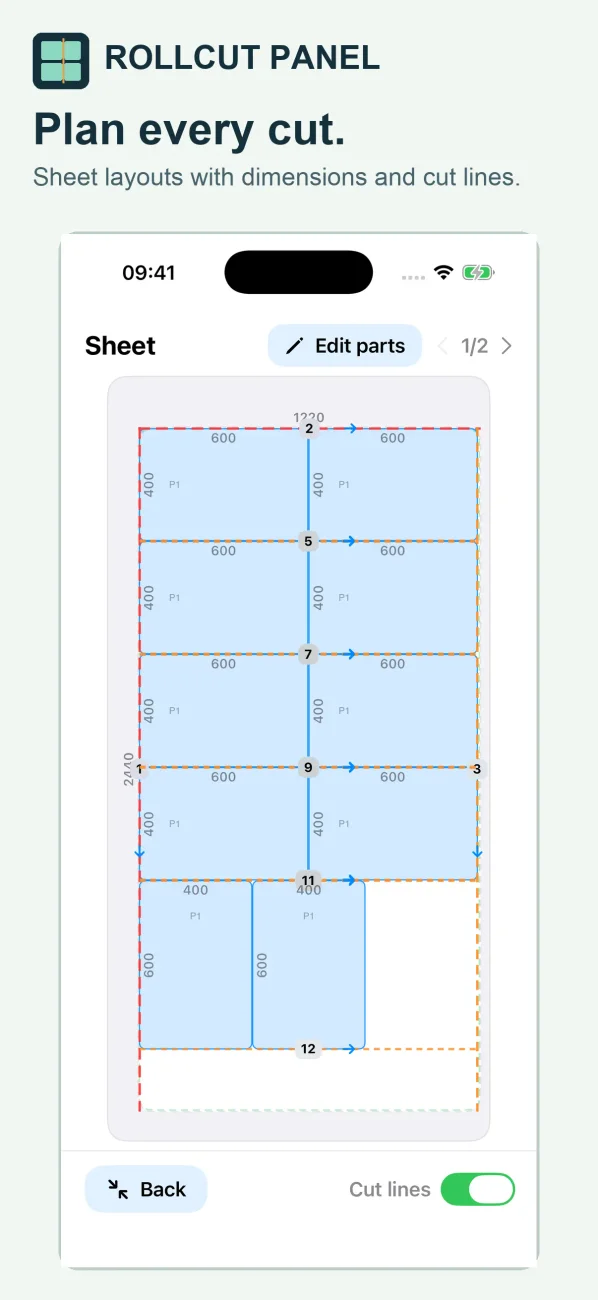
Enter part dimensions and quantities, paste a list, or recognize a photographed list with Apple’s on-device OCR. Set sheet dimensions, kerf, margins and rotation options. Inspect dimensions and cut lines in a full-screen layout.
PUT REMNANTS BACK TO WORK
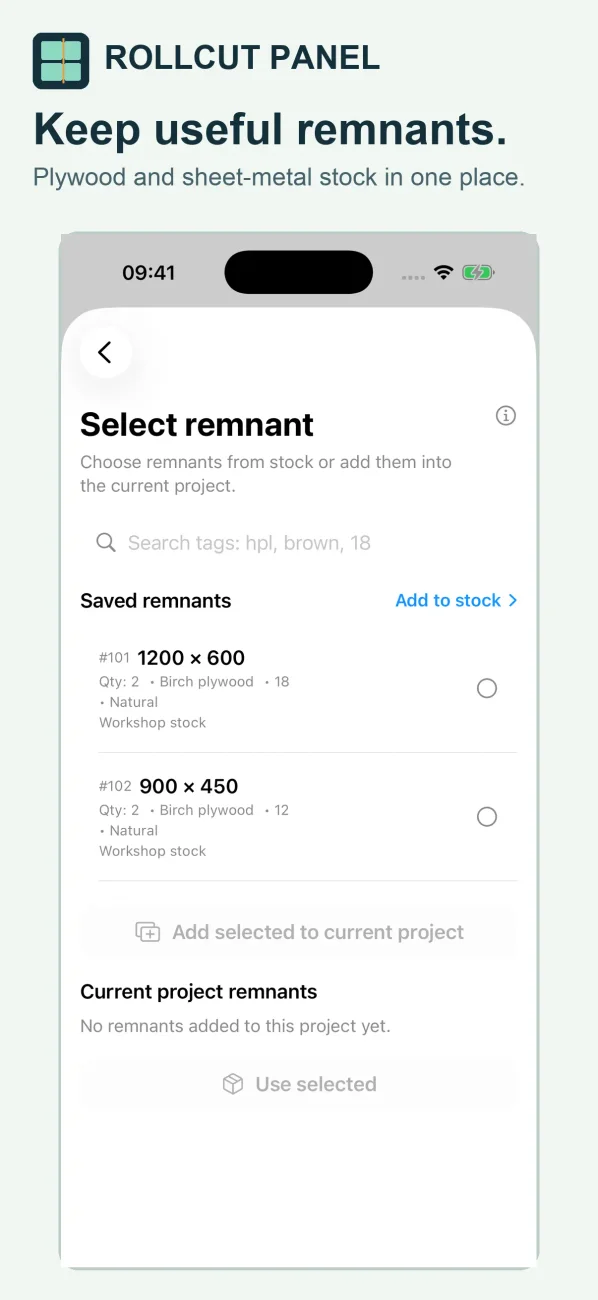
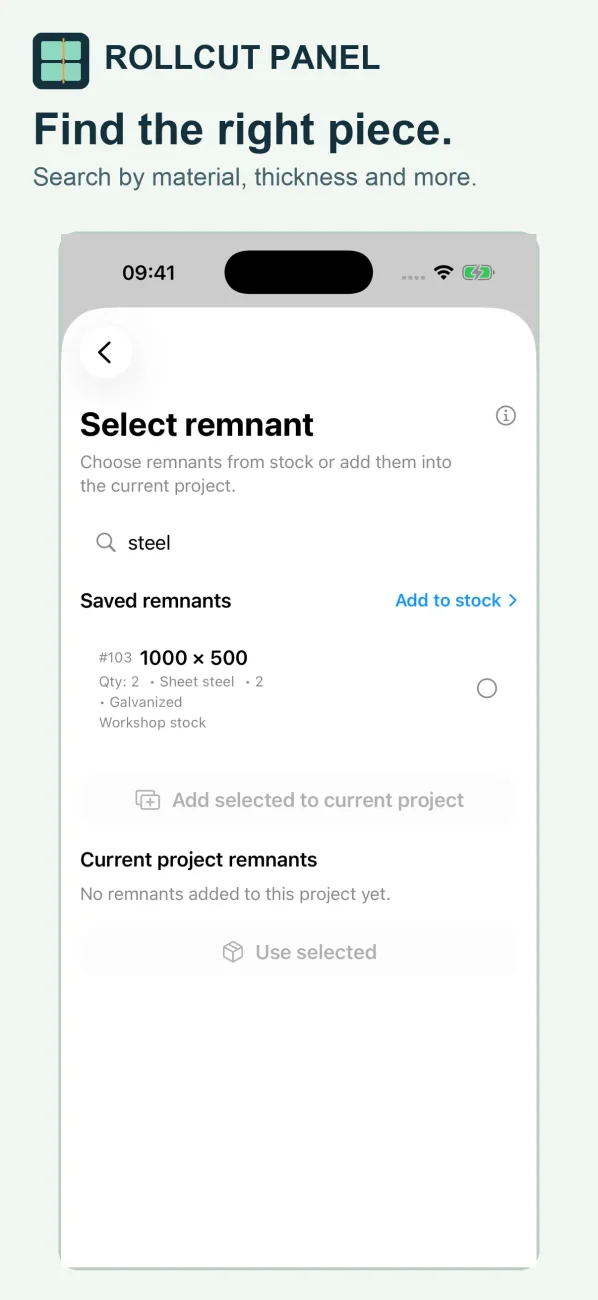
Keep a stock of plywood and sheet-metal remnants with dimensions, material, thickness, texture, color and notes. Search these characteristics, find a suitable piece, and add it to another project.
KEEP THE WORK ORGANIZED
Save, reopen and duplicate projects. Export PDF production documents and DXF drawings. Work in metric or imperial units on iPhone and iPad, with adaptive layouts for iPhone Duo.
FREE MODE AND PRO
Free mode currently supports calculations for one unique part size; a 90-degree rotation counts as the same size. RollCut Panel Pro unlocks mixed layouts with multiple part sizes. Monthly and yearly auto-renewable subscriptions are available. Prices and any eligible introductory offers are shown in the app. Manage or cancel your subscription in your Apple Account settings.
OCR uses Apple Vision/VisionKit.
Terms of Use (Apple Standard EULA): https://www.apple.com/legal/internet-services/itunes/dev/stdeula/
Privacy Policy: https://rollcut.app/privacy
What’s new
Version 1.2 · Oct 31, 2026
• Support for iPhone Duo, with layouts that adapt to the available screen space.
• Keep your project and entered values when opening, closing or rotating the device.
• Improved keyboard handling, clearer field labels and easier-to-tap dock controls.
• Improved full-screen cutting layouts and cut-line display across screen sizes.
• The app now starts in manual Input mode.
App privacy
What Viktor Apukhtin declares on the App Store about how this app handles data.
-
Data not collected
The developer does not collect any data from this app.
Privacy practices may vary, for example with the features you use or your age.
Information
- Seller
- Viktor Apukhtin
- Category
- Utilities
- Version
- 1.2
- Updated
- Oct 31, 2026
- Released
- Apr 26, 2026
- Size
- 7.3 MB
- Requires
- iOS 18.6 or later
- Age rating
- 4+
- In-app purchases
- Yes
- Languages
- Korean, German, Russian, Vietnamese, Swedish, Spanish, English, Ukrainian, Italian, Japanese, Portuguese, Polish + 1 more
- Copyright
- © 2026 Viktor Apukhtin
You might also like
-
 Kerfly: Cut List OptimizerSheet & Panel Layout Planner
-
 Glessio: Cut List OptimizerOptimized Wood Cutting Plans
-
 KerfMate: Cut List OptimizerPlywood, Boards & Offcuts
-
 CutKit 2Layout optimizer
-
 CutList Optimizer - CircleOptimize Circle Cuts
-
 Mold Identifier: Mold AceAI Scanner & Health Risk Check
-
 XyloKerf: Cut List OptimizerPlywood & Sheet Cutting Plans
-
 LineConstantsLine Constants
-
 PackShip: Shipping CalculatorBox Size Finder & Rate Compare
-
 CutFlow: Cut List OptimizerSheet Cutting Optimizer Tool