
Roundi: Visual Focus Timer
Single-Task Pomodoro for ADHD
Dirancang untuk iPhone, iPad, Mac, iPod touch
Gratis
- Batasan usia4+
- KategoriProduktivitas
- PengembangYakppal, Inc.
- BahasaInggris+ 8 lainnya
- Ukuran37,0 MB
Tertaut ke halaman resmi App Store
Download.org tidak menyimpan file Roundi: Visual Focus Timer apa pun. Tombol ini membuka halaman aplikasi di App Store, tempat Yakppal, Inc. menerbitkannya. Halaman terakhir diperiksa pada 23/11/2026.
Tangkapan layar




Tentang
Pengembang belum menyediakan teks ini dalam bahasa Anda.
One round, one thing. Roundi holds you to a single task and shows the time as color: focus you can see.
Turn the dial, press start, and a disc of color begins to disappear — like a kitchen timer for your attention. No numbers counting down unless you switch them on, no notifications pulling you back. Just time, visibly running out.
THE ONE RULE
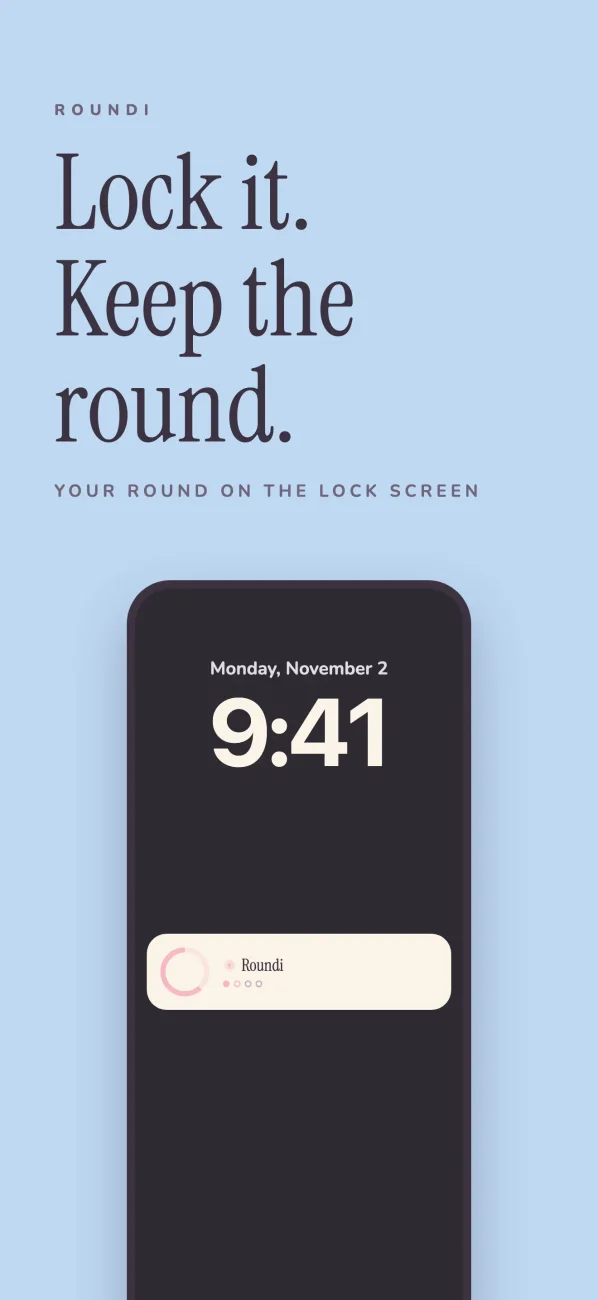
In Strict mode, leave the app or lock the screen before the round ends, and the round is lost, instantly. That's the whole trick: Roundi doesn't block anything, it just makes leaving cost something. Too strict? Allow locking, so the round continues on the lock screen, or switch to Lenient mode.
MADE FOR YOUR RITUALS
• Meditate — 15 quiet minutes, watching the color fade
• Study — a 50-minute block with no pings
• Work — deep work sessions up to 2 hours
• Train — planks, dead hangs, rest between sets
Save each ritual as a tag and it becomes a one-tap start button with its own duration.
POMODORO, IN SEQUENCE
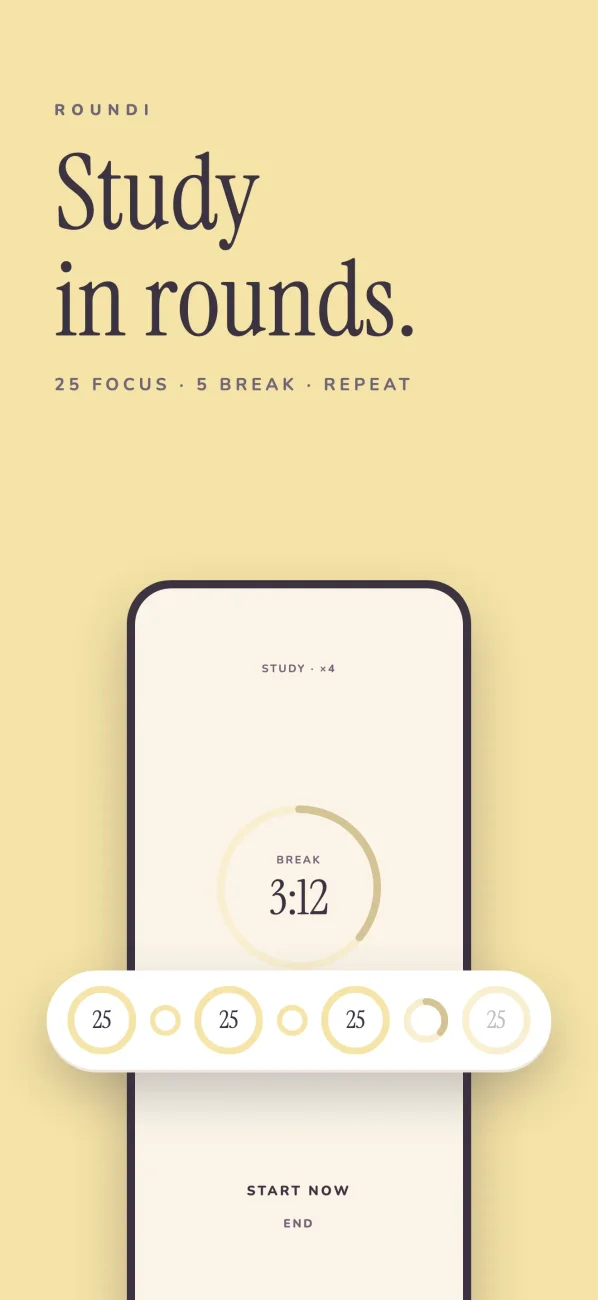
A tag can hold rounds and breaks: four 25-minute rounds with 5-minute breaks, say. Roundi runs the whole sequence, fills a ring through each break and shows where you are.
REMINDED, NOT NAGGED
Give a tag up to three reminders: a time and the days you want it. Tap the notification and the round starts right away. A missed one doesn't repeat.
SAY IT, DON'T TAP IT
"Start Plank in Roundi." Between rounds, Siri sets the length, starts a tag, adds another round, or tells you your streak. Hands free — and once a round starts, nothing interrupts you.
ON YOUR WRIST
Roundi runs on Apple Watch too. Turn the Digital Crown, tap START, and the color sweeps away on your wrist; a tap and a chime mark the end. Watch rounds land in your iPhone's calendar, Siri works on the watch, and one rule carries over: unlock your iPhone during a watch round and the round ends.
A TIMER YOU'LL WANT TO LOOK AT
Choose how time drains: a clockwise disc, a color that falls or rises across the whole screen, or a spiral coil that unwinds from the outside in. Six soft colors. A chime and a soft blink of color when the round completes.
SOUND FOR THE ROUND
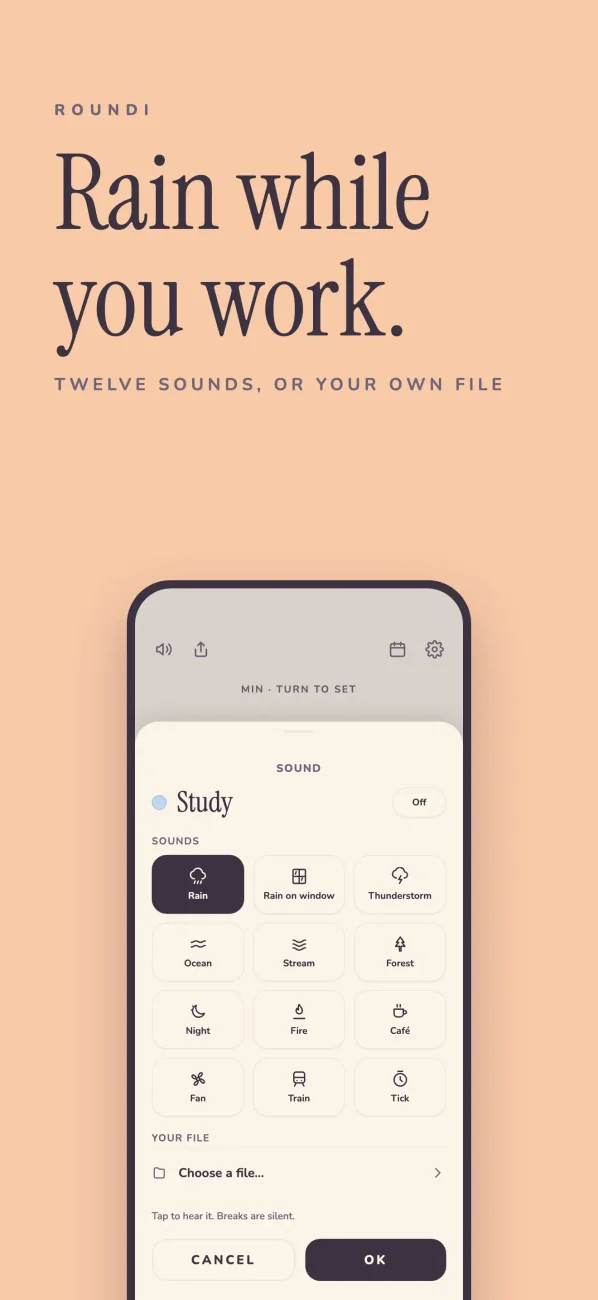
Rain, a café, a ticking clock, a fan, a train, the sea: twelve sounds that loop for the whole round and fall silent for breaks. Pick one for a tag, or for rounds started from the dial, or play a file of your own. Set the volume from the speaker icon or on the running round, and tap the sound's name to mute it.
EVERY ROUND, KEPT
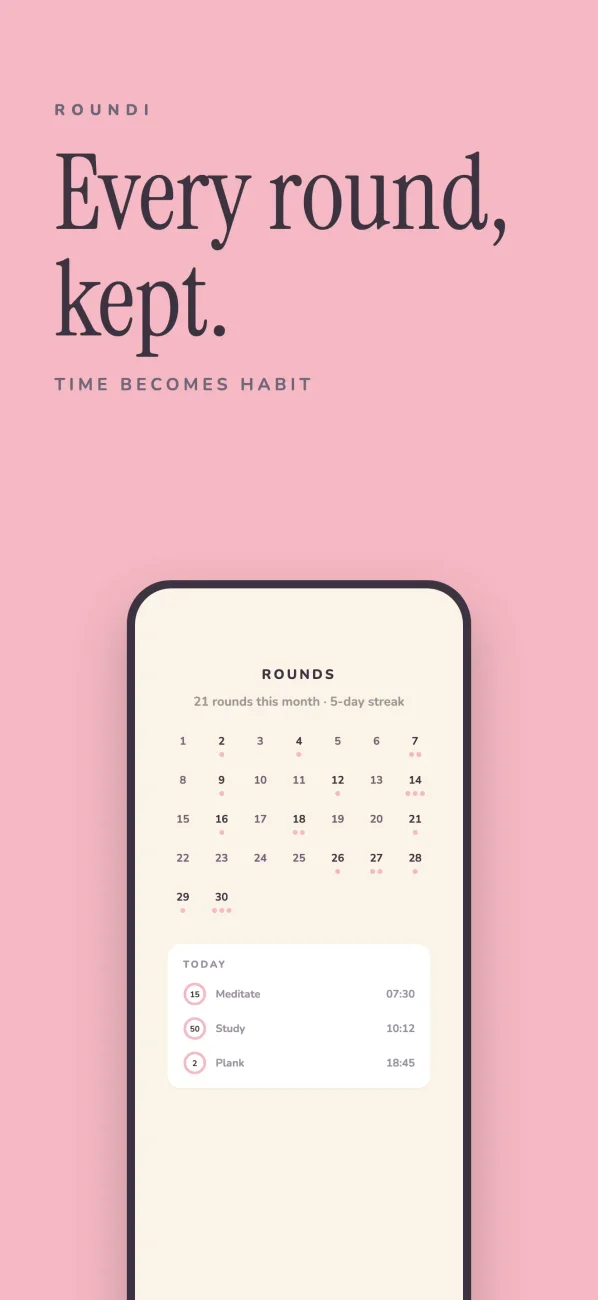
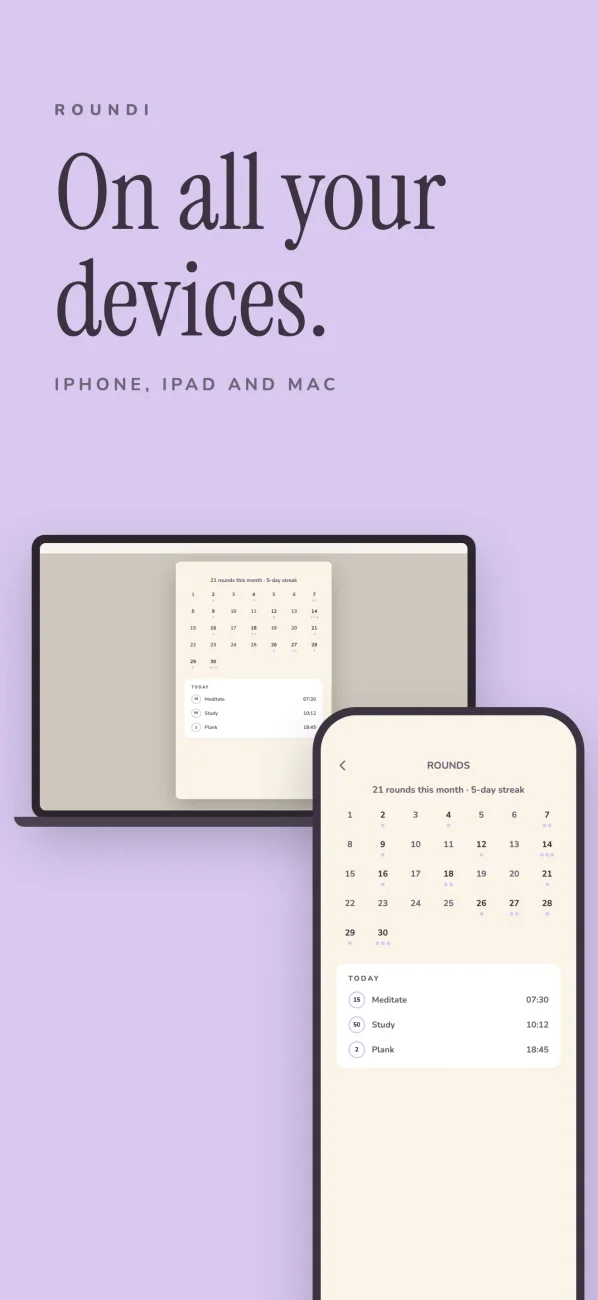
Finished rounds land as dots on your calendar, with your daily total and streak. Time becomes habit; habit becomes you. Did a round end by mistake while you kept going? Change its result; it's marked as edited.
YOUR ROUNDS, AS A REPORT
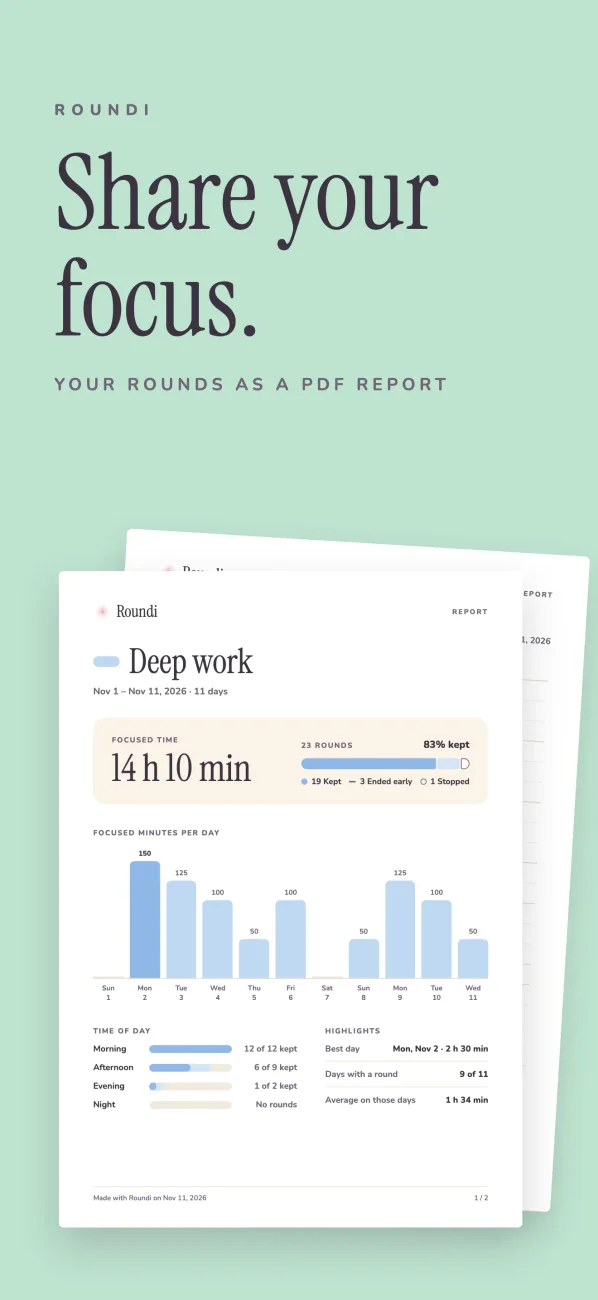
Pick a tag and a range of dates, and Roundi makes a PDF: focused time by day or week, rounds completed and rounds ended early, how you do by time of day, and every round listed. Keep it, or share it with a coach, a teacher or your doctor.
ON EVERY DEVICE
Your rounds, tags and settings follow you between iPhone, iPad and Mac through iCloud, end-to-end encrypted. Widgets put today's rounds and a one-tap start on your Home Screen.
PRIVATE BY DESIGN
No account. No sign-up. Only you can read your rounds.
Set a time. Stay focused. One round at a time.
Yang baru
Versi 1.0.14 · 21/11/2026
• Notes on rounds: after a round ends, tap "Add a note" and write what you worked on. Tap any round in the calendar to add or change its note.
• New list view: switch from Calendar to List to scroll through every round with its note, search your notes, or show only rounds with notes.
• Add a round by hand: tap + on a day to add a round you did without the app. Any round can be edited or deleted. Rounds added by hand are marked "added", edited ones "edited".
Privasi aplikasi
Yang dinyatakan Yakppal, Inc. di App Store tentang cara aplikasi ini menangani data.
-
Data yang tidak ditautkan dengan Anda
Dapat dikumpulkan, tetapi tidak ditautkan dengan identitas Anda.
- Data penggunaan
- Diagnostik
Praktik privasi dapat bervariasi, misalnya berdasarkan fitur yang Anda gunakan atau usia Anda.
Informasi
- Penjual
- Yakppal, Inc.
- Kategori
- Produktivitas
- Versi
- 1.0.14
- Diperbarui
- 21/11/2026
- Dirilis
- 22/9/2026
- Ukuran
- 37,0 MB
- Memerlukan
- iOS 15.0 atau yang lebih baru
- Batasan usia
- 4+
- Harga
- Gratis
- Bahasa
- Inggris, Prancis, Jerman, Jepang, Korea, Portugis, Tionghoa Sederhana, Spanyol, Tionghoa Tradisional
- Hak cipta
- Copyright © Yakppal, Inc. All rights reserved.
Mungkin Anda juga suka
-
 SIMTA: Timer VisualLihat waktu mengisi layar
-
 Lily pad - visual timerProduktivitas
-
 Visual Timer - Focus CountdownProduktivitas
-
 Focus Train: Study TimerProduktivitas
-
 Pomodoro — Focus TimerProduktivitas
-
 Weel Planner: ADHD CalendarProduktivitas
-
 Cat On Chair: Pomodoro TimerProduktivitas
-
 Pomocat - Adorable Focus TimerProduktivitas
-
 Flow: Focus & Pomodoro TimerProduktivitas
-
 everyday - Pelacak KebiasaanRutinitas dan tujuan harian