
Roundi: Visual Focus Timer
Single-Task Pomodoro for ADHD
iPhone, iPad, Mac, iPod touch için tasarlandı
Ücretsiz
- Yaş sınırı4+
- KategoriÜretkenlik
- GeliştiriciYakppal, Inc.
- Dillerİngilizce+ 8 dil daha
- Boyut37,0 MB
Resmi App Store sayfasına bağlanır
Download.org, Roundi: Visual Focus Timer için hiçbir dosya barındırmaz. Düğme, uygulamanın App Store üzerindeki sayfasını açar; uygulamayı orada Yakppal, Inc. yayınlar. Sayfanın son kontrolü: 23.11.2026.
Ekran görüntüleri




Hakkında
Geliştirici bu metni dilinizde sunmamış.
One round, one thing. Roundi holds you to a single task and shows the time as color: focus you can see.
Turn the dial, press start, and a disc of color begins to disappear — like a kitchen timer for your attention. No numbers counting down unless you switch them on, no notifications pulling you back. Just time, visibly running out.
THE ONE RULE
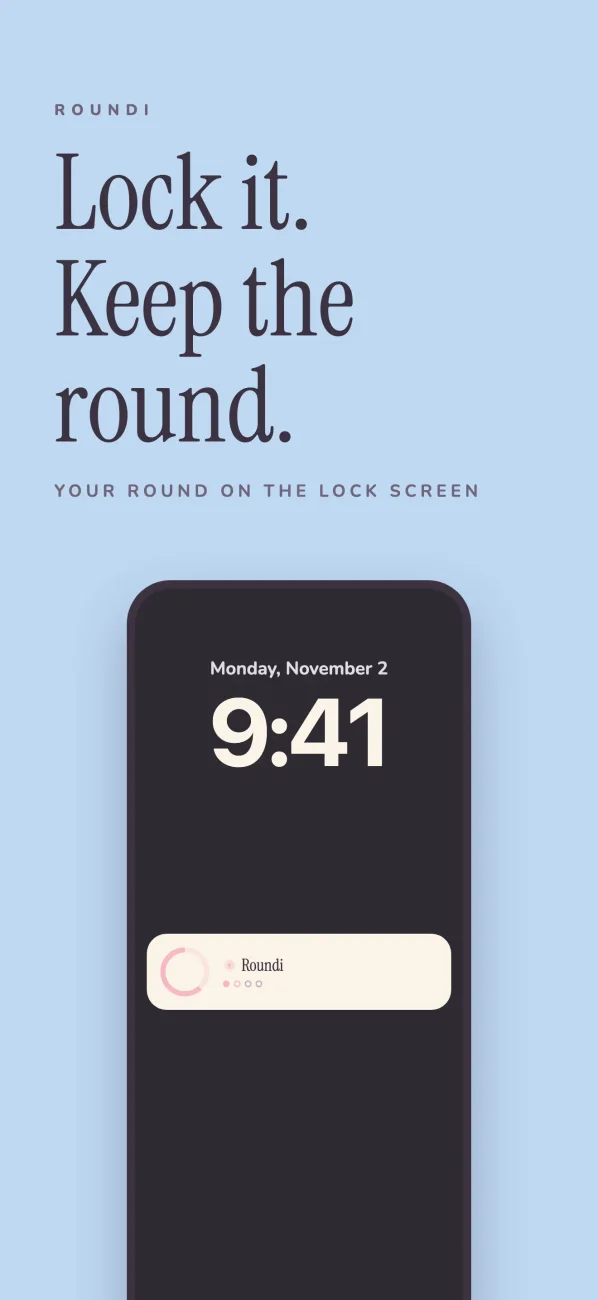
In Strict mode, leave the app or lock the screen before the round ends, and the round is lost, instantly. That's the whole trick: Roundi doesn't block anything, it just makes leaving cost something. Too strict? Allow locking, so the round continues on the lock screen, or switch to Lenient mode.
MADE FOR YOUR RITUALS
• Meditate — 15 quiet minutes, watching the color fade
• Study — a 50-minute block with no pings
• Work — deep work sessions up to 2 hours
• Train — planks, dead hangs, rest between sets
Save each ritual as a tag and it becomes a one-tap start button with its own duration.
POMODORO, IN SEQUENCE
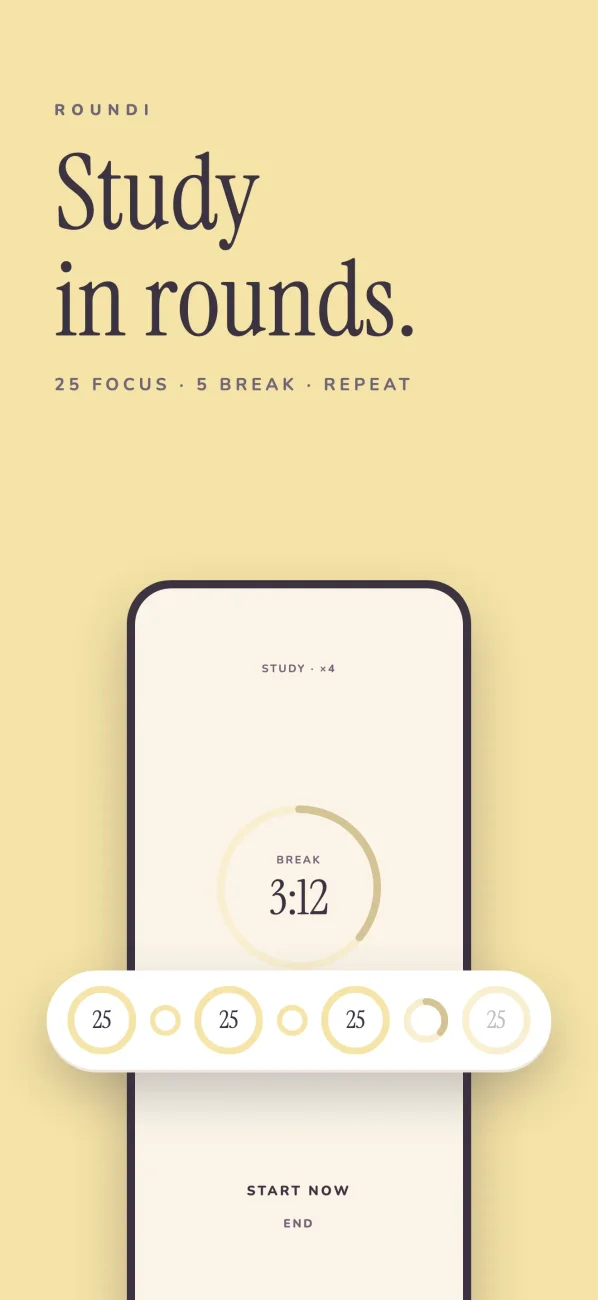
A tag can hold rounds and breaks: four 25-minute rounds with 5-minute breaks, say. Roundi runs the whole sequence, fills a ring through each break and shows where you are.
REMINDED, NOT NAGGED
Give a tag up to three reminders: a time and the days you want it. Tap the notification and the round starts right away. A missed one doesn't repeat.
SAY IT, DON'T TAP IT
"Start Plank in Roundi." Between rounds, Siri sets the length, starts a tag, adds another round, or tells you your streak. Hands free — and once a round starts, nothing interrupts you.
ON YOUR WRIST
Roundi runs on Apple Watch too. Turn the Digital Crown, tap START, and the color sweeps away on your wrist; a tap and a chime mark the end. Watch rounds land in your iPhone's calendar, Siri works on the watch, and one rule carries over: unlock your iPhone during a watch round and the round ends.
A TIMER YOU'LL WANT TO LOOK AT
Choose how time drains: a clockwise disc, a color that falls or rises across the whole screen, or a spiral coil that unwinds from the outside in. Six soft colors. A chime and a soft blink of color when the round completes.
SOUND FOR THE ROUND
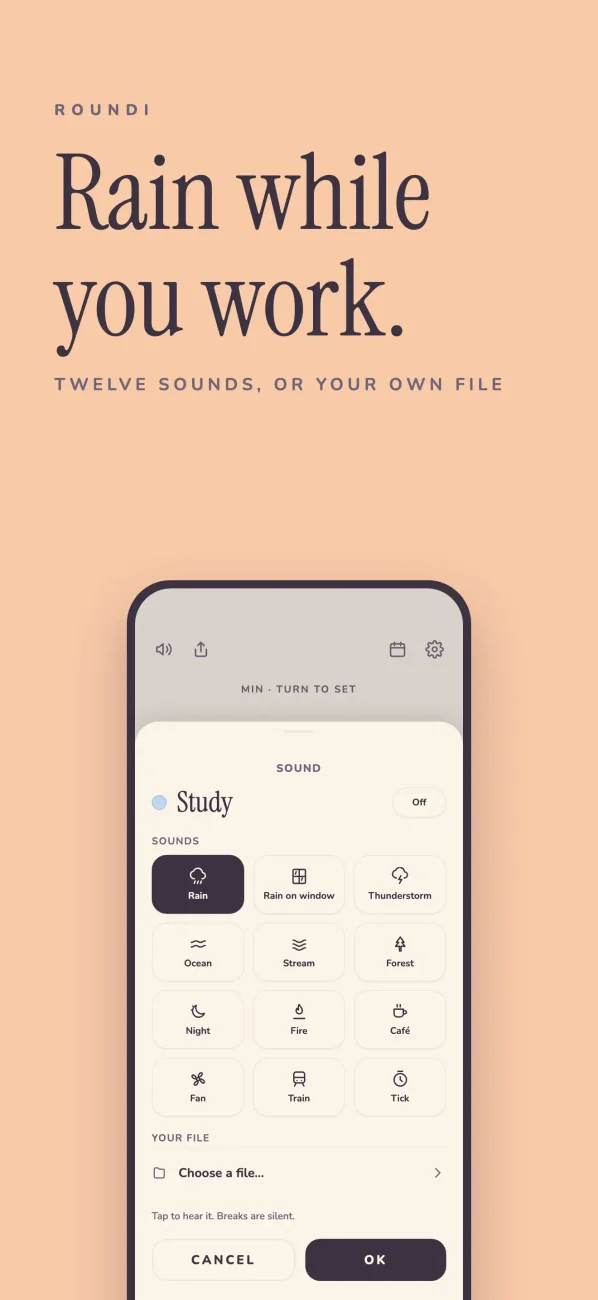
Rain, a café, a ticking clock, a fan, a train, the sea: twelve sounds that loop for the whole round and fall silent for breaks. Pick one for a tag, or for rounds started from the dial, or play a file of your own. Set the volume from the speaker icon or on the running round, and tap the sound's name to mute it.
EVERY ROUND, KEPT
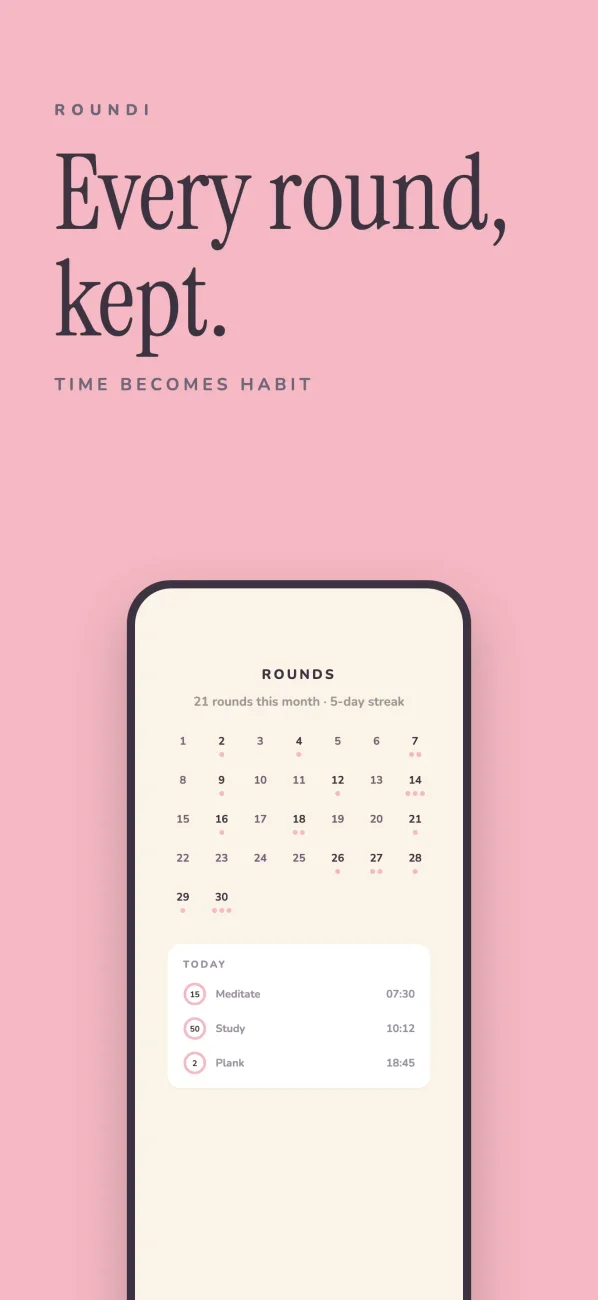
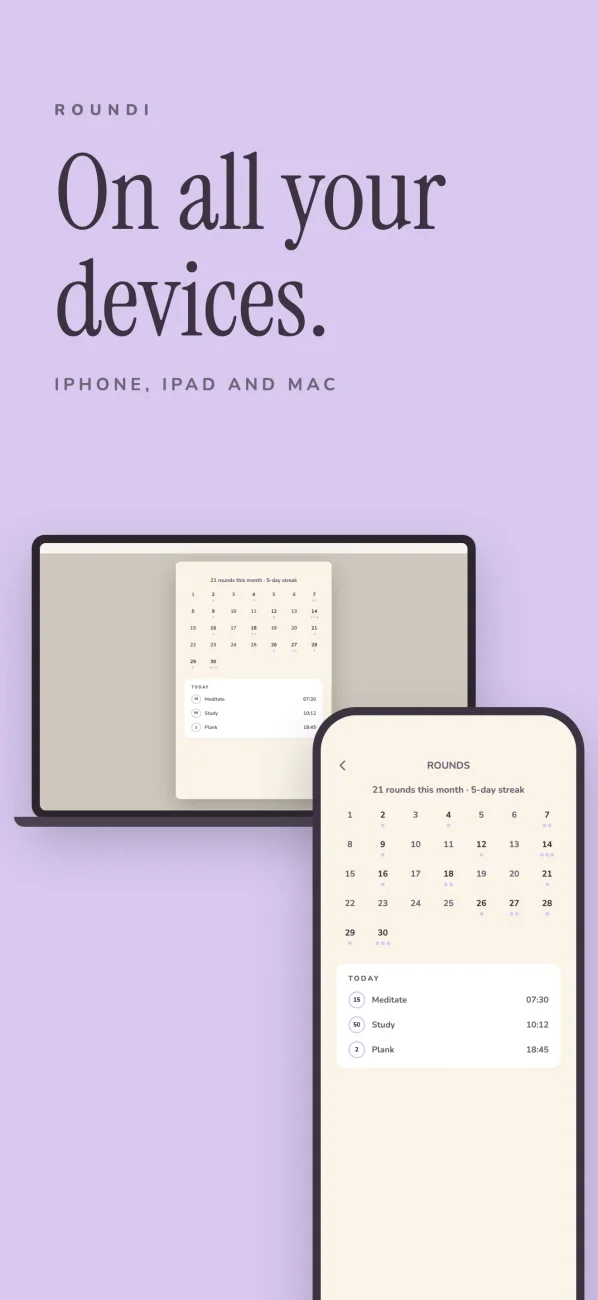
Finished rounds land as dots on your calendar, with your daily total and streak. Time becomes habit; habit becomes you. Did a round end by mistake while you kept going? Change its result; it's marked as edited.
YOUR ROUNDS, AS A REPORT
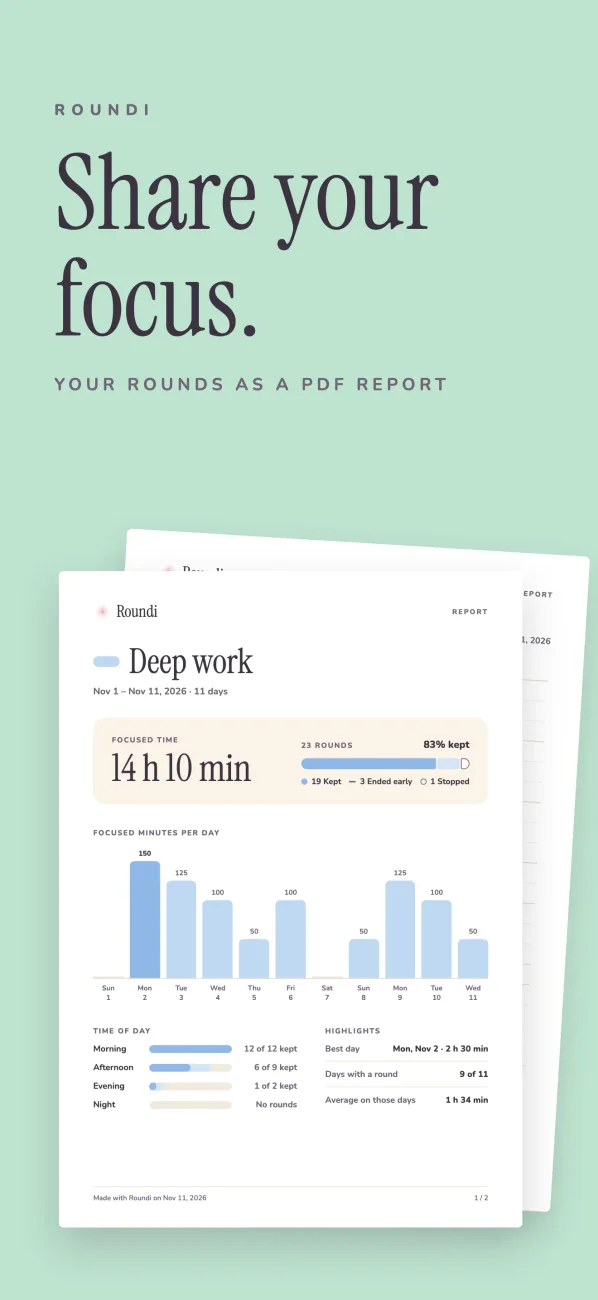
Pick a tag and a range of dates, and Roundi makes a PDF: focused time by day or week, rounds completed and rounds ended early, how you do by time of day, and every round listed. Keep it, or share it with a coach, a teacher or your doctor.
ON EVERY DEVICE
Your rounds, tags and settings follow you between iPhone, iPad and Mac through iCloud, end-to-end encrypted. Widgets put today's rounds and a one-tap start on your Home Screen.
PRIVATE BY DESIGN
No account. No sign-up. Only you can read your rounds.
Set a time. Stay focused. One round at a time.
Yenilikler
Sürüm 1.0.14 · 21.11.2026
• Notes on rounds: after a round ends, tap "Add a note" and write what you worked on. Tap any round in the calendar to add or change its note.
• New list view: switch from Calendar to List to scroll through every round with its note, search your notes, or show only rounds with notes.
• Add a round by hand: tap + on a day to add a round you did without the app. Any round can be edited or deleted. Rounds added by hand are marked "added", edited ones "edited".
Uygulama gizliliği
Bu uygulamanın verileri nasıl işlediği hakkında Yakppal, Inc. tarafından App Store üzerinde yapılan beyan.
-
Sizinle ilişkilendirilmeyen veriler
Toplanabilir ancak kimliğinizle ilişkilendirilmez.
- Kullanım verileri
- Tanılama
Gizlilik uygulamaları, örneğin kullandığınız özelliklere veya yaşınıza göre değişiklik gösterebilir.
Bilgiler
- Satıcı
- Yakppal, Inc.
- Kategori
- Üretkenlik
- Sürüm
- 1.0.14
- Güncellendi
- 21.11.2026
- Yayın tarihi
- 22.09.2026
- Boyut
- 37,0 MB
- Gereksinim
- iOS 15.0 veya sonrası
- Yaş sınırı
- 4+
- Fiyat
- Ücretsiz
- Diller
- İngilizce, Fransızca, Almanca, Japonca, Korece, Portekizce, Basitleştirilmiş Çince, İspanyolca, Geleneksel Çince
- Telif hakkı
- Copyright © Yakppal, Inc. All rights reserved.
Bunları da beğenebilirsiniz
-
 SIMTA: Görsel zamanlayıcıRenkle dolan basit zamanlayıcı
-
 Lily pad - visual timerÜretkenlik
-
 Visual Timer - Focus CountdownÜretkenlik
-
 Focus Train: Study TimerÜretkenlik
-
 Pomodoro — Focus TimerÜretkenlik
-
 Weel Planner: ADHD CalendarÜretkenlik
-
 Cat On Chair: Pomodoro TimerÜretkenlik
-
 Pomocat - Adorable Focus TimerYour Focus & Productivity Pal
-
 Flow: Focus & Pomodoro TimerÜretkenlik
-
 everyday - Alışkanlık TakibiGünlük Rutin ve Hedef Takibi