Sakura3D SCAN
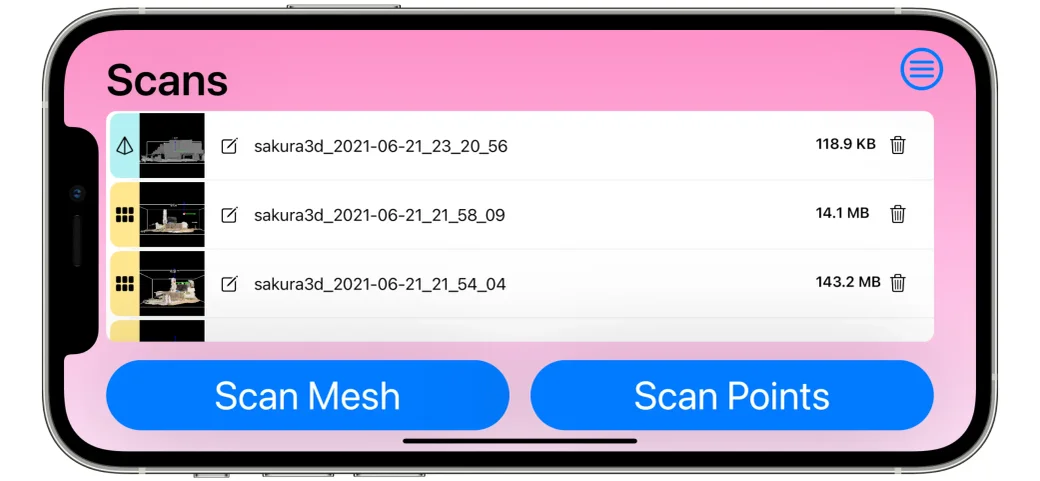
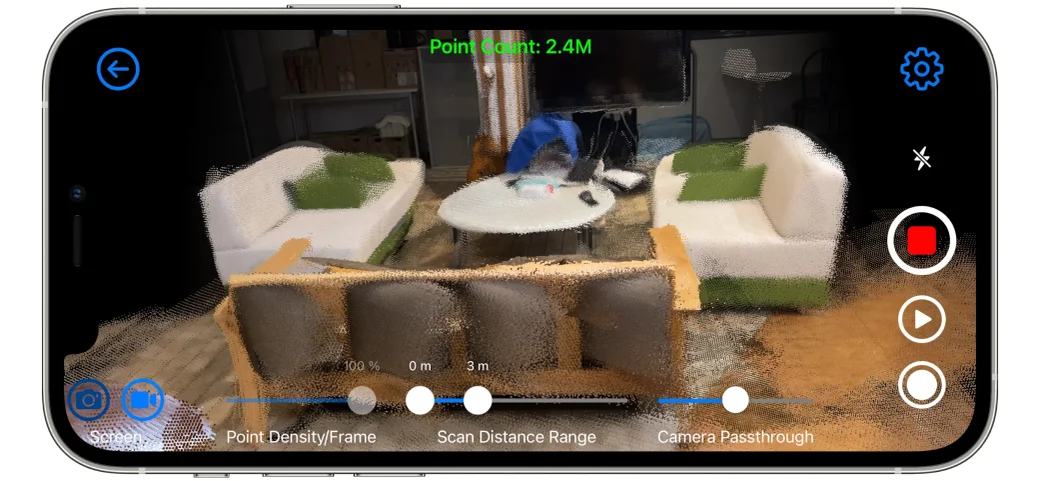
Scan 3D points/mesh, and share
Dirancang untuk iPhone, iPad, iPod touch
Gratis · Pembelian dalam aplikasi
- Batasan usia4+
- KategoriKegunaan
- PengembangArmonicos Co., Ltd.
- BahasaInggris+ 6 lainnya
- Ukuran54,9 MB
Tertaut ke halaman resmi App Store
Download.org tidak menyimpan file Sakura3D SCAN apa pun. Tombol ini membuka halaman aplikasi di App Store, tempat Armonicos Co., Ltd. menerbitkannya. Halaman terakhir diperiksa pada 17/11/2026.
Tangkapan layar

Tentang
Pengembang belum menyediakan teks ini dalam bahasa Anda.
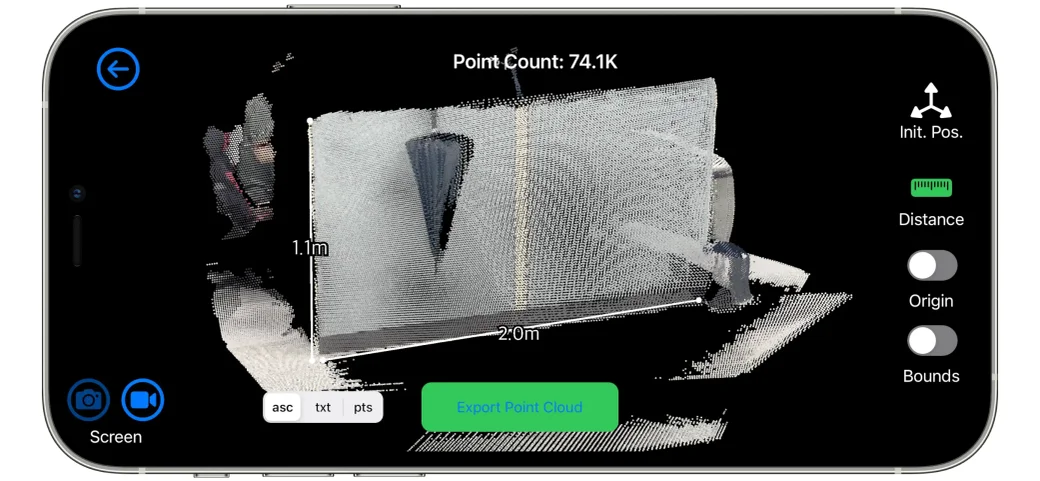
Scanning and exporting data utilizing Sakura3D SCAN can come in handy for various fields.
For example, plants can acquire the current status of pipes and other factory equipment, while construction and civil engineering firms can utilize Sakura3D SCAN in topographical surveys and construction progress management.
Import your scanned data into our point cloud modeling software "ClassNK-PEERLESS" and create 3D models that can be imported into various CAD systems.
■ Export format
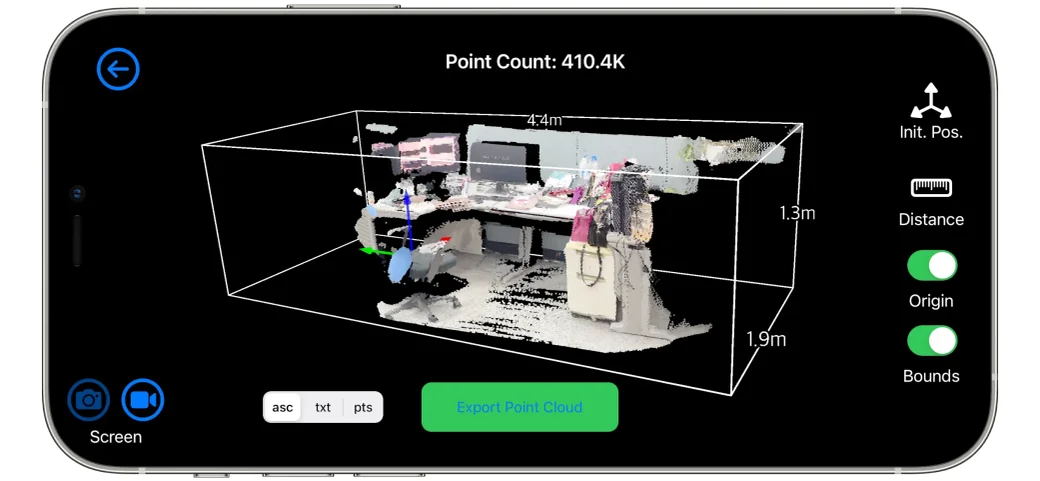
Point cloud: ASC, TXT, PTS
Mesh: OBJ, STL
■ Sakura3D SCAN requires the LiDAR sensor for scanning, as a result we only support the following devices
iPhone 18 Pro Max
iPhone 18 Pro
iPhone 17 Pro Max
iPhone 17 Pro
iPhone 16 Pro Max
iPhone 16 Pro
iPhone 15 Pro Max
iPhone 15 Pro
iPhone 14 Pro Max
iPhone 14 Pro
iPhone 13 Pro Max
iPhone 13 Pro
iPhone 12 Pro Max
iPhone 12 Pro
iPad Pro 13 inch (M4)
iPad Pro 11 inch (M4)
iPad Pro 12.9 inch (6th generation)
iPad Pro 11 inch (4th generation)
iPad Pro 12.9 inch (5th generation)
iPad Pro 11 inch (3rd generation)
iPad Pro 12.9 inch (4th generation)
iPad Pro 11 inch (2nd generation)
■ Difference between a free plan and subscriptions
All features are available for free, except for file output and certain premium features (e.g., Center of Gravity Visualization).
By subscribing, you can enjoy unlimited file exports and gain full access to all premium features.
File export is also free under following conditions.
・Point cloud: less than 500K points
・Mesh: less than 50K vertices
・Unlimited export: Once every 24h
With a subscription, there is no limit to the number of scans you can export.
■ FAQ
・ How can I increase the quality of my scans?
When measuring please try to move slowly and avoid shaking the device.
Please try to avoid measuring the same location twice. The trick is not to scan the same point over and over again.
The following are some of the factors that can hinder a good scan:
- When the object is a transparent object made of glass, a shiny metal object, a mirror, etc.
- When the distance to the object to be scanned is too short (within 10 to 20 cm)
・I don't know which scan accuracy to use.
Scan accuracy depends on the scan target, scan environment, and setting method.
For a personalized inquiry please send an email to sakura3d@armonicos.co.jp with your target, environment and setting method.
・What distance allows for an accurate measurement?
The recommended distance is within 5m.
・How many points can be obtained in each scan?
You can get up to 25 million points.
・Is it possible to check the number of points during a scan?
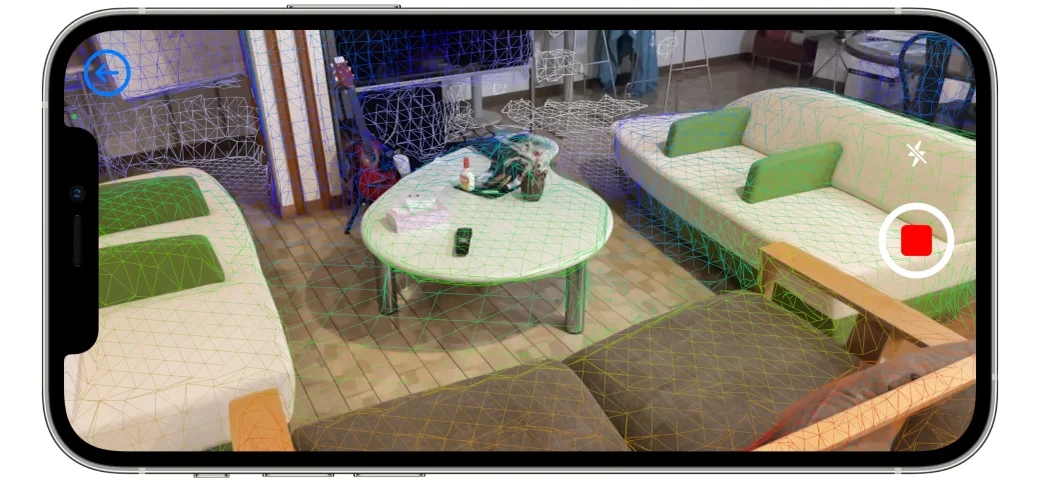
The number of acquired points is displayed on the screen, during a scan, with the following color encoding as a guideline for memory usage: "green (low)-> yellow (medium)-> red (high)" .
・I don't know how to export data.
There are two methods, one is via the Internet using Dropbox, AirDrop, email, various SNS, or Google Drive, and the other is to connect the
device (iPhone, iPad) directly to the PC with a cable and copy the data using iTunes.
・Can the output data be imported into other software?
Data created with Sakura3D SCAN can be imported into any software that supports point cloud formats (ASC, TXT,PTS) or mesh formats (STL, OBJ).
It can also be imported into our software packages: spGate, spGauge, spScan, and ClassNK-PEERLESS.
Sakura3D SCAN Terms of Service (ToS)
https://www.armonicos.co.jp/shop/sakura-tos/
Yang baru
Versi 2.26.0 · 2/11/2026
Enabled scanning while paused.
Privasi aplikasi
Yang dinyatakan Armonicos Co., Ltd. di App Store tentang cara aplikasi ini menangani data.
-
Data tidak dikumpulkan
Pengembang tidak mengumpulkan data apa pun dari aplikasi ini.
Praktik privasi dapat bervariasi, misalnya berdasarkan fitur yang Anda gunakan atau usia Anda.
Informasi
- Penjual
- Armonicos Co., Ltd.
- Kategori
- Kegunaan
- Versi
- 2.26.0
- Diperbarui
- 2/11/2026
- Dirilis
- 7/10/2020
- Ukuran
- 54,9 MB
- Memerlukan
- iOS 14.0 atau yang lebih baru
- Batasan usia
- 4+
- Harga
- Gratis
- Pembelian dalam aplikasi
- Ya
- Bahasa
- Inggris, Arab, Prancis, Jepang, Korea, Tionghoa Sederhana, Tionghoa Tradisional
- Hak cipta
- © Armonicos Co., Ltd.
Mungkin Anda juga suka
-
 ScanAceCapture Reality - 3D Scanning
-
 KickTheMapKegunaan
-
 Carlson Scan3DKegunaan
-
 Dornheim 3D ScannerKegunaan
-
 RTAB-Map - 3D LiDAR ScannerKegunaan
-
 Recon-3DKegunaan
-
 Scanner 3D: Objek & RuanganLiDAR, Denah, Ukur & CAD
-
 3D Object & Room ScannerTangkap Model Tampilan AR
-
 PIX4Dcatch: 3D scannerKegunaan
-
 SiteScape: LiDAR Scanner & CADKegunaan