Sakura3D SCAN
Scan 3D points/mesh, and share
Được thiết kế cho iPhone, iPad, iPod touch
Miễn phí · Mua hàng trong ứng dụng
- Độ tuổi4+
- Danh mụcTiện Ích
- Nhà phát triểnArmonicos Co., Ltd.
- Ngôn ngữTiếng Anh+ 6 ngôn ngữ khác
- Kích thước54,9 MB
Liên kết đến trang App Store chính thức
Download.org không lưu trữ tệp nào của Sakura3D SCAN. Nút này mở trang ứng dụng trên App Store, nơi Armonicos Co., Ltd. phát hành ứng dụng. Trang được kiểm tra lần cuối: 17/11/2026.
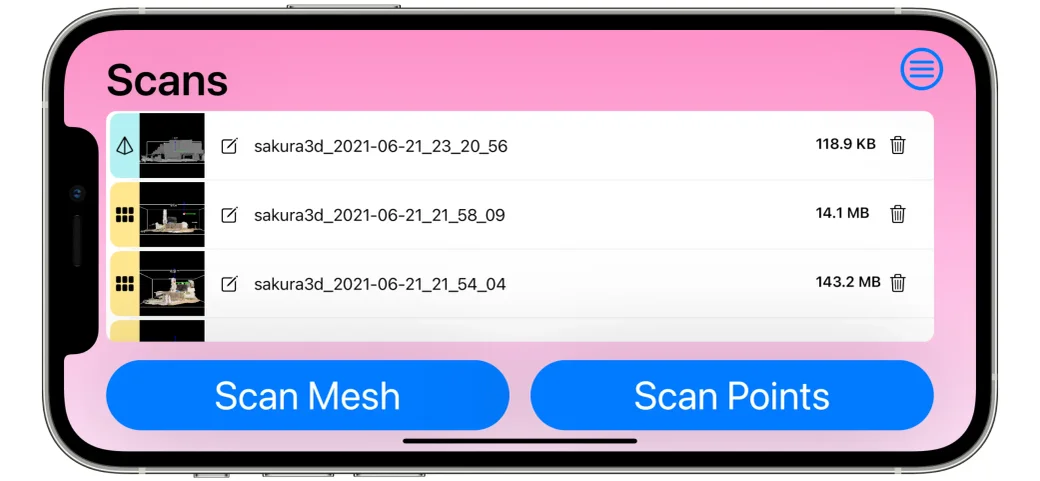
Ảnh chụp màn hình
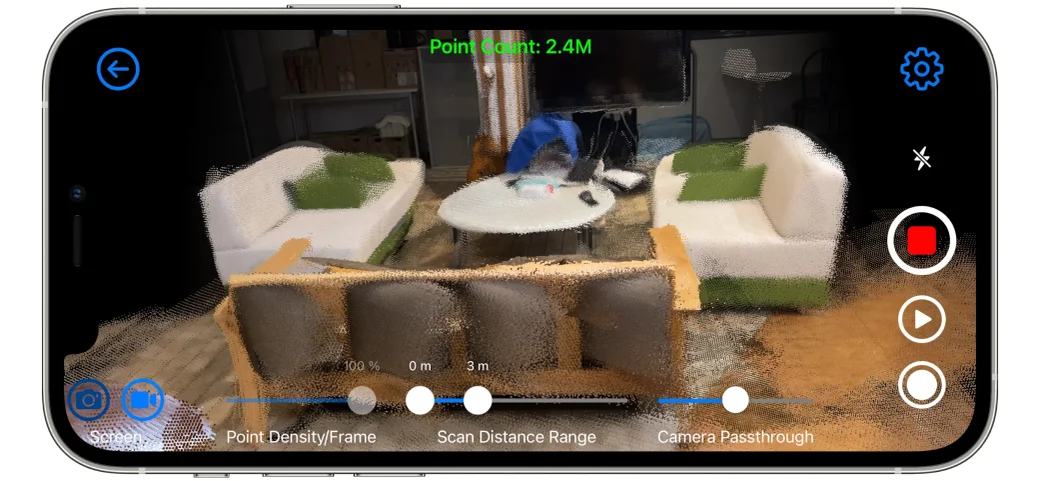
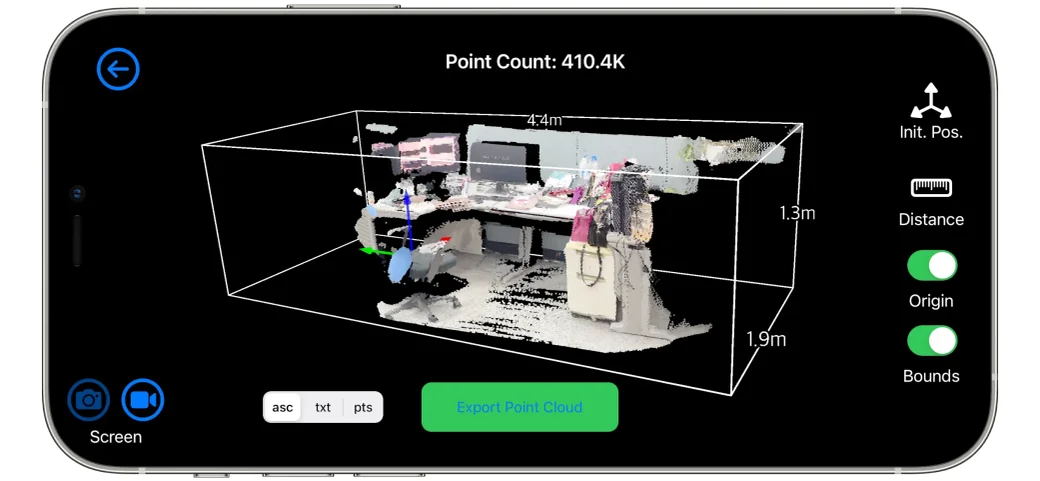
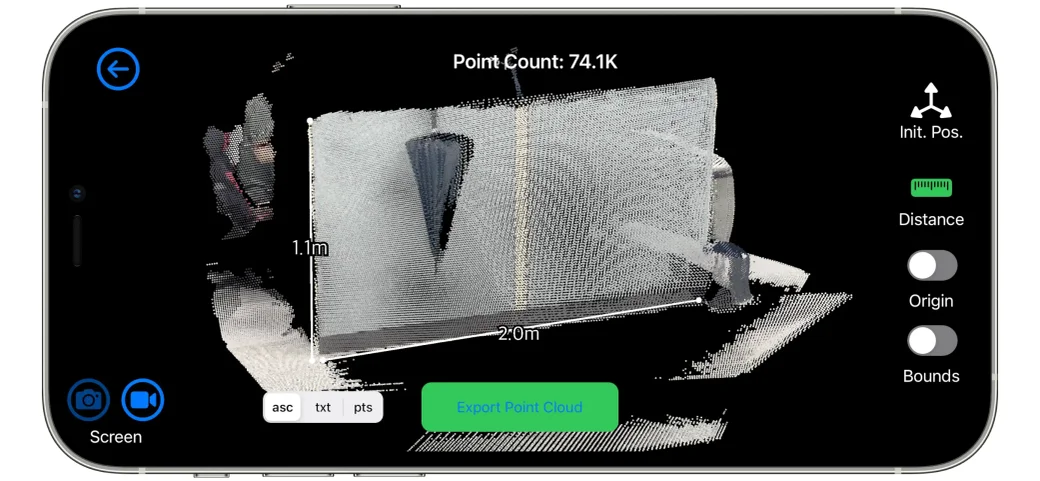
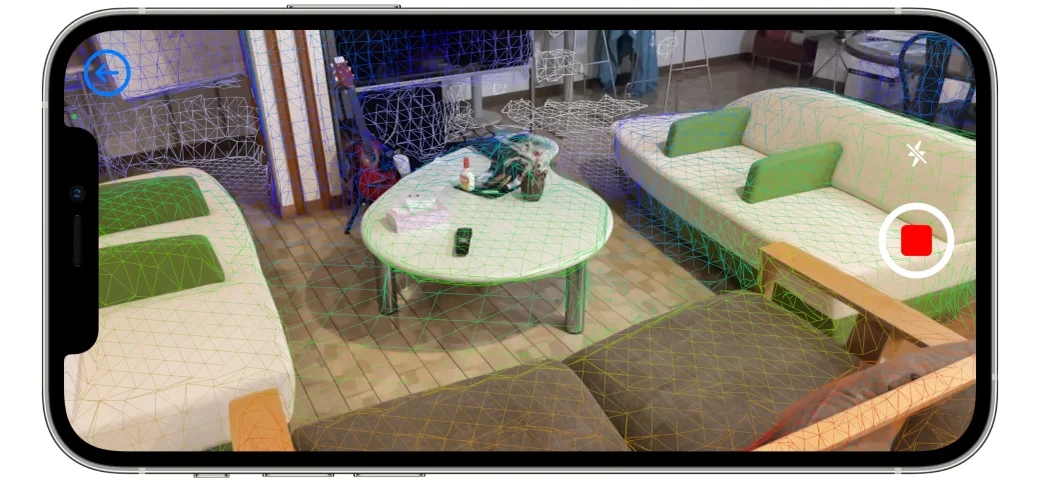

Giới thiệu
Nhà phát triển chưa cung cấp nội dung này bằng ngôn ngữ của bạn.
Scanning and exporting data utilizing Sakura3D SCAN can come in handy for various fields.
For example, plants can acquire the current status of pipes and other factory equipment, while construction and civil engineering firms can utilize Sakura3D SCAN in topographical surveys and construction progress management.
Import your scanned data into our point cloud modeling software "ClassNK-PEERLESS" and create 3D models that can be imported into various CAD systems.
■ Export format
Point cloud: ASC, TXT, PTS
Mesh: OBJ, STL
■ Sakura3D SCAN requires the LiDAR sensor for scanning, as a result we only support the following devices
iPhone 18 Pro Max
iPhone 18 Pro
iPhone 17 Pro Max
iPhone 17 Pro
iPhone 16 Pro Max
iPhone 16 Pro
iPhone 15 Pro Max
iPhone 15 Pro
iPhone 14 Pro Max
iPhone 14 Pro
iPhone 13 Pro Max
iPhone 13 Pro
iPhone 12 Pro Max
iPhone 12 Pro
iPad Pro 13 inch (M4)
iPad Pro 11 inch (M4)
iPad Pro 12.9 inch (6th generation)
iPad Pro 11 inch (4th generation)
iPad Pro 12.9 inch (5th generation)
iPad Pro 11 inch (3rd generation)
iPad Pro 12.9 inch (4th generation)
iPad Pro 11 inch (2nd generation)
■ Difference between a free plan and subscriptions
All features are available for free, except for file output and certain premium features (e.g., Center of Gravity Visualization).
By subscribing, you can enjoy unlimited file exports and gain full access to all premium features.
File export is also free under following conditions.
・Point cloud: less than 500K points
・Mesh: less than 50K vertices
・Unlimited export: Once every 24h
With a subscription, there is no limit to the number of scans you can export.
■ FAQ
・ How can I increase the quality of my scans?
When measuring please try to move slowly and avoid shaking the device.
Please try to avoid measuring the same location twice. The trick is not to scan the same point over and over again.
The following are some of the factors that can hinder a good scan:
- When the object is a transparent object made of glass, a shiny metal object, a mirror, etc.
- When the distance to the object to be scanned is too short (within 10 to 20 cm)
・I don't know which scan accuracy to use.
Scan accuracy depends on the scan target, scan environment, and setting method.
For a personalized inquiry please send an email to sakura3d@armonicos.co.jp with your target, environment and setting method.
・What distance allows for an accurate measurement?
The recommended distance is within 5m.
・How many points can be obtained in each scan?
You can get up to 25 million points.
・Is it possible to check the number of points during a scan?
The number of acquired points is displayed on the screen, during a scan, with the following color encoding as a guideline for memory usage: "green (low)-> yellow (medium)-> red (high)" .
・I don't know how to export data.
There are two methods, one is via the Internet using Dropbox, AirDrop, email, various SNS, or Google Drive, and the other is to connect the
device (iPhone, iPad) directly to the PC with a cable and copy the data using iTunes.
・Can the output data be imported into other software?
Data created with Sakura3D SCAN can be imported into any software that supports point cloud formats (ASC, TXT,PTS) or mesh formats (STL, OBJ).
It can also be imported into our software packages: spGate, spGauge, spScan, and ClassNK-PEERLESS.
Sakura3D SCAN Terms of Service (ToS)
https://www.armonicos.co.jp/shop/sakura-tos/
Có gì mới
Phiên bản 2.26.0 · 02/11/2026
Enabled scanning while paused.
Quyền riêng tư của ứng dụng
Những gì Armonicos Co., Ltd. khai báo trên App Store về cách ứng dụng này xử lý dữ liệu.
-
Dữ liệu không được thu thập
Nhà phát triển không thu thập bất kỳ dữ liệu nào từ ứng dụng này.
Phương thức đảm bảo quyền riêng tư có thể khác nhau, chẳng hạn như tuỳ theo các tính năng bạn sử dụng hoặc độ tuổi của bạn.
Thông tin
- Người bán
- Armonicos Co., Ltd.
- Danh mục
- Tiện Ích
- Phiên bản
- 2.26.0
- Cập nhật
- 02/11/2026
- Phát hành
- 07/10/2020
- Kích thước
- 54,9 MB
- Yêu cầu
- iOS 14.0 trở lên
- Độ tuổi
- 4+
- Giá
- Miễn phí
- Mua hàng trong ứng dụng
- Có
- Ngôn ngữ
- Tiếng Anh, Tiếng Ả Rập, Tiếng Pháp, Tiếng Nhật, Tiếng Hàn, Tiếng Trung Giản thể, Tiếng Trung Phồn thể
- Bản quyền
- © Armonicos Co., Ltd.