Scan Made Easy
Flatten and relight any page
Dirancang untuk iPhone, iPad
Gratis · Pembelian dalam aplikasi
- Batasan usia4+
- KategoriProduktivitas
- PengembangYoke Yu Valerie Loh
- BahasaInggris+ 10 lainnya
- Ukuran60,2 MB
Tertaut ke halaman resmi App Store
Download.org tidak menyimpan file Scan Made Easy apa pun. Tombol ini membuka halaman aplikasi di App Store, tempat Yoke Yu Valerie Loh menerbitkannya. Halaman terakhir diperiksa pada 8/11/2026.
Tangkapan layar

Tentang
Pengembang belum menyediakan teks ini dalam bahasa Anda.
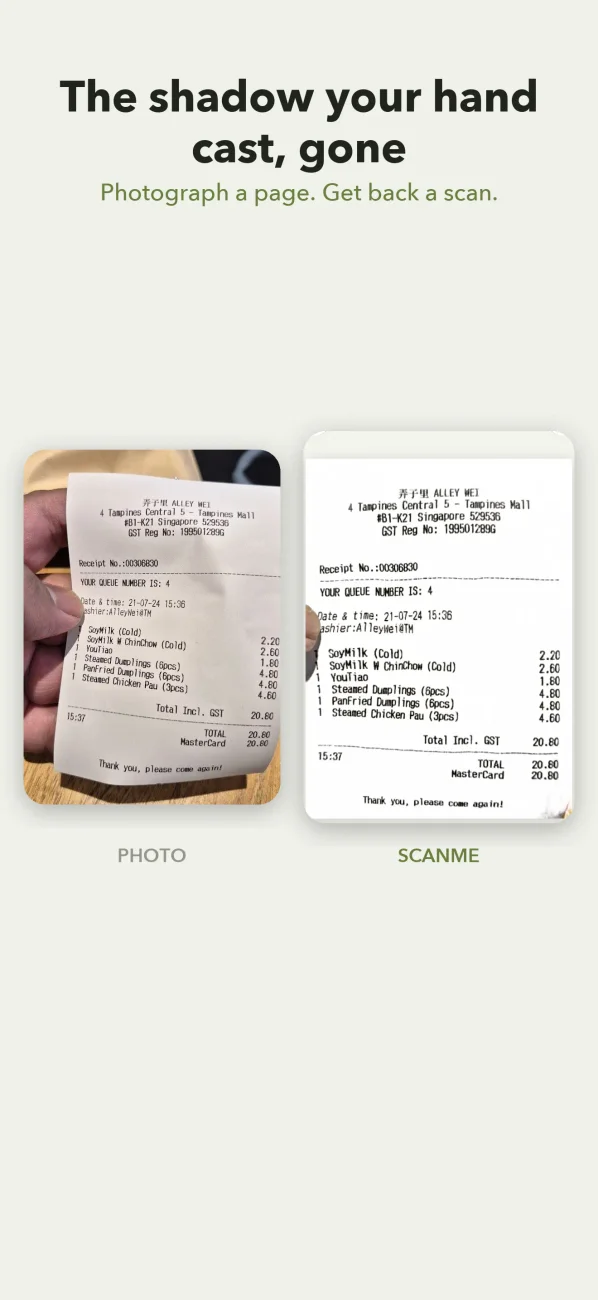
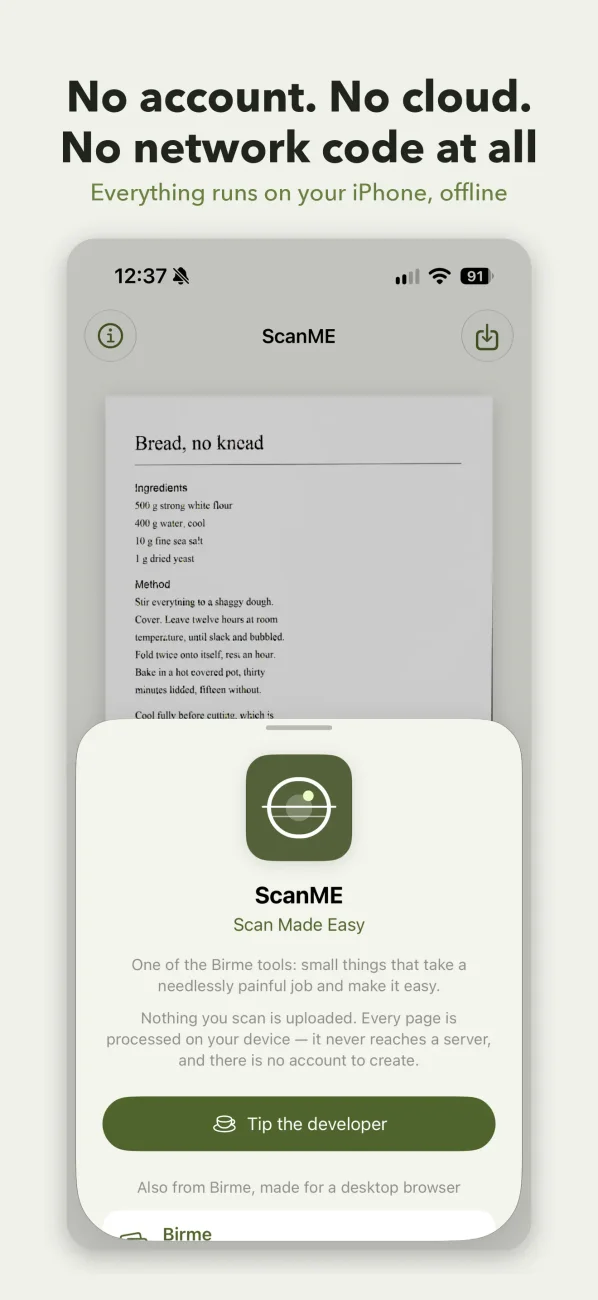
ScanME turns a photo of a page into something worth keeping: cropped square, flattened, and evenly lit. Receipts, notes, recipes, forms, letters, book pages, whiteboards — photograph it and get back a clean scan.
Everything happens on your iPhone. Nothing is ever uploaded, because there is nowhere to upload it to.
FINDS THE PAGE
• Detects the page, crops it, and squares up the perspective
• No dragging corners, no tracing the outline by hand
• If it cannot find a page it leaves your photo alone, rather than cropping it wrongly
EVENS THE LIGHTING
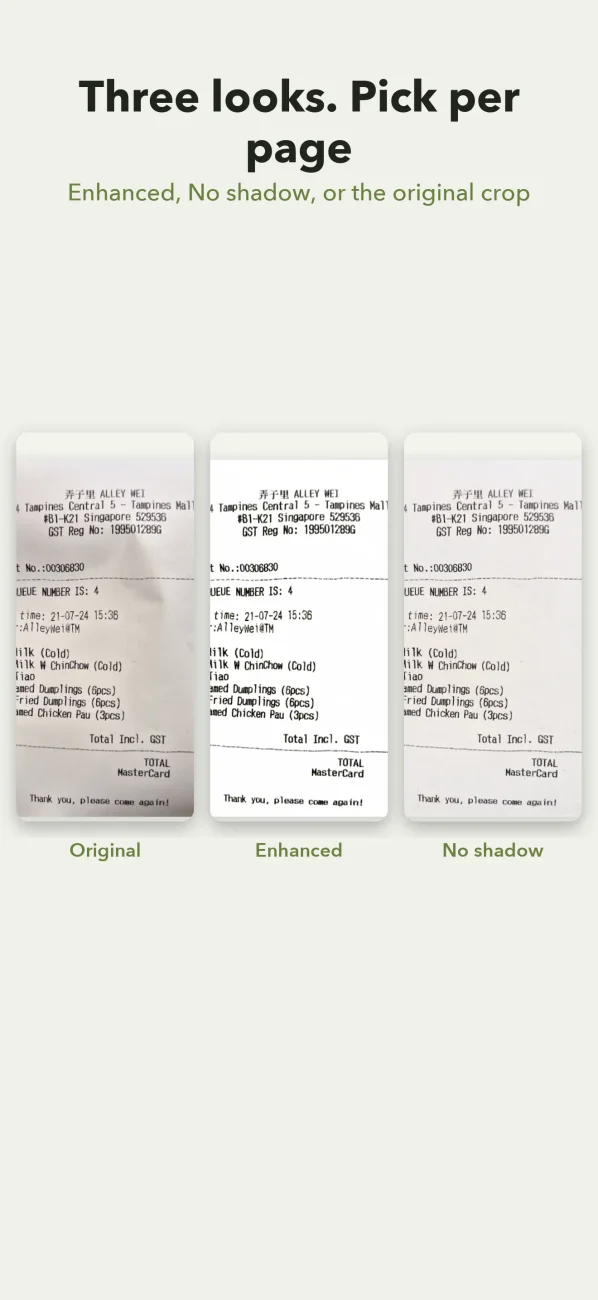
• Enhanced drives the paper towards white and holds the ink dark — the scanned look
• No shadow lifts the shadow your own hand cast, and leaves the colours alone, which suits photographs and coloured pages
• Original keeps the page as captured, just cropped and squared
• Switch between all three and watch the page change
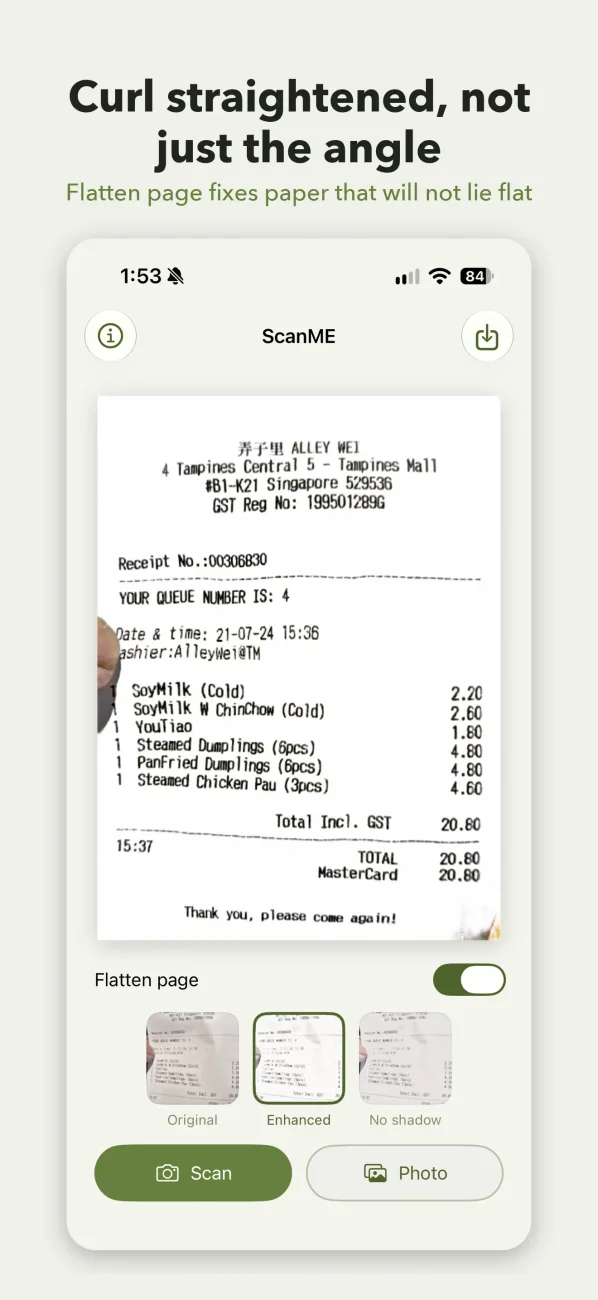
FLATTENS THE CURL
• Straightens a book that will not lie flat, or a folded receipt
• Corrects the curve of the paper, not just the angle of the camera
• Off by default, because a genuinely flat page does not need it
SEVERAL PAGES AT ONCE
• Scan or pick as many pages as you like and they stack up
• Swipe between them; the mode applies to all of them
• Save writes every page to your photo library, in the order you see them
SAVED WHERE YOU EXPECT
• Finished pages go into Photos as JPEGs, at the resolution your camera captured
• Pinch to zoom in and check the small print before you save
• Add-only access, so the app can put pages in without being able to read your library
PRIVATE BY CONSTRUCTION
• No networking code in the app at all
• No account, no sign-in, no analytics, no tracking, no ads
• The models are bundled inside the app and run on your device — offline, in aeroplane mode, anywhere
FREE, WITH A TIP JAR
• The whole app is free and stays free
• No subscription, no watermark, no locked features, no page limit
• If it saves you an afternoon there is a tip jar in About. It unlocks nothing, deliberately
Speaks English, Simplified and Traditional Chinese, Japanese, Korean, Spanish, French, German, Portuguese, Dutch and Indonesian, following your phone's language setting.
Requires iOS 18 or later, on iPhone and iPad. Scanning needs a camera; choosing a photo you already have does not.
Privasi aplikasi
Yang dinyatakan Yoke Yu Valerie Loh di App Store tentang cara aplikasi ini menangani data.
-
Data tidak dikumpulkan
Pengembang tidak mengumpulkan data apa pun dari aplikasi ini.
Praktik privasi dapat bervariasi, misalnya berdasarkan fitur yang Anda gunakan atau usia Anda.
Informasi
- Penjual
- Yoke Yu Valerie Loh
- Kategori
- Produktivitas
- Versi
- 1.0
- Diperbarui
- 8/10/2026
- Dirilis
- 8/10/2026
- Ukuran
- 60,2 MB
- Memerlukan
- iOS 18.0 atau yang lebih baru
- Batasan usia
- 4+
- Harga
- Gratis
- Pembelian dalam aplikasi
- Ya
- Bahasa
- Inggris, Belanda, Prancis, Jerman, Bahasa Indonesia, Jepang, Korea, Portugis, Tionghoa Sederhana, Spanyol, Tionghoa Tradisional
- Hak cipta
- © 2026 Valerie Loh
Mungkin Anda juga suka
-
 Doc Scanner & Editor by DoxxProduktivitas
-
 Ai Scan Lite - PDF ScannerProduktivitas
-
 ThreadFlow: Parallel TimerProduktivitas
-
 PDF Scanner : Scan DocsProduktivitas
-
 JPG to PDF Converter - PDFemProduktivitas
-
 LittleNudge: Pengingat BerkalaMinum, bergerak, rehat teratur
-
 OneClaw - Personal AI BuddyProduktivitas
-
 Photo to PDF converter: PDFonoProduktivitas
-
 POP Clean: Clean Up iPhoneProduktivitas
-
 DayKeeper: Hitung Mundur HariPengingat Ulang Tahun & Widget