
- 対象年齢4+
- カテゴリ仕事効率化
- 開発元Yoke Yu Valerie Loh
- 言語英語ほか10言語
- サイズ60.2 MB
App Storeの公式ページにリンクしています
Download.orgはScan Made Easyのファイルを一切ホストしていません。ボタンを押すと、Yoke Yu Valerie Lohが公開しているApp Storeのアプリページが開きます。ページの最終確認:2026/11/8。
スクリーンショット

概要
開発元はこのテキストをお使いの言語で提供していません。
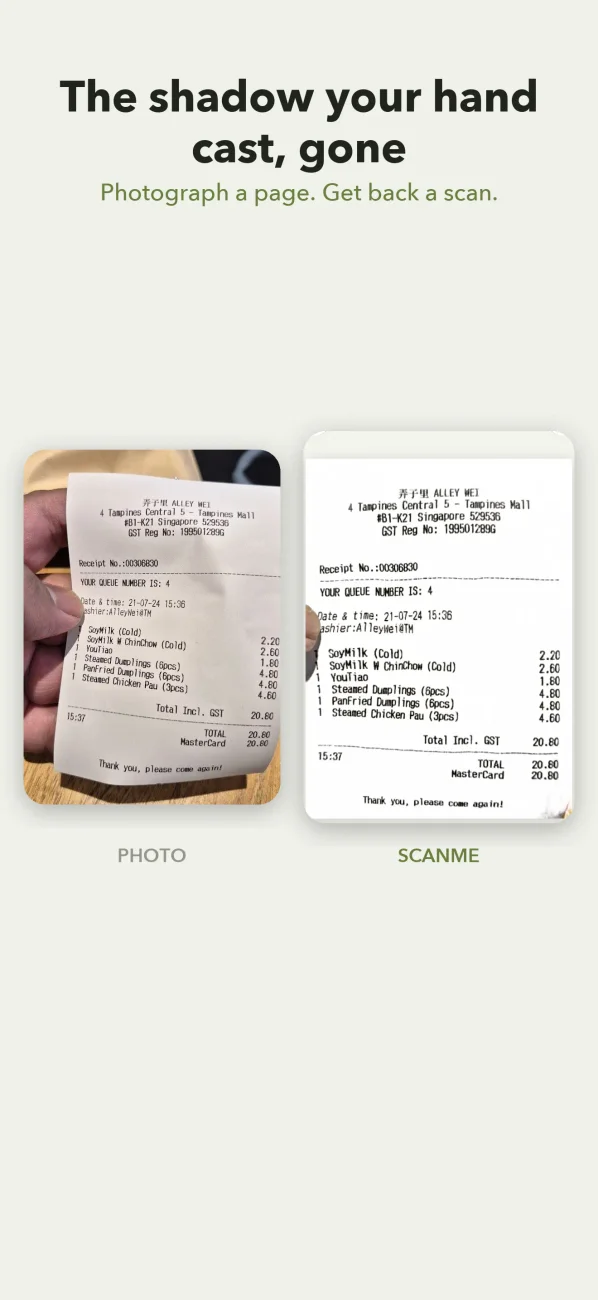
ScanME turns a photo of a page into something worth keeping: cropped square, flattened, and evenly lit. Receipts, notes, recipes, forms, letters, book pages, whiteboards — photograph it and get back a clean scan.
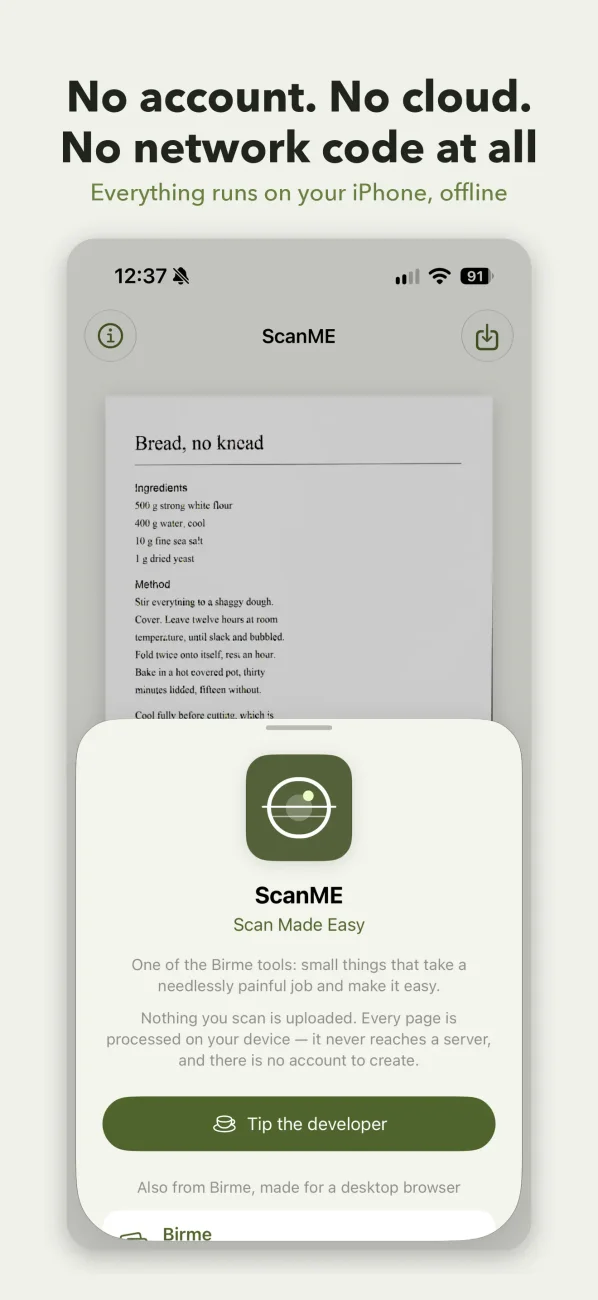
Everything happens on your iPhone. Nothing is ever uploaded, because there is nowhere to upload it to.
FINDS THE PAGE
• Detects the page, crops it, and squares up the perspective
• No dragging corners, no tracing the outline by hand
• If it cannot find a page it leaves your photo alone, rather than cropping it wrongly
EVENS THE LIGHTING
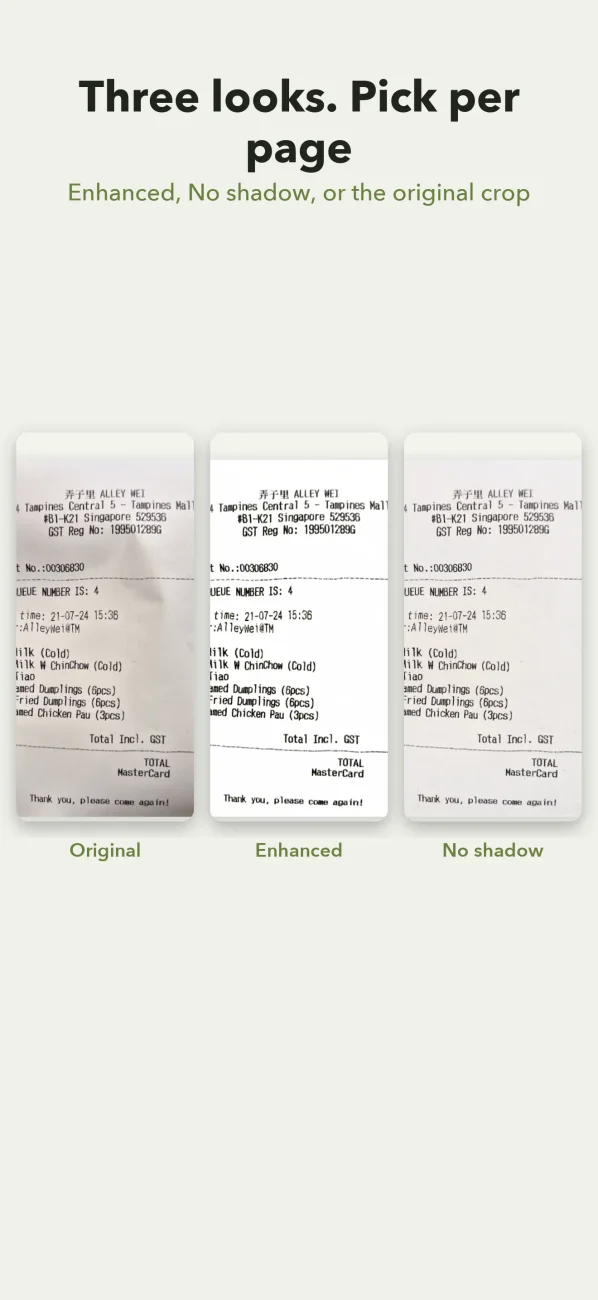
• Enhanced drives the paper towards white and holds the ink dark — the scanned look
• No shadow lifts the shadow your own hand cast, and leaves the colours alone, which suits photographs and coloured pages
• Original keeps the page as captured, just cropped and squared
• Switch between all three and watch the page change
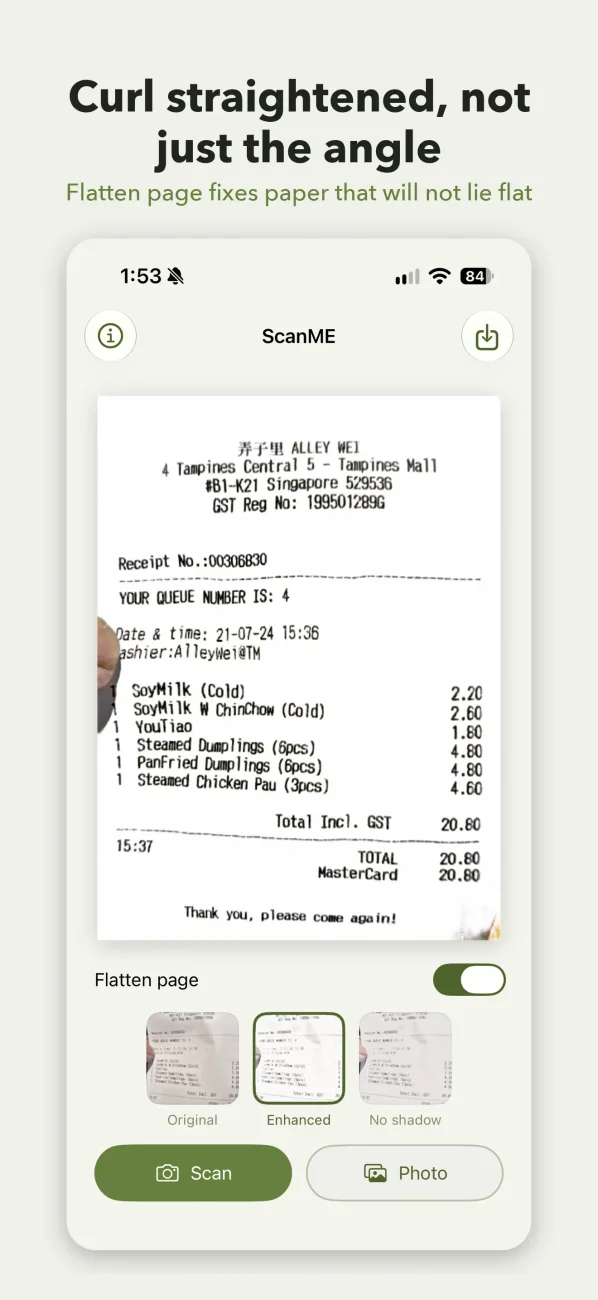
FLATTENS THE CURL
• Straightens a book that will not lie flat, or a folded receipt
• Corrects the curve of the paper, not just the angle of the camera
• Off by default, because a genuinely flat page does not need it
SEVERAL PAGES AT ONCE
• Scan or pick as many pages as you like and they stack up
• Swipe between them; the mode applies to all of them
• Save writes every page to your photo library, in the order you see them
SAVED WHERE YOU EXPECT
• Finished pages go into Photos as JPEGs, at the resolution your camera captured
• Pinch to zoom in and check the small print before you save
• Add-only access, so the app can put pages in without being able to read your library
PRIVATE BY CONSTRUCTION
• No networking code in the app at all
• No account, no sign-in, no analytics, no tracking, no ads
• The models are bundled inside the app and run on your device — offline, in aeroplane mode, anywhere
FREE, WITH A TIP JAR
• The whole app is free and stays free
• No subscription, no watermark, no locked features, no page limit
• If it saves you an afternoon there is a tip jar in About. It unlocks nothing, deliberately
Speaks English, Simplified and Traditional Chinese, Japanese, Korean, Spanish, French, German, Portuguese, Dutch and Indonesian, following your phone's language setting.
Requires iOS 18 or later, on iPhone and iPad. Scanning needs a camera; choosing a photo you already have does not.
アプリのプライバシー
このアプリのデータの取り扱いについて、Yoke Yu Valerie LohがApp Storeで申告している内容です。
-
データの収集なし
開発元はこのアプリからデータを収集しません。
プライバシーの取り扱いは、ご利用の機能やお客様の年齢などに応じて異なる場合があります。
情報
- 販売元
- Yoke Yu Valerie Loh
- カテゴリ
- 仕事効率化
- バージョン
- 1.0
- 更新日
- 2026/10/8
- リリース
- 2026/10/8
- サイズ
- 60.2 MB
- 必要条件
- iOS 18.0以降
- 対象年齢
- 4+
- 価格
- 無料
- アプリ内課金
- あり
- 言語
- 英語, オランダ語, フランス語, ドイツ語, インドネシア語, 日本語, 韓国語, ポルトガル語, 簡体字中国語, スペイン語, 繁体字中国語
- 著作権
- © 2026 Valerie Loh
こちらもおすすめ
-
 Doc Scanner & Editor by Doxx仕事効率化
-
 Ai Scan Lite - PDF Scanner仕事効率化
-
 ThreadFlow: Parallel Timer仕事効率化
-
 PDF Scanner : Scan Docs仕事効率化
-
 JPG to PDF Converter - PDFem仕事効率化
-
 LittleNudge - 習慣リマインダー通知タイマー水分補給・休憩・ストレッチ・目のケア・座りすぎ対策・仕事中
-
 OneClaw - Personal AI Buddy仕事効率化
-
 写真をPDFに変換: PDFonoJPG・画像・写真をPDFに簡単変換
-
 POP Clean: Clean Up iPhone仕事効率化
-
 DayKeeper: カウントダウンウィジェット誕生日記念日試験旅行リマインダー