SceneMeld
Live Studio, Record & Stream
Dirancang untuk iPhone, iPad, Mac
Gratis · Pembelian dalam aplikasi
- Batasan usia4+
- KategoriFoto & Video
- BahasaInggris+ 1 lainnya
- Ukuran19,8 MB
Tertaut ke halaman resmi App Store
Download.org tidak menyimpan file SceneMeld apa pun. Tombol ini membuka halaman aplikasi di App Store, tempat menerbitkannya. Halaman terakhir diperiksa pada 12/11/2026.
Tangkapan layar

Tentang
Pengembang belum menyediakan teks ini dalam bahasa Anda.
SceneMeld turns iPhone and iPad into a native live-production and recording studio. Combine sources, shape scenes and control output in one workspace. Local editing, recording and manual streaming destinations do not require a SceneMeld account.
COMPOSE YOUR PRODUCTION
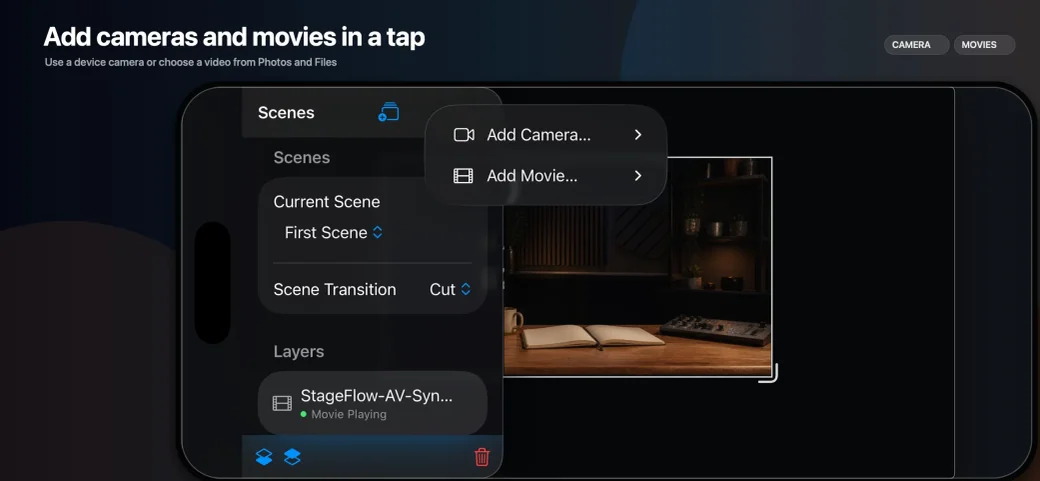
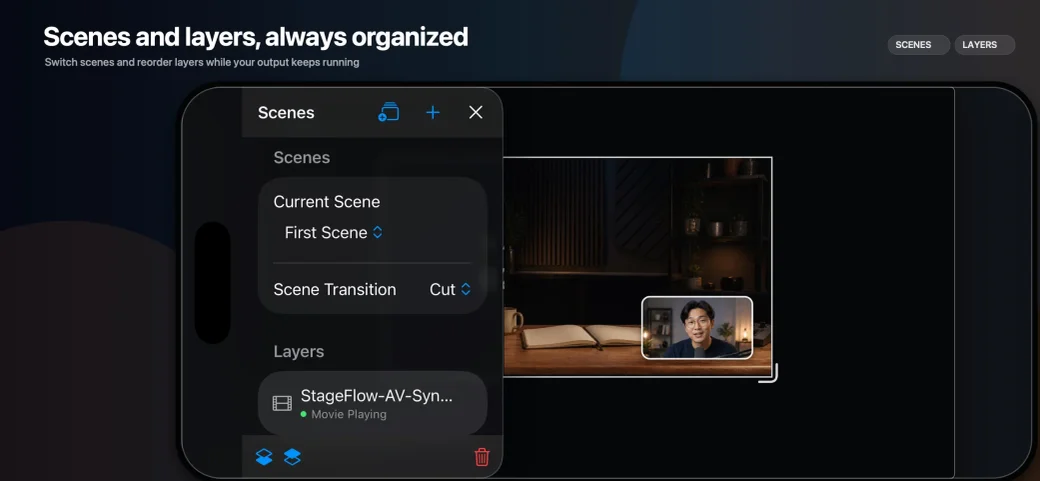
Combine device cameras, local movies and images. Import from Photos or Files. Resize, crop, rotate and reorder layers, or use quick layouts. Create and switch scenes, and keep editing while recording or streaming. iPhone offers a landscape production workspace; iPad provides a spacious studio layout.
CONTROL YOUR CAMERA
On supported devices and lenses, adjust zoom, exposure, ISO, shutter, focus, white balance, stabilization and torch. Display shutter as speed or angle, and adjust white balance with temperature and tint. Choose Standard, Vivid, Warm, Cool or Monochrome styles and adjust intensity. Camera styles appear in the preview, recordings and streams. Basic camera controls and these five styles do not require Pro. Available controls depend on your device, lens and capture format.
MAKE IT YOUR OWN
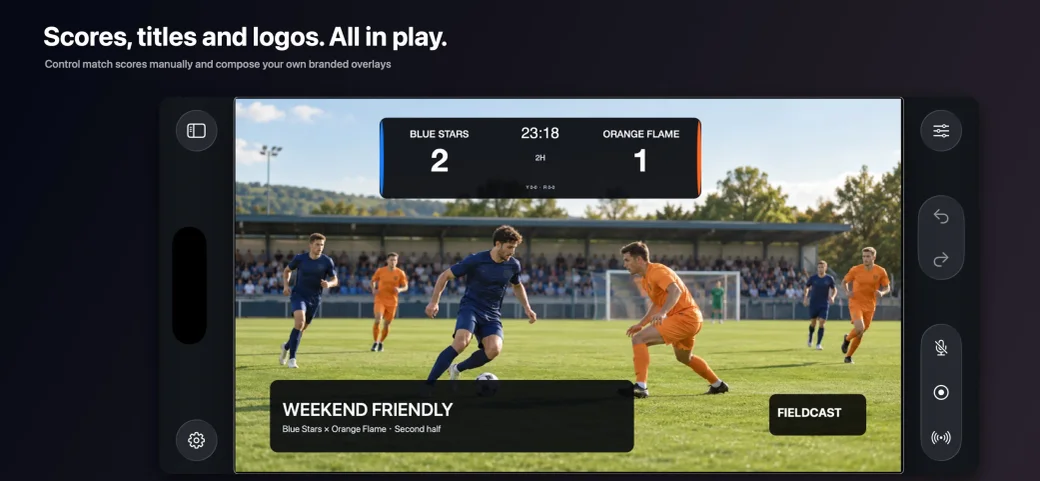
Add image logos, lower thirds, title cards, wall clocks, live-duration timers and countdowns. Football, basketball and badminton scoreboards offer manual scores and match-clock controls, not automatic scoring or official match data.
OPTIONAL FACE EFFECTS
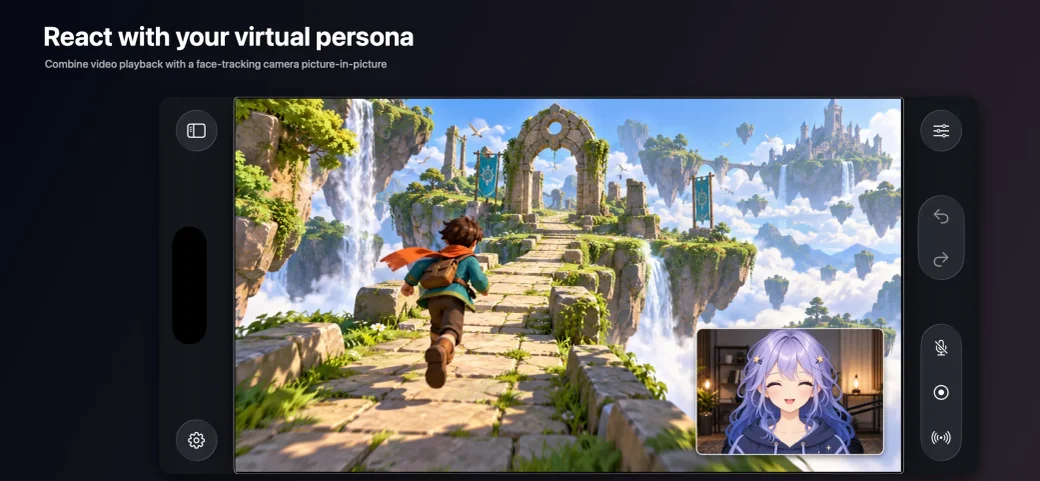
Pro face effects include blur, pixelation, emoji and original Nova and Aster avatars that follow head movement and expressions. Tracking runs on device and is not facial identification. Effects do not guarantee anonymity.
CONTROL VIDEO AND AUDIO
Loop movies or play once and hold the final frame. Mix microphone and movie audio, with separate movie volume for live output and local monitoring. Lower or pause the local preview without changing configured program output. Separate layer controls and status panels help you focus.
RECORD AND STREAM
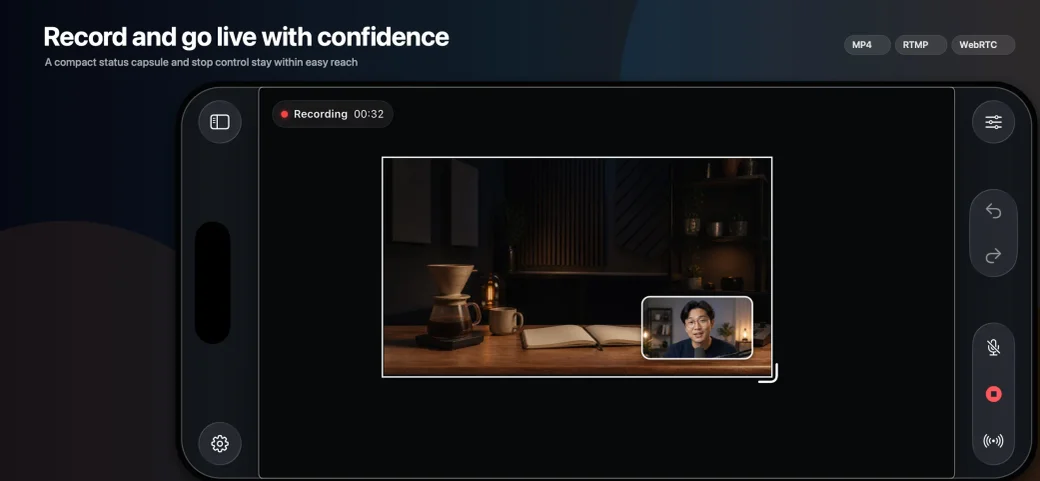
Record local MP4 video or stream to custom RTMP, RTMPS and WHIP destinations. Optional automatic live bitrate adjusts the encoding target as conditions change; adjustments pause while recording. Optional YouTube and Twitch account workflows help prepare destinations and view Audience Activity. Platform accounts and streaming eligibility are required. Replies and moderation use the platform website.
CHOOSE YOUR PLAN
The auto-renewing monthly Watermark Removal plan removes SceneMeld branding and does not include face effects. Monthly and annual Pro subscriptions include both branding removal and face effects. Prices and billing periods are shown before purchase. Free users can compose scenes, use basic camera controls and the five styles, record and stream with SceneMeld branding.
Purchase, restore or manage subscriptions in Settings > Plans. Use the same App Store purchase account on supported iPhone, iPad and Mac devices. Watermark Removal requires version 1.4 or later on iPhone/iPad and 1.4.1 or later on Mac. Branding entitlement changes during recording or streaming apply after active outputs finish.
MEDIA STAYS UNDER YOUR CONTROL
Media is processed locally and streamed directly to your chosen destination. The optional authorization service handles platform authorization and API requests, not live audio/video. Use media you own or have permission to broadcast.
Privacy policy: https://live.sjsai.cn/privacy
Terms of use: https://www.apple.com/legal/internet-services/itunes/dev/stdeula/
Yang baru
Versi 1.4 · 2/11/2026
SceneMeld 1.4 makes mobile production more comfortable:
• Adjust ISO, shutter, focus, white-balance temperature and tint on supported cameras.
• Choose Standard, Vivid, Warm, Cool or Monochrome camera styles and adjust intensity.
• Use refined vertical parameter rulers, quick values, back navigation, reset controls and animations.
• Find clearer layer menus, separate inspector and status panels, and improved phone and tablet layouts.
• Choose optional monthly Watermark Removal alongside monthly and annual Pro, with clearer plan changes and restoration.
• Use optional automatic live bitrate and improved preview interaction, orientation handling and first-use guidance.
Camera controls depend on your device, lens and capture format. Basic camera controls and the five styles do not require Pro.
Privasi aplikasi
Yang dinyatakan di App Store tentang cara aplikasi ini menangani data.
-
Data tidak dikumpulkan
Pengembang tidak mengumpulkan data apa pun dari aplikasi ini.
Praktik privasi dapat bervariasi, misalnya berdasarkan fitur yang Anda gunakan atau usia Anda.
Informasi
- Penjual
- 世佳 李
- Kategori
- Foto & Video
- Versi
- 1.4
- Diperbarui
- 2/11/2026
- Dirilis
- 7/8/2026
- Ukuran
- 19,8 MB
- Memerlukan
- iOS 18.0 atau yang lebih baru
- Batasan usia
- 4+
- Harga
- Gratis
- Pembelian dalam aplikasi
- Ya
- Bahasa
- Inggris, Tionghoa Sederhana
- Hak cipta
- © 2026 Shijia Li
Mungkin Anda juga suka
-
 同步相机 - 前后双摄像头同步拍摄Foto & Video
-
 ShutterMapFoto & Video
-
 Broadcast Elements :LiveStreamFoto & Video
-
 Vlogger Studio: Live StreamFoto & Video
-
 CC Filter CameraFoto & Video
-
 Camkite Camera for OBSFoto & Video
-
 TwoCam: Dual Camera VideoFoto & Video
-
 Kamera depan-belakang DualShotPerekam layar dengan Facecam
-
 MarkCam – Watermark CameraFoto & Video
-
 ScreenStreamFoto & Video