- 対象年齢4+
- カテゴリ写真/ビデオ
- 言語英語ほか1言語
- サイズ19.8 MB
App Storeの公式ページにリンクしています
Download.orgはSceneMeldのファイルを一切ホストしていません。ボタンを押すと、が公開しているApp Storeのアプリページが開きます。ページの最終確認:2026/11/12。
スクリーンショット

概要
開発元はこのテキストをお使いの言語で提供していません。
SceneMeld turns iPhone and iPad into a native live-production and recording studio. Combine sources, shape scenes and control output in one workspace. Local editing, recording and manual streaming destinations do not require a SceneMeld account.
COMPOSE YOUR PRODUCTION
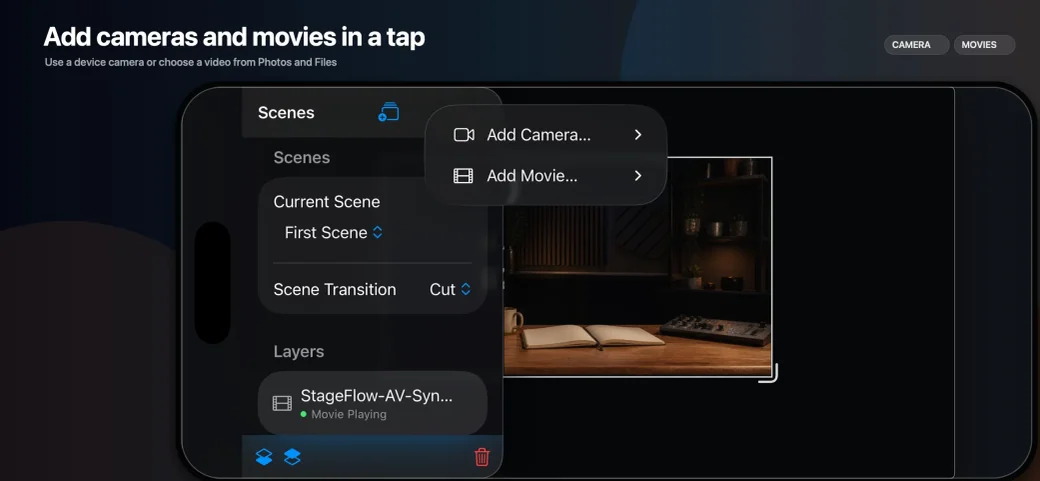
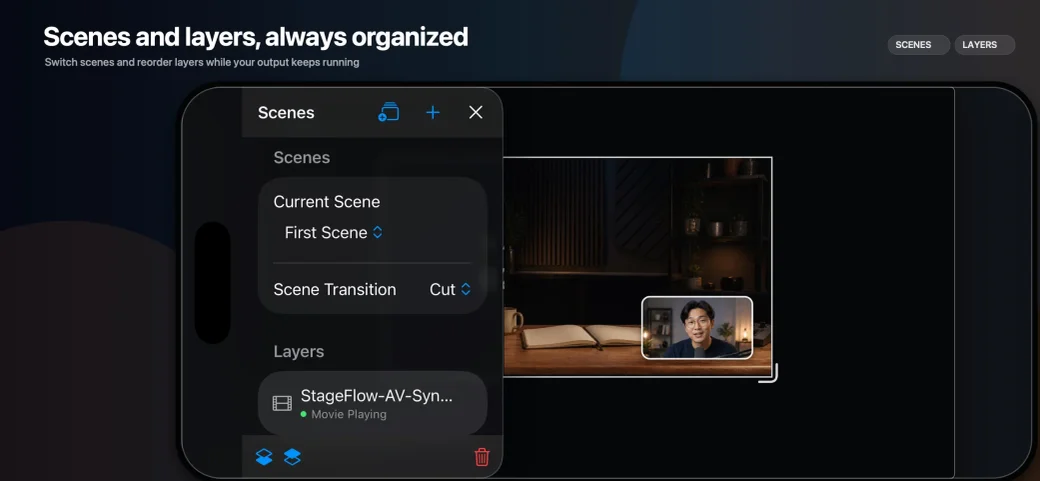
Combine device cameras, local movies and images. Import from Photos or Files. Resize, crop, rotate and reorder layers, or use quick layouts. Create and switch scenes, and keep editing while recording or streaming. iPhone offers a landscape production workspace; iPad provides a spacious studio layout.
CONTROL YOUR CAMERA
On supported devices and lenses, adjust zoom, exposure, ISO, shutter, focus, white balance, stabilization and torch. Display shutter as speed or angle, and adjust white balance with temperature and tint. Choose Standard, Vivid, Warm, Cool or Monochrome styles and adjust intensity. Camera styles appear in the preview, recordings and streams. Basic camera controls and these five styles do not require Pro. Available controls depend on your device, lens and capture format.
MAKE IT YOUR OWN
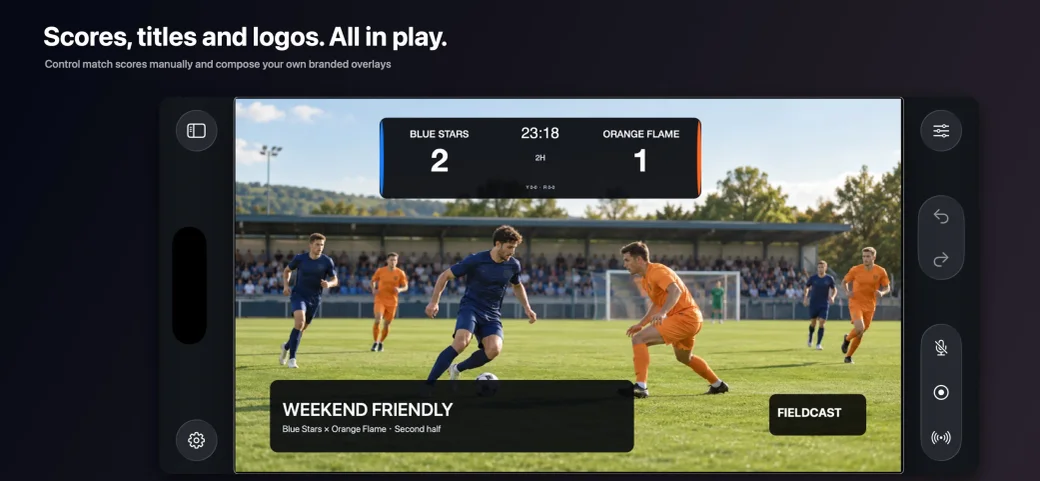
Add image logos, lower thirds, title cards, wall clocks, live-duration timers and countdowns. Football, basketball and badminton scoreboards offer manual scores and match-clock controls, not automatic scoring or official match data.
OPTIONAL FACE EFFECTS
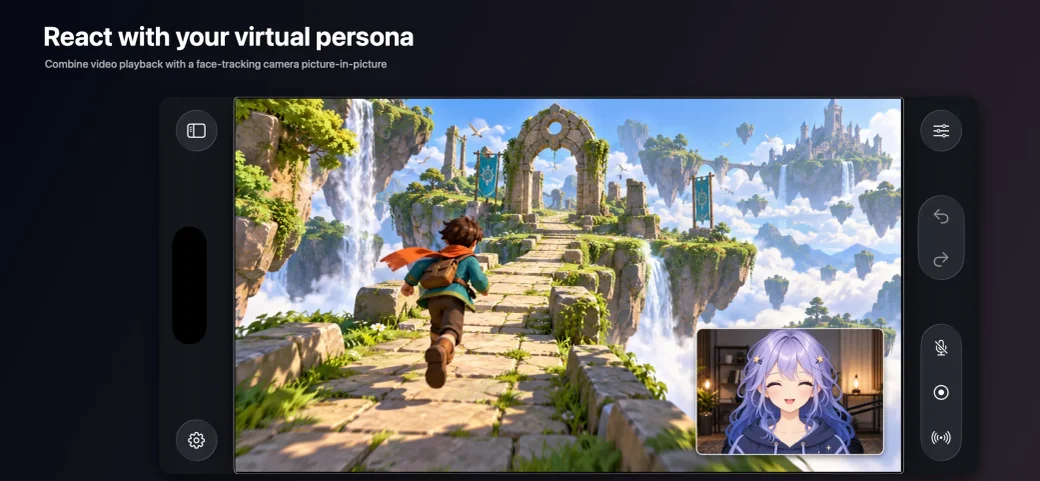
Pro face effects include blur, pixelation, emoji and original Nova and Aster avatars that follow head movement and expressions. Tracking runs on device and is not facial identification. Effects do not guarantee anonymity.
CONTROL VIDEO AND AUDIO
Loop movies or play once and hold the final frame. Mix microphone and movie audio, with separate movie volume for live output and local monitoring. Lower or pause the local preview without changing configured program output. Separate layer controls and status panels help you focus.
RECORD AND STREAM
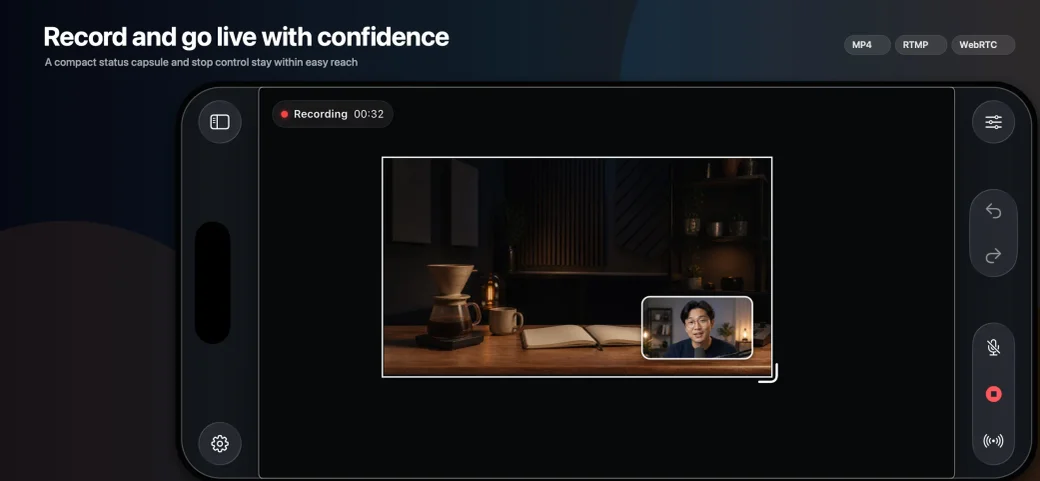
Record local MP4 video or stream to custom RTMP, RTMPS and WHIP destinations. Optional automatic live bitrate adjusts the encoding target as conditions change; adjustments pause while recording. Optional YouTube and Twitch account workflows help prepare destinations and view Audience Activity. Platform accounts and streaming eligibility are required. Replies and moderation use the platform website.
CHOOSE YOUR PLAN
The auto-renewing monthly Watermark Removal plan removes SceneMeld branding and does not include face effects. Monthly and annual Pro subscriptions include both branding removal and face effects. Prices and billing periods are shown before purchase. Free users can compose scenes, use basic camera controls and the five styles, record and stream with SceneMeld branding.
Purchase, restore or manage subscriptions in Settings > Plans. Use the same App Store purchase account on supported iPhone, iPad and Mac devices. Watermark Removal requires version 1.4 or later on iPhone/iPad and 1.4.1 or later on Mac. Branding entitlement changes during recording or streaming apply after active outputs finish.
MEDIA STAYS UNDER YOUR CONTROL
Media is processed locally and streamed directly to your chosen destination. The optional authorization service handles platform authorization and API requests, not live audio/video. Use media you own or have permission to broadcast.
Privacy policy: https://live.sjsai.cn/privacy
Terms of use: https://www.apple.com/legal/internet-services/itunes/dev/stdeula/
新機能
バージョン 1.4 · 2026/11/2
SceneMeld 1.4 makes mobile production more comfortable:
• Adjust ISO, shutter, focus, white-balance temperature and tint on supported cameras.
• Choose Standard, Vivid, Warm, Cool or Monochrome camera styles and adjust intensity.
• Use refined vertical parameter rulers, quick values, back navigation, reset controls and animations.
• Find clearer layer menus, separate inspector and status panels, and improved phone and tablet layouts.
• Choose optional monthly Watermark Removal alongside monthly and annual Pro, with clearer plan changes and restoration.
• Use optional automatic live bitrate and improved preview interaction, orientation handling and first-use guidance.
Camera controls depend on your device, lens and capture format. Basic camera controls and the five styles do not require Pro.
アプリのプライバシー
このアプリのデータの取り扱いについて、がApp Storeで申告している内容です。
-
データの収集なし
開発元はこのアプリからデータを収集しません。
プライバシーの取り扱いは、ご利用の機能やお客様の年齢などに応じて異なる場合があります。
情報
- 販売元
- 世佳 李
- カテゴリ
- 写真/ビデオ
- バージョン
- 1.4
- 更新日
- 2026/11/2
- リリース
- 2026/8/7
- サイズ
- 19.8 MB
- 必要条件
- iOS 18.0以降
- 対象年齢
- 4+
- 価格
- 無料
- アプリ内課金
- あり
- 言語
- 英語, 簡体字中国語
- 著作権
- © 2026 Shijia Li