
ScreenStack Screenshot Manager
Swipe away screenshot clutter
Dirancang untuk iPhone
Gratis · Pembelian dalam aplikasi
- Batasan usia4+
- KategoriProduktivitas
- Pengembang江 吴
- BahasaInggris+ 7 lainnya
- Ukuran8,0 MB
Tertaut ke halaman resmi App Store
Download.org tidak menyimpan file ScreenStack Screenshot Manager apa pun. Tombol ini membuka halaman aplikasi di App Store, tempat 江 吴 menerbitkannya. Halaman terakhir diperiksa pada 23/11/2026.
Tangkapan layar
Tentang
Pengembang belum menyediakan teks ini dalam bahasa Anda.
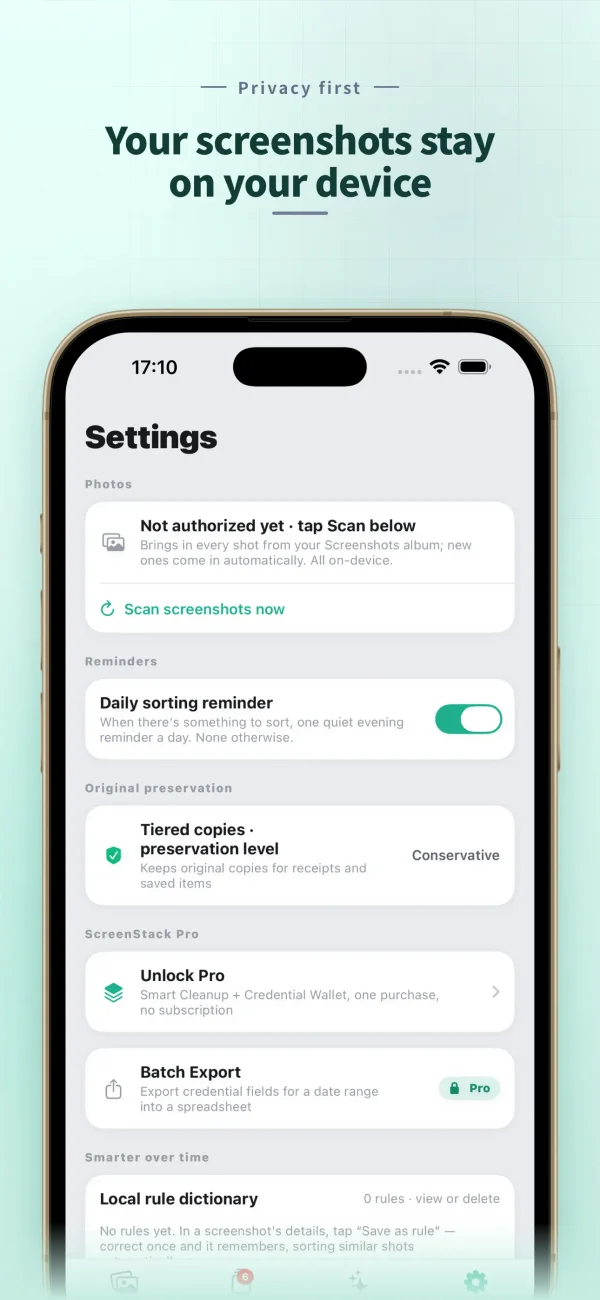
ScreenStack is an AI-powered screenshot manager that helps you get screenshots in, find what matters, use the information inside them, and clean up with confidence. Local-first by design, with optional AI enhancement.
SHARE FROM ANYWHERE
Use the system share sheet in any app to send a screenshot or photo straight into ScreenStack—verified working from Photos, WeChat, and similar sources.
AI SORTING
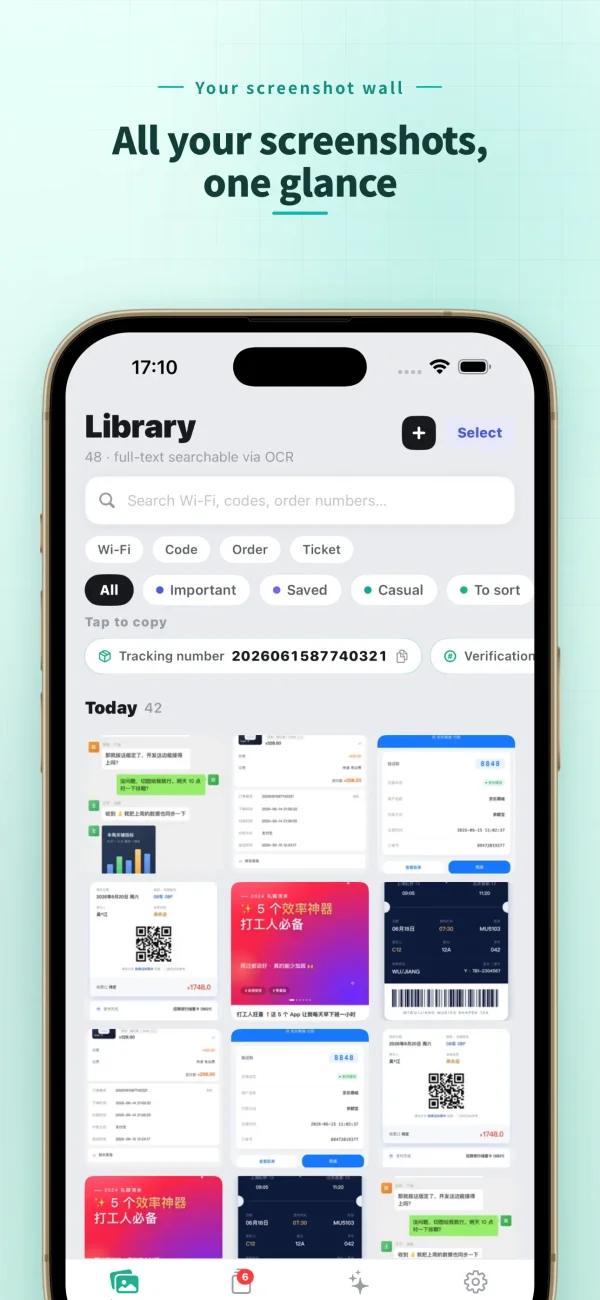
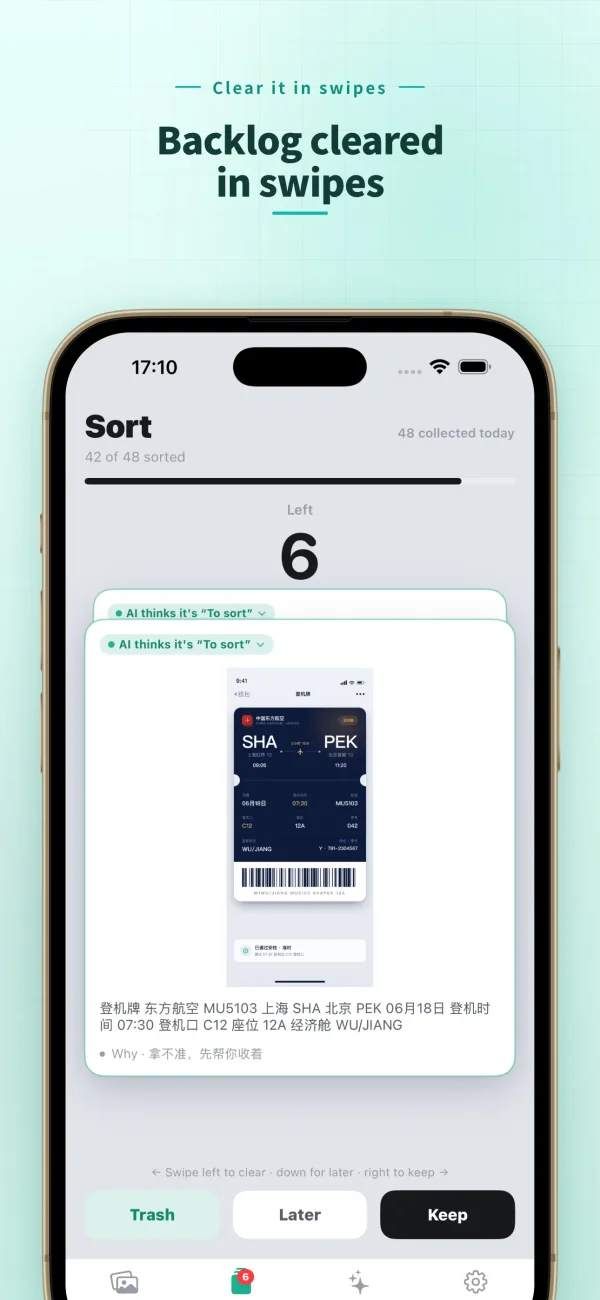
Open the app to a visual screenshot wall. New imports are routed into Important, Saved, Quick, or To Review. Your rules come first; uncertain items stay honest instead of being forced into the wrong category. Correct a suggestion once and ScreenStack remembers.
INSTANT OCR SEARCH
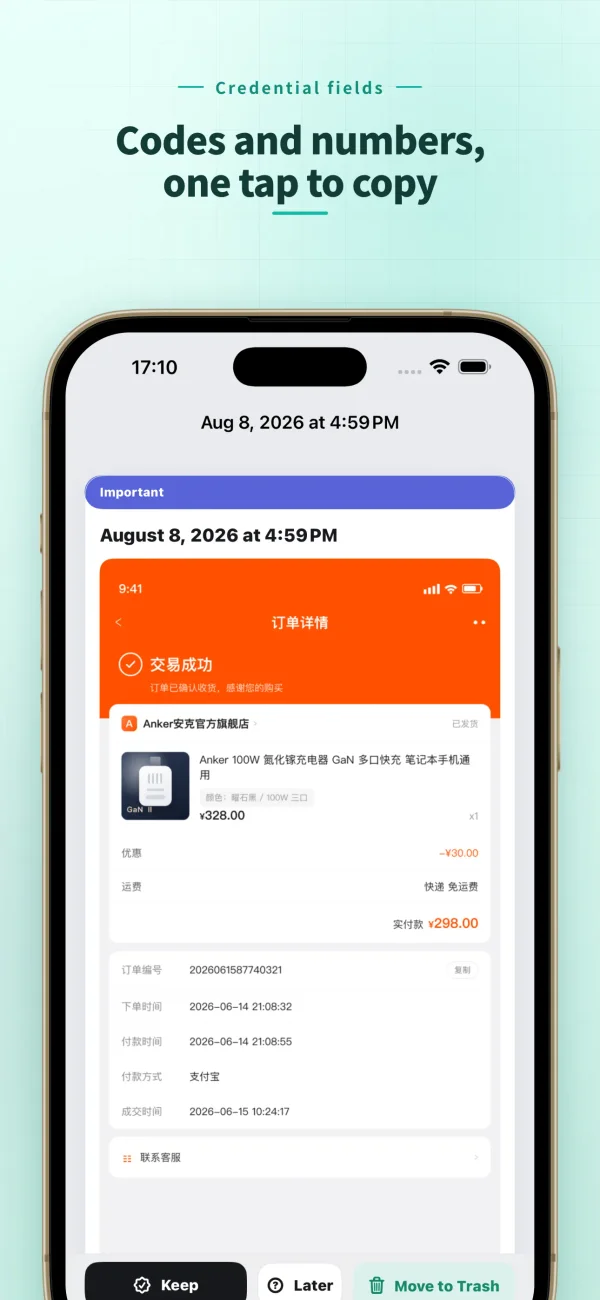
On-device OCR turns screenshot text into searchable information. Find verification codes, order numbers, Wi-Fi passwords, amounts, and tracking numbers in about half a second—and copy the field you need, not just the image.
OPTIONAL AI, YOUR KEY
Connect your own API key from 17+ model providers for more detailed classification and extraction. Your provider, model, and rules stay under your control. Core features work without a key.
SAFE CLEANUP
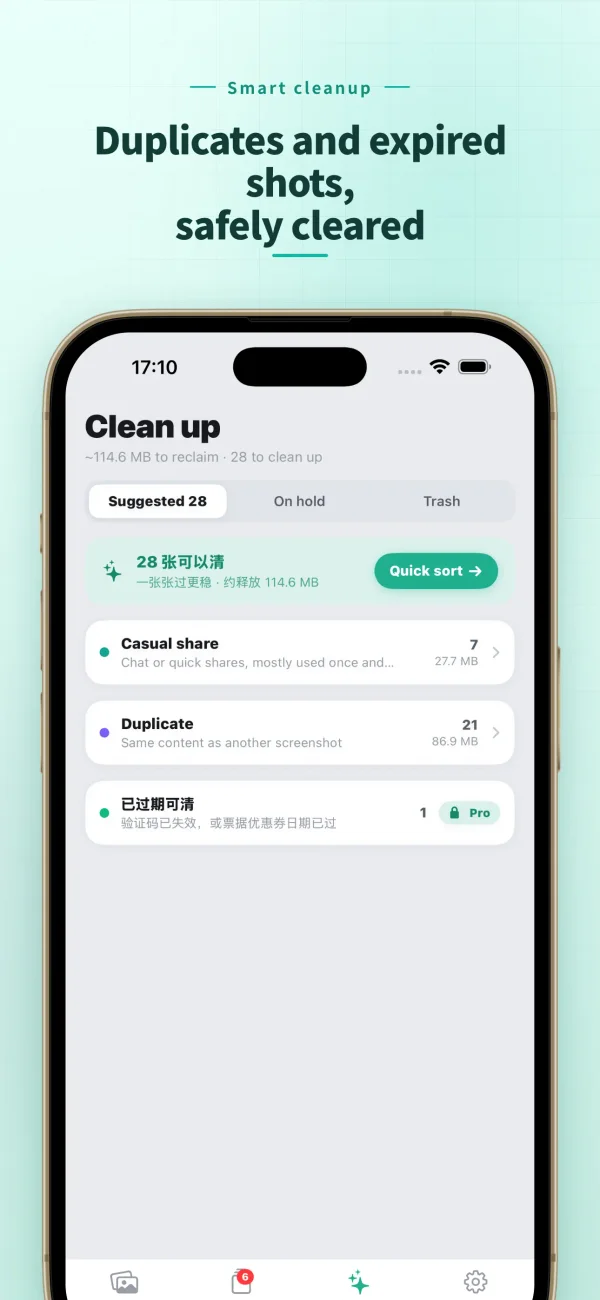
Review extracted fields before deleting. Soft-deleted screenshots go to a trash folder, while saved credentials and favorites can keep an original backup.
SAFE BACKUP & RESTORE
Export a free, offline backup that preserves original image copies, OCR text, extracted fields, notes, tags, and organization status. Restoring verifies the file, then merges it non-destructively—nothing is lost when you switch devices or reinstall.
SCREENSTACK PRO
Smart Cleanup groups visually similar screenshots and identifies expired credentials. Credential Wallet adds expiry reminders and batch CSV export. One-time purchase, no subscription.
PRIVACY FIRST
OCR, search, and organization run on your device. Original screenshots never leave it. Only when you enable AI and provide your own key are extracted words sent to the provider you choose.
Import, organize, search, and basic cleanup are free forever.
Yang baru
Versi 1.9.1 · 21/11/2026
The first import now shows its progress and picks up where it left off if you switch to another app.
After a cleanup or slim-down, a result card shows what was tidied and how much space you got back.
Privasi aplikasi
Yang dinyatakan 江 吴 di App Store tentang cara aplikasi ini menangani data.
-
Data yang ditautkan dengan Anda
Dapat dikumpulkan dan ditautkan dengan identitas Anda.
- Info kontak
- Konten pengguna
-
Data yang tidak ditautkan dengan Anda
Dapat dikumpulkan, tetapi tidak ditautkan dengan identitas Anda.
- Pembelian
- Lokasi
- Pengenal
- Data penggunaan
- Diagnostik
Praktik privasi dapat bervariasi, misalnya berdasarkan fitur yang Anda gunakan atau usia Anda.
Informasi
- Penjual
- 江 吴
- Kategori
- Produktivitas
- Versi
- 1.9.1
- Diperbarui
- 21/11/2026
- Dirilis
- 18/6/2026
- Ukuran
- 8,0 MB
- Memerlukan
- iOS 17.0 atau yang lebih baru
- Batasan usia
- 4+
- Harga
- Gratis
- Pembelian dalam aplikasi
- Ya
- Bahasa
- Inggris, Prancis, Jerman, Jepang, Korea, Tionghoa Sederhana, Spanyol, Tionghoa Tradisional
- Hak cipta
- © 2026 ScreenStack
Mungkin Anda juga suka
-
 ShotTidyProduktivitas
-
 Screenshot Organizer: ShotBoxProduktivitas
-
 AI截图助手 - 看懂截图与智能总结Produktivitas
-
 Paper2FormProduktivitas
-
 WeaveNoteProduktivitas
-
 Screenshot Cleaner: SnapMopProduktivitas
-
 CheckOneChecklist langkah demi langkah
-
 人迹Produktivitas
-
 FindShot: Screenshot LibraryProduktivitas
-
 LiveScan: Scan Text & QR CodesProduktivitas