Rubin: RAW & Open Gate Cam
ProRes, Apple Log & Live LUTs
Dirancang untuk iPhone
Gratis
- Batasan usia4+
- KategoriFoto & Video
- PengembangAkos Komuves
- BahasaInggris
- Ukuran8,0 MB
Tertaut ke halaman resmi App Store
Download.org tidak menyimpan file Rubin: RAW & Open Gate Cam apa pun. Tombol ini membuka halaman aplikasi di App Store, tempat Akos Komuves menerbitkannya. Halaman terakhir diperiksa pada 23/11/2026.
Tangkapan layar

Tentang
Pengembang belum menyediakan teks ini dalam bahasa Anda.
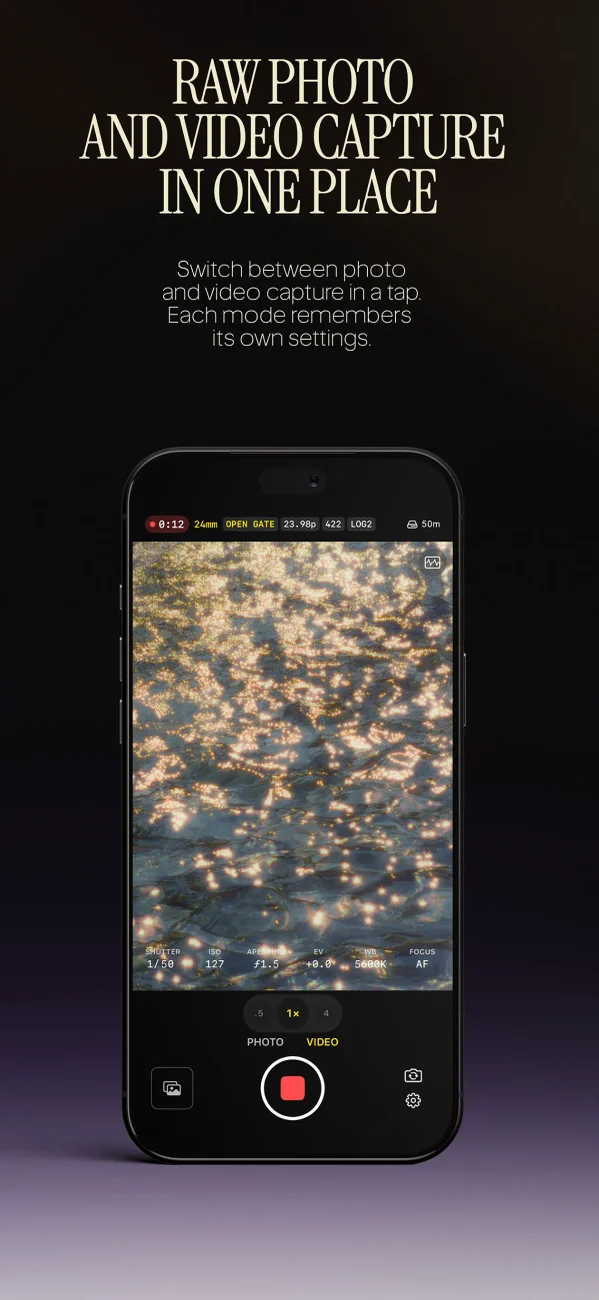
Rubin records open gate video from the whole sensor and takes ProRAW and true RAW photos, in one app, with film looks you can see while you shoot. No external drive needed.
OPEN GATE VIDEO
On iPhone 17 Pro and later, Rubin reads the full 4224×3024 sensor, wider than 16:9 and taller than any standard format, and records it straight to your iPhone.
• Apple Log (Apple Log 2 on phones that shoot it) for grading, or Standard colour ready to share
• ProRes 422 HQ, 422, LT, Proxy or 10-bit HEVC, recorded to internal storage
• 23.98, 24, 25, 29.97 or 30 fps
• Stabilized open gate: turn stabilization on for the camera's processed 4:3 frame, slightly cropped
• 4K (16:9) too, in ProRes, HEVC or H.264 at maximum bitrate, up to 120 fps where the iPhone supports it
LOOKS AND LUTS
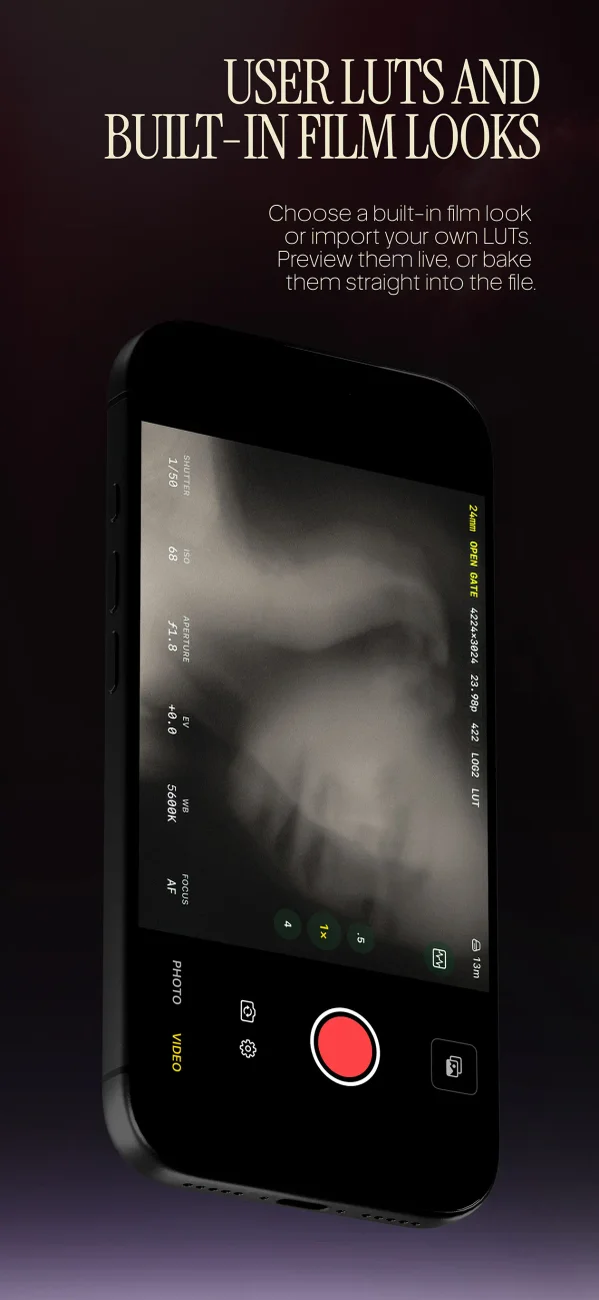
• Live preview LUTs: see Rec.709 or your own .cube while you shoot Log, without changing the file
• Film looks in the viewfinder: Portra 400, Ektar 100, Velvia 50, Classic Chrome, CineStill 800T, Tri-X 400, HP5 Plus
• Bake a look or a .cube into the file when you want it finished in camera
• For photos too: a look in the viewfinder, and a HEIF copy with the look next to every photo
PRORES RAW
With a USB-C drive connected, record full-sensor ProRes RAW or ProRes RAW HQ. iOS only allows ProRes RAW on an external drive, so Rubin tells you when one is needed.
PHOTOS
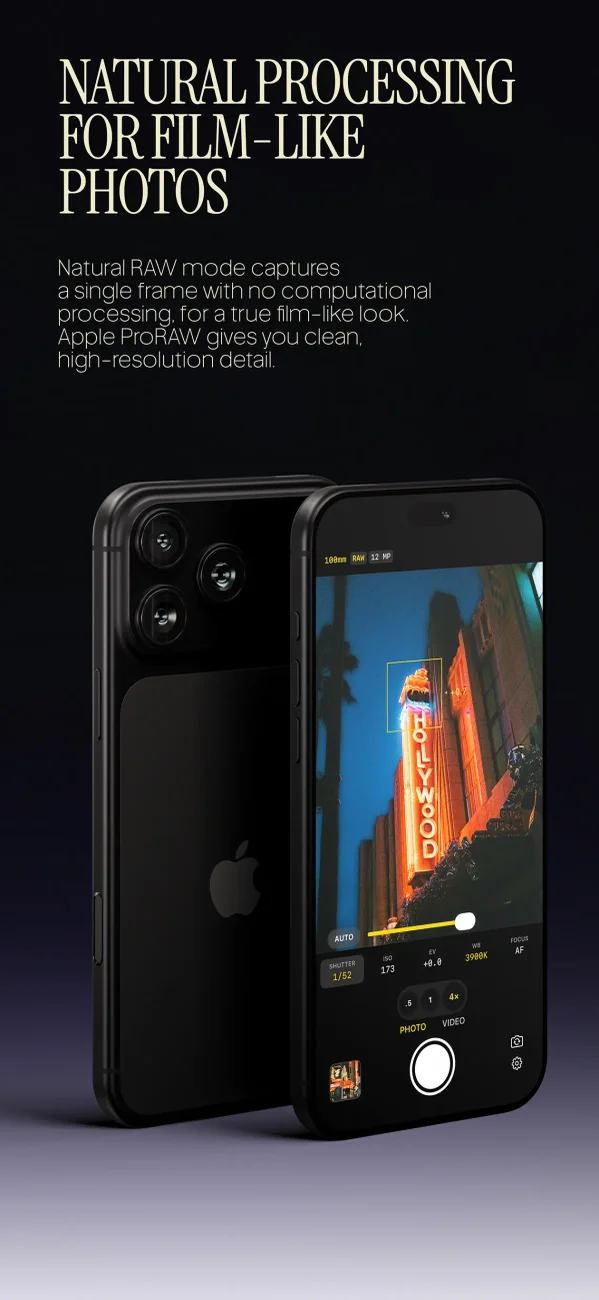
• 48 MP ProRAW (DNG) or HEIF
• RAW Natural Image Processing: a single-frame Bayer DNG with no computational processing, one tap away on the viewfinder
• RAW editor: exposure, white balance, contrast, highlights and shadows, film looks, grain, vignette and halation. Your original is never changed.
MANUAL CONTROLS AND TOOLS
• Shutter (with a 180° detent), ISO, exposure compensation, white balance and focus, each with its own auto mode
• White balance presets: Tungsten, Fluorescent, Daylight, Flash, Cloudy, Shade
• Lock white balance and focus for the whole take while recording
• Focus confirmation: green with a tap when focus is found, red when it isn't
• False colour, zebras, focus peaking and a live histogram
• Frame guides for 1:1, 5:4, 4:3, 3:2, 16:9, 1.85:1 and 2.39:1, with adjustable darkness
• Lens buttons, pinch zoom across lenses and a smooth servo zoom
• Front camera, for photos and video
• Tap to focus, drag for exposure, long-press for AE/AF lock
• Camera Control and the volume buttons as shutter
SOUND
• Choose the microphone and the audio format (AAC, high-bitrate AAC or 24-bit PCM)
• Wind noise reduction and audio zoom
BUILT FOR SHOOTING
• Portrait and landscape layouts, with the viewfinder in the shape you're recording
• Live readout of format, resolution, frame rate and codec
• Minutes of recording left, and a warning when the iPhone gets hot
• Gallery as a large square grid or a detailed list with name, length and date, with a full-screen viewer
• Files in the Files app, and optionally in your photo library
Older iPhones record the full 4:3 frame instead of open gate.
No accounts, no ads, no tracking. Rubin collects no data.
Yang baru
Versi 1.5 · 18/11/2026
• Self-timer: 2, 5 or 10 seconds, with a countdown on the viewfinder
• Shutter as an angle (180°) for video, in Settings
• New frame guides: cinema ratios (Super 8 to CinemaScope) and vertical 3:4, 4:5, 2:3, 9:16, set separately for photo and video
• Manual controls: tap SET to keep the current auto value, or long-press any readout to switch auto ↔ manual; the controls row no longer moves
• Sharper RAW photos in the gallery, and pinch zoom where your fingers are
• 48 MP ProRAW opens in full in the editor
• Tap-to-track focus works in photo mode
• Stabilized 4K now shows stabilized in the viewfinder too
• Front camera: correct orientation and proportions on iPhone 17 Pro
• Delete now asks for confirmation
• Smaller fixes: lens switch in 4K, focus confirmation, layout in landscape
Privasi aplikasi
Yang dinyatakan Akos Komuves di App Store tentang cara aplikasi ini menangani data.
-
Data tidak dikumpulkan
Pengembang tidak mengumpulkan data apa pun dari aplikasi ini.
Praktik privasi dapat bervariasi, misalnya berdasarkan fitur yang Anda gunakan atau usia Anda.
Informasi
- Penjual
- Akos Komuves
- Kategori
- Foto & Video
- Versi
- 1.5
- Diperbarui
- 18/11/2026
- Dirilis
- 6/11/2026
- Ukuran
- 8,0 MB
- Memerlukan
- iOS 26.0 atau yang lebih baru
- Batasan usia
- 4+
- Harga
- Gratis
- Bahasa
- Inggris
- Hak cipta
- © 2026 Akos Komuves
Mungkin Anda juga suka
-
 X8 Camera: Multi-FocalFoto & Video
-
 GhostFix: Image RepairFoto & Video
-
 V FOTO: Video to PhotoFoto & Video
-
 ManualCam – Pro CameraFoto & Video
-
 LapseArc: 8K Stable TimelapseFoto & Video
-
 GATE CAM: Open Gate CameraFoto & Video
-
 ModCamFoto & Video
-
 VAZOYO - AI Photo FeedbackFoto & Video
-
 StarCrop – Open Gate CameraFoto & Video
-
 CinemaKitFoto & Video