
Sentence: Screen Time Control
Write to unlock. Focus & Block
Dirancang untuk iPhone
Gratis · Pembelian dalam aplikasi
- Batasan usia4+
- KategoriProduktivitas
- PengembangDaksh Kaushik
- BahasaInggris
- Ukuran18,7 MB
Tertaut ke halaman resmi App Store
Download.org tidak menyimpan file Sentence: Screen Time Control apa pun. Tombol ini membuka halaman aplikasi di App Store, tempat Daksh Kaushik menerbitkannya. Halaman terakhir diperiksa pada 14/11/2026.
Tangkapan layar

Tentang
Pengembang belum menyediakan teks ini dalam bahasa Anda.
Most screen time apps are easy to dismiss.
A tap. A passcode you set yourself.
An exception you grant in three seconds.
You already know this. You've tried them all.
Sentence works differently.
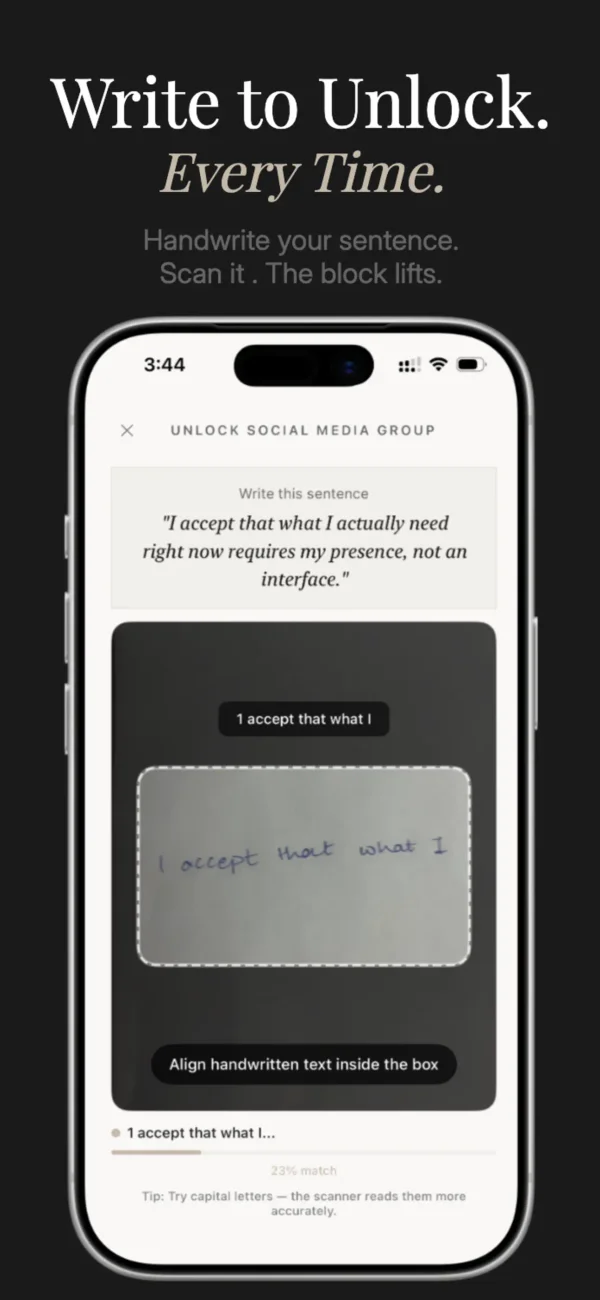
To unlock a blocked app, you write a sentence by hand — on paper — and scan it with your camera. Every time. No bypass. No exceptions.
No "ignore for today."
That moment of friction is the whole point.
Most of the time, it's enough to make you put the phone down.
HOW IT WORKS
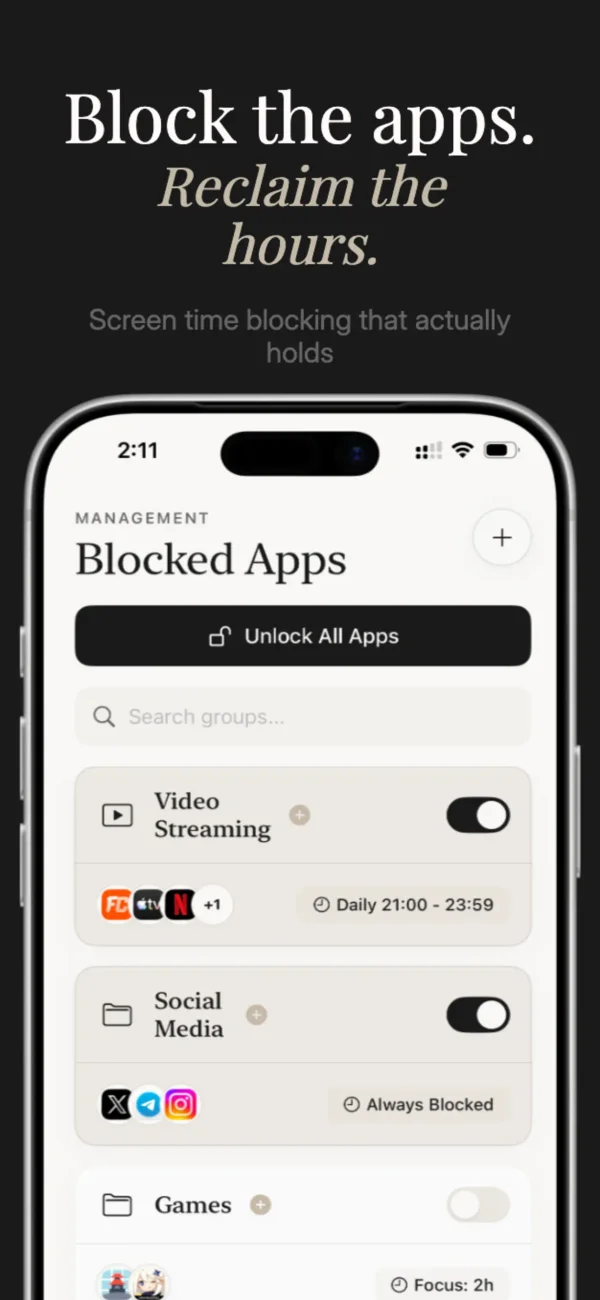
1. Block any app or category — social media, streaming, games, news, anything.
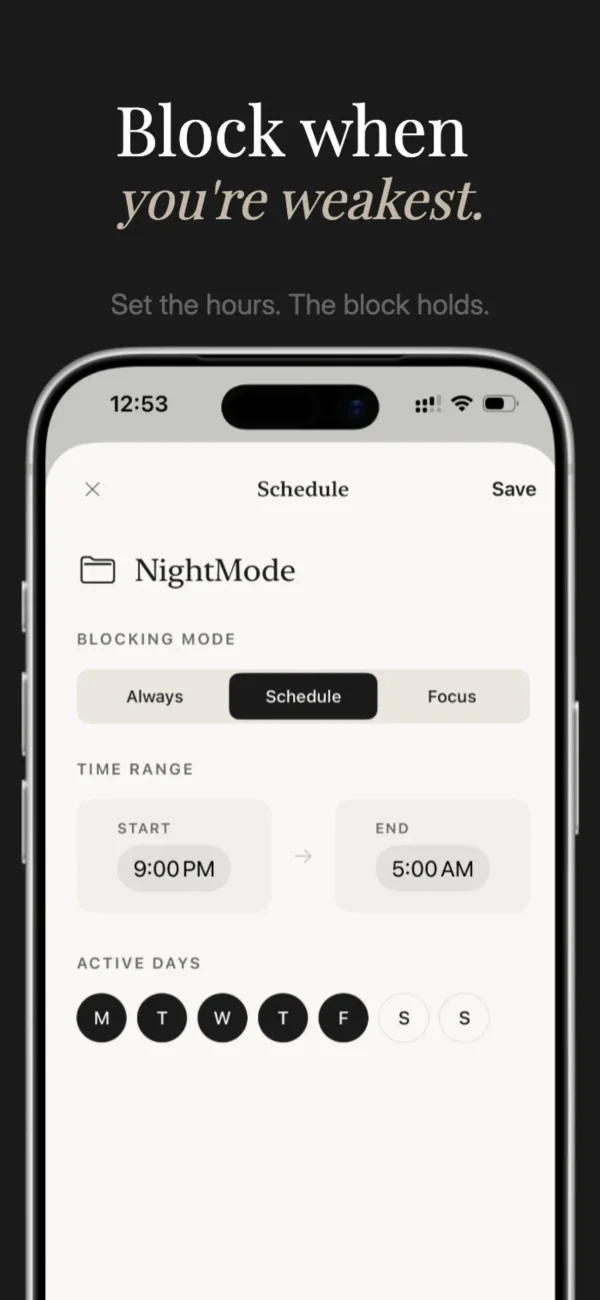
2. Set your schedule — always on, a specific time window or a particular limit.
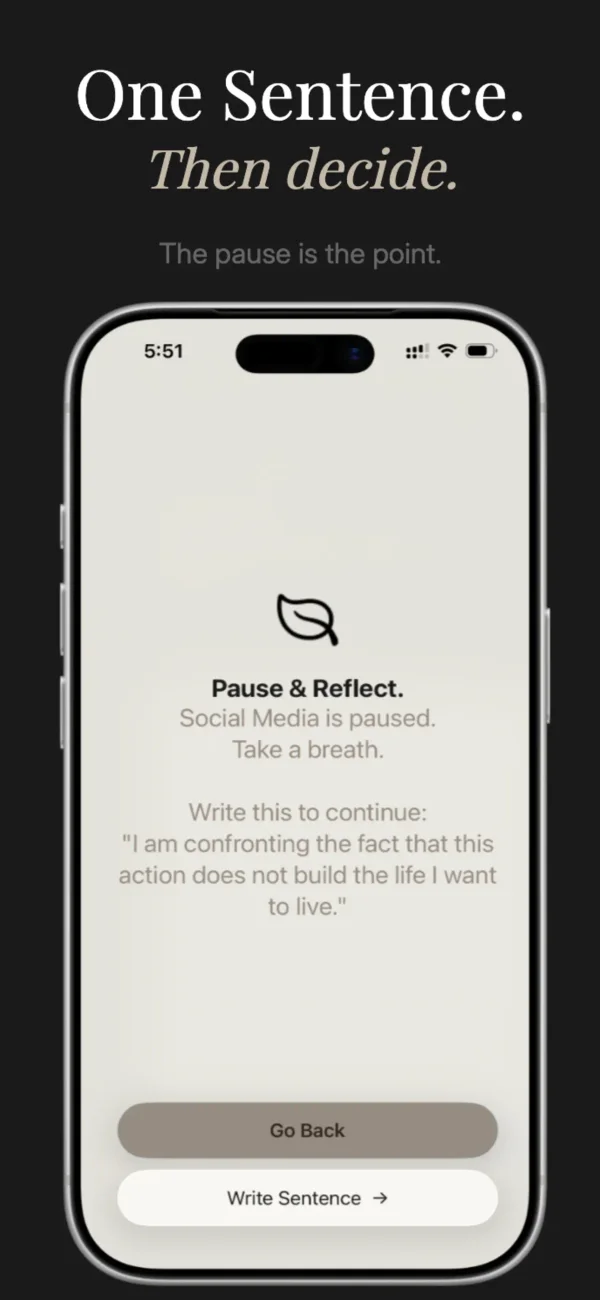
3. When you try to open a blocked app, you see a screen. Tap "Write Sentence." Sentence opens.
4. Write the sentence on paper. Hold it up. Scan it. The block lifts — for that session.
5. Tomorrow, you write it again.
THE RITUAL
Choose what you write each time you unlock:
· Enquiry — why are you reaching for your phone right now? Answer honestly.
· Affirmations — reinforce the person you're trying to become.
· Literature — Seneca. Thoreau. Orwell. One line that reframes the moment.
· Roasting — brutal honesty about what you're about to do with the next hour.
· Custom — write your own sentence. Your commitment, your words.
BLOCK ON YOUR TERMS
· Block specific apps or entire categories
· Time-based schedules — morning, night, all day, specific windows
· Multiple block groups with different schedules and sentence types
· Zen Mode — prevents deleting apps from your phone. Requires handwriting to disable.
WHO SENTENCE IS FOR
You've set screen time limits.
You turned them off.
You've tried grayscale mode.
You adapted in a week.
You've deleted the apps.
You reinstalled them.
You've tried willpower.
It wasn't enough.
Sentence isn't about willpower. It's about
friction — a deliberate pause inserted between
the impulse and the action. One sentence,
written by hand, changes the calculus entirely.
This is for people who are done with tricks
that don't work.
Access to Sentence features requires a paid subscription. Options include Monthly and Annual (with free trial). Manage or cancel anytime in your Apple ID settings.
Terms of Use : https://www.apple.com/legal/internet-services/itunes/dev/stdeula/
Yang baru
Versi 1.9 · 13/7/2026
Bug Fixes
Privasi aplikasi
Yang dinyatakan Daksh Kaushik di App Store tentang cara aplikasi ini menangani data.
-
Data yang tidak ditautkan dengan Anda
Dapat dikumpulkan, tetapi tidak ditautkan dengan identitas Anda.
- Pembelian
- Pengenal
- Data penggunaan
Praktik privasi dapat bervariasi, misalnya berdasarkan fitur yang Anda gunakan atau usia Anda.
Informasi
- Penjual
- Daksh Kaushik
- Kategori
- Produktivitas
- Versi
- 1.9
- Diperbarui
- 13/7/2026
- Dirilis
- 27/2/2026
- Ukuran
- 18,7 MB
- Memerlukan
- iOS 18.0 atau yang lebih baru
- Batasan usia
- 4+
- Harga
- Gratis
- Pembelian dalam aplikasi
- Ya
- Bahasa
- Inggris
- Hak cipta
- © 2026 Daksh Kaushik
Mungkin Anda juga suka
-
 Finishly -Beat ProcrastinationProduktivitas
-
 GitNotēs: Notes & Todos + GitProduktivitas
-
 Freaks: Habit Tracker, StreaksProduktivitas
-
 Jetrise SnapPDF: Pemindai PDFScan, TTD, Kompres & Konversi
-
 SageMind AIProduktivitas
-
 TreeNotes - Tree OutlinerAtur ide dalam bentuk pohon
-
 PicZip - Kompres GambarUbah ukuran foto sekaligus
-
 Caffeinate AIProduktivitas
-
 Wedding Planner BridewellProduktivitas
-
 BloopBrowserProduktivitas