SequenceTimer: Auto Interval
For HIIT, Study & Daily Habits
Dirancang untuk iPhone
Gratis
- Batasan usia4+
- KategoriGaya Hidup
- PengembangTakashi Goto
- BahasaJepang+ 1 lainnya
- Ukuran1,1 MB
Tertaut ke halaman resmi App Store
Download.org tidak menyimpan file SequenceTimer: Auto Interval apa pun. Tombol ini membuka halaman aplikasi di App Store, tempat Takashi Goto menerbitkannya. Halaman terakhir diperiksa pada 16/11/2026.
Tangkapan layar
Tentang
Pengembang belum menyediakan teks ini dalam bahasa Anda.
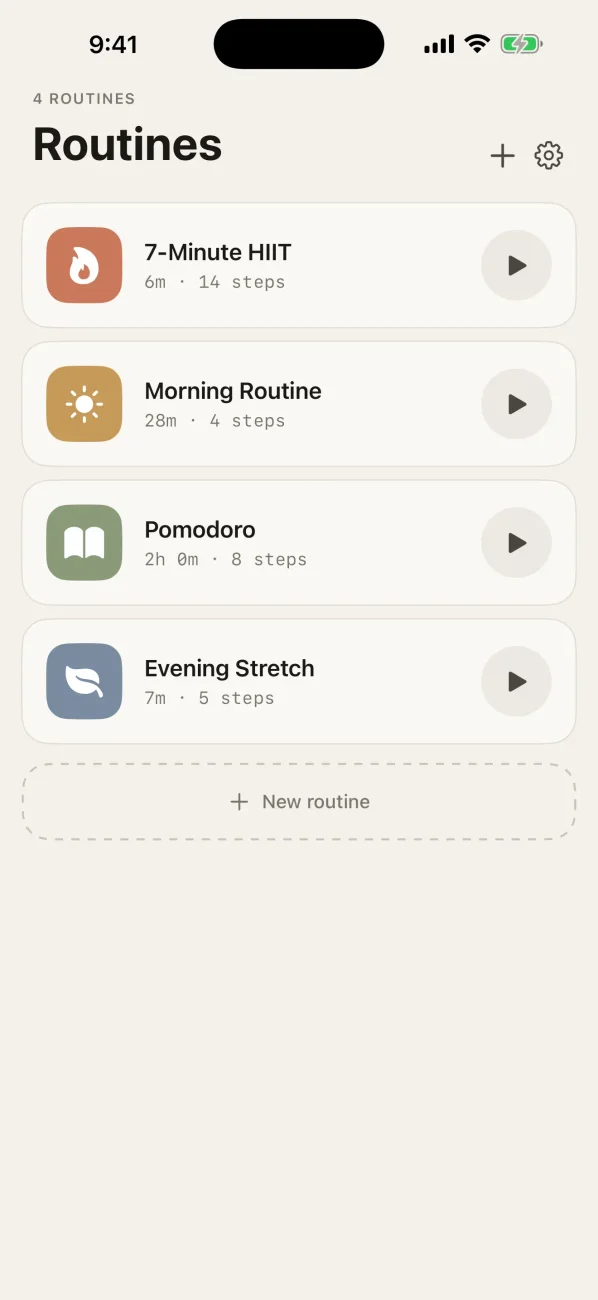
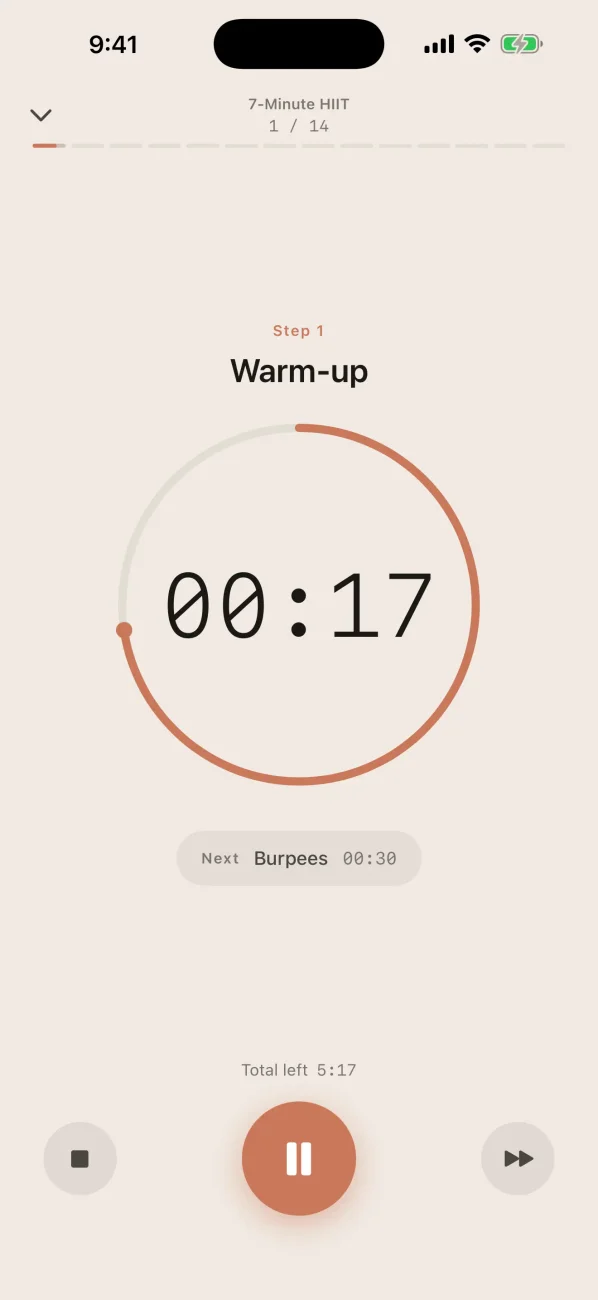
Just press Start. The timer moves through each step automatically, in the order you set.
Set up your steps — like “Warm-up 5 min → Exercise 3 min → Rest 1 min” — and let it run. No interaction needed during the session; it advances to the next step on its own.
■ Runs automatically, step by step
Line up what you want to do and press Start. From HIIT and strength training intervals to Pomodoro sessions, morning routines, and bedtime wind-downs — build any sequence you like.
■ No tap needed. Notified when each step ends
A notification alerts you at the end of each step. No need to watch the screen or press any button. Leave your phone to the side during workouts or cooking — it keeps running in the background and through screen lock. Use a single step to create a simple one-shot timer that just notifies you when it’s done.
■ Notifies without stopping
Even when a notification fires, timing never pauses. Because it measures continuously in the background, accumulated time stays accurate across steps. For anyone who wants every second to land exactly right.
■ Repeats taken care of
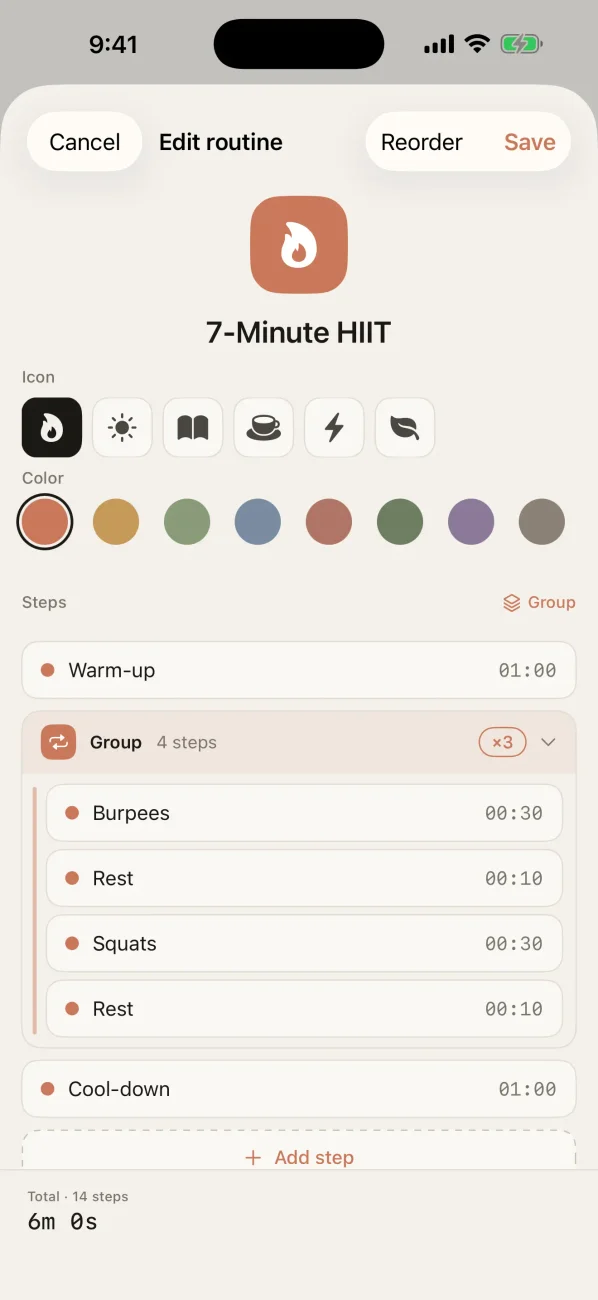
Set a group to repeat — like “Exercise → Rest” × 10 — and it handles the counting. HIIT, circuits, any set-based routine: build it once, start it with one tap every time.
■ Use it for
Exercise (HIIT, strength training, stretching), focus (Pomodoro, studying, deep work, meditation), daily life (morning routine, bedtime wind-down, cooking), and more.
■ Key features
- Multi-step sequential timer (works as a single-step timer too)
- Group repeats (set the number of sets)
- Save, reorder, and edit routines
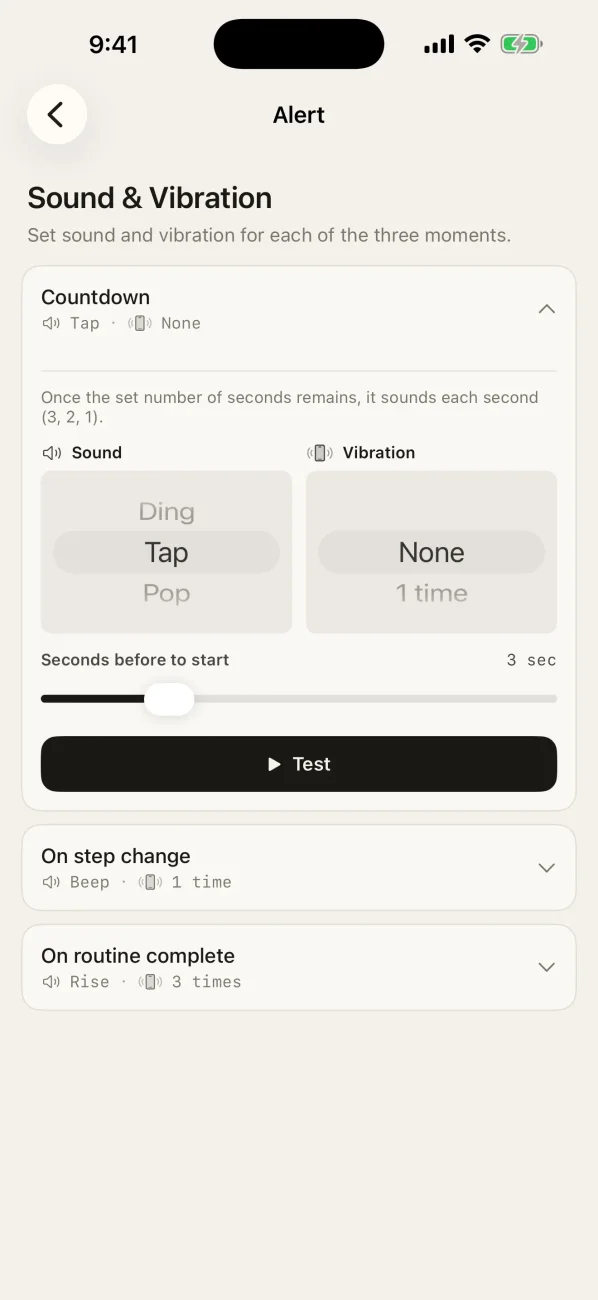
- Notifications for step transitions, countdown, and completion
- Sound and vibration settings (silent mode support, test playback)
- Per-routine color and icon
- Keeps running in the background and through screen lock
Make your daily routine more precise, with less effort.
Yang baru
Versi 1.1.1 · 3/8/2026
Polished the look of the Settings screen.
Privasi aplikasi
Yang dinyatakan Takashi Goto di App Store tentang cara aplikasi ini menangani data.
-
Data tidak dikumpulkan
Pengembang tidak mengumpulkan data apa pun dari aplikasi ini.
Praktik privasi dapat bervariasi, misalnya berdasarkan fitur yang Anda gunakan atau usia Anda.
Informasi
- Penjual
- Takashi Goto
- Kategori
- Gaya Hidup
- Versi
- 1.1.1
- Diperbarui
- 3/8/2026
- Dirilis
- 28/6/2026
- Ukuran
- 1,1 MB
- Memerlukan
- iOS 17.0 atau yang lebih baru
- Batasan usia
- 4+
- Harga
- Gratis
- Bahasa
- Jepang, Inggris
- Hak cipta
- © 2026 Ars Lab
Mungkin Anda juga suka
-
 1440: Daily Planner & PromiseGaya Hidup
-
 Alarm Calendar: Plan & RemindGaya Hidup
-
 ClockTimer - Focus & HabitGaya Hidup
-
 ぴぽたい - 物販・特典会マルチタイマーGaya Hidup
-
 YURU TaskGaya Hidup
-
 Fragram|散らばった好奇心をまとめるカレンダーGaya Hidup
-
 一番はやい家計簿Gaya Hidup
-
 でたかにゃ|猫のうんち・おしっこ記録Gaya Hidup
-
 Verdant - スマホで観葉植物を育てるGaya Hidup
-
 プライベートネイルアトリエ【nijiiro】Gaya Hidup