
- Age rating4+
- CategoryLifestyle
- DeveloperTakashi Goto
- LanguagesJapanese+ 1 more
- Size1.1 MB
Links to the official App Store page
Download.org hosts no file of SequenceTimer: Auto Interval. The button opens its official App Store page, published by Takashi Goto. Listing last checked on Nov 16, 2026.
Screenshots
About
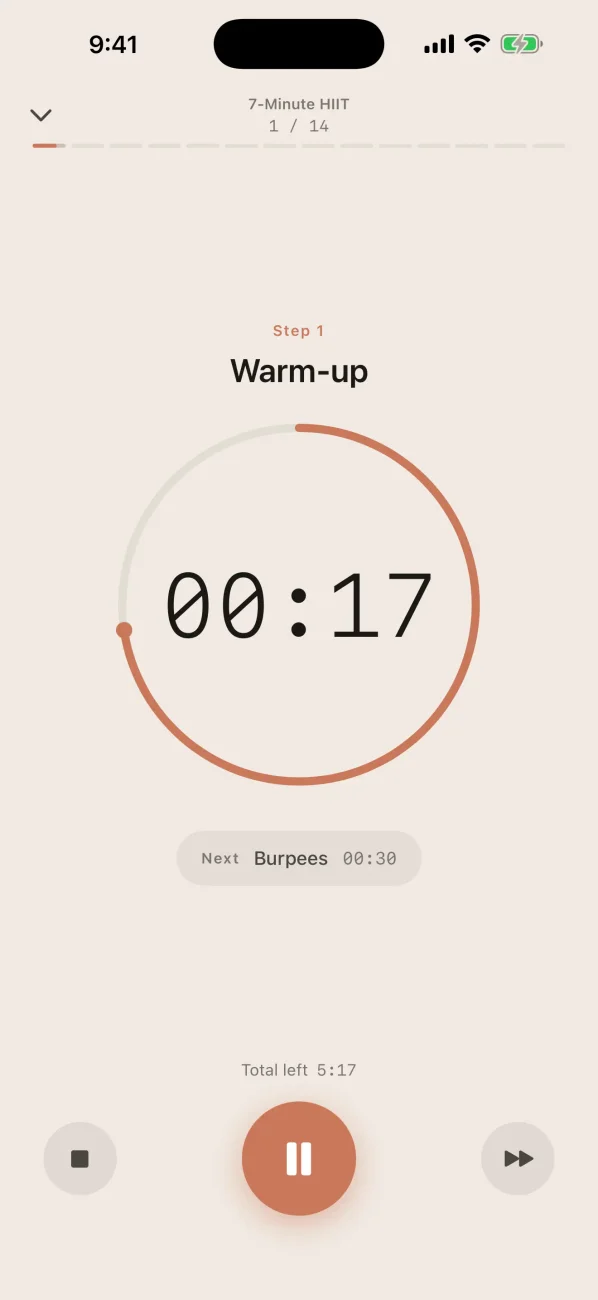
Just press Start. The timer moves through each step automatically, in the order you set.
Set up your steps — like “Warm-up 5 min → Exercise 3 min → Rest 1 min” — and let it run. No interaction needed during the session; it advances to the next step on its own.
■ Runs automatically, step by step
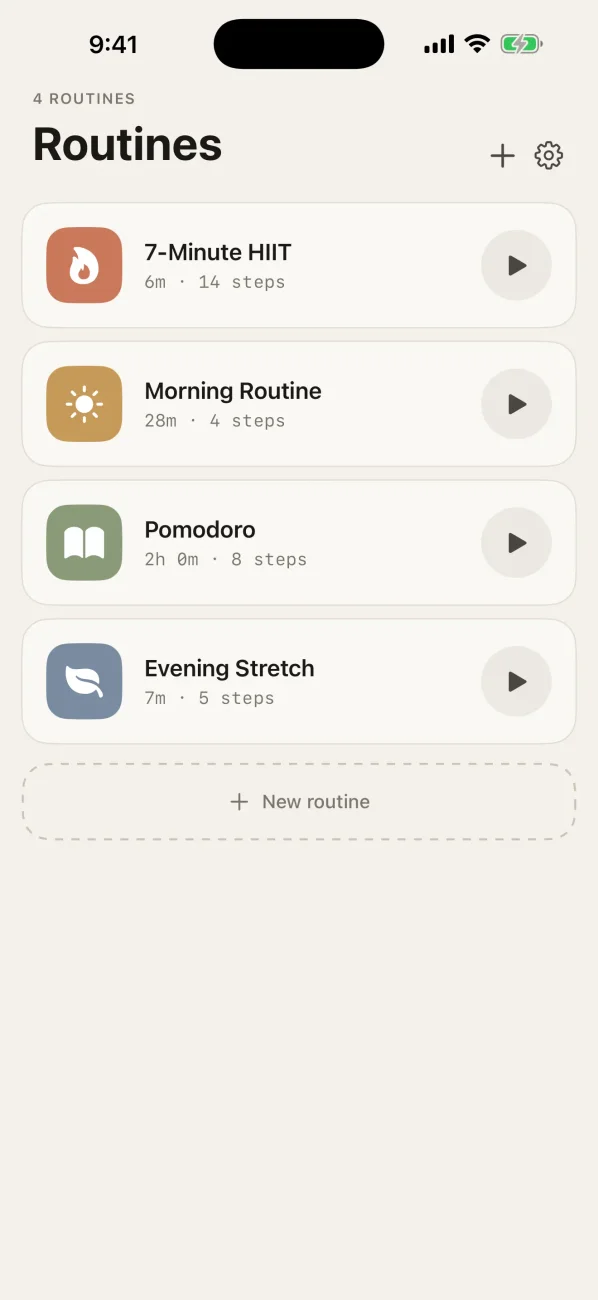
Line up what you want to do and press Start. From HIIT and strength training intervals to Pomodoro sessions, morning routines, and bedtime wind-downs — build any sequence you like.
■ No tap needed. Notified when each step ends
A notification alerts you at the end of each step. No need to watch the screen or press any button. Leave your phone to the side during workouts or cooking — it keeps running in the background and through screen lock. Use a single step to create a simple one-shot timer that just notifies you when it’s done.
■ Notifies without stopping
Even when a notification fires, timing never pauses. Because it measures continuously in the background, accumulated time stays accurate across steps. For anyone who wants every second to land exactly right.
■ Repeats taken care of
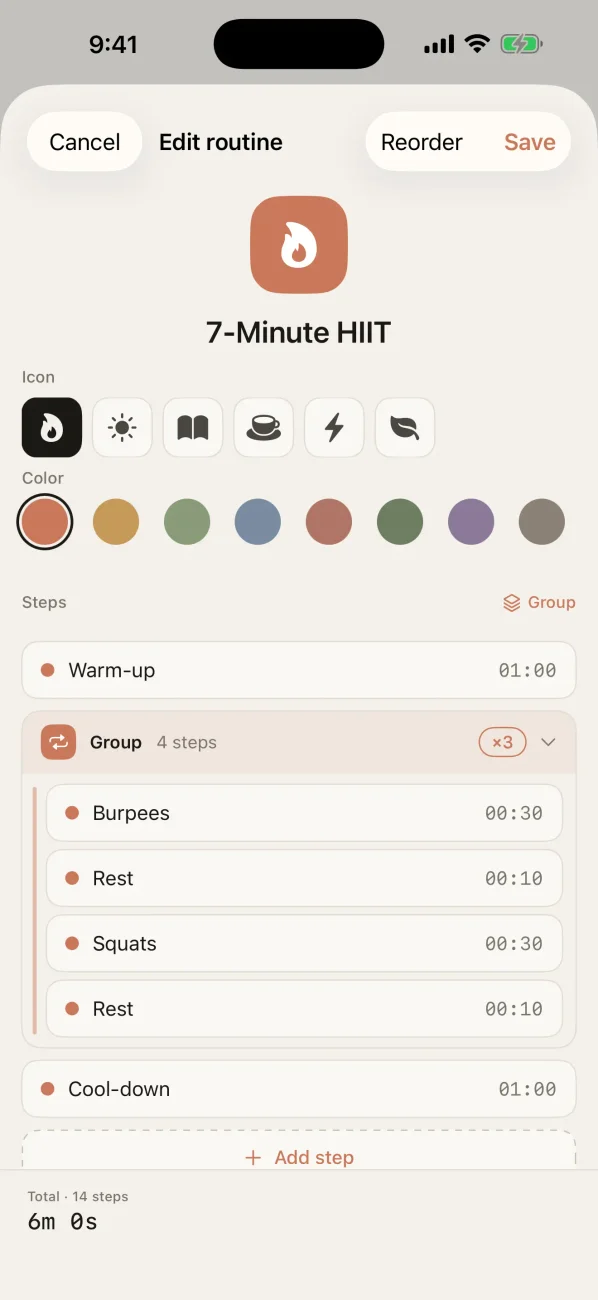
Set a group to repeat — like “Exercise → Rest” × 10 — and it handles the counting. HIIT, circuits, any set-based routine: build it once, start it with one tap every time.
■ Use it for
Exercise (HIIT, strength training, stretching), focus (Pomodoro, studying, deep work, meditation), daily life (morning routine, bedtime wind-down, cooking), and more.
■ Key features
- Multi-step sequential timer (works as a single-step timer too)
- Group repeats (set the number of sets)
- Save, reorder, and edit routines
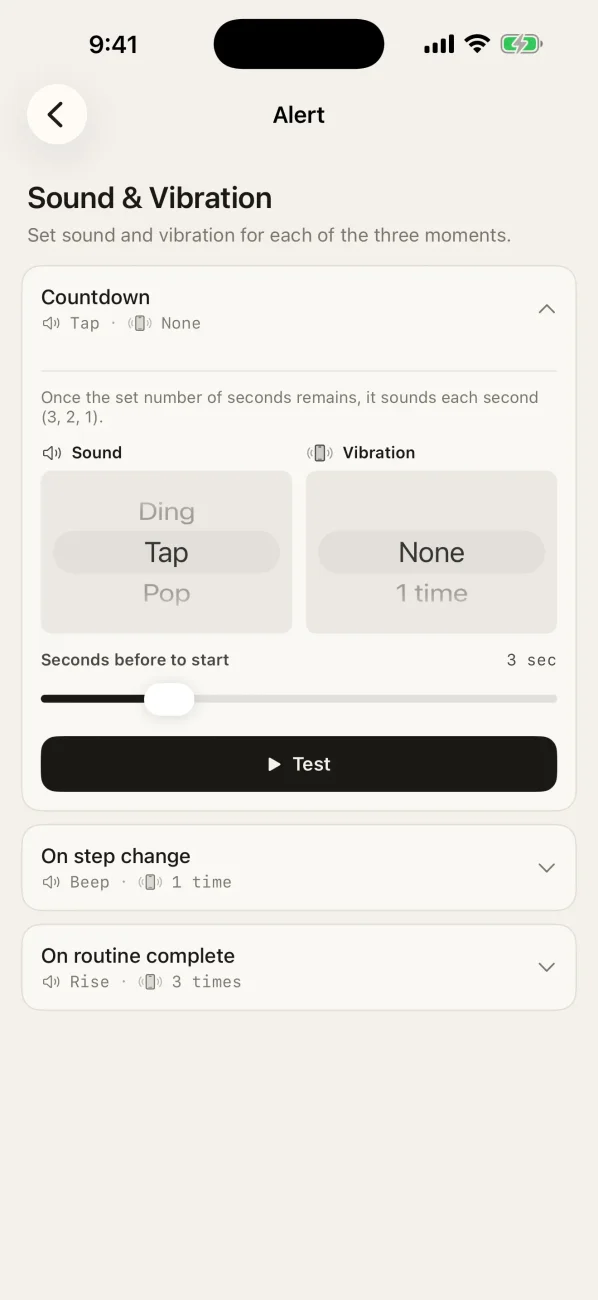
- Notifications for step transitions, countdown, and completion
- Sound and vibration settings (silent mode support, test playback)
- Per-routine color and icon
- Keeps running in the background and through screen lock
Make your daily routine more precise, with less effort.
What’s new
Version 1.1.1 · Aug 3, 2026
Polished the look of the Settings screen.
App privacy
What Takashi Goto declares on the App Store about how this app handles data.
-
Data not collected
The developer does not collect any data from this app.
Privacy practices may vary, for example with the features you use or your age.
Information
- Seller
- Takashi Goto
- Category
- Lifestyle
- Version
- 1.1.1
- Updated
- Aug 3, 2026
- Released
- Jun 28, 2026
- Size
- 1.1 MB
- Requires
- iOS 17.0 or later
- Age rating
- 4+
- Languages
- Japanese, English
- Copyright
- © 2026 Ars Lab
You might also like
-
 1440: Daily Planner & PromiseOne promise a day, stamped
-
 Alarm Calendar: Plan & RemindAlarms on your calendar
-
 ClockTimer - Focus & HabitRoutine, ToDo & Voice Timer
-
 ぴぽたい - 物販・特典会マルチタイマーLifestyle
-
 YURU TaskLifestyle
-
 Fragram|散らばった好奇心をまとめるカレンダーLifestyle
-
 一番はやい家計簿Lifestyle
-
 でたかにゃ|猫のうんち・おしっこ記録Lifestyle
-
 Verdant - スマホで観葉植物を育てるLifestyle
-
 プライベートネイルアトリエ【nijiiro】Lifestyle