
Severn Planner
Homework, study timer, grades
Dirancang untuk iPhone, iPad
Gratis
- Batasan usia4+
- KategoriPendidikan
- PengembangJeremy Jones
- BahasaInggris
- Ukuran5,2 MB
Tertaut ke halaman resmi App Store
Download.org tidak menyimpan file Severn Planner apa pun. Tombol ini membuka halaman aplikasi di App Store, tempat Jeremy Jones menerbitkannya. Halaman terakhir diperiksa pada 28/11/2026.
Tangkapan layar


Tentang
Pengembang belum menyediakan teks ini dalam bahasa Anda.
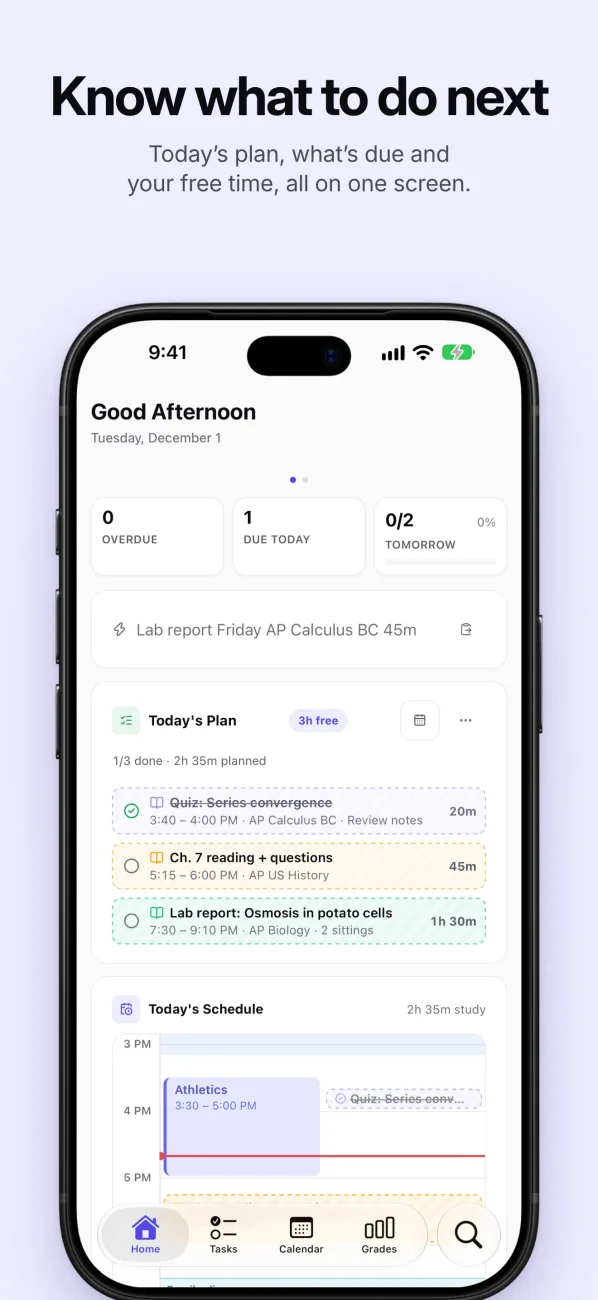
Severn Planner is a free planner for students. It keeps your assignments, tests and study time in one place, so you always know what to do next.
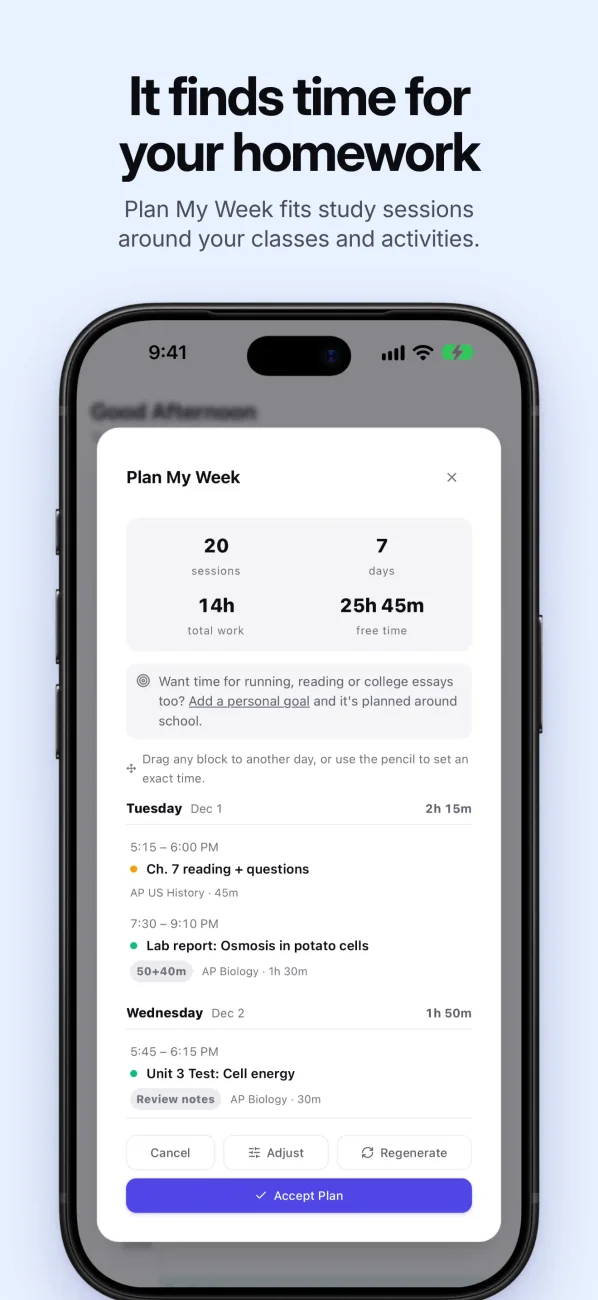
PLAN YOUR WEEK
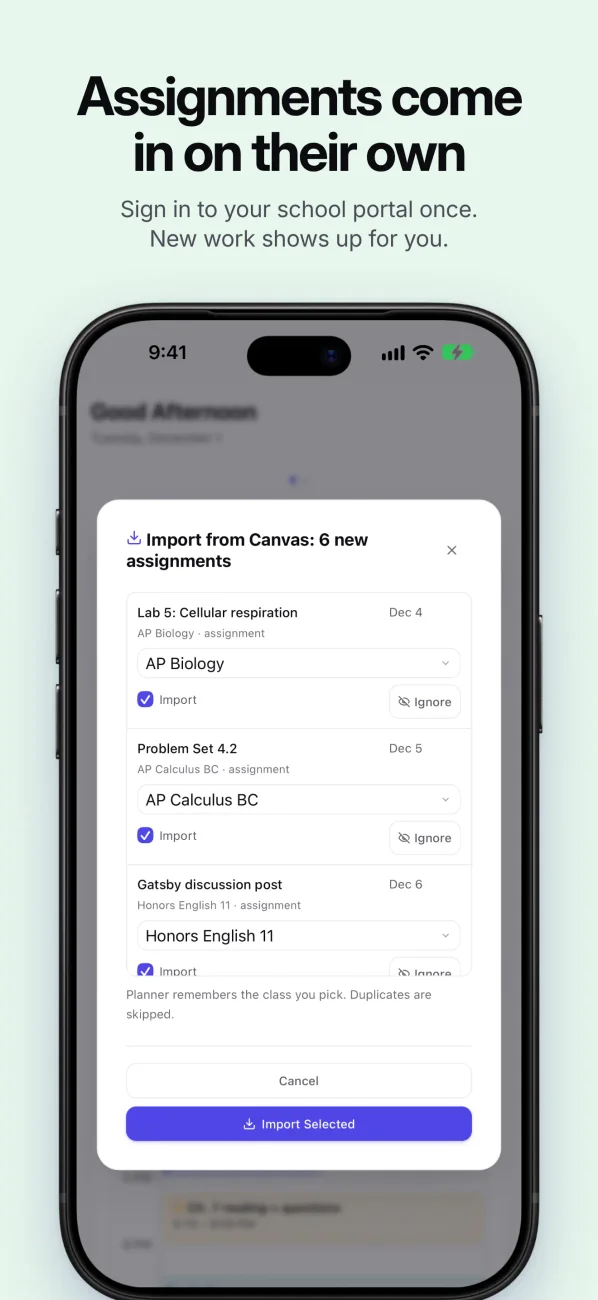
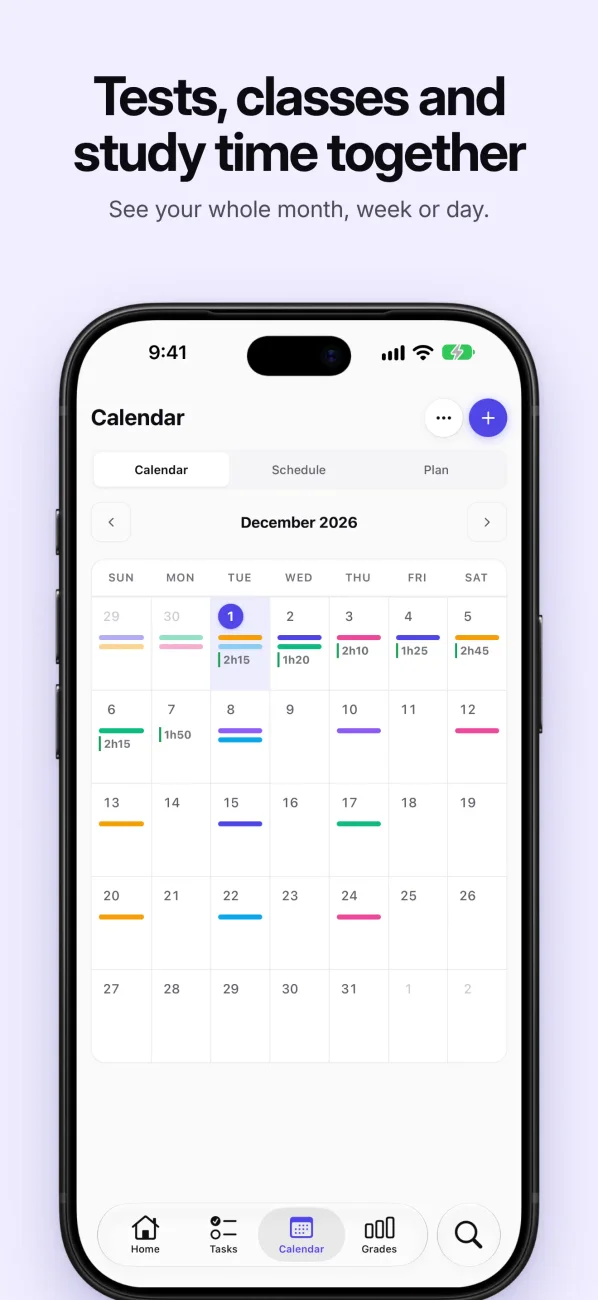
Add assignments in seconds, or bring them in from your school portal and Canvas. See what is due today, this week and later, and tick things off as you go.
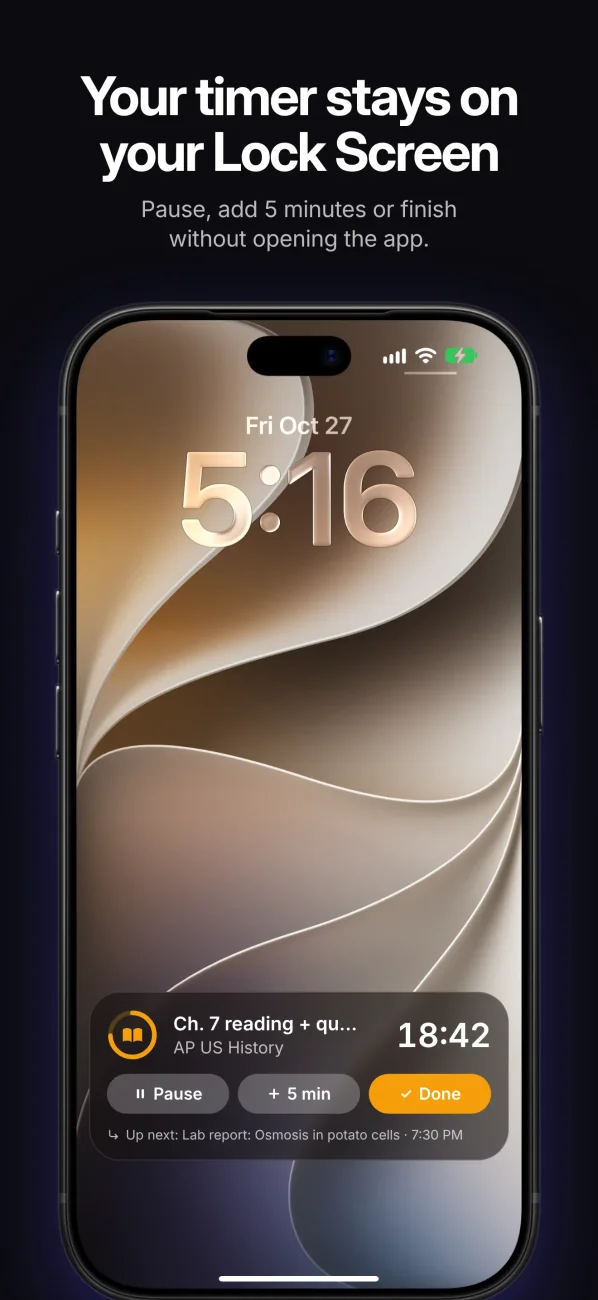
STUDY WITH A TIMER
Start a focus timer on any assignment. It runs on your Lock Screen and in the Dynamic Island, shows what is up next, and rings when time is up, even on silent.
WIDGETS AND SHORTCUTS
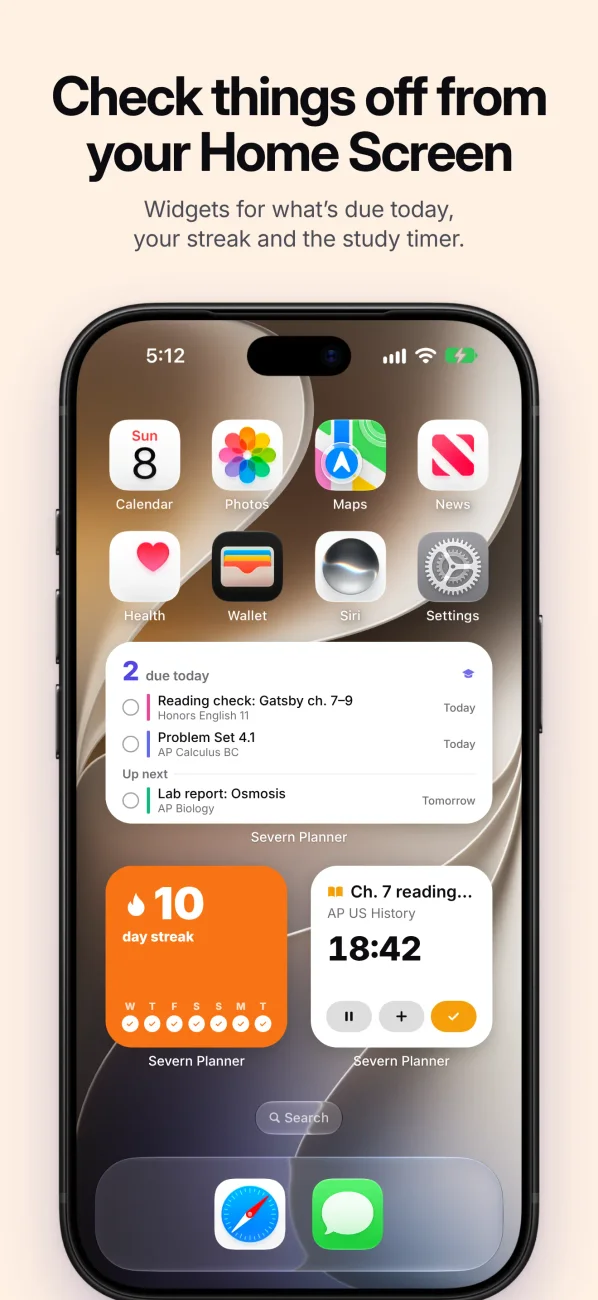
Home Screen widgets for what is due today, your schedule and your study streak. Long-press the app icon to add an assignment, start a timer or scan a worksheet.
YOUR DATA STAYS YOURS
No ads, no tracking and no analytics. You can encrypt your planner with your own passphrase, and delete your account at any time from inside the app.
Severn Planner is an independent student project. It is not affiliated with, endorsed by or operated by any school.
Yang baru
Versi 1.0.11 · 27/11/2026
A fresh look for iPhone.
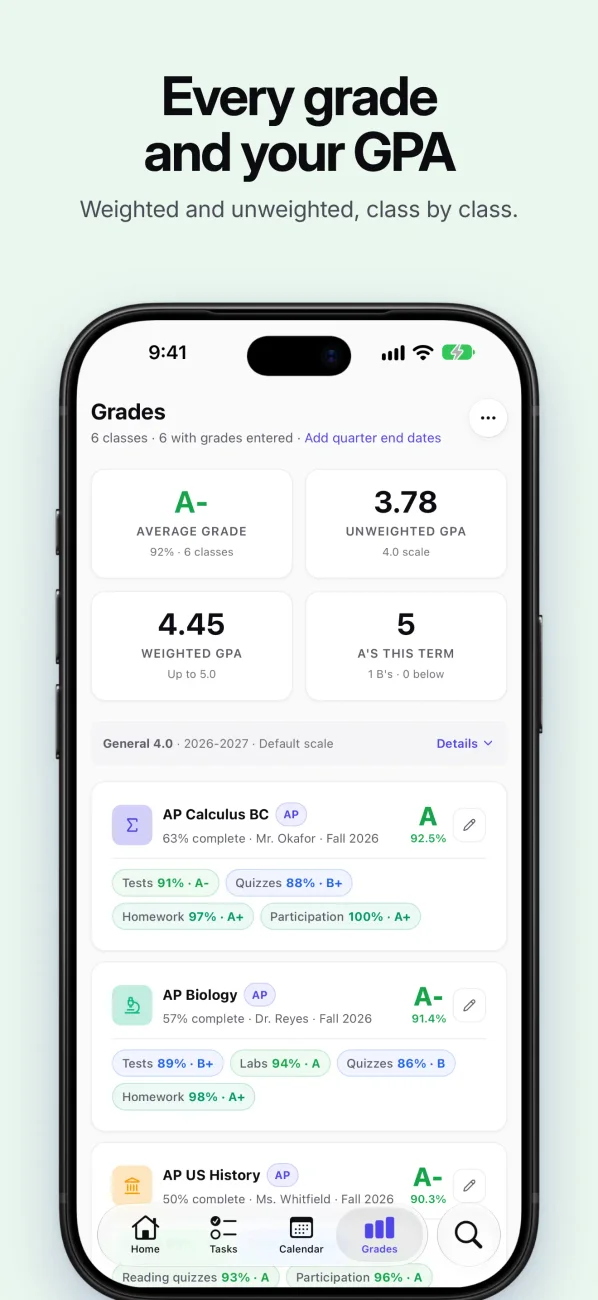
- New tab bar with Home, Tasks, Calendar and Grades, plus a search button that opens a full Search page.
- Press and hold the search button for Quick Add, the timer, Focus Mode and Settings.
- Quick Add and Quick Links now open full screen.
- Swipe from the left edge to go back. Pages you open from Search go back to Search.
- Sign in to Schoology in setup, and your classes, assignments and grades come in on their own and stay up to date.
- Smoother animations throughout.
Privasi aplikasi
Yang dinyatakan Jeremy Jones di App Store tentang cara aplikasi ini menangani data.
-
Data yang ditautkan dengan Anda
Dapat dikumpulkan dan ditautkan dengan identitas Anda.
- Info kontak
- Konten pengguna
- Pengenal
Praktik privasi dapat bervariasi, misalnya berdasarkan fitur yang Anda gunakan atau usia Anda.
Informasi
- Penjual
- Jeremy Jones
- Kategori
- Pendidikan
- Versi
- 1.0.11
- Diperbarui
- 27/11/2026
- Dirilis
- 5/11/2026
- Ukuran
- 5,2 MB
- Memerlukan
- iOS 18.0 atau yang lebih baru
- Batasan usia
- 4+
- Harga
- Gratis
- Bahasa
- Inggris
- Hak cipta
- © 2026 Jeremy Jones
Mungkin Anda juga suka
-
 StackCalc CalculatorPendidikan
-
 Passive SpanishPendidikan
-
 Study Planner - BudStudyPendidikan
-
 Rhythm AcademiaPendidikan
-
 NoteMagic AI - AI Note TakerPendidikan
-
 ISEE Practice Test Prep 2026Pendidikan
-
 Focus Meter: Timer BelajarBlokir aplikasi, hitung mundur
-
 MolLab: 3D Chemistry LabPendidikan
-
 Math-U-See® ManipulativesPendidikan
-
 Semora: AI Syllabus PlannerPendidikan