
Severn Planner
Homework, study timer, grades
Được thiết kế cho iPhone, iPad
Miễn phí
- Độ tuổi4+
- Danh mụcGiáo Dục
- Nhà phát triểnJeremy Jones
- Ngôn ngữTiếng Anh
- Kích thước5,2 MB
Liên kết đến trang App Store chính thức
Download.org không lưu trữ tệp nào của Severn Planner. Nút này mở trang ứng dụng trên App Store, nơi Jeremy Jones phát hành ứng dụng. Trang được kiểm tra lần cuối: 28/11/2026.
Ảnh chụp màn hình


Giới thiệu
Nhà phát triển chưa cung cấp nội dung này bằng ngôn ngữ của bạn.
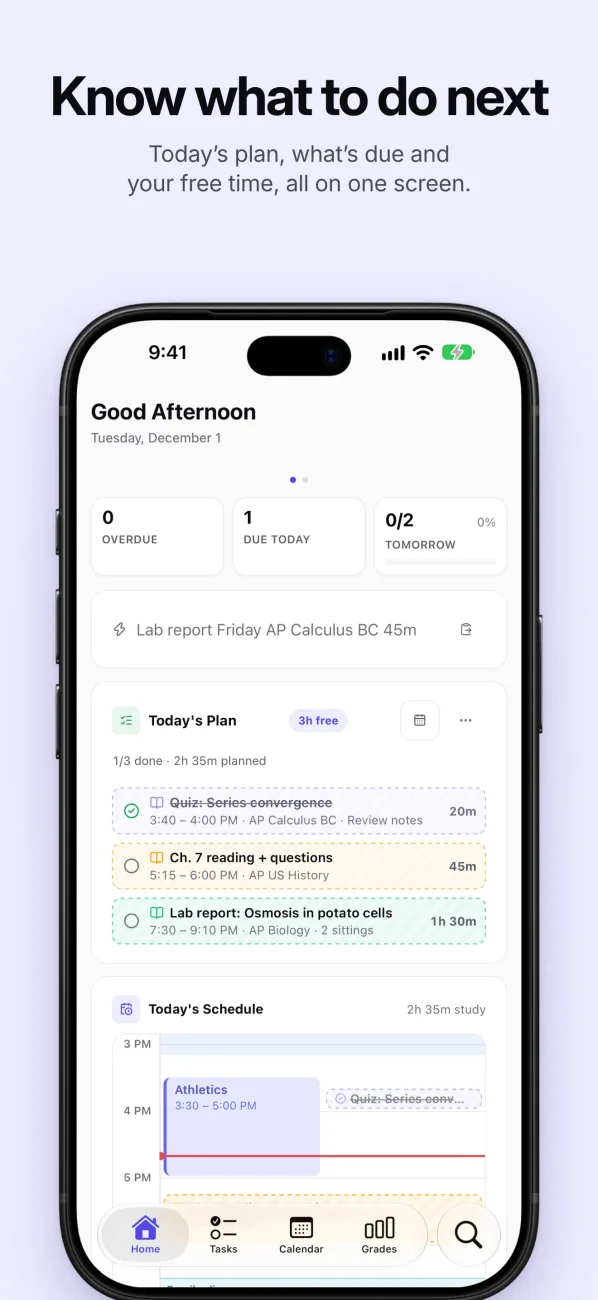
Severn Planner is a free planner for students. It keeps your assignments, tests and study time in one place, so you always know what to do next.
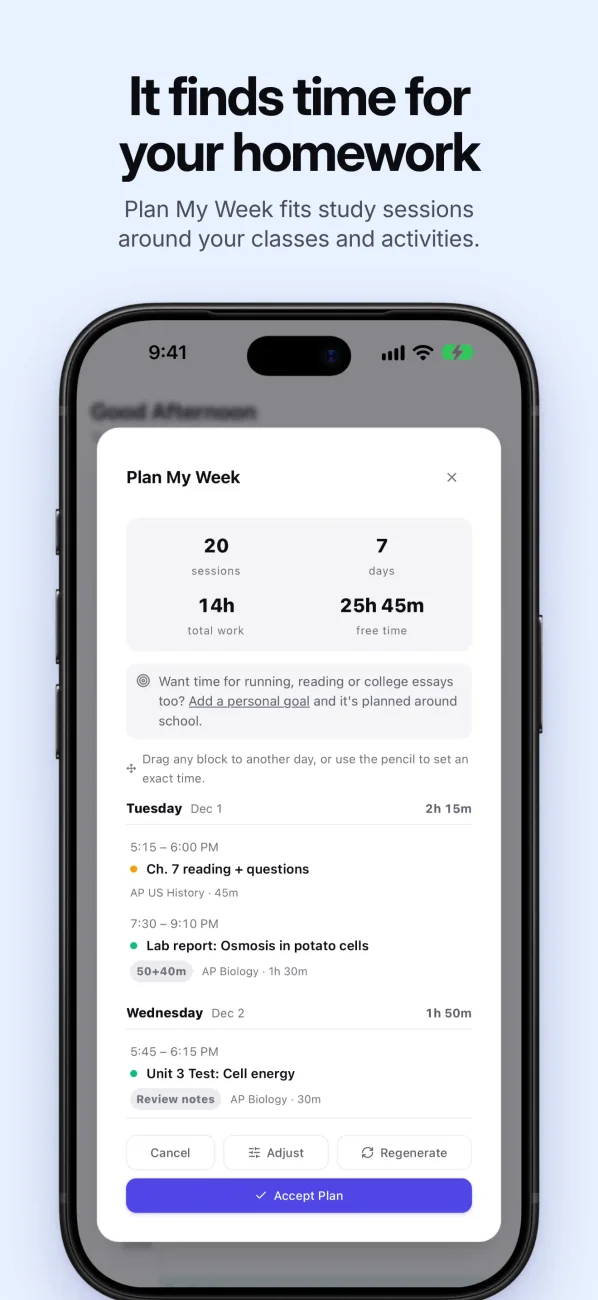
PLAN YOUR WEEK
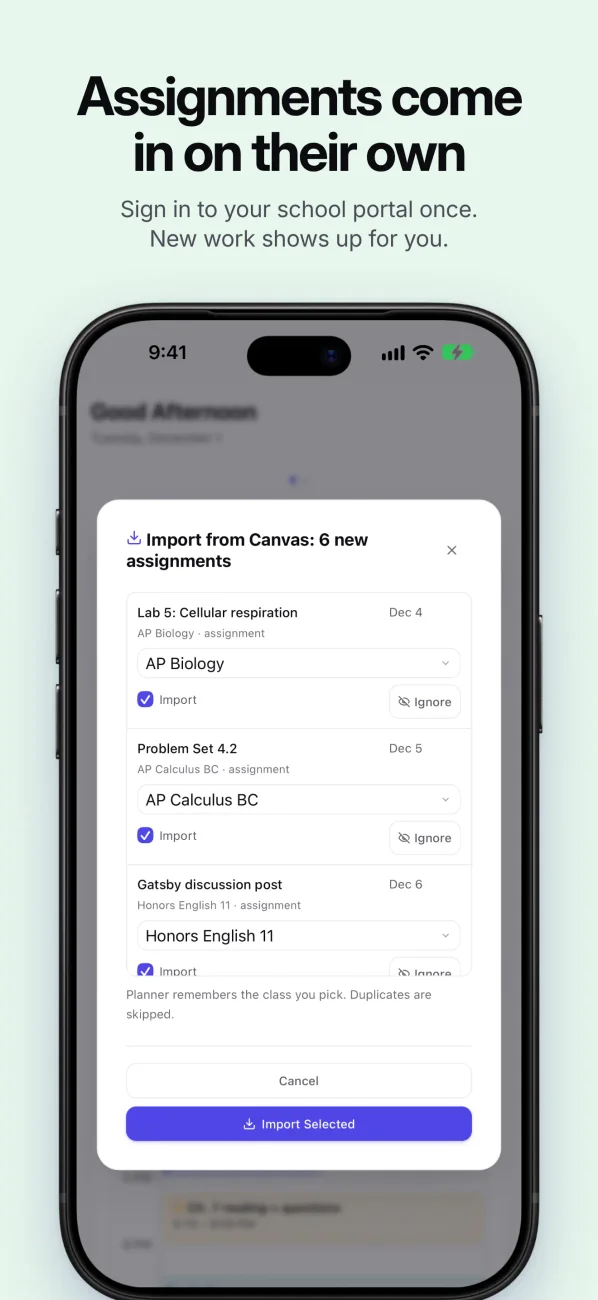
Add assignments in seconds, or bring them in from your school portal and Canvas. See what is due today, this week and later, and tick things off as you go.
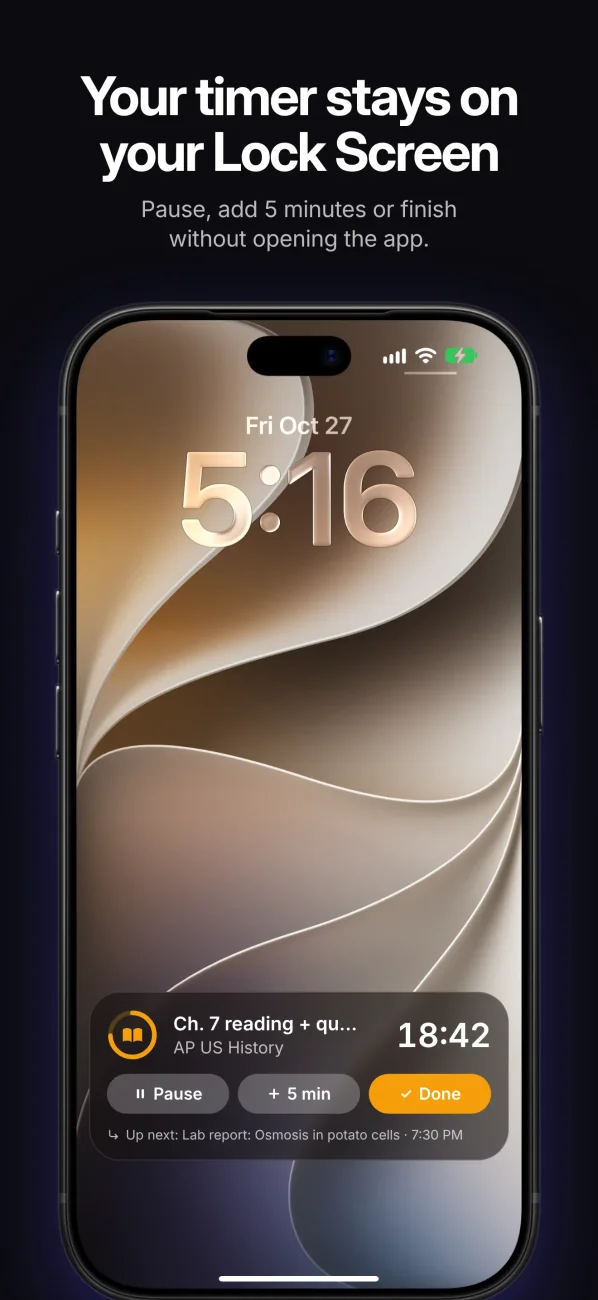
STUDY WITH A TIMER
Start a focus timer on any assignment. It runs on your Lock Screen and in the Dynamic Island, shows what is up next, and rings when time is up, even on silent.
WIDGETS AND SHORTCUTS
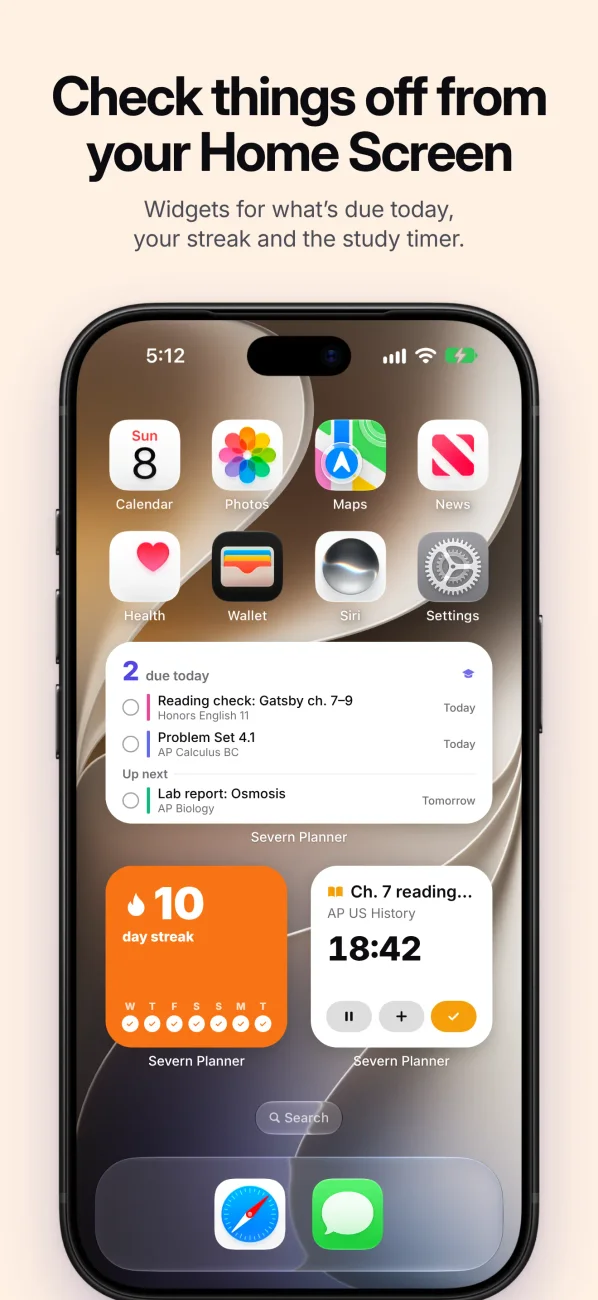
Home Screen widgets for what is due today, your schedule and your study streak. Long-press the app icon to add an assignment, start a timer or scan a worksheet.
YOUR DATA STAYS YOURS
No ads, no tracking and no analytics. You can encrypt your planner with your own passphrase, and delete your account at any time from inside the app.
Severn Planner is an independent student project. It is not affiliated with, endorsed by or operated by any school.
Có gì mới
Phiên bản 1.0.11 · 27/11/2026
A fresh look for iPhone.
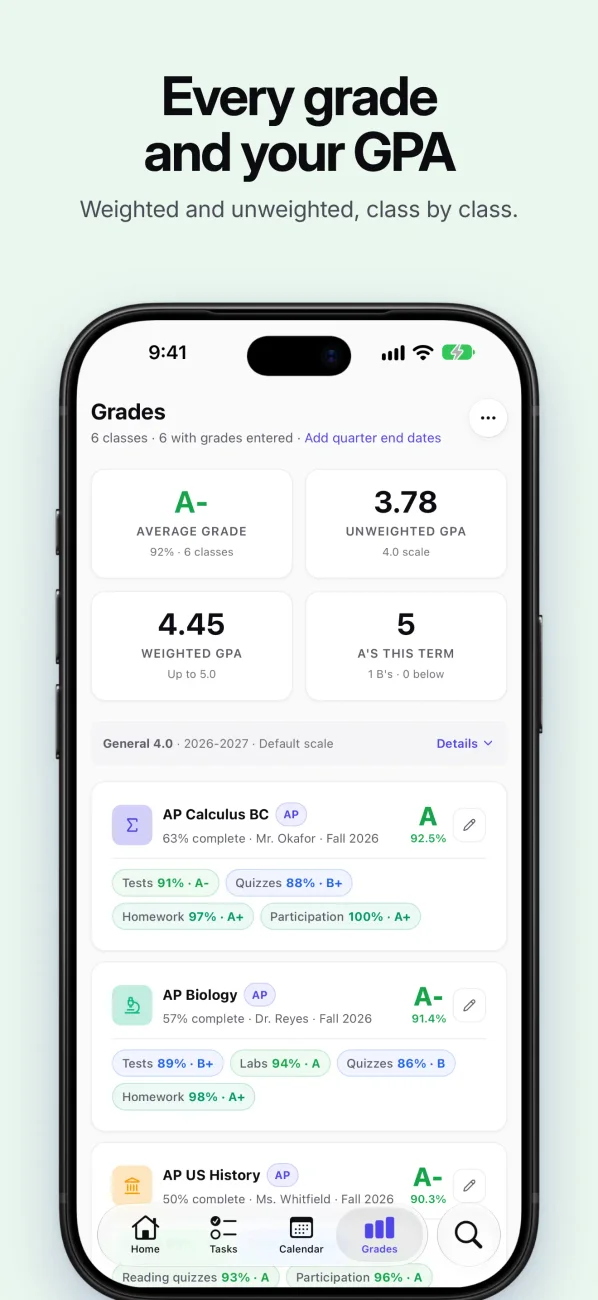
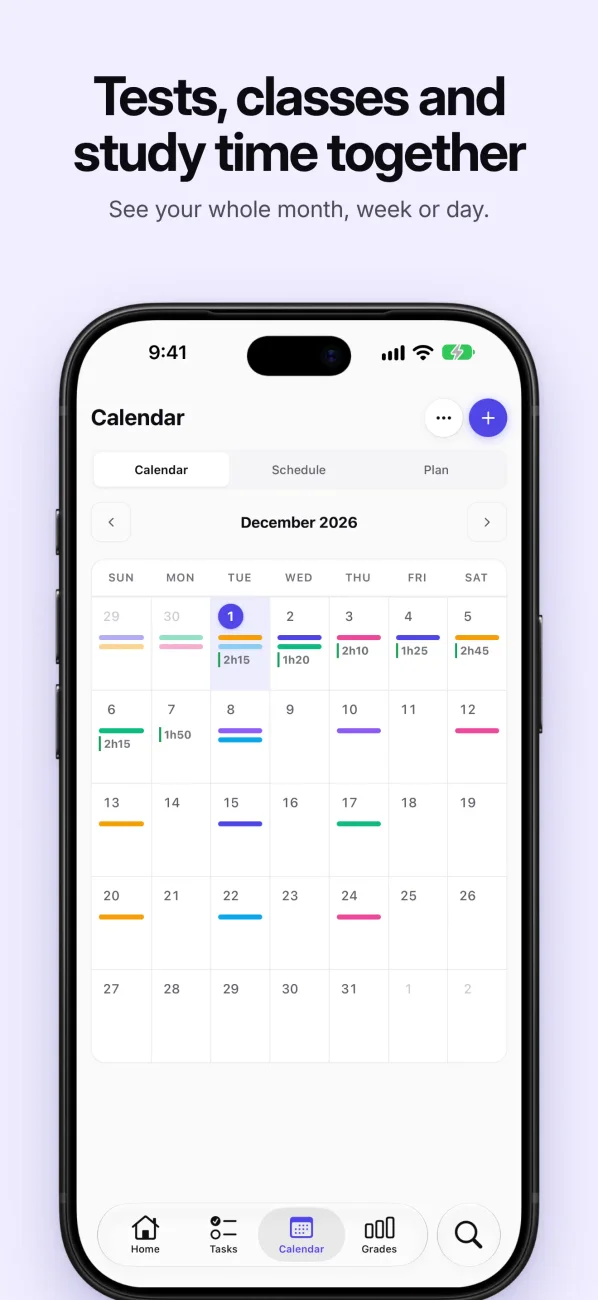
- New tab bar with Home, Tasks, Calendar and Grades, plus a search button that opens a full Search page.
- Press and hold the search button for Quick Add, the timer, Focus Mode and Settings.
- Quick Add and Quick Links now open full screen.
- Swipe from the left edge to go back. Pages you open from Search go back to Search.
- Sign in to Schoology in setup, and your classes, assignments and grades come in on their own and stay up to date.
- Smoother animations throughout.
Quyền riêng tư của ứng dụng
Những gì Jeremy Jones khai báo trên App Store về cách ứng dụng này xử lý dữ liệu.
-
Dữ liệu liên kết với bạn
Có thể được thu thập và liên kết với danh tính của bạn.
- Thông tin liên hệ
- Nội dung của người dùng
- Mã định danh
Phương thức đảm bảo quyền riêng tư có thể khác nhau, chẳng hạn như tuỳ theo các tính năng bạn sử dụng hoặc độ tuổi của bạn.
Thông tin
- Người bán
- Jeremy Jones
- Danh mục
- Giáo Dục
- Phiên bản
- 1.0.11
- Cập nhật
- 27/11/2026
- Phát hành
- 05/11/2026
- Kích thước
- 5,2 MB
- Yêu cầu
- iOS 18.0 trở lên
- Độ tuổi
- 4+
- Giá
- Miễn phí
- Ngôn ngữ
- Tiếng Anh
- Bản quyền
- © 2026 Jeremy Jones
Có thể bạn cũng thích
-
 StackCalc CalculatorGiáo Dục
-
 Passive SpanishGiáo Dục
-
 Study Planner - BudStudyGiáo Dục
-
 Rhythm AcademiaGiáo Dục
-
 NoteMagic AI - AI Note TakerGiáo Dục
-
 ISEE Practice Test Prep 2026Giáo Dục
-
 Focus Meter: Hẹn giờ họcĐếm ngược ngày thi, chặn app
-
 MolLab: 3D Chemistry LabGiáo Dục
-
 Math-U-See® ManipulativesGiáo Dục
-
 Semora: AI Syllabus PlannerGiáo Dục