Smolpad - markdown notes
Your text files in sync
Dirancang untuk iPhone, iPad, Mac
Gratis · Pembelian dalam aplikasi
- Batasan usia4+
- KategoriProduktivitas
- PengembangBaconWorks, LLC
- BahasaInggris+ 5 lainnya
- Ukuran77,2 MB
Tertaut ke halaman resmi App Store
Download.org tidak menyimpan file Smolpad - markdown notes apa pun. Tombol ini membuka halaman aplikasi di App Store, tempat BaconWorks, LLC menerbitkannya. Halaman terakhir diperiksa pada 22/11/2026.
Tangkapan layar


Tentang
Pengembang belum menyediakan teks ini dalam bahasa Anda.
Smolpad is a smol Markdown editor with respect for your files. Every note is a plain .md file you can open with any app, on any device, forever. Your files are your own.
No database. No lock-in. No bloat. Just a tiny, fast home for your notes on Mac, iPhone, and iPad.
WRITE IN MARKDOWN, BEAUTIFULLY
• Syntax dims as you type, or hides away entirely with one tap
• Task lists become real checkboxes. Checkboxes that check.
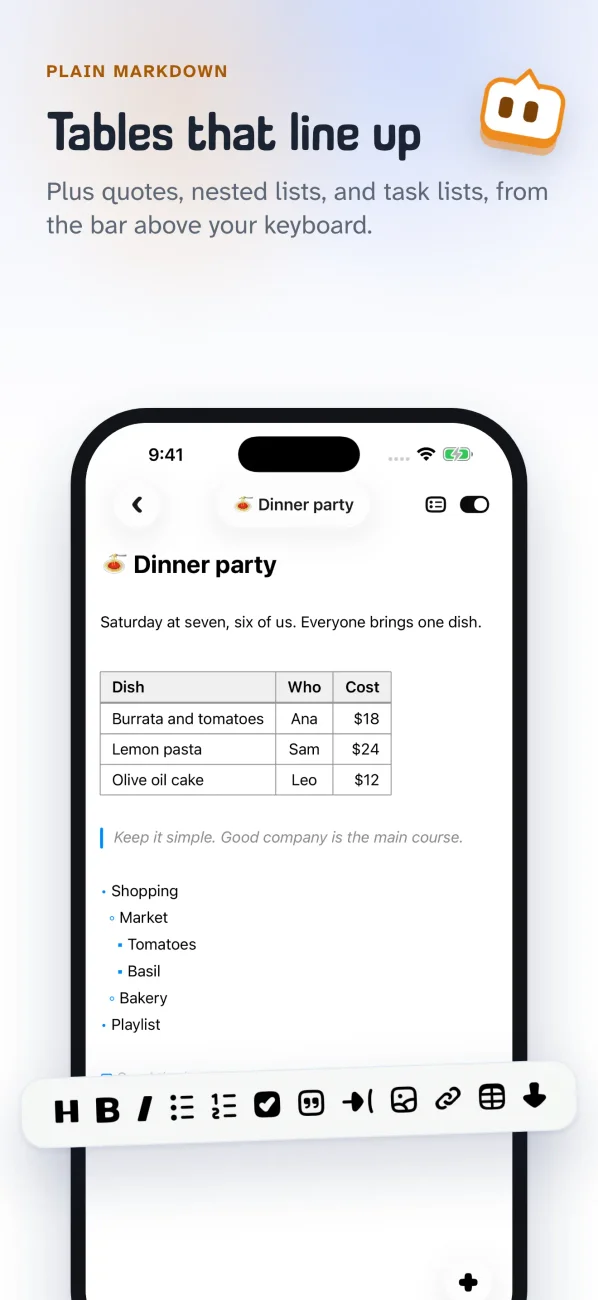
• Headings, bold, italic, code, quotes, and tables, styled as you write
• Tables you edit in place, with rows and columns added or removed in a click or a tap
• A formatting bar for common touches, a slash menu for every command, plus full keyboard shortcuts
• Pictures too: drag or paste one in, resize it by its corner, and it lives as a plain file beside the note
YOUR FILES, ANYWHERE
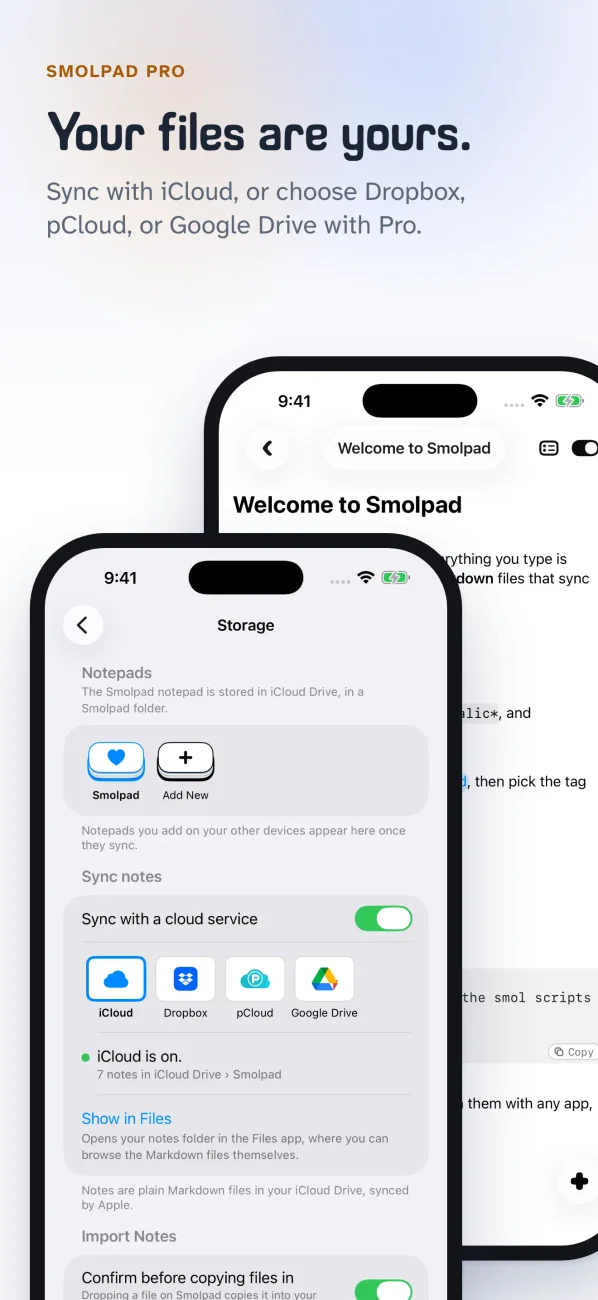
• Notes sync through your own iCloud Drive, included free
• Open your notes folder in Finder or Files any time
• Organize with folders inside folders, pins, and instant search, as a list or as cards
• A Trash for deleted notes, and a history of every note's earlier versions
• Find notes in Spotlight, and open them with Siri or Shortcuts
• Your notes never leave your devices except to your own cloud
SMOL ON PURPOSE
• On the Mac, Smolpad lives in your menu bar, one hotkey away
• Tear off a note into its own window when you want to stay a while
• On iPhone and iPad, it opens fast and stays out of your way
• Eight hand-picked fonts and a clean, quiet interface
MAKE IT YOURS WITH SMOLPAD PRO
• Unlimited notes (the free tier includes ten)
• Dropbox, pCloud, or Google Drive sync, in a folder that belongs to you
• Notepads: open any folder of Markdown files as its own notepad, an Obsidian vault or a Bear export among them
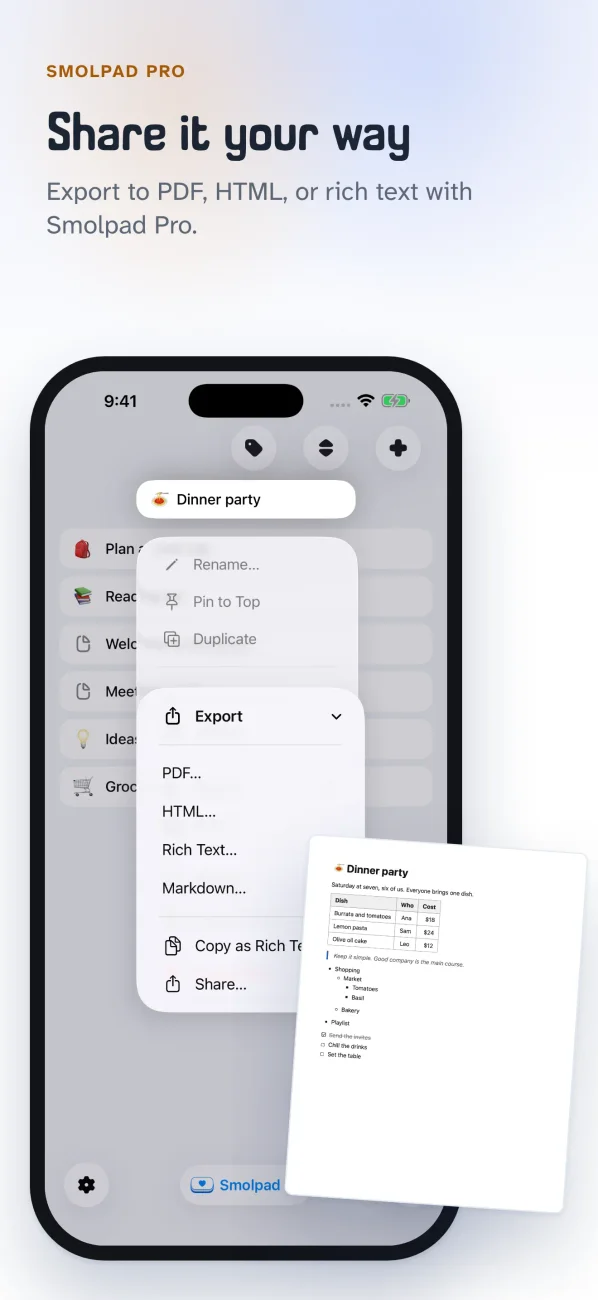
• Export to PDF, HTML, or rich text, and print
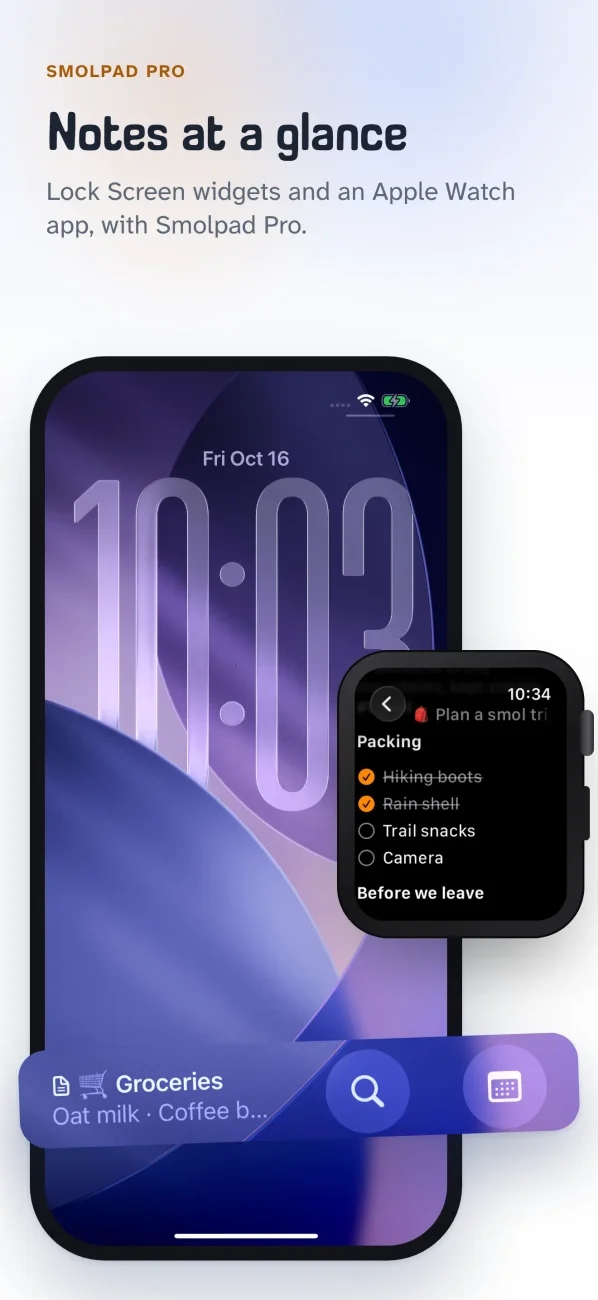
• Widgets on the Mac, iPhone and iPad, Lock Screen widgets on iPhone, and Smolpad on Apple Watch
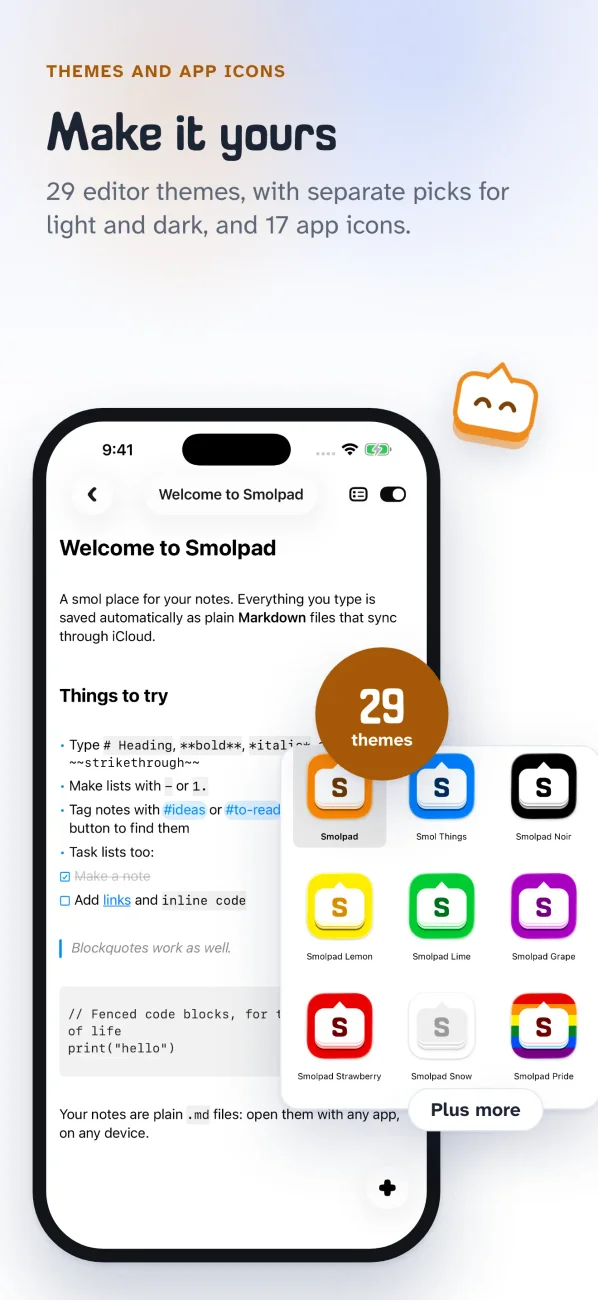
• Twenty-nine editor themes, from Tokyo Night to Catppuccin
• Seventeen app icons and the full menu bar icon set
Smolpad Pro is available as a monthly or yearly subscription, or a one-time lifetime purchase. The free tier is a real notes app, not a trial.
Made by a smol team that believes plain text outlives everything.
Terms of Use: https://www.apple.com/legal/internet-services/itunes/dev/stdeula/
Privacy Policy: https://smolpad.com/privacy
Yang baru
Versi 1.4.3 · 20/11/2026
NEW
• Smolpad speaks Simplified Chinese. On a device set to Simplified Chinese, the app, its widgets, the Apple Watch app, the share sheet and Siri are in Chinese. The translation is new, so if a word reads wrong, tell us.
• Line spacing and Paragraph spacing. Settings > Editor > Font Settings has two new sliders under Font size, each with its number beside it. Line spacing runs from 1.0 to 2.0 and Paragraph spacing from 0 to 24 pt. Your numbers follow you to your other devices.
• With a keyboard on iPad and iPhone, ⌘, opens Settings, ⌘R syncs your notepads and ⌘P prints the open note.
CHANGED
• Cards show the last edited date on iPhone and iPad, when Show Last Edited Dates is on.
FIXED
• A photo taken with the phone held upright is no longer stretched wide in the note. Photos already in your notes show correctly after the update.
• Previews of Chinese and Japanese notes keep a heading apart from the line after it.
• The last edited date is no longer cut off in the notes list on iPhone.
Privasi aplikasi
Yang dinyatakan BaconWorks, LLC di App Store tentang cara aplikasi ini menangani data.
-
Data yang tidak ditautkan dengan Anda
Dapat dikumpulkan, tetapi tidak ditautkan dengan identitas Anda.
- Pengenal
- Data penggunaan
Praktik privasi dapat bervariasi, misalnya berdasarkan fitur yang Anda gunakan atau usia Anda.
Informasi
- Penjual
- BaconWorks, LLC
- Kategori
- Produktivitas
- Versi
- 1.4.3
- Diperbarui
- 20/11/2026
- Dirilis
- 5/8/2026
- Ukuran
- 77,2 MB
- Memerlukan
- iOS 18.0 atau yang lebih baru
- Batasan usia
- 4+
- Harga
- Gratis
- Pembelian dalam aplikasi
- Ya
- Bahasa
- Inggris, Prancis, Jerman, Jepang, Rusia, Tionghoa Sederhana
- Hak cipta
- © 2026 BaconWorks, LLC
Mungkin Anda juga suka
-
 Drypoint - Markdown NotesProduktivitas
-
 Levity Markdown NotesProduktivitas
-
 Metis: Markdown NotesProduktivitas
-
 Einfall: Quick CaptureProduktivitas
-
 MuseViewProduktivitas
-
 gronotes: Notes & TasksProduktivitas
-
 pocketbriefProduktivitas
-
 Cue: Todo IntelligenceProduktivitas
-
 Today Techo: Daily PlannerProduktivitas
-
 Thread ReaderProduktivitas