Smolpad - markdown notes
Your text files in sync
Được thiết kế cho iPhone, iPad, Mac
Miễn phí · Mua hàng trong ứng dụng
- Độ tuổi4+
- Danh mụcHiệu Suất
- Nhà phát triểnBaconWorks, LLC
- Ngôn ngữTiếng Anh+ 5 ngôn ngữ khác
- Kích thước77,2 MB
Liên kết đến trang App Store chính thức
Download.org không lưu trữ tệp nào của Smolpad - markdown notes. Nút này mở trang ứng dụng trên App Store, nơi BaconWorks, LLC phát hành ứng dụng. Trang được kiểm tra lần cuối: 22/11/2026.
Ảnh chụp màn hình


Giới thiệu
Nhà phát triển chưa cung cấp nội dung này bằng ngôn ngữ của bạn.
Smolpad is a smol Markdown editor with respect for your files. Every note is a plain .md file you can open with any app, on any device, forever. Your files are your own.
No database. No lock-in. No bloat. Just a tiny, fast home for your notes on Mac, iPhone, and iPad.
WRITE IN MARKDOWN, BEAUTIFULLY
• Syntax dims as you type, or hides away entirely with one tap
• Task lists become real checkboxes. Checkboxes that check.
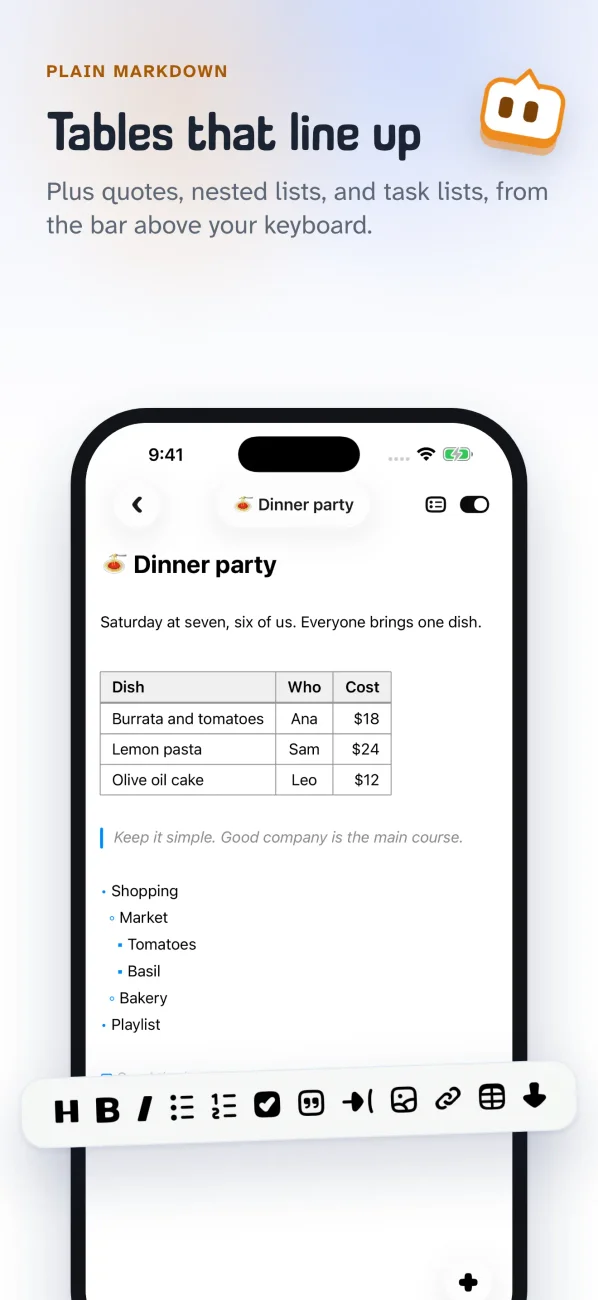
• Headings, bold, italic, code, quotes, and tables, styled as you write
• Tables you edit in place, with rows and columns added or removed in a click or a tap
• A formatting bar for common touches, a slash menu for every command, plus full keyboard shortcuts
• Pictures too: drag or paste one in, resize it by its corner, and it lives as a plain file beside the note
YOUR FILES, ANYWHERE
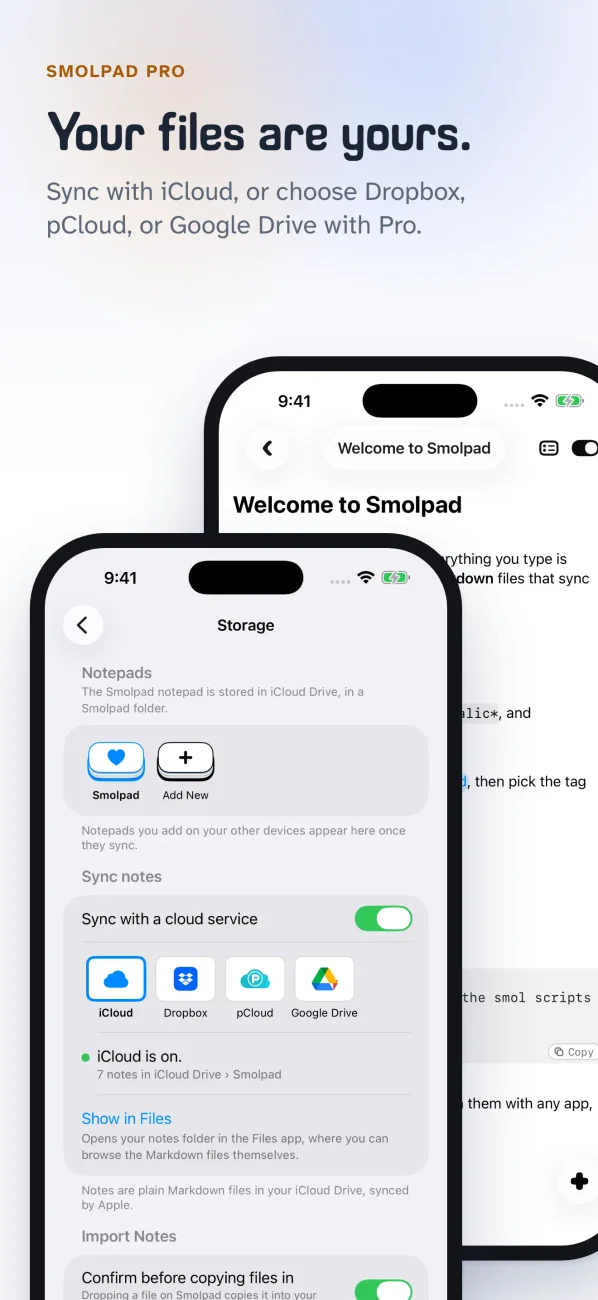
• Notes sync through your own iCloud Drive, included free
• Open your notes folder in Finder or Files any time
• Organize with folders inside folders, pins, and instant search, as a list or as cards
• A Trash for deleted notes, and a history of every note's earlier versions
• Find notes in Spotlight, and open them with Siri or Shortcuts
• Your notes never leave your devices except to your own cloud
SMOL ON PURPOSE
• On the Mac, Smolpad lives in your menu bar, one hotkey away
• Tear off a note into its own window when you want to stay a while
• On iPhone and iPad, it opens fast and stays out of your way
• Eight hand-picked fonts and a clean, quiet interface
MAKE IT YOURS WITH SMOLPAD PRO
• Unlimited notes (the free tier includes ten)
• Dropbox, pCloud, or Google Drive sync, in a folder that belongs to you
• Notepads: open any folder of Markdown files as its own notepad, an Obsidian vault or a Bear export among them
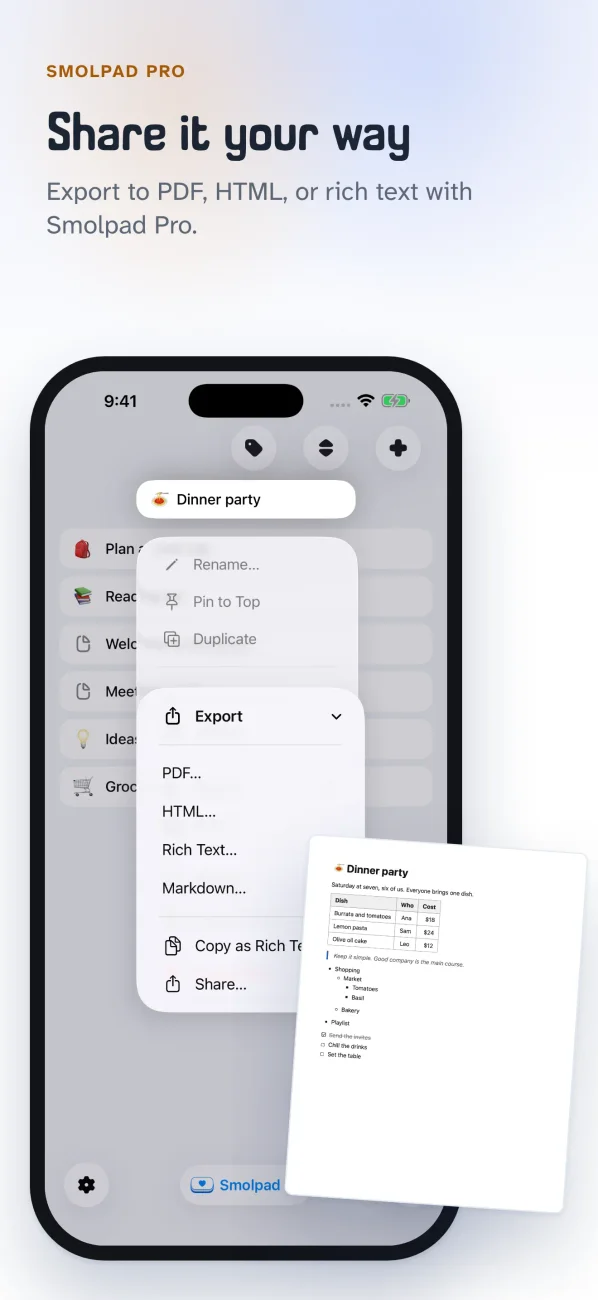
• Export to PDF, HTML, or rich text, and print
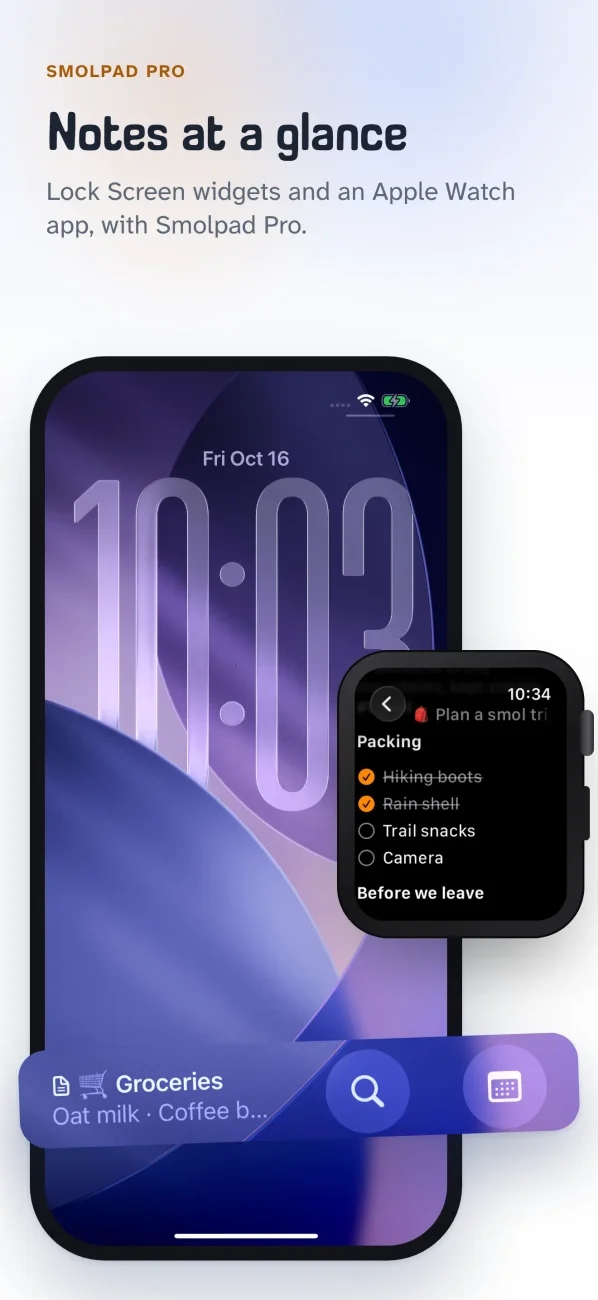
• Widgets on the Mac, iPhone and iPad, Lock Screen widgets on iPhone, and Smolpad on Apple Watch
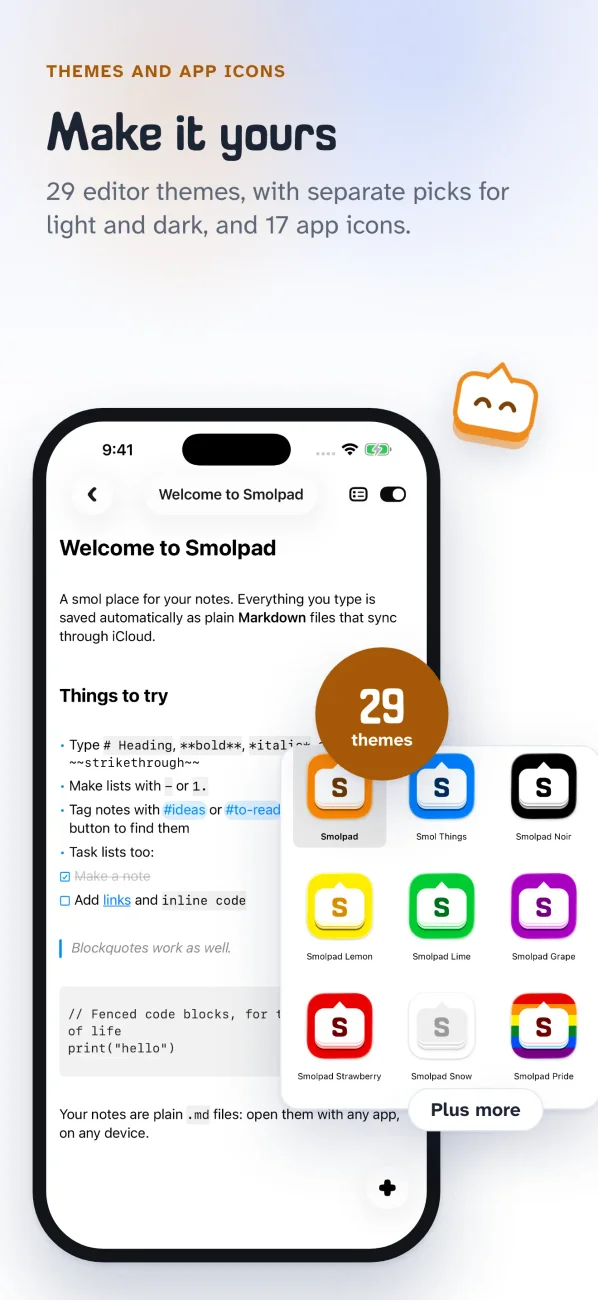
• Twenty-nine editor themes, from Tokyo Night to Catppuccin
• Seventeen app icons and the full menu bar icon set
Smolpad Pro is available as a monthly or yearly subscription, or a one-time lifetime purchase. The free tier is a real notes app, not a trial.
Made by a smol team that believes plain text outlives everything.
Terms of Use: https://www.apple.com/legal/internet-services/itunes/dev/stdeula/
Privacy Policy: https://smolpad.com/privacy
Có gì mới
Phiên bản 1.4.3 · 20/11/2026
NEW
• Smolpad speaks Simplified Chinese. On a device set to Simplified Chinese, the app, its widgets, the Apple Watch app, the share sheet and Siri are in Chinese. The translation is new, so if a word reads wrong, tell us.
• Line spacing and Paragraph spacing. Settings > Editor > Font Settings has two new sliders under Font size, each with its number beside it. Line spacing runs from 1.0 to 2.0 and Paragraph spacing from 0 to 24 pt. Your numbers follow you to your other devices.
• With a keyboard on iPad and iPhone, ⌘, opens Settings, ⌘R syncs your notepads and ⌘P prints the open note.
CHANGED
• Cards show the last edited date on iPhone and iPad, when Show Last Edited Dates is on.
FIXED
• A photo taken with the phone held upright is no longer stretched wide in the note. Photos already in your notes show correctly after the update.
• Previews of Chinese and Japanese notes keep a heading apart from the line after it.
• The last edited date is no longer cut off in the notes list on iPhone.
Quyền riêng tư của ứng dụng
Những gì BaconWorks, LLC khai báo trên App Store về cách ứng dụng này xử lý dữ liệu.
-
Dữ liệu không liên kết với bạn
Có thể được thu thập nhưng không liên kết với danh tính của bạn.
- Mã định danh
- Dữ liệu sử dụng
Phương thức đảm bảo quyền riêng tư có thể khác nhau, chẳng hạn như tuỳ theo các tính năng bạn sử dụng hoặc độ tuổi của bạn.
Thông tin
- Người bán
- BaconWorks, LLC
- Danh mục
- Hiệu Suất
- Phiên bản
- 1.4.3
- Cập nhật
- 20/11/2026
- Phát hành
- 05/08/2026
- Kích thước
- 77,2 MB
- Yêu cầu
- iOS 18.0 trở lên
- Độ tuổi
- 4+
- Giá
- Miễn phí
- Mua hàng trong ứng dụng
- Có
- Ngôn ngữ
- Tiếng Anh, Tiếng Pháp, Tiếng Đức, Tiếng Nhật, Tiếng Nga, Tiếng Trung Giản thể
- Bản quyền
- © 2026 BaconWorks, LLC