
Space – Precision Drawing
Sketch to scale, no CAD needed
Dirancang untuk iPhone, iPad, Mac
Gratis · Pembelian dalam aplikasi
- Batasan usia4+
- KategoriGrafik & Desain
- PengembangFFORM LLC
- BahasaInggris
- Ukuran22,1 MB
Tertaut ke halaman resmi App Store
Download.org tidak menyimpan file Space – Precision Drawing apa pun. Tombol ini membuka halaman aplikasi di App Store, tempat FFORM LLC menerbitkannya. Halaman terakhir diperiksa pada 23/11/2026.
Tangkapan layar
Tentang
Pengembang belum menyediakan teks ini dalam bahasa Anda.
Space is drawing to scale, from the job site to the bench. Made for capturing and checking measurements where the work is. Capture photos with precision to provide the best reference. Make quick notes and measurements and then take the note to
FIELD NOTES, FREE ON IPHONE
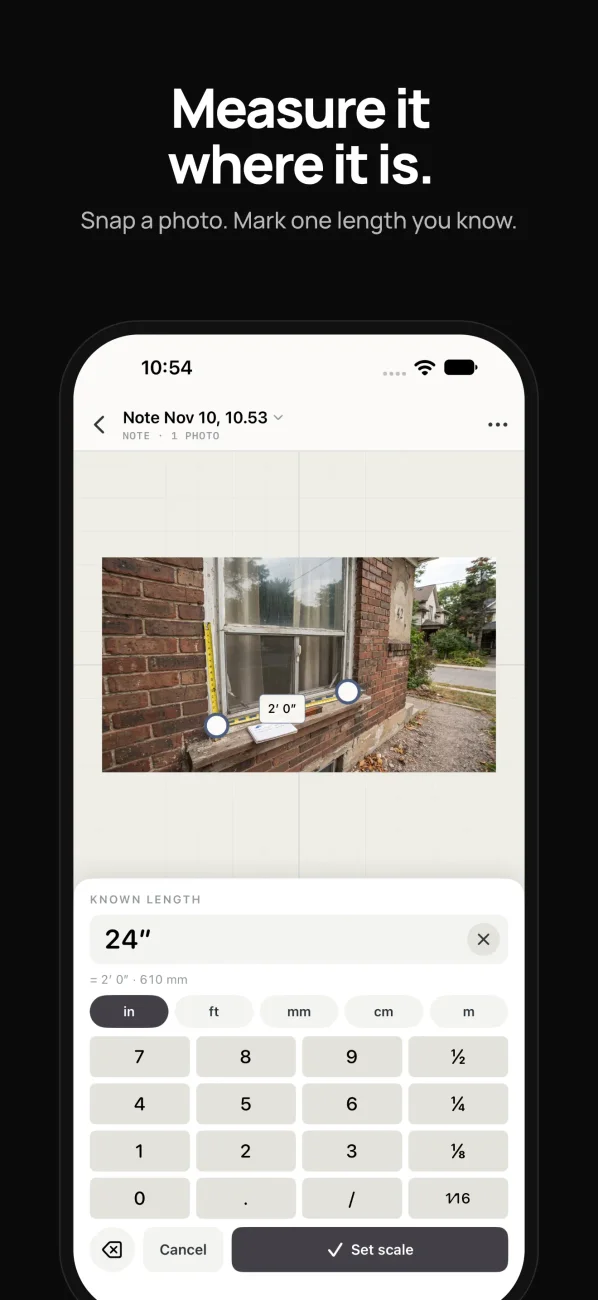
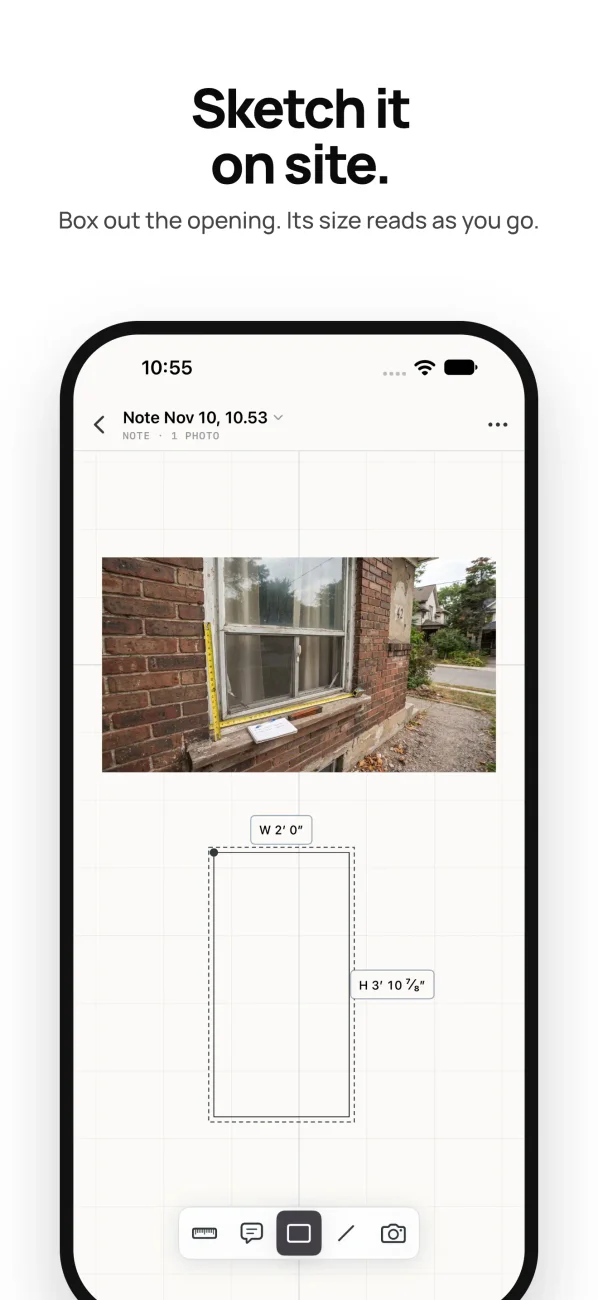
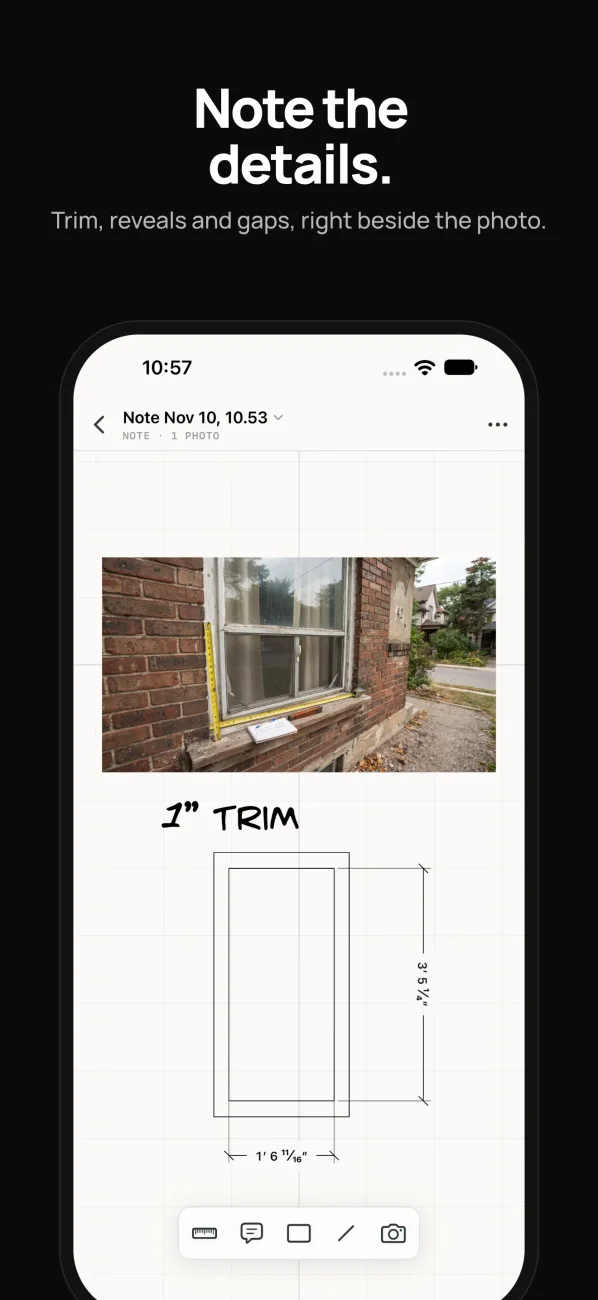
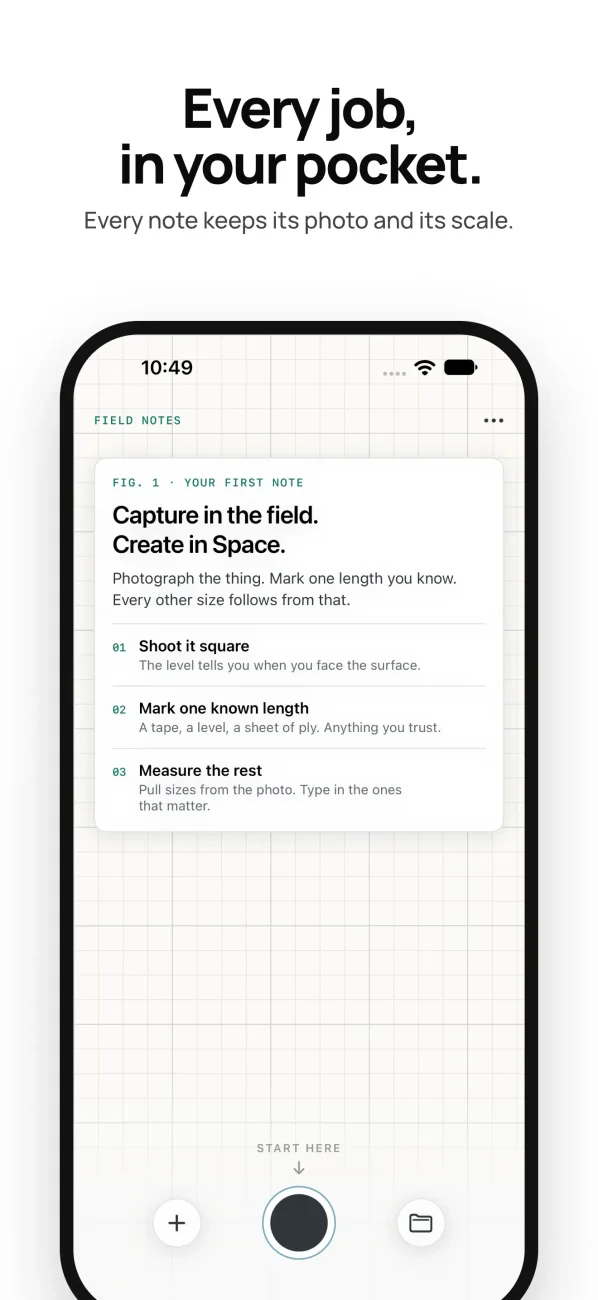
Snap the window, the wall, the old cabinet. Mark one length you know, and the photo is to scale. Box out an opening, note the trim and the gaps, and read the sizes as you go. Every note keeps its photo and its scale, ready when you are back at the bench. Field Notes is free to use, with no purchase needed.
A FULL DRAWING, IN YOUR POCKET
Space supports iPhone Duo. Folded, it works like Field Notes on iPhone: one hand, on site, photo and scale. Open it, and the same note opens in the full Space editor, with layers, parts, live dimensions and every drawing tool. Draw the whole job before you leave the driveway.
ONE PURCHASE, EVERY SCREEN
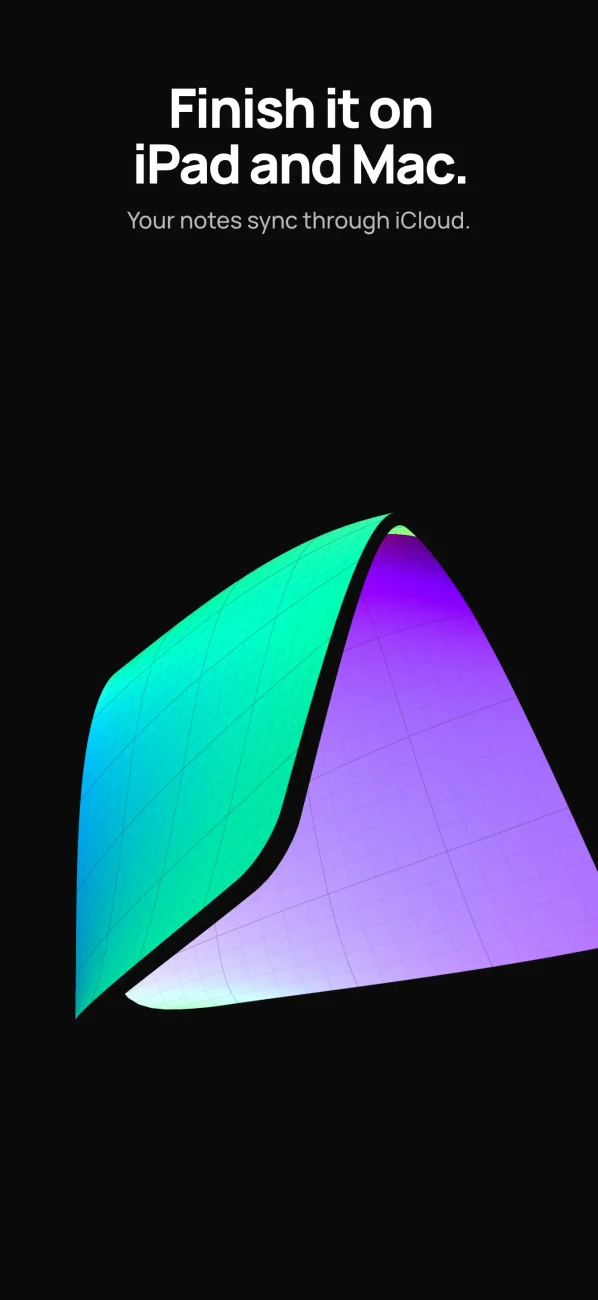
Field Notes stays free. One lifetime purchase unlocks all the drawing tools on iPad, Mac and an open iPhone Duo. Try them free for 14 days first. Your notes sync through iCloud: capture on the phone, finish on the big screen.
ONE INFINITE CANVAS
No page edges, no running out of room. Keep every idea for a project side by side in one document: the floor plan, the cabinet, three versions of the shelf, the cut pattern. Arrange the drawings you want into sheets when you are ready.
SKETCH FAST, STAY TO SCALE
Every line knows its size. Dimensions show as you draw. Type a measurement or drag an edge, and the drawing stays true. Snapping keeps the work square when you want it, and stays out of the way when you don't.
NOT JUST FLOOR PLANS
Plan a room from above, then draw the wall elevation, the bookcase front, a garden bed, a garage door, or a laser-cut part.
SET UP THE BONES, FINISH ANYWHERE
Lock in the scale, set up 1- and 2-point perspective grids, and drop in a photo at a known scale. Finish the drawing here, or export it as the reference layer for your illustration or design app.
PRINT IT. CUT IT. SEND IT.
Clean sheets, ready to print. Export a PDF, an image, or an SVG for the laser cutter or another design tool.
SEE IT STAND UP
Turn flat plans into isometric views without modelling in 3D.
EVERY PART, ACCOUNTED FOR
Sizes and counts are gathered from your drawing into a parts list you can read.
YOU SHOULD OWN YOUR TOOLS
Space is made by a maker, for the bench, the desk and the job site. Field Notes is free on iPhone. Drawing on iPad, Mac and iPhone Duo is free for 14 days, then one purchase you keep. No subscription.
Yang baru
Versi 1.4 · 18/11/2026
• Send to Plan, a new Select subtool. Drag a frame over any part of the drawing and it goes onto a sheet as one view, locked layers and all. Nothing to unlock, nothing to select first.
• Fill textures: brick, boards, tile, hatching, grass, concrete and more, drawn at real size in your color. Hatch a wall section or dress a cabinet front in one stroke.
• Rectangle fill. Drag corner to corner to fill a square-cornered area.
• Pen gains Smooth, which irons out the wobble and keeps the shape you drew, and Close Path, which joins the ends cleanly.
• Turned shapes keep their width and height.
• Select several shapes and type one width or height for all of them, or "+ 4" to add to each.
• Hold Shift while rotating to land on 15° angles.
• Plan: align and distribute views and notes, and give each parts table its own name.
• Parts: swipe a row to select every piece that size.
• With a keyboard, a single key picks each tool.
• Drawings saved on another device show up on the home screen without opening them there first.
• Fixes and refinements.
Privasi aplikasi
Yang dinyatakan FFORM LLC di App Store tentang cara aplikasi ini menangani data.
-
Data yang tidak ditautkan dengan Anda
Dapat dikumpulkan, tetapi tidak ditautkan dengan identitas Anda.
- Data penggunaan
- Diagnostik
Praktik privasi dapat bervariasi, misalnya berdasarkan fitur yang Anda gunakan atau usia Anda.
Informasi
- Penjual
- FFORM LLC
- Kategori
- Grafik & Desain
- Versi
- 1.4
- Diperbarui
- 18/11/2026
- Dirilis
- 14/10/2026
- Ukuran
- 22,1 MB
- Memerlukan
- iOS 18.0 atau yang lebih baru
- Batasan usia
- 4+
- Harga
- Gratis
- Pembelian dalam aplikasi
- Ya
- Bahasa
- Inggris
- Hak cipta
- © 2026 FFORM LLC
Mungkin Anda juga suka
-
 MultiPlotGrafik & Desain
-
 Trazo StudioGrafik & Desain
-
 Minimalist CanvasGrafik & Desain
-
 Trazo — Pocket SketchbookGrafik & Desain
-
 BladeDraw – Gambar VektorTiap goresan tetap bisa diedit
-
 Tile Studio: Escher PatternsGrafik & Desain
-
 MeshArtGrafik & Desain
-
 Escher BlocksGrafik & Desain
-
 Woodworking DesignsGrafik & Desain
-
 Modelize HomeGrafik & Desain