SpeechDraft: Speech Writer
Cue cards, teleprompter, timer
Dirancang untuk iPhone, iPad, Mac, iPod touch
Gratis · Pembelian dalam aplikasi
- Batasan usia4+
- KategoriProduktivitas
- PengembangTOR ERIK HUMLEN
- BahasaInggris
- Ukuran14,7 MB
Tertaut ke halaman resmi App Store
Download.org tidak menyimpan file SpeechDraft: Speech Writer apa pun. Tombol ini membuka halaman aplikasi di App Store, tempat TOR ERIK HUMLEN menerbitkannya. Halaman terakhir diperiksa pada 26/11/2026.
Tangkapan layar


Tentang
Pengembang belum menyediakan teks ini dalam bahasa Anda.
Asked to give a speech? SpeechDraft takes you from a blank page to the last line, on time.
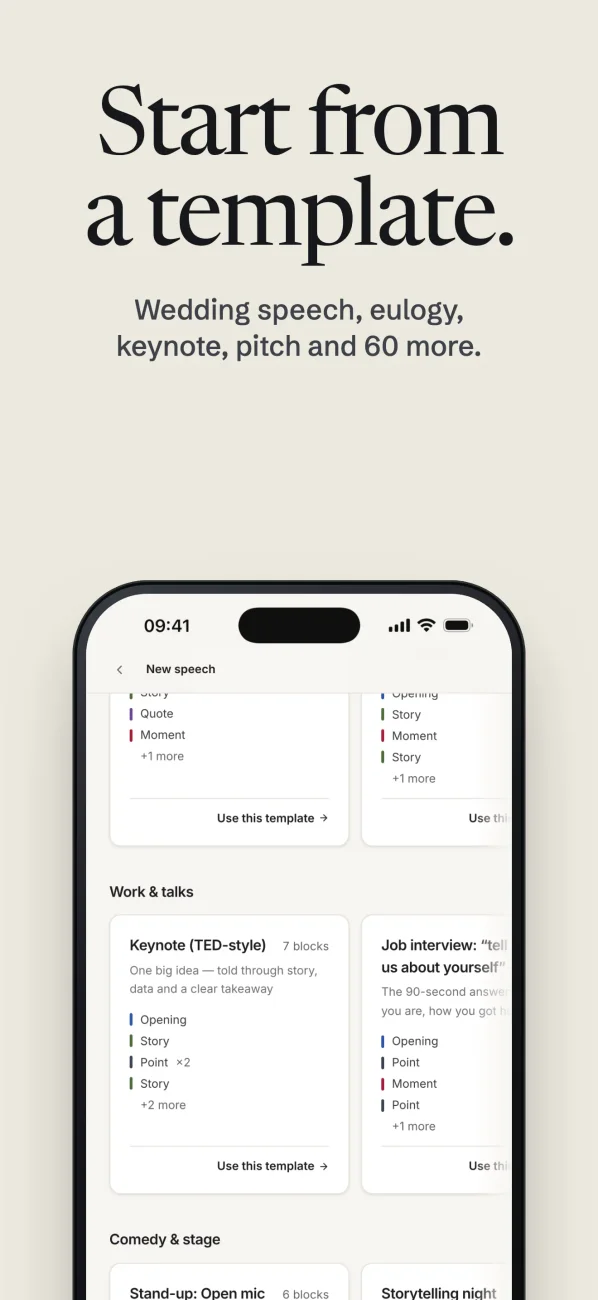
Start from a template for the speech you were asked to give: best man, maid of honor, mother or father of the bride, eulogy, toast, sermon, keynote, pitch. Each one is split into parts, with a question that tells you what belongs in it.
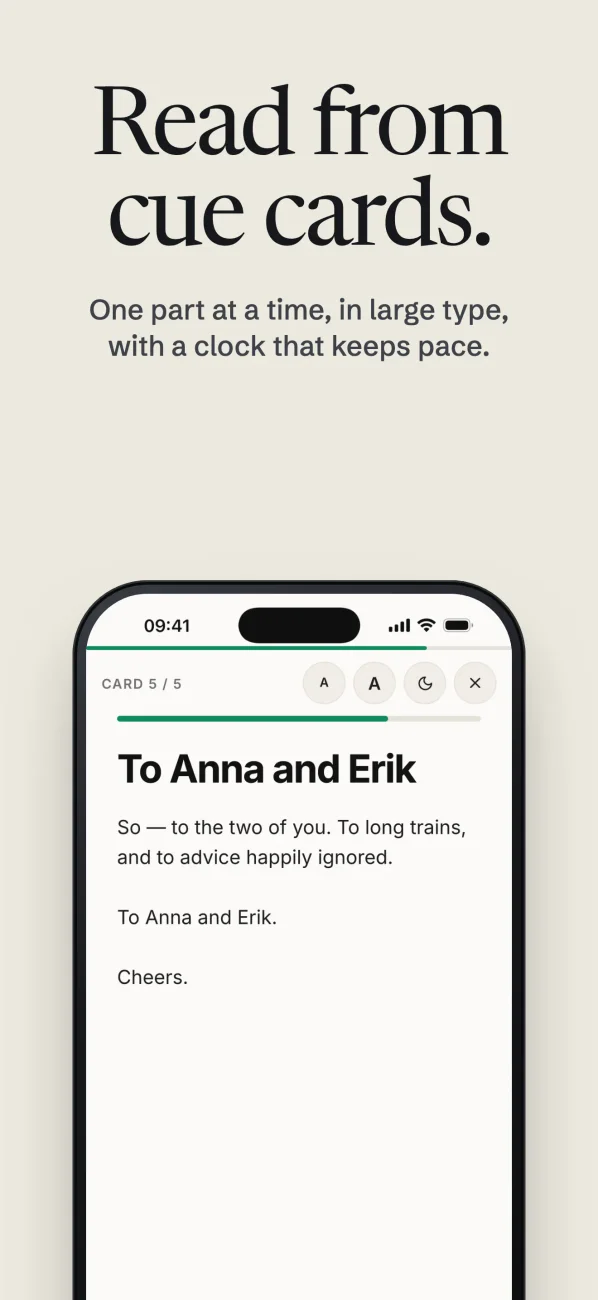
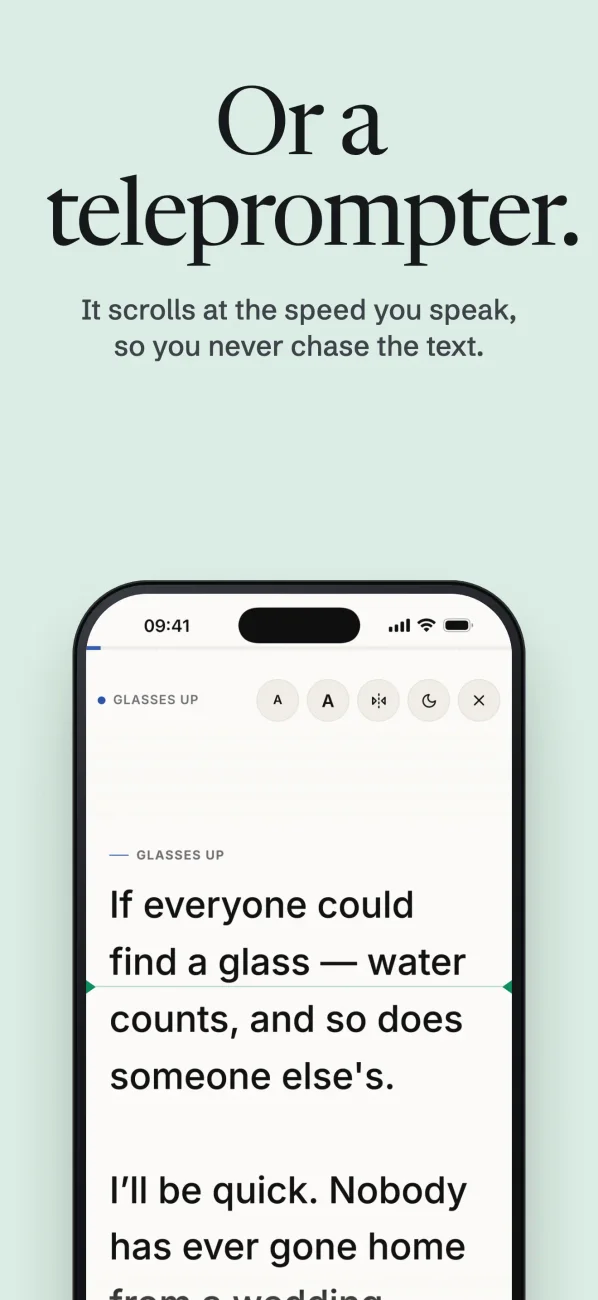
On the day, read from full-screen cue cards with a clock that keeps pace, or from a teleprompter that scrolls at the speed you speak.
PLAN IT BLOCK BY BLOCK
• Over 60 templates shaped by how great speeches actually work — wedding speeches, eulogies, toasts, keynotes, elevator and investor pitches, stand-up sets, graduation and retirement speeches, master of ceremonies and more
• The whole wedding: best man, maid of honor, mother and father of the bride, mother and father of the groom, sister of the bride, bridesmaid, wedding vows, vow renewal, officiant script and rehearsal dinner
• Faith & church: sermon, youth group talk, testimony, devotional, prayer and grace before a meal
• School & class: persuasive speech, informative speech, student council speech and valedictorian speech
• For work: introduce yourself, an interview presentation and an answer to "tell us about yourself"
• The holidays: a New Year’s toast that is free all the way to the stage, a holiday party speech for the office Christmas party, and a toast for the dinner table
• Against the clock: lightning talk, 20x20 talk, three-minute thesis, ice breaker and impromptu speech — in a 20x20 talk the cue cards turn themselves every twenty seconds
• Every block carries a coaching hint: what belongs there and why — shown on the part you are about to write
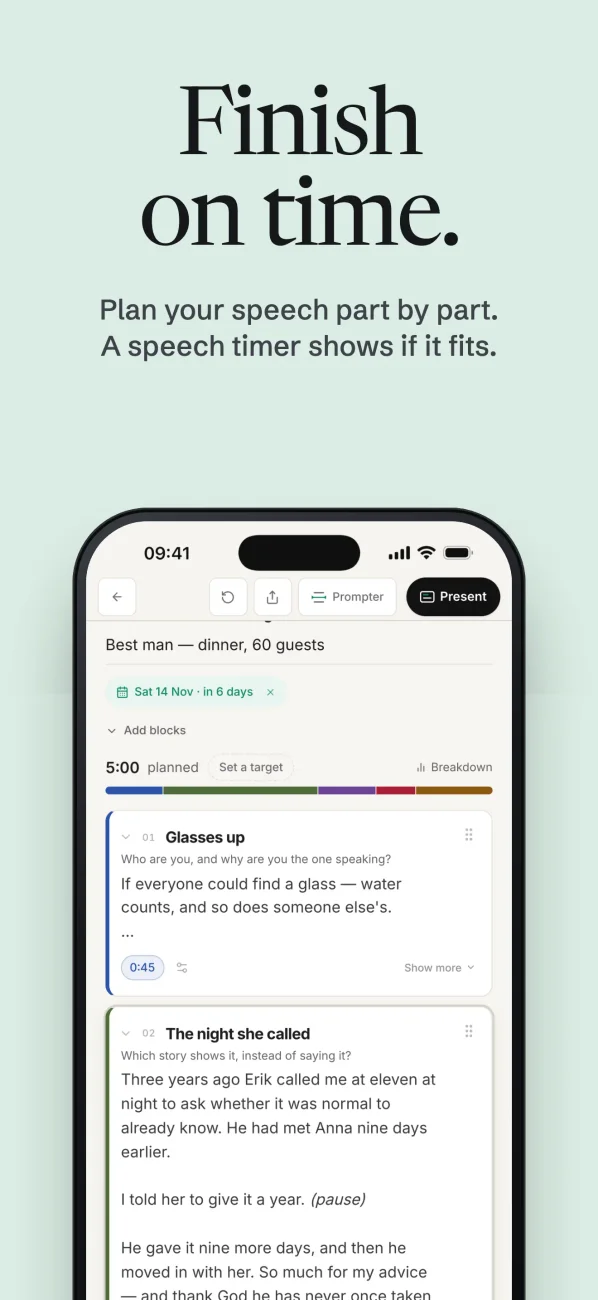
• Set a target length and watch the total build as you plan
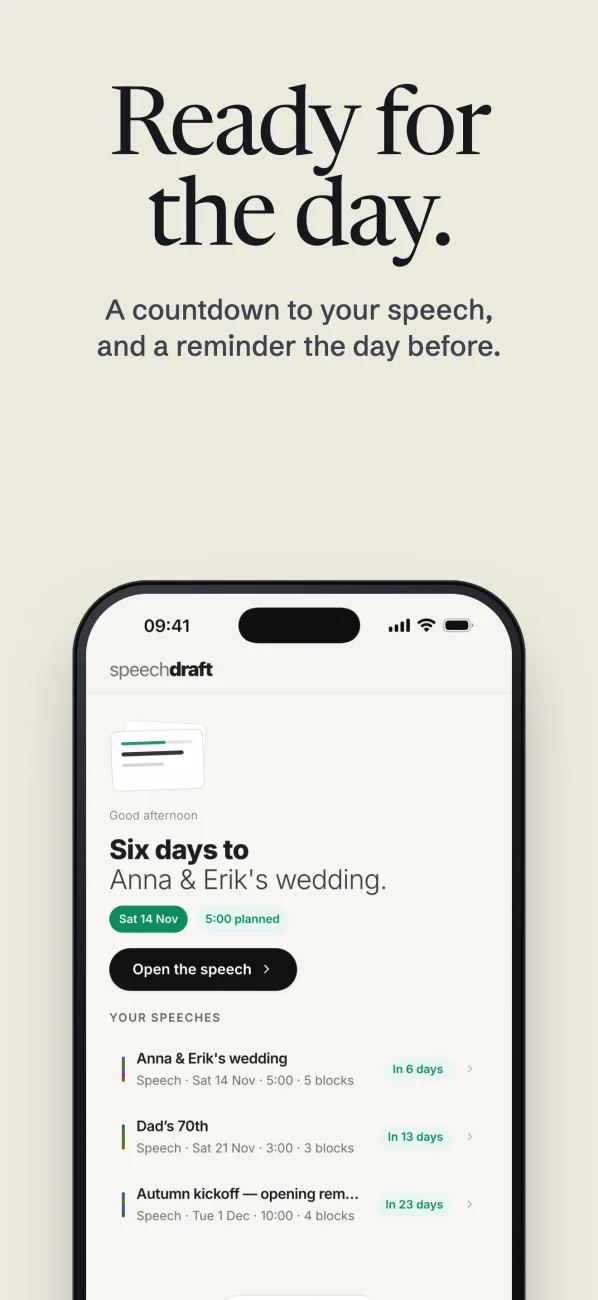
• Set the date you speak: the home screen and the widget count down to it, and a reminder comes the evening before
WRITE IT IN PLACE
• Speech writing where the structure is: every word lives inside its block — no separate document to lose
• Add photos or illustrations to your cue cards
• Reorder with a drag when the story wants a different shape
DELIVER IT WITH CONFIDENCE
• Full-screen cue cards with a pace line per card: it fills as you speak, turns amber when it's time to land, red if you've gone over
• A teleprompter that takes its pace from the timings you set — "Match my plan" solves the scroll rate that lands the speech exactly on time, and a pace chip flags the moment you drift
• One big total clock — so you always know if the speech fits the slot
• Dark stage mode, adjustable text size, and the screen stays awake
• Tap either side or swipe to move — works with a thumb, from a podium
• Finish inside your plan and the closing check turns green
MADE FOR IPHONE DUO
• Half-open on the lectern, the phone is its own teleprompter stand
• Your words above the hinge, every control on the half lying flat
PRINT IT, OR SHARE IT
• Print your cue cards at card size — 3×5, 4×6, A6 or A5 — on card stock or on sheets with cut marks, as PDF or Word
• Export a clean PDF, Word or Excel rundown of the whole speech
• Share the speech itself with a co-speaker — it opens straight in their SpeechDraft
• Preview matches the export exactly
PRICING
SpeechDraft is free to try: build and write your first two speeches in full, take the first three cards on stage — on the cue cards and the teleprompter alike — and export a PDF with a small SpeechDraft mark. One purchase — no subscription — unlocks unlimited speeches, the whole speech on stage, and clean PDF, Word & Excel exports.
Works on iPhone, iPad and Mac. Buy it once and it is unlocked on all three. Sign in to carry your speeches between them.
Made by Vardnir.
Yang baru
Versi 1.4.5 · 25/11/2026
Your speeches now look the same on every device you sign in to, photos included. Edit the same speech on two devices and both versions are kept. Sign out, and your speeches leave the screen until you sign in again.
New way to sign in: made your account with Google or email on the web? Tap "Use an email code instead" and type the same address.
And if you have Pro, you will see a small PRO next to the name.
Privasi aplikasi
Yang dinyatakan TOR ERIK HUMLEN di App Store tentang cara aplikasi ini menangani data.
-
Data yang ditautkan dengan Anda
Dapat dikumpulkan dan ditautkan dengan identitas Anda.
- Pembelian
- Info kontak
- Konten pengguna
- Pengenal
-
Data yang tidak ditautkan dengan Anda
Dapat dikumpulkan, tetapi tidak ditautkan dengan identitas Anda.
- Diagnostik
Praktik privasi dapat bervariasi, misalnya berdasarkan fitur yang Anda gunakan atau usia Anda.
Informasi
- Penjual
- TOR ERIK HUMLEN
- Kategori
- Produktivitas
- Versi
- 1.4.5
- Diperbarui
- 25/11/2026
- Dirilis
- 29/8/2026
- Ukuran
- 14,7 MB
- Memerlukan
- iOS 15.0 atau yang lebih baru
- Batasan usia
- 4+
- Harga
- Gratis
- Pembelian dalam aplikasi
- Ya
- Bahasa
- Inggris
- Hak cipta
- © 2026 Tor-Erik Humlen
Mungkin Anda juga suka
-
 TheoTimerProduktivitas
-
 TalkMap!Produktivitas
-
 QWERTY mini Pro ENGProduktivitas
-
 Cue: Speaker NotesProduktivitas
-
 preciousLivesProduktivitas
-
 Choice Helper: by NS AppsPilih lewat perbandingan
-
 TalkNotes for MinistryProduktivitas
-
 Presenters CueWatchProduktivitas
-
 SpeakNotes-AI Notes & MeetingProduktivitas
-
 Meeting Notes - ConfidentialProduktivitas