SpeechDraft: Speech Writer
Cue cards, teleprompter, timer
Được thiết kế cho iPhone, iPad, Mac, iPod touch
Miễn phí · Mua hàng trong ứng dụng
- Độ tuổi4+
- Danh mụcHiệu Suất
- Nhà phát triểnTOR ERIK HUMLEN
- Ngôn ngữTiếng Anh
- Kích thước14,7 MB
Liên kết đến trang App Store chính thức
Download.org không lưu trữ tệp nào của SpeechDraft: Speech Writer. Nút này mở trang ứng dụng trên App Store, nơi TOR ERIK HUMLEN phát hành ứng dụng. Trang được kiểm tra lần cuối: 26/11/2026.
Ảnh chụp màn hình


Giới thiệu
Nhà phát triển chưa cung cấp nội dung này bằng ngôn ngữ của bạn.
Asked to give a speech? SpeechDraft takes you from a blank page to the last line, on time.
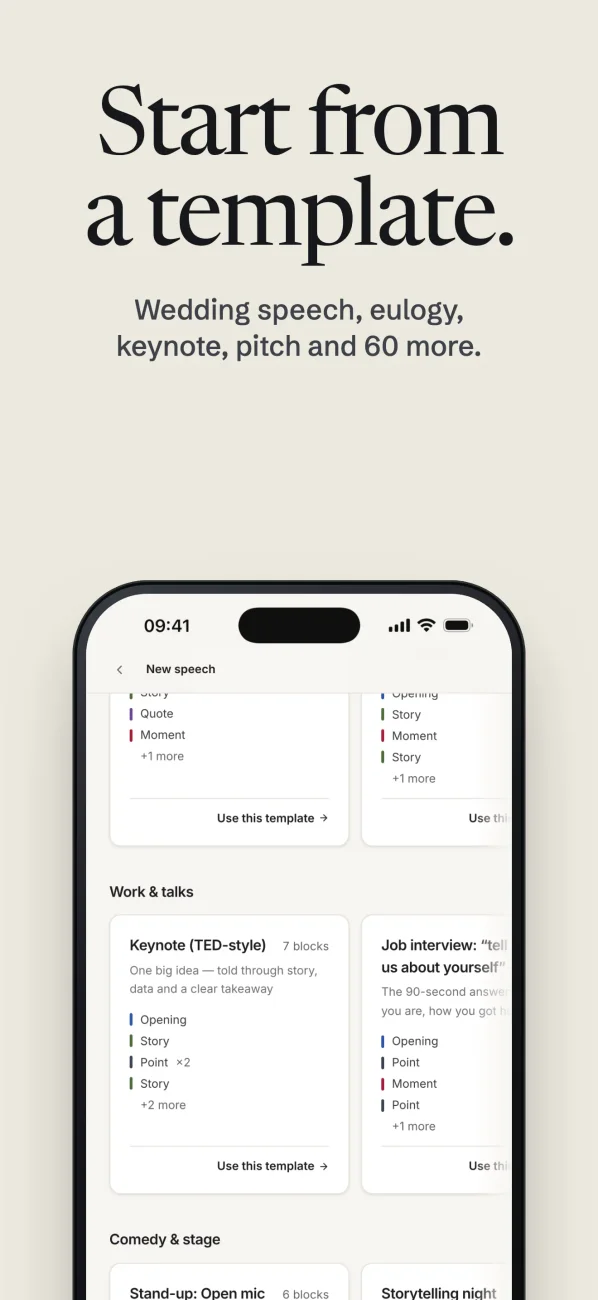
Start from a template for the speech you were asked to give: best man, maid of honor, mother or father of the bride, eulogy, toast, sermon, keynote, pitch. Each one is split into parts, with a question that tells you what belongs in it.
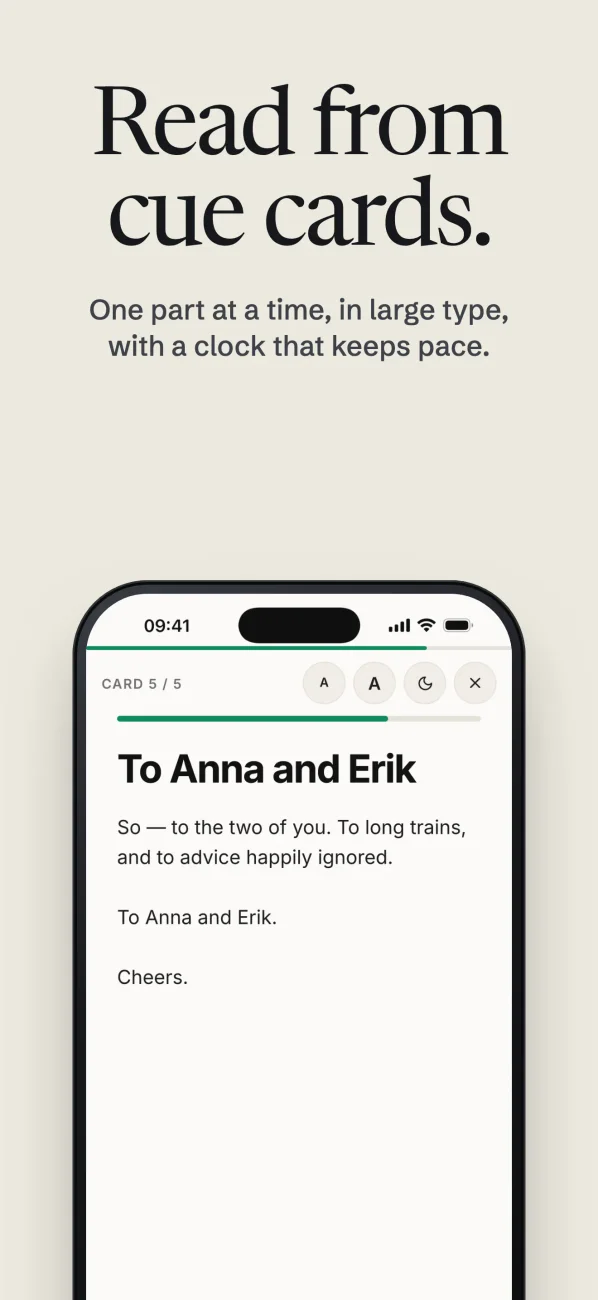
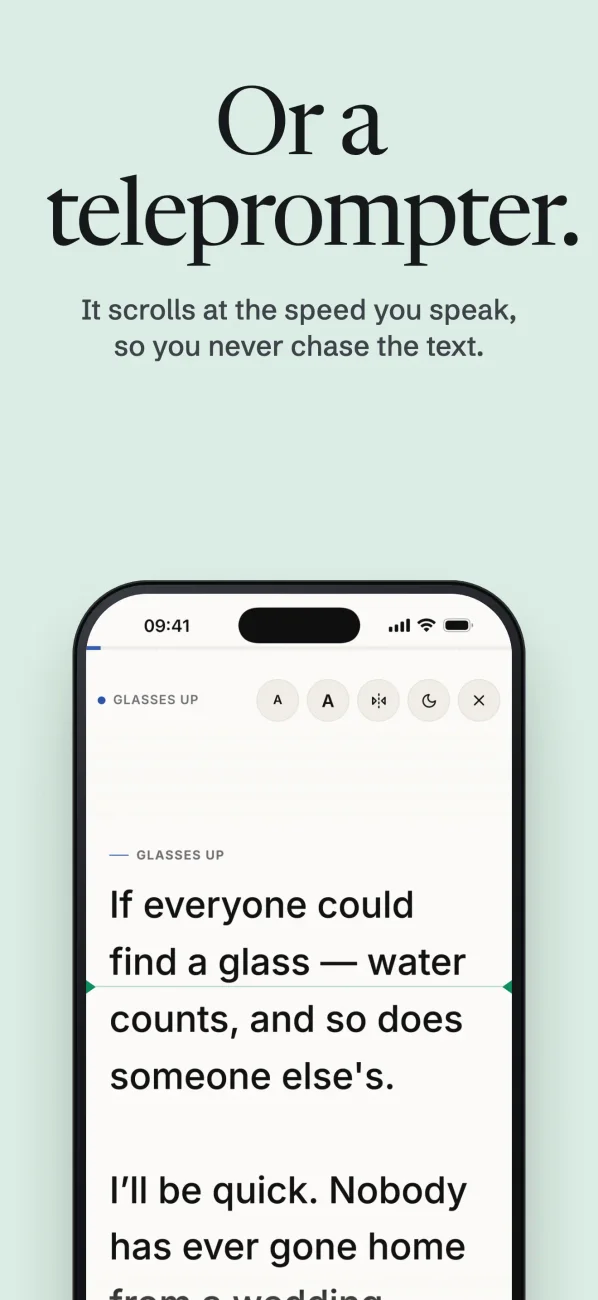
On the day, read from full-screen cue cards with a clock that keeps pace, or from a teleprompter that scrolls at the speed you speak.
PLAN IT BLOCK BY BLOCK
• Over 60 templates shaped by how great speeches actually work — wedding speeches, eulogies, toasts, keynotes, elevator and investor pitches, stand-up sets, graduation and retirement speeches, master of ceremonies and more
• The whole wedding: best man, maid of honor, mother and father of the bride, mother and father of the groom, sister of the bride, bridesmaid, wedding vows, vow renewal, officiant script and rehearsal dinner
• Faith & church: sermon, youth group talk, testimony, devotional, prayer and grace before a meal
• School & class: persuasive speech, informative speech, student council speech and valedictorian speech
• For work: introduce yourself, an interview presentation and an answer to "tell us about yourself"
• The holidays: a New Year’s toast that is free all the way to the stage, a holiday party speech for the office Christmas party, and a toast for the dinner table
• Against the clock: lightning talk, 20x20 talk, three-minute thesis, ice breaker and impromptu speech — in a 20x20 talk the cue cards turn themselves every twenty seconds
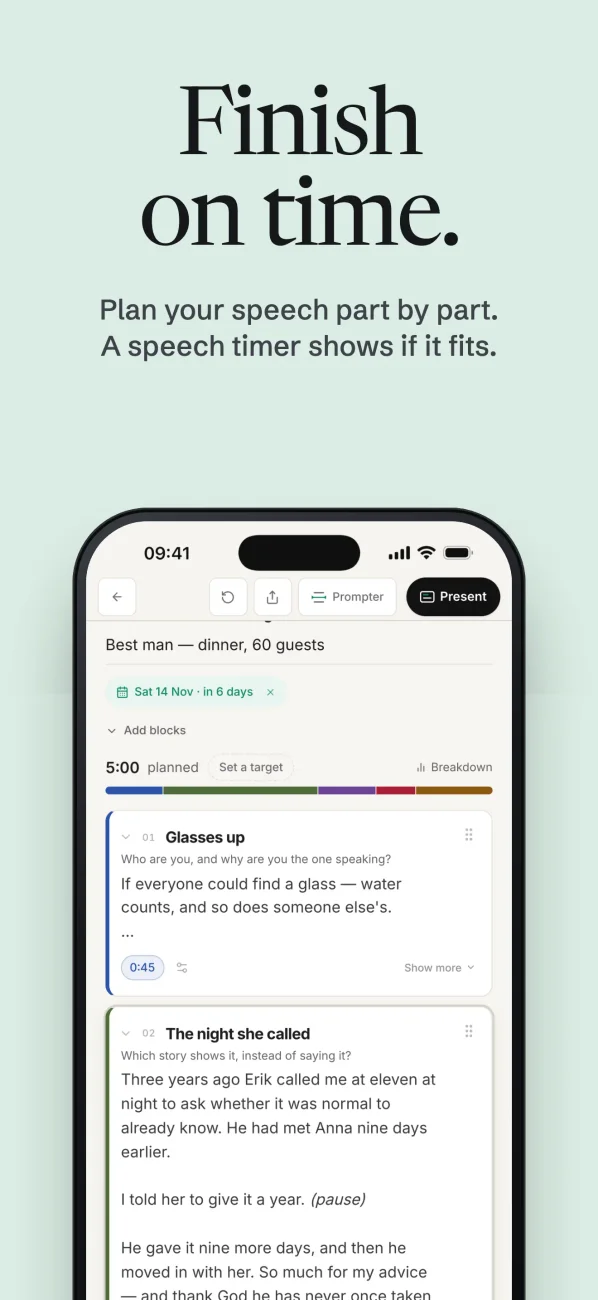
• Every block carries a coaching hint: what belongs there and why — shown on the part you are about to write
• Set a target length and watch the total build as you plan
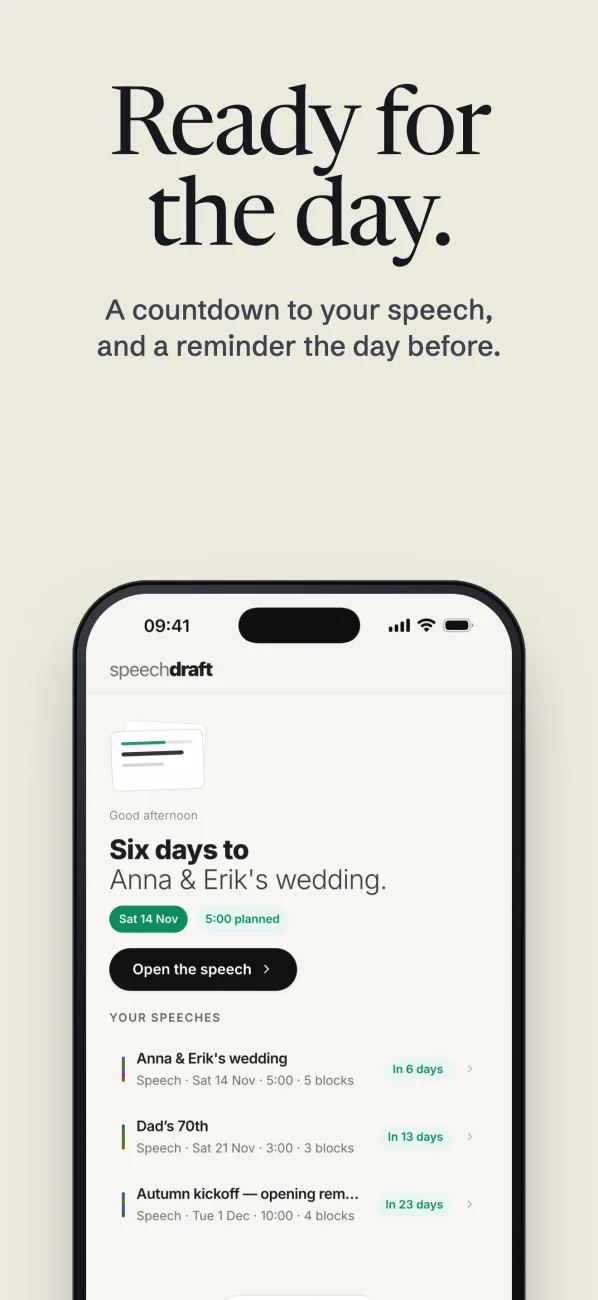
• Set the date you speak: the home screen and the widget count down to it, and a reminder comes the evening before
WRITE IT IN PLACE
• Speech writing where the structure is: every word lives inside its block — no separate document to lose
• Add photos or illustrations to your cue cards
• Reorder with a drag when the story wants a different shape
DELIVER IT WITH CONFIDENCE
• Full-screen cue cards with a pace line per card: it fills as you speak, turns amber when it's time to land, red if you've gone over
• A teleprompter that takes its pace from the timings you set — "Match my plan" solves the scroll rate that lands the speech exactly on time, and a pace chip flags the moment you drift
• One big total clock — so you always know if the speech fits the slot
• Dark stage mode, adjustable text size, and the screen stays awake
• Tap either side or swipe to move — works with a thumb, from a podium
• Finish inside your plan and the closing check turns green
MADE FOR IPHONE DUO
• Half-open on the lectern, the phone is its own teleprompter stand
• Your words above the hinge, every control on the half lying flat
PRINT IT, OR SHARE IT
• Print your cue cards at card size — 3×5, 4×6, A6 or A5 — on card stock or on sheets with cut marks, as PDF or Word
• Export a clean PDF, Word or Excel rundown of the whole speech
• Share the speech itself with a co-speaker — it opens straight in their SpeechDraft
• Preview matches the export exactly
PRICING
SpeechDraft is free to try: build and write your first two speeches in full, take the first three cards on stage — on the cue cards and the teleprompter alike — and export a PDF with a small SpeechDraft mark. One purchase — no subscription — unlocks unlimited speeches, the whole speech on stage, and clean PDF, Word & Excel exports.
Works on iPhone, iPad and Mac. Buy it once and it is unlocked on all three. Sign in to carry your speeches between them.
Made by Vardnir.
Có gì mới
Phiên bản 1.4.5 · 25/11/2026
Your speeches now look the same on every device you sign in to, photos included. Edit the same speech on two devices and both versions are kept. Sign out, and your speeches leave the screen until you sign in again.
New way to sign in: made your account with Google or email on the web? Tap "Use an email code instead" and type the same address.
And if you have Pro, you will see a small PRO next to the name.
Quyền riêng tư của ứng dụng
Những gì TOR ERIK HUMLEN khai báo trên App Store về cách ứng dụng này xử lý dữ liệu.
-
Dữ liệu liên kết với bạn
Có thể được thu thập và liên kết với danh tính của bạn.
- Mục mua
- Thông tin liên hệ
- Nội dung của người dùng
- Mã định danh
-
Dữ liệu không liên kết với bạn
Có thể được thu thập nhưng không liên kết với danh tính của bạn.
- Chẩn đoán
Phương thức đảm bảo quyền riêng tư có thể khác nhau, chẳng hạn như tuỳ theo các tính năng bạn sử dụng hoặc độ tuổi của bạn.
Thông tin
- Người bán
- TOR ERIK HUMLEN
- Danh mục
- Hiệu Suất
- Phiên bản
- 1.4.5
- Cập nhật
- 25/11/2026
- Phát hành
- 29/08/2026
- Kích thước
- 14,7 MB
- Yêu cầu
- iOS 15.0 trở lên
- Độ tuổi
- 4+
- Giá
- Miễn phí
- Mua hàng trong ứng dụng
- Có
- Ngôn ngữ
- Tiếng Anh
- Bản quyền
- © 2026 Tor-Erik Humlen
Có thể bạn cũng thích
-
 TheoTimerHiệu Suất
-
 TalkMap!Hiệu Suất
-
 QWERTY mini Pro ENGHiệu Suất
-
 Cue: Speaker NotesHiệu Suất
-
 preciousLivesHiệu Suất
-
 Choice Helper: by NS AppsChọn tốt nhất bằng so sánh
-
 TalkNotes for MinistryHiệu Suất
-
 Presenters CueWatchHiệu Suất
-
 SpeakNotes-AI Notes & MeetingHiệu Suất
-
 Meeting Notes - ConfidentialHiệu Suất