
SSHELL Terminal
SSH, Mosh, tmux and files
Dirancang untuk iPhone, iPad
Gratis · Pembelian dalam aplikasi
- Batasan usia4+
- KategoriAlat Pengembang
- PengembangSimon Stace
- BahasaInggris
- Ukuran23,2 MB
Tertaut ke halaman resmi App Store
Download.org tidak menyimpan file SSHELL Terminal apa pun. Tombol ini membuka halaman aplikasi di App Store, tempat Simon Stace menerbitkannya. Halaman terakhir diperiksa pada 17/11/2026.
Tangkapan layar


Tentang
Pengembang belum menyediakan teks ini dalam bahasa Anda.
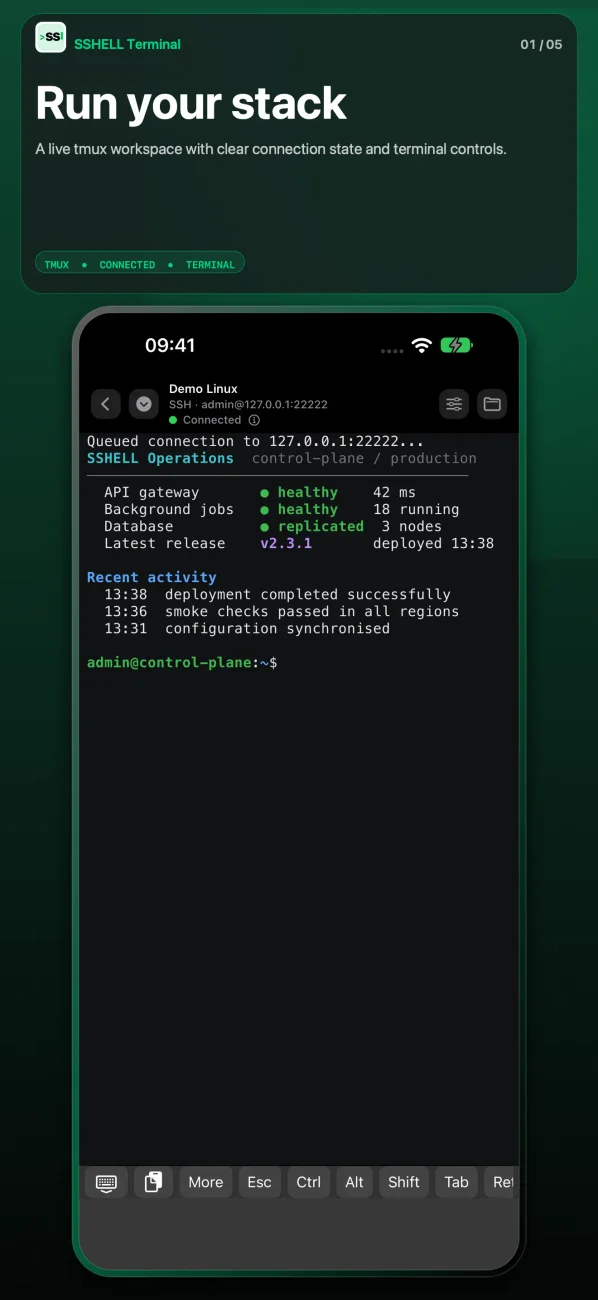
Run SSH, Mosh and tmux sessions from iPhone or iPad. SSHELL keeps saved hosts, live terminals, remote files and SSH keys in one native workspace.
Open several workspaces for one host. Attach existing tmux windows, create new windows and detach iPad terminals while each workspace stays tied to its host.
On Mac and iPad, switch sessions using tabs and open Files in its own workspace tab. Browse sortable file columns with touch or pointer input. Show or hide session tabs and automatic file previews in Appearance settings; the Files Preview control saves the same preview preference. Open Preview remains available when automatic previews are off.
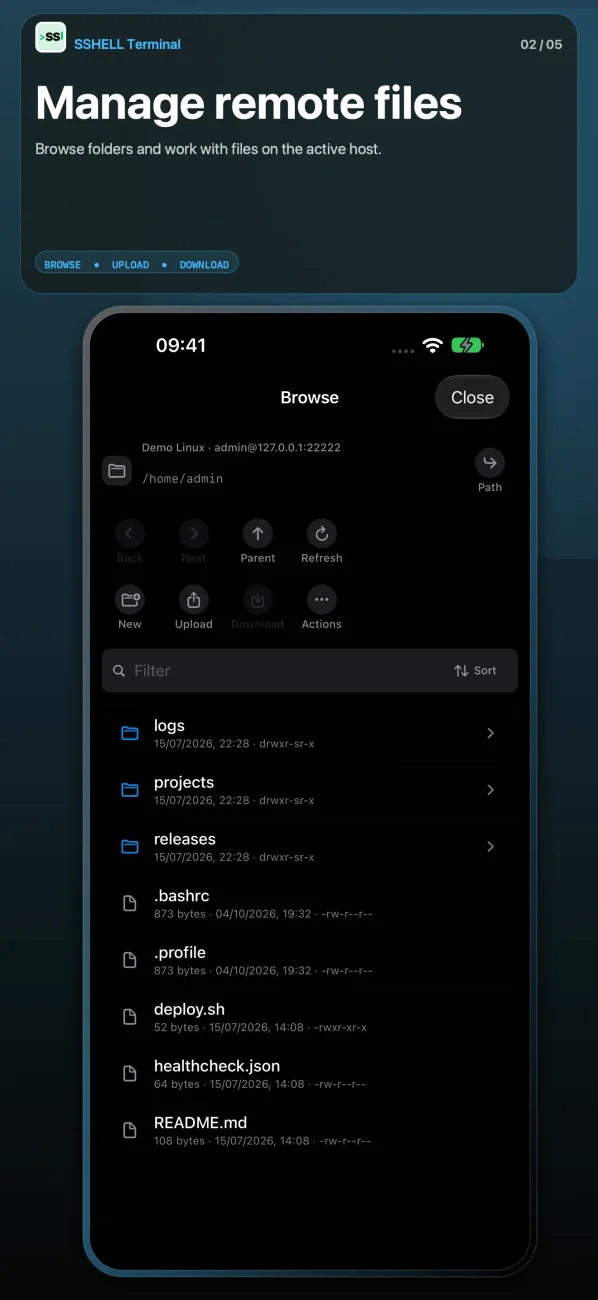
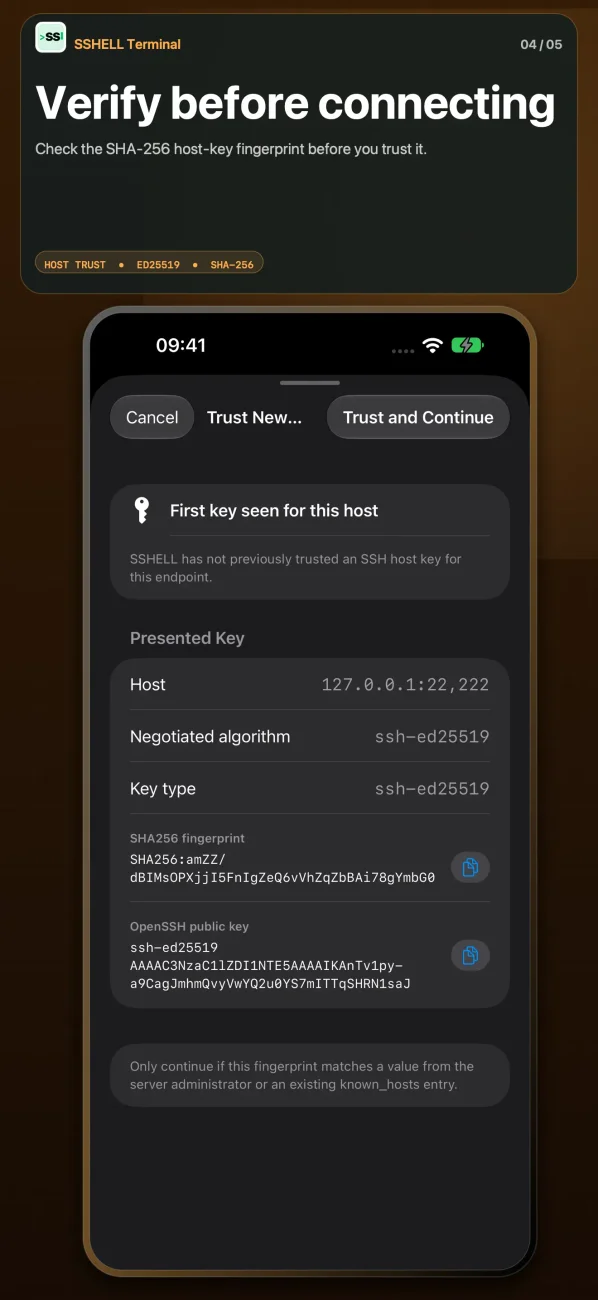
Browse and transfer remote files over SSH or Mosh. Generate or import SSH keys, check SHA-256 host fingerprints and protect supported credentials with Keychain.
Download SSHELL for free and use full access for 7 days. Lifetime access costs £2.99 as a one-time App Store purchase. Existing paid customers keep full access.
Key features:
- SSH, Mosh and Telnet connection profiles
- Mosh roaming and reconnect handling
- Multi-session saved hosts with distinct terminal workspaces
- tmux-aware host management for opening and creating windows inside configured tmux sessions
- iPad multiwindow, Split View and Stage Manager support
- Remote file browsing for SSH and Mosh hosts
- Upload, download, preview, copy, move and delete remote files
- Download remote directories as .tar.gz archives when supported
- Saved hosts with tags, notes, sorting and filtering
- Per-host terminal themes, TERM values and trust policy
- SSH key generation, import, export and host installation
- Ed25519, ECDSA, RSA, OpenSSH, PEM, DER and PuTTY PPK key handling
- Known-host prompts, SHA-256 fingerprints and changed-key warnings
- Keychain-backed passwords, private keys and Mosh resume state
- Biometric app lock with device passcode fallback
- External keyboard shortcuts and terminal accessory keys
- Nerd Font symbol support for glyph-heavy prompts and terminal tools
- Native copy, paste, select all, Escape and terminal link handling
- Light, dark, system and custom terminal colour themes
- Off-by-default optional iCloud sync for supported settings, hosts, tags, key metadata, trusted host keys and synchronisable credentials
Telnet is unencrypted. SSHELL includes it for trusted legacy environments, lab equipment and local networks only.
Yang baru
Versi 2.11.6 · 11/11/2026
SSHELL 2.11.6 adds OpenSSH host certificate verification for organisations that rebuild servers or rotate host keys.
• Import @cert-authority rules to trust your organisation’s host certificate authority.
• Connect to rebuilt servers and renewed certificates without accepting a new host key each time.
• Refuse expired certificates, hostname mismatches, untrusted signers and revoked host or CA keys.
Privasi aplikasi
Yang dinyatakan Simon Stace di App Store tentang cara aplikasi ini menangani data.
-
Data tidak dikumpulkan
Pengembang tidak mengumpulkan data apa pun dari aplikasi ini.
Praktik privasi dapat bervariasi, misalnya berdasarkan fitur yang Anda gunakan atau usia Anda.
Informasi
- Penjual
- Simon Stace
- Kategori
- Alat Pengembang
- Versi
- 2.11.6
- Diperbarui
- 11/11/2026
- Dirilis
- 25/4/2026
- Ukuran
- 23,2 MB
- Memerlukan
- iOS 17.0 atau yang lebih baru
- Batasan usia
- 4+
- Harga
- Gratis
- Pembelian dalam aplikasi
- Ya
- Bahasa
- Inggris
- Hak cipta
- © 2026 Simon Stace
Mungkin Anda juga suka
-
 NaviTerm AI - SSH,SFTP,TunnelsNext-Gen AI SSH & Terminal Hub
-
 Dev Tool box - Developer ToolsJSON, URL, Base64 & More
-
 ViewSource+Alat Pengembang
-
 VVTerm: Klien SSH NativeTerminal SSH, SFTP, Mosh
-
 ServerCC - Claude Code & CodexAlat Pengembang
-
 Kodo: Editor Kode dengan AIPython dan C++ offline, SSH
-
 Mobile IDE for Codex AI GPTAlat Pengembang
-
 Terminux: SSH ClientAlat Pengembang
-
 La Terminal: Klien Mosh & SSHSFTP, File + Agen AI
-
 SQLPro Studio: SQL DatabaseAlat Pengembang