
SSHELL Terminal
SSH, Mosh, tmux and files
Designed for iPhone, iPad
In-app purchases
- Age rating4+
- CategoryDeveloper Tools
- DeveloperSimon Stace
- LanguagesEnglish
- Size23.2 MB
Links to the official App Store page
Download.org hosts no file of SSHELL Terminal. The button opens its official App Store page, published by Simon Stace. Listing last checked on Nov 17, 2026.
Screenshots


About
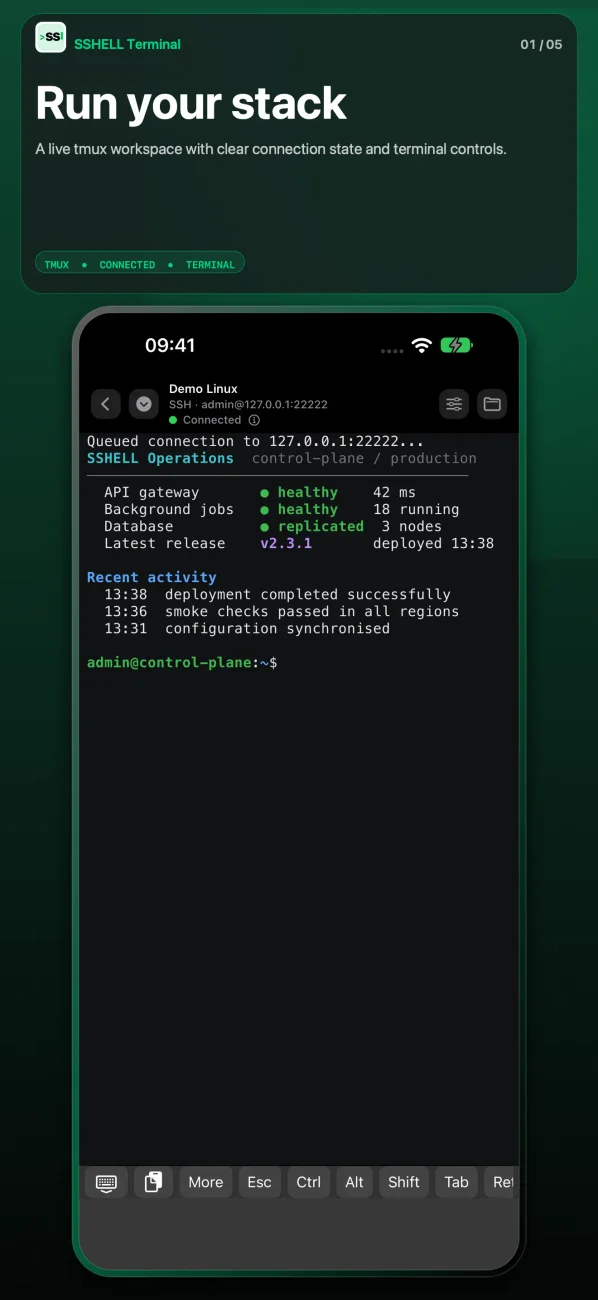
Run SSH, Mosh and tmux sessions from iPhone or iPad. SSHELL keeps saved hosts, live terminals, remote files and SSH keys in one native workspace.
Open several workspaces for one host. Attach existing tmux windows, create new windows and detach iPad terminals while each workspace stays tied to its host.
On Mac and iPad, switch sessions using tabs and open Files in its own workspace tab. Browse sortable file columns with touch or pointer input. Show or hide session tabs and automatic file previews in Appearance settings; the Files Preview control saves the same preview preference. Open Preview remains available when automatic previews are off.
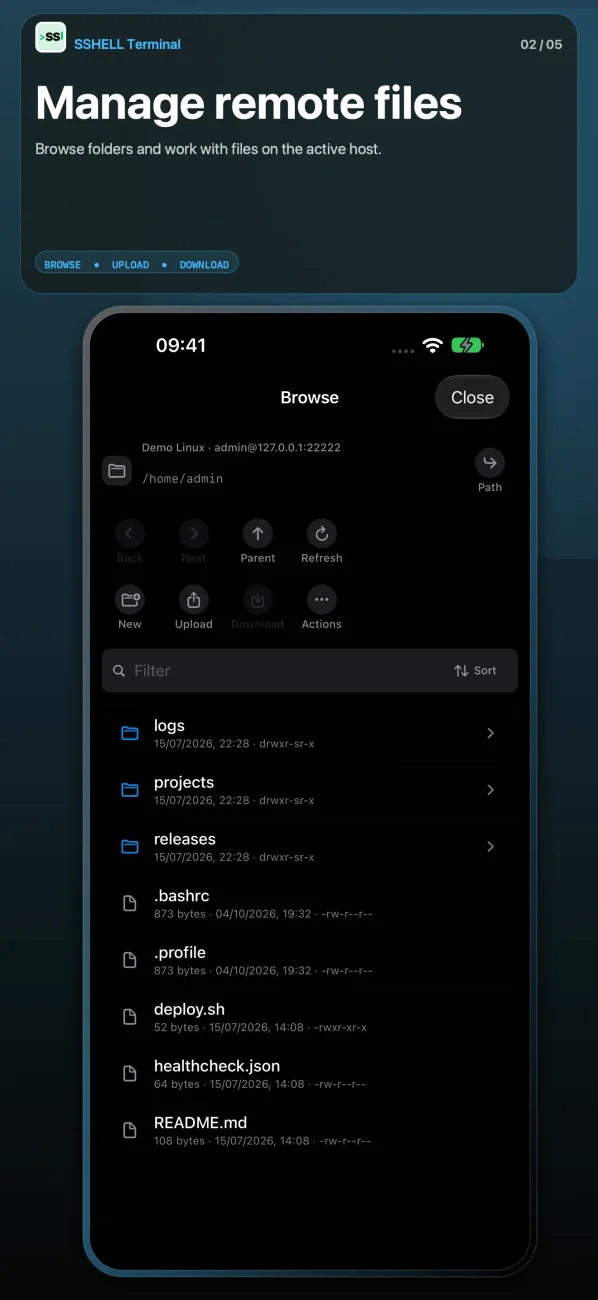
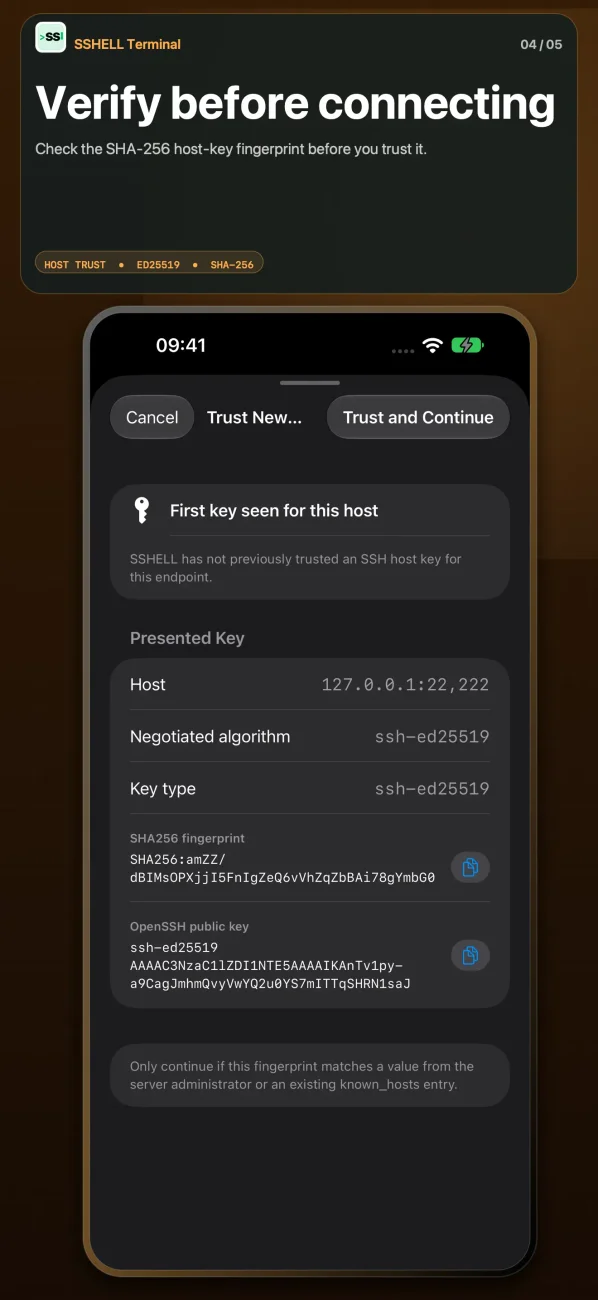
Browse and transfer remote files over SSH or Mosh. Generate or import SSH keys, check SHA-256 host fingerprints and protect supported credentials with Keychain.
Download SSHELL for free and use full access for 7 days. Lifetime access costs £2.99 as a one-time App Store purchase. Existing paid customers keep full access.
Key features:
- SSH, Mosh and Telnet connection profiles
- Mosh roaming and reconnect handling
- Multi-session saved hosts with distinct terminal workspaces
- tmux-aware host management for opening and creating windows inside configured tmux sessions
- iPad multiwindow, Split View and Stage Manager support
- Remote file browsing for SSH and Mosh hosts
- Upload, download, preview, copy, move and delete remote files
- Download remote directories as .tar.gz archives when supported
- Saved hosts with tags, notes, sorting and filtering
- Per-host terminal themes, TERM values and trust policy
- SSH key generation, import, export and host installation
- Ed25519, ECDSA, RSA, OpenSSH, PEM, DER and PuTTY PPK key handling
- Known-host prompts, SHA-256 fingerprints and changed-key warnings
- Keychain-backed passwords, private keys and Mosh resume state
- Biometric app lock with device passcode fallback
- External keyboard shortcuts and terminal accessory keys
- Nerd Font symbol support for glyph-heavy prompts and terminal tools
- Native copy, paste, select all, Escape and terminal link handling
- Light, dark, system and custom terminal colour themes
- Off-by-default optional iCloud sync for supported settings, hosts, tags, key metadata, trusted host keys and synchronisable credentials
Telnet is unencrypted. SSHELL includes it for trusted legacy environments, lab equipment and local networks only.
What’s new
Version 2.11.6 · Nov 11, 2026
SSHELL 2.11.6 adds OpenSSH host certificate verification for organisations that rebuild servers or rotate host keys.
• Import @cert-authority rules to trust your organisation’s host certificate authority.
• Connect to rebuilt servers and renewed certificates without accepting a new host key each time.
• Refuse expired certificates, hostname mismatches, untrusted signers and revoked host or CA keys.
App privacy
What Simon Stace declares on the App Store about how this app handles data.
-
Data not collected
The developer does not collect any data from this app.
Privacy practices may vary, for example with the features you use or your age.
Information
- Seller
- Simon Stace
- Category
- Developer Tools
- Version
- 2.11.6
- Updated
- Nov 11, 2026
- Released
- Apr 25, 2026
- Size
- 23.2 MB
- Requires
- iOS 17.0 or later
- Age rating
- 4+
- In-app purchases
- Yes
- Languages
- English
- Copyright
- © 2026 Simon Stace
You might also like
-
 NaviTerm AI - SSH,SFTP,TunnelsNext-Gen AI SSH & Terminal Hub
-
 Dev Tool box - Developer ToolsJSON, URL, Base64 & More
-
 ViewSource+View website source code
-
 VVTerm: Native SSH ClientSSH Terminal, SFTP, Mosh
-
 ServerCC - Claude Code & CodexRemote Coding · SSH · tmux
-
 Kodo: Code Editor & AI AgentsRun Python & C++ offline · SSH
-
 Mobile IDE for Codex AI GPTRemote Coding Agent & CLI
-
 Terminux: SSH ClientSecure shell & Automation
-
 La Terminal: Mosh & SSH ClientSFTP, Files + AI Agent Remote
-
 SQLPro Studio: SQL DatabaseMySQL, Postgres & SQL Server