Studio Grid: Drawing Grid
Grid photos to your paper size
Dirancang untuk iPhone, iPad
Gratis · Pembelian dalam aplikasi
- Batasan usia4+
- KategoriGrafik & Desain
- PengembangPAUL DAVIES
- Ukuran1,1 MB
Tertaut ke halaman resmi App Store
Download.org tidak menyimpan file Studio Grid: Drawing Grid apa pun. Tombol ini membuka halaman aplikasi di App Store, tempat PAUL DAVIES menerbitkannya. Halaman terakhir diperiksa pada 27/11/2026.
Tangkapan layar
Tentang
Pengembang belum menyediakan teks ini dalam bahasa Anda.
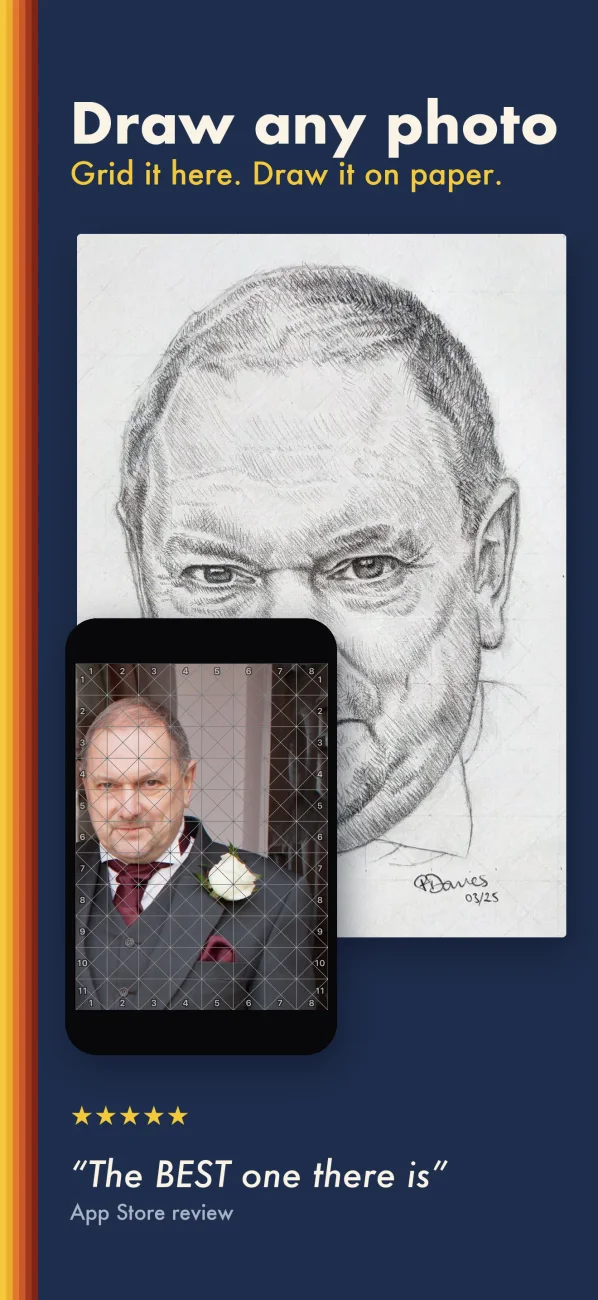
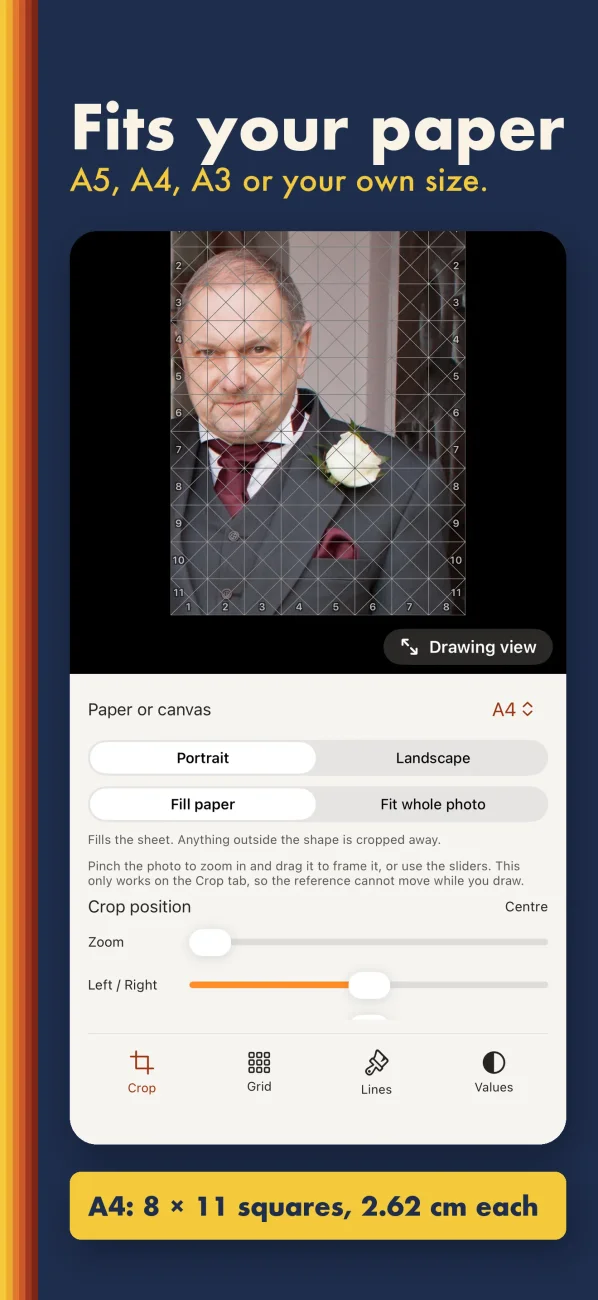
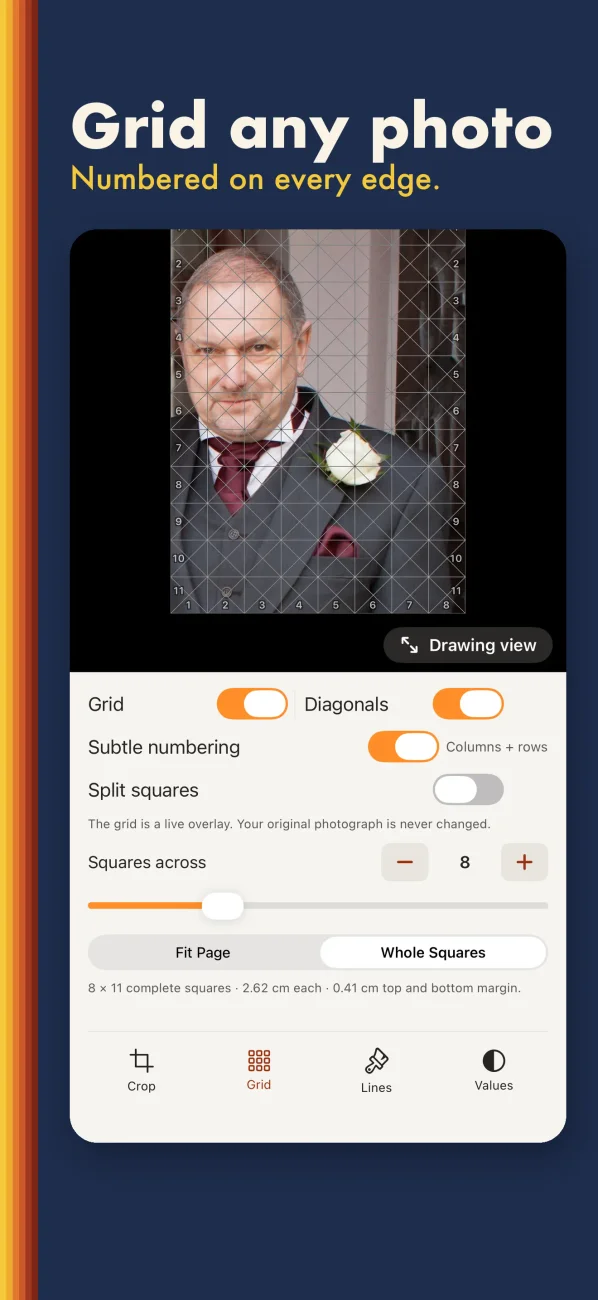
Studio Grid lays a grid over your reference photograph, matched to the paper on your desk, A5, A4, A3 or a size of your own, so every square on screen is a square you can rule.
Your first three drawings include every tool, and you keep them for good. After that the grid, paper sizes and numbering stay free for as many drawings as you like, and a single payment unlocks Studio Grid Pro for life. No subscription, no ads, no account.
WHY IT IS DIFFERENT
Most grid apps put squares over a photo and stop there. Studio Grid starts from your paper. Tell it what you are drawing on and it works out the grid that actually fits, in whole squares if you want no awkward partial row along the edge.
THE GRID
- Squares across, set by you
- Ink that picks itself to suit the photograph, or six preset colors
- Any grid color you like (Pro)
- Line thickness and opacity, so the grid sits under the image instead of shouting over it
- Diagonals through every square, for placing an angle or a curve exactly (Pro)
- Subtle numbering on all four edges, so you can always name the square you are in
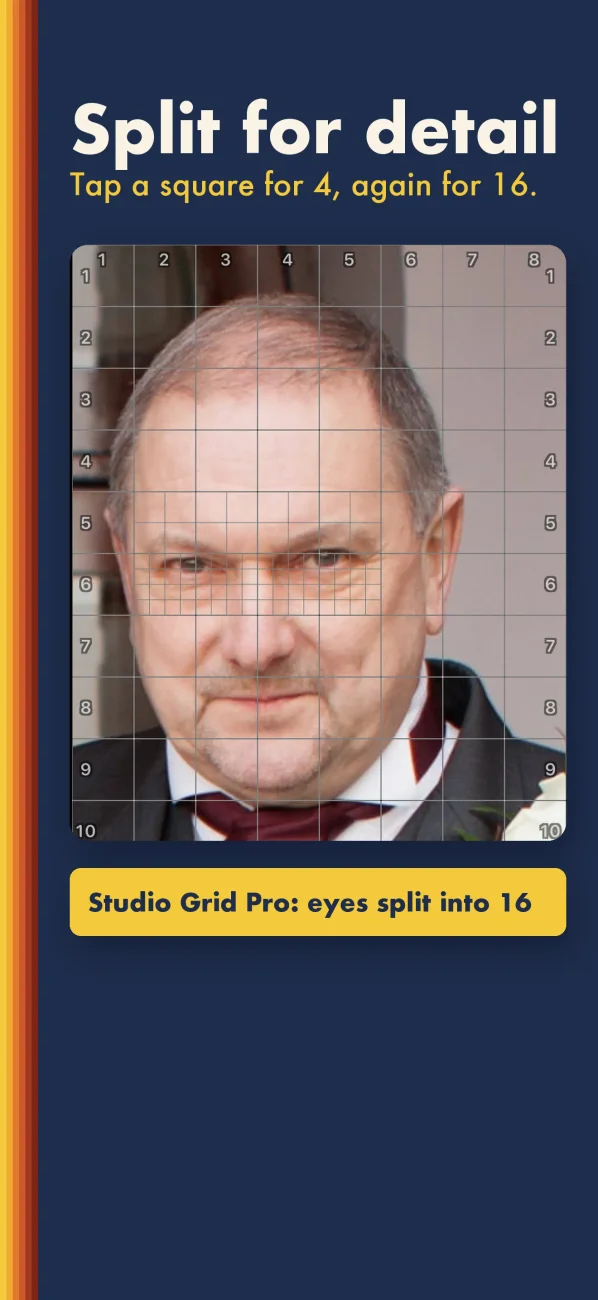
- Split squares: tap a square to divide it into 4, tap again for 16, for the eyes and the fine detail (Pro)
SEEING IT BEFORE YOU DRAW IT
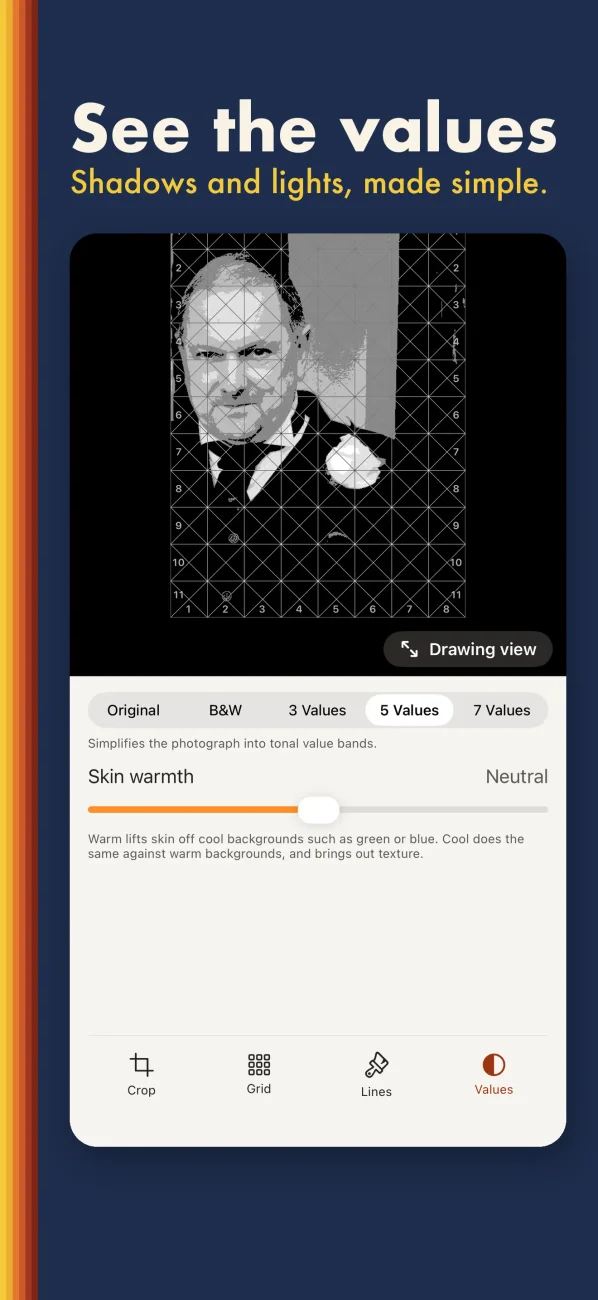
- Black and white, to judge tone without color arguing with you
- Three, five or seven value bands, so the shapes of the tones become obvious (Pro)
- Skin warmth, which lifts warm skin off a cool background that plain grey flattens (Pro)
DRAWING FROM IT
- Drawing view puts the reference full screen with the numbers pinned to the edges, and zooms to 6x for detail, without ever moving your crop (Pro)
- Save the gridded reference to Photos, or share it to print or AirDrop at full resolution (Pro)
MADE BY SOMEONE WHO USES IT
I am a pencil portrait artist. I built this because the grid apps I tried were built for phones rather than for paper, and because I wanted the reference to stop shifting every time I touched the screen. Everything in here earns its place in my own drawings first.
YOUR PHOTOGRAPHS STAY YOURS
No account. No sign up. No analytics. Nothing is collected and nothing leaves your device. Your original photograph is never altered: the grid is an overlay, and exporting writes a new image.
STUDIO GRID PRO
One payment, for good, including future updates. It unlocks diagonals, split squares, drawing view, saving and sharing, value bands, skin warmth and any grid color. Family Sharing is on, so your household is covered by the one payment.
Your first three drawings keep every tool whether you buy Pro or not. Nothing you have been given is ever taken away.
Yang baru
Versi 1.0.7 · 26/11/2026
Rate Studio Grid
You can now rate Studio Grid from the Options menu, or from the opening screen once you have made a drawing. It is made by one artist in Ireland, so every rating helps other artists find it.
Now and then, after you save, share or finish a drawing session, the app may ask for a rating. It asks no more than once every two months.
Privasi aplikasi
Yang dinyatakan PAUL DAVIES di App Store tentang cara aplikasi ini menangani data.
-
Data tidak dikumpulkan
Pengembang tidak mengumpulkan data apa pun dari aplikasi ini.
Praktik privasi dapat bervariasi, misalnya berdasarkan fitur yang Anda gunakan atau usia Anda.
Informasi
- Penjual
- PAUL DAVIES
- Kategori
- Grafik & Desain
- Versi
- 1.0.7
- Diperbarui
- 26/11/2026
- Dirilis
- 1/10/2026
- Ukuran
- 1,1 MB
- Memerlukan
- iOS 17.0 atau yang lebih baru
- Batasan usia
- 4+
- Harga
- Gratis
- Pembelian dalam aplikasi
- Ya
- Hak cipta
- © 2026 Paul Davies
Mungkin Anda juga suka
-
 Drawing Grid GuideGrafik & Desain
-
 Gridline: Grid & Value StudyGrafik & Desain
-
 SketchlineGrafik & Desain
-
 Drawing Grid Maker: GridValueGrafik & Desain
-
 Grid Art DrawingGrafik & Desain
-
 Grid Maker: Kisi untuk GambarDari foto ke sketsa di kertas
-
 refs.Grafik & Desain
-
 Mixura - Paint Color MatcherGrafik & Desain
-
 Lucidapp: Trace & Mix in ARGrafik & Desain
-
 Drawing Grid Maker +Grafik & Desain