
Sketchline
Draw Like It's Real Paper
Dirancang untuk iPad
Gratis · Pembelian dalam aplikasi
- Batasan usia4+
- KategoriGrafik & Desain
- PengembangAchim Braml
- BahasaInggris+ 3 lainnya
- Ukuran4,7 MB
Tertaut ke halaman resmi App Store
Download.org tidak menyimpan file Sketchline apa pun. Tombol ini membuka halaman aplikasi di App Store, tempat Achim Braml menerbitkannya. Halaman terakhir diperiksa pada 13/11/2026.
Tangkapan layar

Tentang
Pengembang belum menyediakan teks ini dalam bahasa Anda.
Sketchline is a drawing app that makes your iPad feel like real paper — and every detail shows it.
Pressure, tilt, azimuth, barrel roll, and hover distance flow directly into each brushstroke. The result is a drawing experience that feels analogue, not digital: your pencil behaves like a real pencil, your watercolor like real watercolor, your crayon like a real crayon.
NINE BRUSHES, EACH UNIQUE
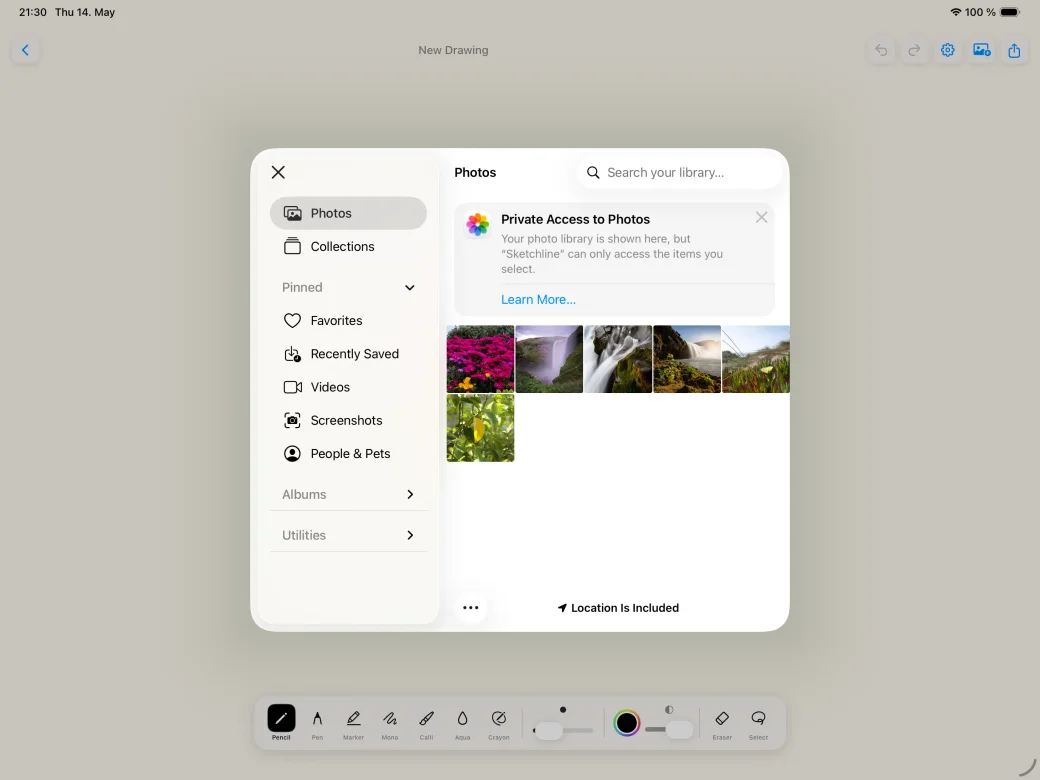
Sketchline ships with nine carefully tuned brushes: pencil, pen, marker, monoline, fountain pen, watercolor, crayon, eraser, and selection. Each one translates the physical properties of your Apple Pencil into a distinct stroke character — not just a different texture applied on top of a generic line.
APPLE PENCIL PRO, FULLY SUPPORTED
Hover previews the cursor before ink touches the screen. Barrel roll rotates the brush angle in real time, making calligraphy and hatching feel natural. Double-tap switches tools instantly. Squeeze activates the eraser. Haptic feedback confirms every path completion and tool change, closing the gap between digital and physical.
YOUR DRAWINGS, YOUR FORMAT
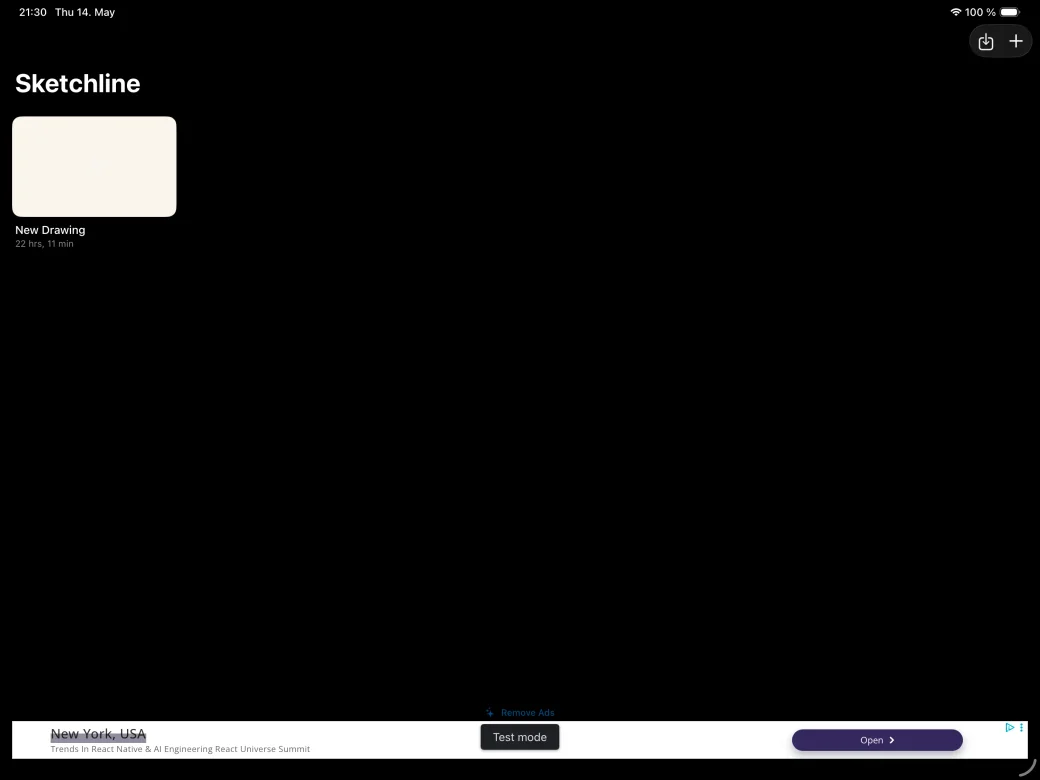
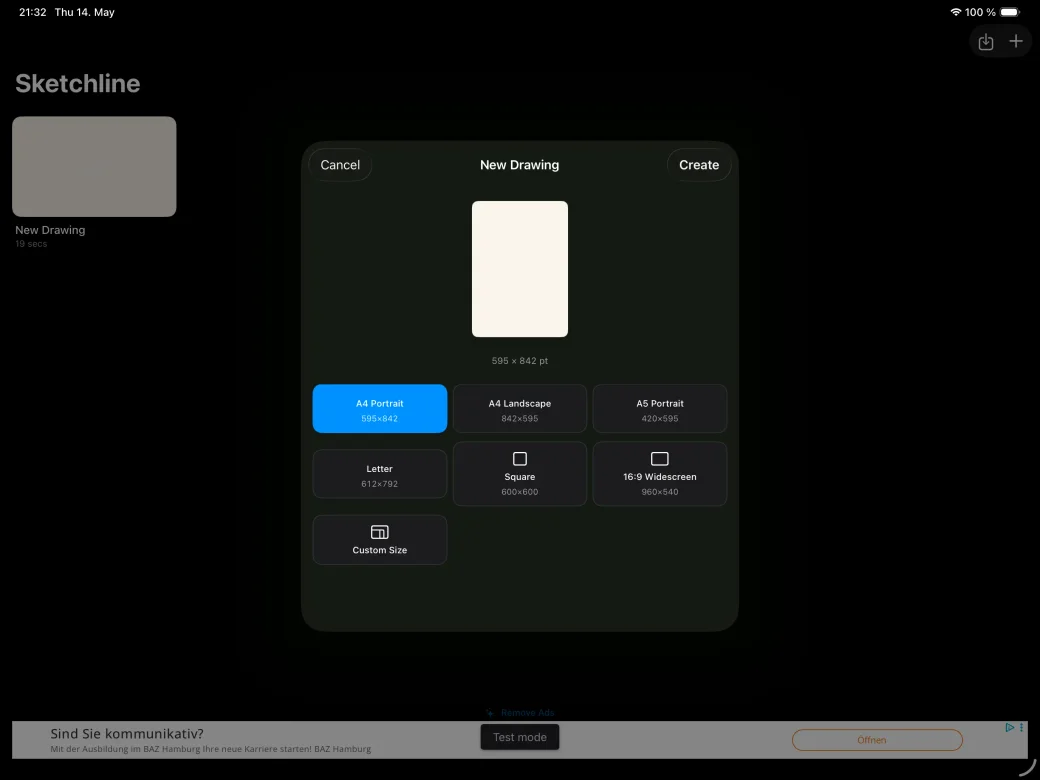
Create canvases in any size — portrait, landscape, square, or custom dimensions. The paper is a warm cream tone that reduces eye strain and makes colors read more accurately. Pinch to zoom up to 5× for fine detail work.
BRING YOUR PHOTOS IN
Import any photo from your library and place it on the canvas. Sketchline uses on-device machine learning to remove the background with one tap — no account, no cloud, no subscription required for this feature.
SAVE AND EXPORT EVERYWHERE
Every stroke is saved automatically. Export your work as PNG or PDF, or save it directly to your Photos library. Sketchline also uses a native .sketchline file format that preserves full drawing fidelity, background images, and canvas settings — open it from Files, share it with collaborators, or archive it for later.
GALLERY THAT GROWS WITH YOU
All your drawings live in a clean grid gallery sorted by last modified. Rename, duplicate, or delete with a long press. Everything is stored on-device with SwiftData — fast, private, no account needed.
FREE TO USE
Sketchline is free. A small banner ad appears at the bottom of the canvas. Once per day, a brief interstitial may appear when returning to the gallery. A one-time subscription removes all ads permanently — no other features are locked.
Sketchline requires iPadOS 17 or later. Apple Pencil Pro, Apple Pencil (2nd generation), or Apple Pencil (USB-C) recommended.
Terms of Use (EULA): https://www.apple.com/legal/internet-services/itunes/dev/stdeula/
Privasi aplikasi
Yang dinyatakan Achim Braml di App Store tentang cara aplikasi ini menangani data.
-
Data yang digunakan untuk melacak Anda
Dapat digunakan untuk melacak Anda di aplikasi dan situs web milik perusahaan lain.
- Lokasi
- Pengenal
- Data penggunaan
-
Data yang tidak ditautkan dengan Anda
Dapat dikumpulkan, tetapi tidak ditautkan dengan identitas Anda.
- Lokasi
- Pengenal
- Data penggunaan
- Diagnostik
Praktik privasi dapat bervariasi, misalnya berdasarkan fitur yang Anda gunakan atau usia Anda.
Informasi
- Penjual
- Achim Braml
- Kategori
- Grafik & Desain
- Versi
- 1.2.3
- Diperbarui
- 30/5/2026
- Dirilis
- 30/5/2026
- Ukuran
- 4,7 MB
- Memerlukan
- iOS 26.0 atau yang lebih baru
- Batasan usia
- 4+
- Harga
- Gratis
- Pembelian dalam aplikasi
- Ya
- Bahasa
- Inggris, Prancis, Jerman, Spanyol
- Hak cipta
- © 2025–2026 Achim Braml. All rights reserved.
Mungkin Anda juga suka
-
 Gridline: Grid & Value StudyGrafik & Desain
-
 Studio Grid: Drawing GridGrafik & Desain
-
 Drawing Grid Maker: GridValueGrafik & Desain
-
 refs.Grafik & Desain
-
 Chiser: Photo to Sketch AIGrafik & Desain
-
 Artivate — Draw with FriendsGrafik & Desain
-
 Grid Maker: Kisi untuk GambarDari foto ke sketsa di kertas
-
 Exsto: Concept Art SketchingGrafik & Desain
-
 Das BrushGrafik & Desain
-
 AR Drawing: Trace, Draw SketchGrafik & Desain