
- Batasan usia4+
- KategoriProduktivitas
- PengembangEidosMedia
- BahasaInggris+ 3 lainnya
- Ukuran160,8 MB
Tertaut ke halaman resmi App Store
Download.org tidak menyimpan file Swing Mobile apa pun. Tombol ini membuka halaman aplikasi di App Store, tempat EidosMedia menerbitkannya. Halaman terakhir diperiksa pada 25/11/2026.
Tangkapan layar

Tentang
Pengembang belum menyediakan teks ini dalam bahasa Anda.
Media-rich mobile storytelling
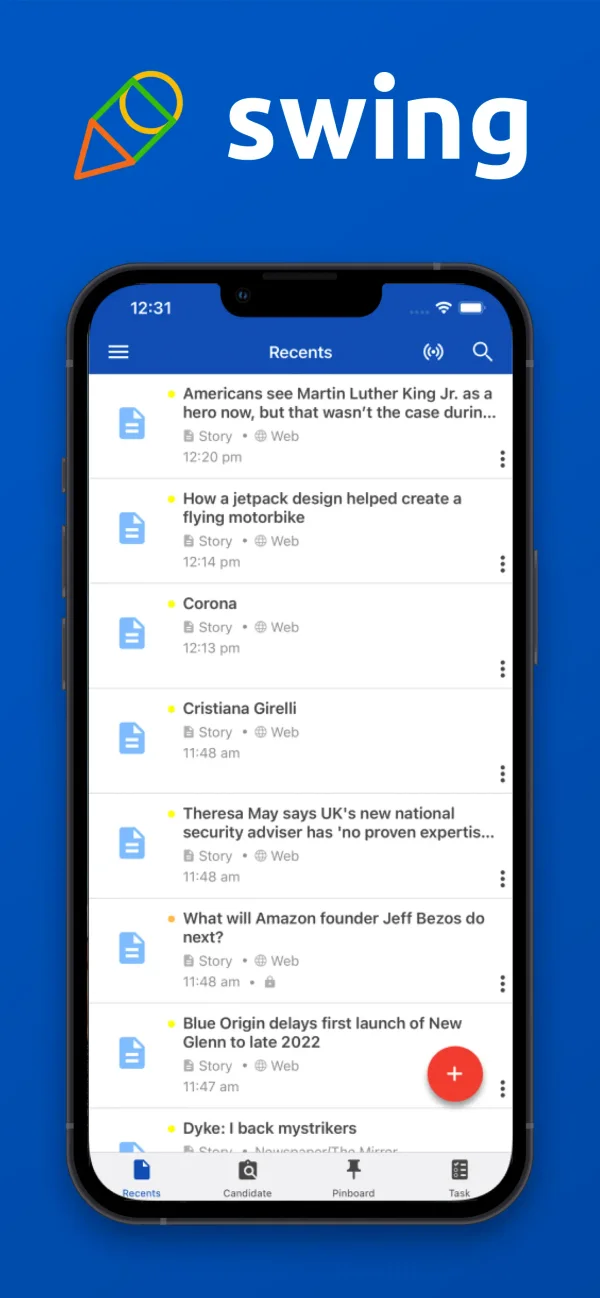
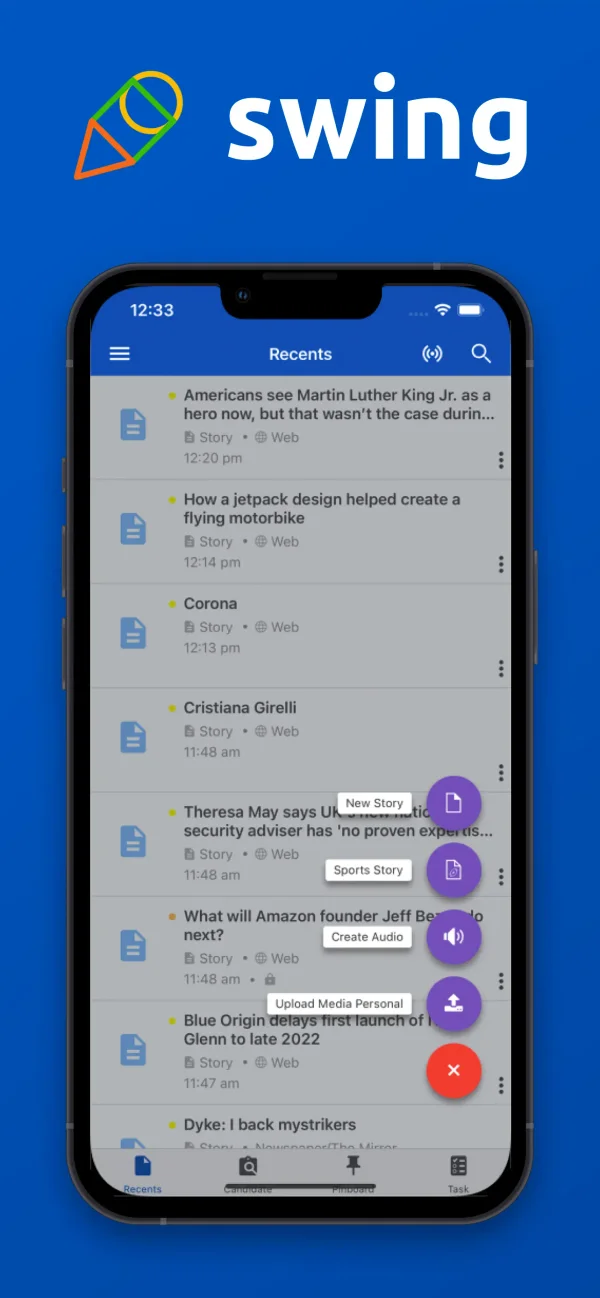
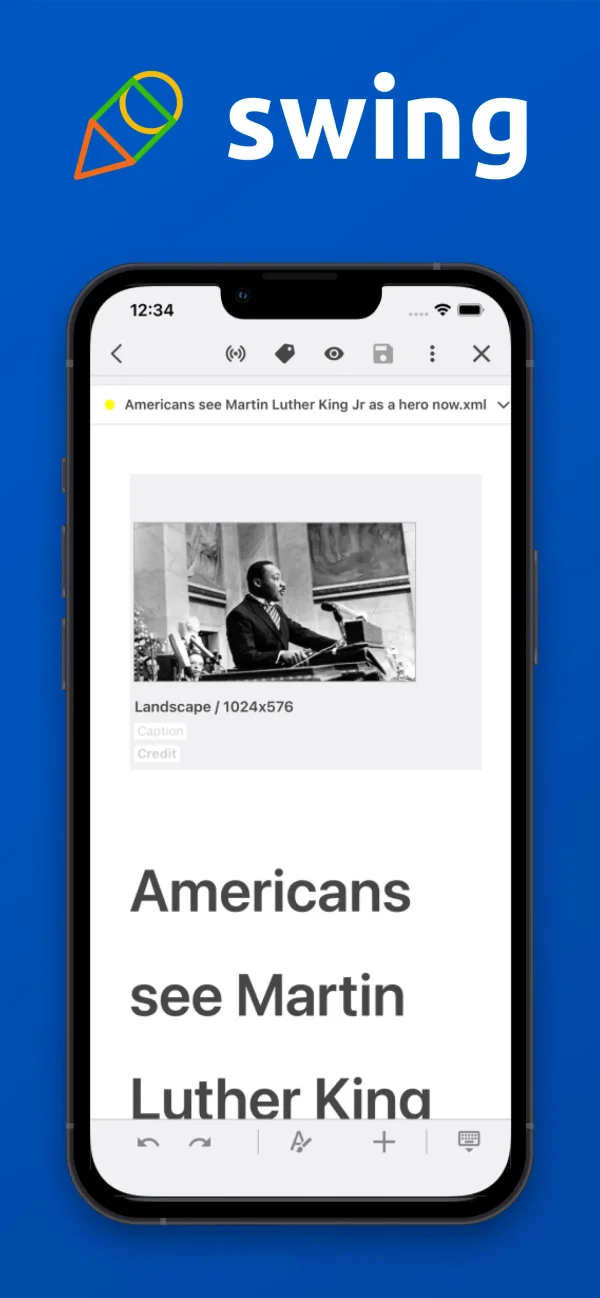
Swing Mobile creates a rich media workspace for users on the move by harnessing the power and ergonomics of the modern smartphone. Using manual or voice input, authors create a story in a simple template, insert photo or video content from their local device or online sources and release the story directly into the editorial workflow.
Speak your story
Mobile authors often must work in conditions where conventional text entry is difficult. Swing Mobile allows story copy to be dictated into the story template by using the remote device’s powerful native speech-to-text engines.
Content entered in this way can be quickly ‘cleaned up’ and prepared for release using Swing Mobile’s simple, intuitive editing and formatting tools. Inserting media - Photos, videos and other media are inserted into the story body from the smartphone’s internal libraries or directly from the device’s cameras. Alternatively, users may use media from newsroom sources. Locating and inserting assets into the story is done using simple tap and drag actions. Users can choose between different embedding modes, thus making an advance contribution to the layout of the story.
Staying on the same page
Task assignments, messaging and notifications integrate Swing Mobile users into the editorial process, coordinating the work of team members across multiple locations. Access to assets - Swing Mobile’s search and sourcing functions give access to a wide range of editorial resources, such as production databases, archives and agency feeds.
An ergonomic workspace
Space is is short supply on a smartphone display. Swing Mobile uses space-saving devices like contextual buttons and menus to make the most of the display area. Screen sequences are simple and clearly labelled to make for easy navigation between workspaces. Working offline - In network mode, Swing Mobile works seamlessly with the newsroom environment, automatically synchronizing stories and assets. If the user expects to go offline at any time, a collection of assets can be selected and ‘checked out’. These will be locked and downloaded so that they are available for offline use. As soon as network connectivity is restored, the assets can be checked back into the online workflow.
Native performance
Swing Mobile is built using native components to obtain the maximum speed of execution from the powerful processors in modern smartphones. It also provides direct access to the device’s cameras, microphones and voice functions, optimizing the performance of these components.
Yang baru
Versi 1.2026.11 · 24/11/2026
Upgraded the app core libraries for improved performance and stability.
Fixed some bugs.
Privasi aplikasi
Yang dinyatakan EidosMedia di App Store tentang cara aplikasi ini menangani data.
-
Data tidak dikumpulkan
Pengembang tidak mengumpulkan data apa pun dari aplikasi ini.
Praktik privasi dapat bervariasi, misalnya berdasarkan fitur yang Anda gunakan atau usia Anda.
Informasi
- Penjual
- EidosMedia S.p.A.
- Kategori
- Produktivitas
- Versi
- 1.2026.11
- Diperbarui
- 24/11/2026
- Dirilis
- 21/1/2020
- Ukuran
- 160,8 MB
- Memerlukan
- iOS 16.4 atau yang lebih baru
- Batasan usia
- 4+
- Harga
- Gratis
- Bahasa
- Inggris, Prancis, Jerman, Italia
- Hak cipta
- © 2000 - 2026 Eidosmedia S.p.A. - All Rights Reserved
Mungkin Anda juga suka
-
 Prediktor Kelembaban Dalam RuaPerkirakan Kelembaban Di Dalam
-
 Karo: Tasks, Todo List PlannerProduktivitas
-
 TrintProduktivitas
-
 dvPrompter PlusProduktivitas
-
 ComplyFlow Live AccessProduktivitas
-
 The Official Prado GuideProduktivitas
-
 SafeGuardianProduktivitas
-
 BedOut Now - Alarm Bangun PagiSekali bunyi, langsung bangun
-
 Vpin|網路影片學習輔助工具Produktivitas
-
 ScooberProduktivitas