
- Age rating4+
- CategoryProductivity
- DeveloperEidosMedia
- LanguagesEnglish+ 3 more
- Size160.8 MB
Links to the official App Store page
Download.org hosts no file of Swing Mobile. The button opens its official App Store page, published by EidosMedia. Listing last checked on Nov 25, 2026.
Screenshots

About
Media-rich mobile storytelling
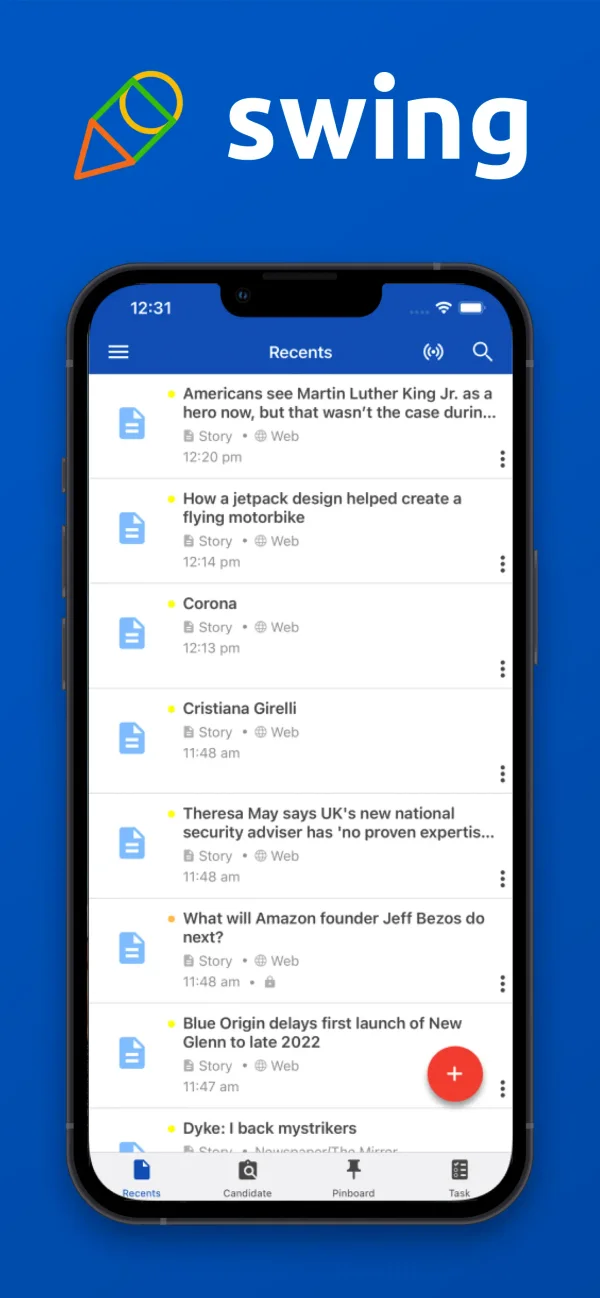
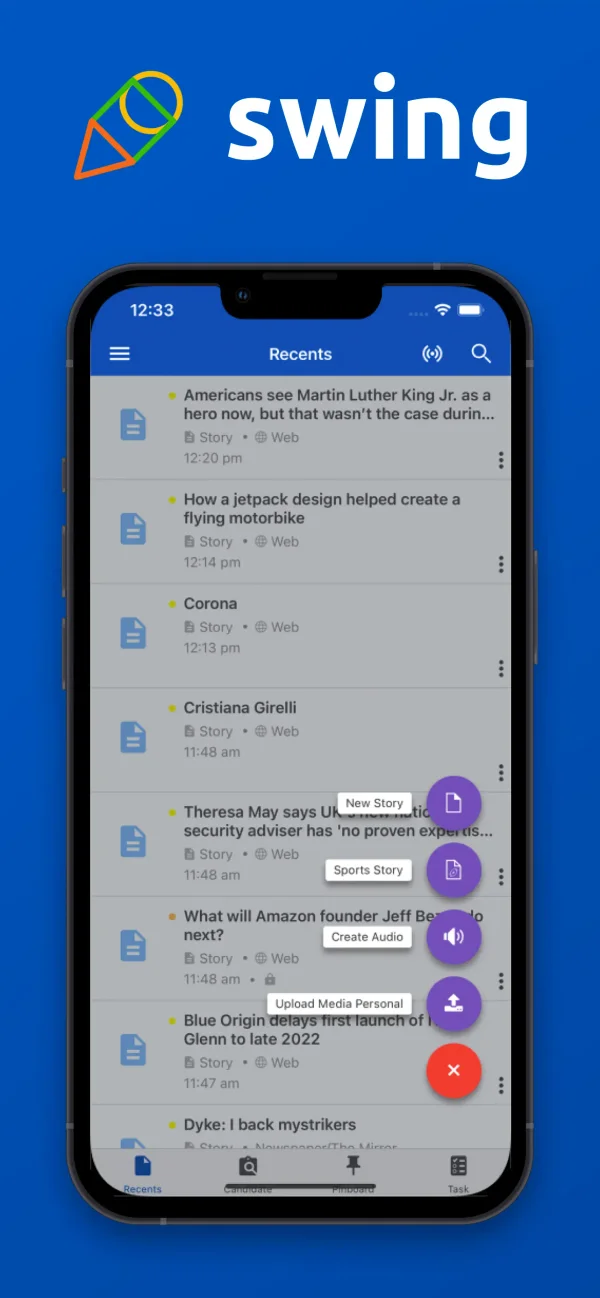
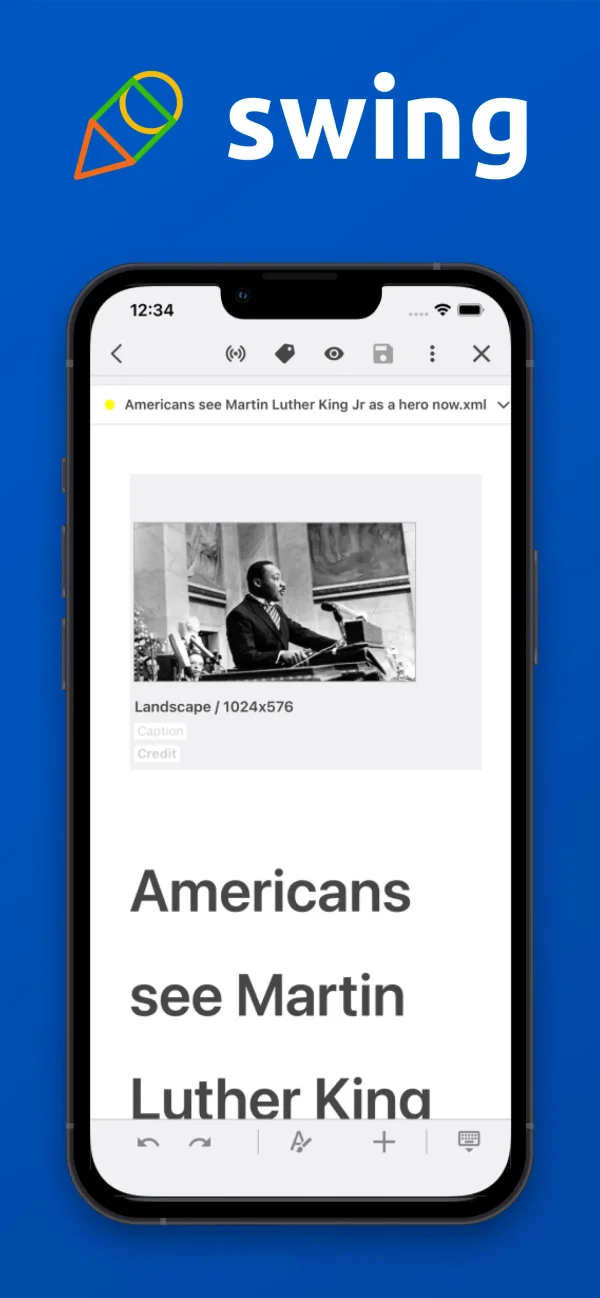
Swing Mobile creates a rich media workspace for users on the move by harnessing the power and ergonomics of the modern smartphone. Using manual or voice input, authors create a story in a simple template, insert photo or video content from their local device or online sources and release the story directly into the editorial workflow.
Speak your story
Mobile authors often must work in conditions where conventional text entry is difficult. Swing Mobile allows story copy to be dictated into the story template by using the remote device’s powerful native speech-to-text engines.
Content entered in this way can be quickly ‘cleaned up’ and prepared for release using Swing Mobile’s simple, intuitive editing and formatting tools. Inserting media - Photos, videos and other media are inserted into the story body from the smartphone’s internal libraries or directly from the device’s cameras. Alternatively, users may use media from newsroom sources. Locating and inserting assets into the story is done using simple tap and drag actions. Users can choose between different embedding modes, thus making an advance contribution to the layout of the story.
Staying on the same page
Task assignments, messaging and notifications integrate Swing Mobile users into the editorial process, coordinating the work of team members across multiple locations. Access to assets - Swing Mobile’s search and sourcing functions give access to a wide range of editorial resources, such as production databases, archives and agency feeds.
An ergonomic workspace
Space is is short supply on a smartphone display. Swing Mobile uses space-saving devices like contextual buttons and menus to make the most of the display area. Screen sequences are simple and clearly labelled to make for easy navigation between workspaces. Working offline - In network mode, Swing Mobile works seamlessly with the newsroom environment, automatically synchronizing stories and assets. If the user expects to go offline at any time, a collection of assets can be selected and ‘checked out’. These will be locked and downloaded so that they are available for offline use. As soon as network connectivity is restored, the assets can be checked back into the online workflow.
Native performance
Swing Mobile is built using native components to obtain the maximum speed of execution from the powerful processors in modern smartphones. It also provides direct access to the device’s cameras, microphones and voice functions, optimizing the performance of these components.
What’s new
Version 1.2026.11 · Nov 24, 2026
Upgraded the app core libraries for improved performance and stability.
Fixed some bugs.
App privacy
What EidosMedia declares on the App Store about how this app handles data.
-
Data not collected
The developer does not collect any data from this app.
Privacy practices may vary, for example with the features you use or your age.
Information
- Seller
- EidosMedia S.p.A.
- Category
- Productivity
- Version
- 1.2026.11
- Updated
- Nov 24, 2026
- Released
- Jan 21, 2020
- Size
- 160.8 MB
- Requires
- iOS 16.4 or later
- Age rating
- 4+
- Price
- Free
- Languages
- English, French, German, Italian
- Copyright
- © 2000 - 2026 Eidosmedia S.p.A. - All Rights Reserved
You might also like
-
 Indoor Humidity PredictorEstimate Humidity Inside
-
 Karo: Tasks, Todo List PlannerDaily Personal, Shared Manager
-
 TrintCapture, Create, and Publish.
-
 dvPrompter PlusProductivity
-
 ComplyFlow Live AccessProductivity
-
 The Official Prado GuideProductivity
-
 SafeGuardianProductivity
-
 BedOut Now - Wake Up EarlyWake up early, stop snoozing
-
 Vpin|網路影片學習輔助工具90 分鐘精華 3 分鐘掌握,創作者認證 AI 摘要
-
 ScooberProductivity