- Batasan usia4+
- KategoriKegunaan
- PengembangAkihiro Sakai
- BahasaInggris+ 1 lainnya
- Ukuran1,5 MB
Tertaut ke halaman resmi App Store
Download.org tidak menyimpan file Takeline View apa pun. Tombol ini membuka halaman aplikasi di App Store, tempat Akihiro Sakai menerbitkannya. Halaman terakhir diperiksa pada 12/11/2026.
Tangkapan layar

Tentang
Pengembang belum menyediakan teks ini dalam bahasa Anda.
Takeline View keeps the script and the paperwork of a shoot on your iPhone. It's built for the people on set: production, the assistant directors and the cast. It reads scripts with the same scene analysis as Takeline, the video assist tool for Mac and iPad.
YOUR SCRIPT, ORGANIZED FROM A PDF
• Finds every scene heading with its number, location, time of day and page
• The scene list shows the time of day, pages and characters of each scene
• The scene you read last is marked, and the list opens where you left off
THREE WAYS TO READ A SCENE
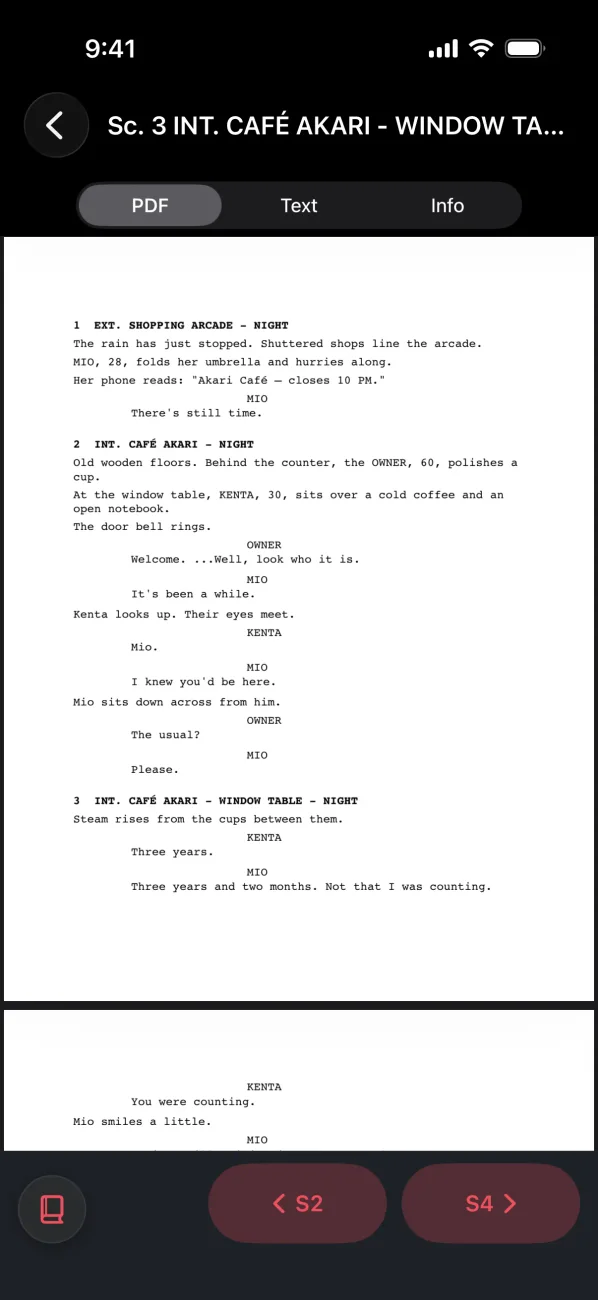
• PDF: the scene's page of the script, as written
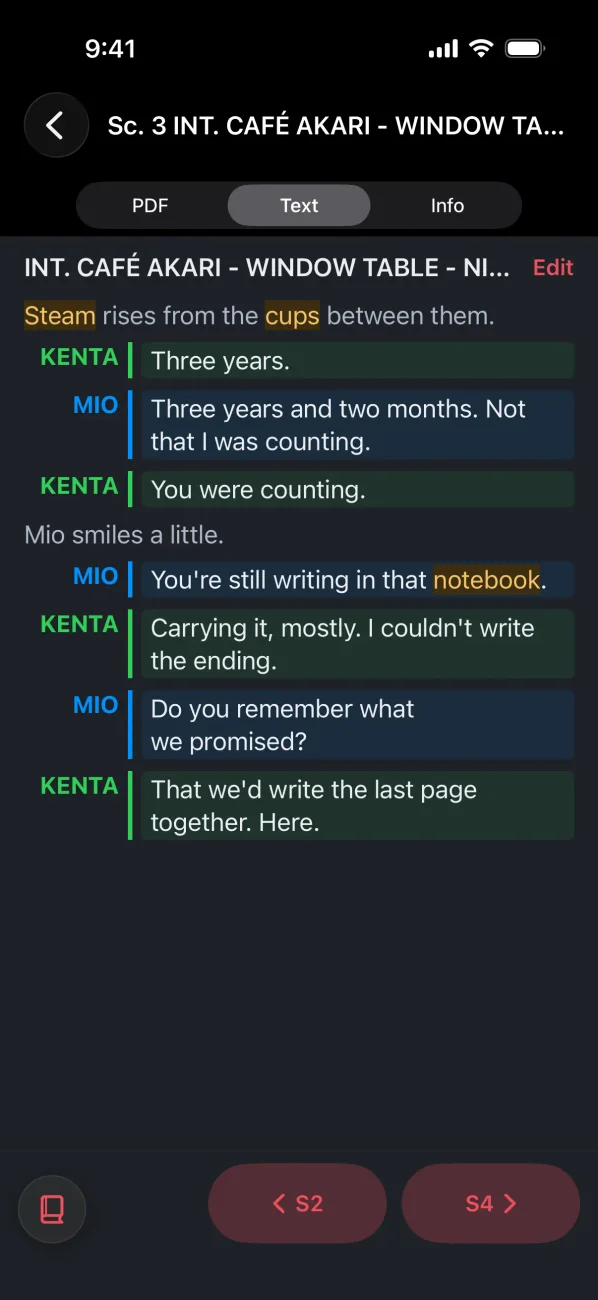
• Text: dialogue colored by character, names in action lines in bold, props and continuity highlighted
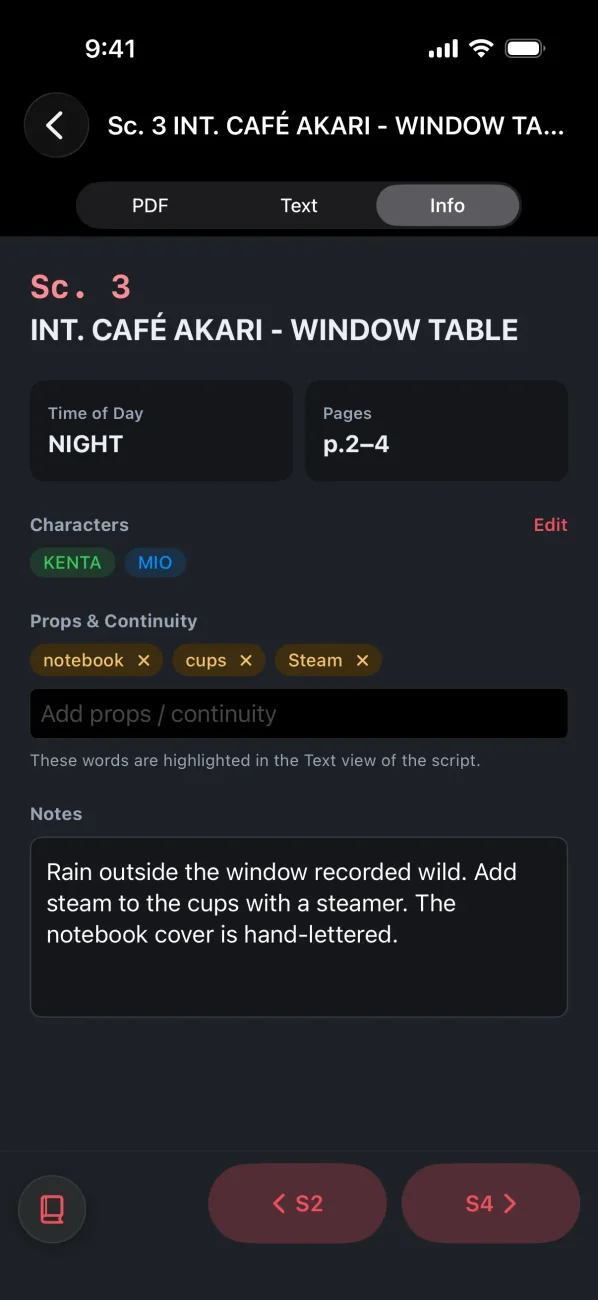
• Info: time of day, pages, characters, props and continuity, and notes
• Step to the previous or next scene from the bottom of the screen
CHARACTERS, PROPS AND NOTES
• Characters are found from the dialogue, and you can correct them
• Add props and continuity notes, and those words are highlighted in the script
• Keep a note for each scene: blocking, reminders, anything you need on the day
MATERIALS THAT LINK TO THE SCRIPT
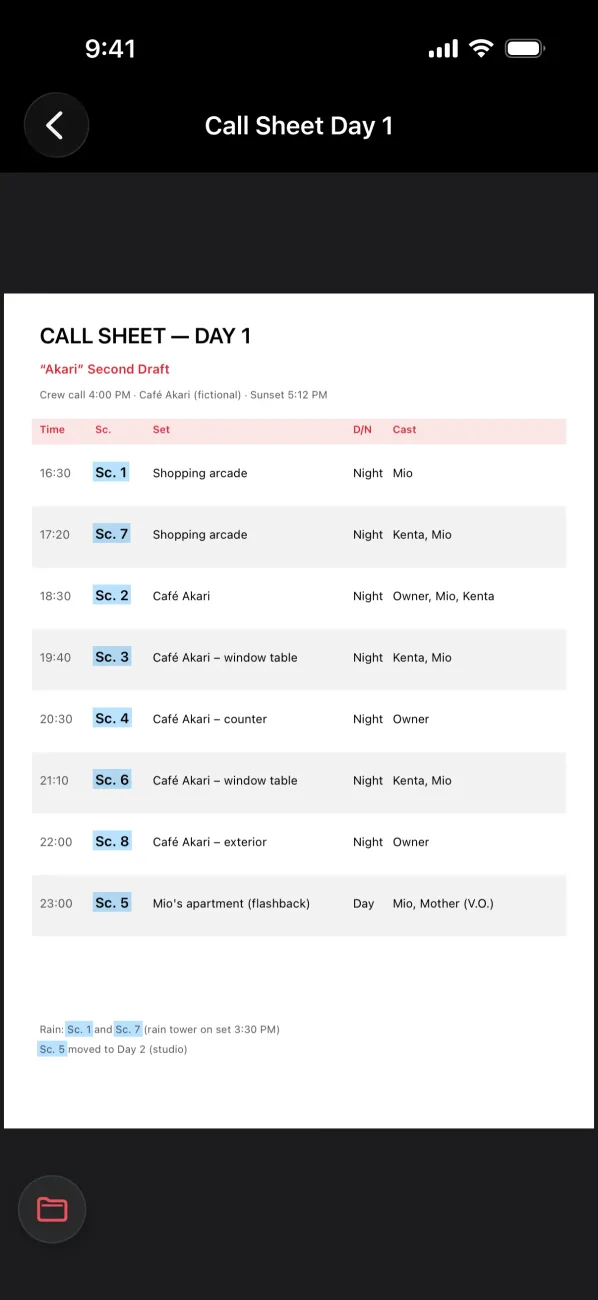
• Keep call sheets, floor plans, location maps and other PDFs and images with the project
• Tap a scene number in a PDF ("Sc. 12", "#12", "S#12") to open that scene of the script
MADE FOR THE SET
• A dark design that's easy on the eyes on a dark set
• Works upright and sideways
• Switch pages any time from the button at the bottom left
Projects are saved in the Files app under On My iPhone → Takeline View. There is no account, and nothing is sent anywhere.
Privacy Policy:https://sakai-filmworks.net/takeline-view-privacy/
Yang baru
Versi 1.2 · 10/11/2026
New
- Export parsed text as PDF: The script page's "…" menu can now export the parsed script text as a PDF. Scene headings are decorated with their scene colour and tags, and dialogue is colour-coded per character, just as on screen. Props and continuity notes are highlighted, and each scene starts on a new page.
- Shooting locations: A new Locations tab in Materials keeps each location's name, address, Google Maps link and notes in one place. Tap a location to open it in Google Maps.
- Address links in material PDFs: Addresses in material PDFs are detected and linked to Google Maps. Long-press an address to add it to Locations or open it in Google Maps. When you add it, the place name written near the address is picked up too.
Improved
- Photo grid thumbnails now show about three across on iPhone and larger on iPad.
Privasi aplikasi
Yang dinyatakan Akihiro Sakai di App Store tentang cara aplikasi ini menangani data.
-
Data tidak dikumpulkan
Pengembang tidak mengumpulkan data apa pun dari aplikasi ini.
Praktik privasi dapat bervariasi, misalnya berdasarkan fitur yang Anda gunakan atau usia Anda.
Informasi
- Penjual
- Akihiro Sakai
- Kategori
- Kegunaan
- Versi
- 1.2
- Diperbarui
- 10/11/2026
- Dirilis
- 30/10/2026
- Ukuran
- 1,5 MB
- Memerlukan
- iOS 17.0 atau yang lebih baru
- Batasan usia
- 4+
- Harga
- Gratis
- Bahasa
- Inggris, Jepang
- Hak cipta
- © Akihiro Sakai/Sakai Filmworks