Takeline View
Your script, scene by scene
iPhone, iPad için tasarlandı
Ücretsiz
- Yaş sınırı4+
- KategoriYardımcılar
- GeliştiriciAkihiro Sakai
- Dillerİngilizce+ 1 dil daha
- Boyut1,5 MB
Resmi App Store sayfasına bağlanır
Download.org, Takeline View için hiçbir dosya barındırmaz. Düğme, uygulamanın App Store üzerindeki sayfasını açar; uygulamayı orada Akihiro Sakai yayınlar. Sayfanın son kontrolü: 12.11.2026.
Ekran görüntüleri

Hakkında
Geliştirici bu metni dilinizde sunmamış.
Takeline View keeps the script and the paperwork of a shoot on your iPhone. It's built for the people on set: production, the assistant directors and the cast. It reads scripts with the same scene analysis as Takeline, the video assist tool for Mac and iPad.
YOUR SCRIPT, ORGANIZED FROM A PDF
• Finds every scene heading with its number, location, time of day and page
• The scene list shows the time of day, pages and characters of each scene
• The scene you read last is marked, and the list opens where you left off
THREE WAYS TO READ A SCENE
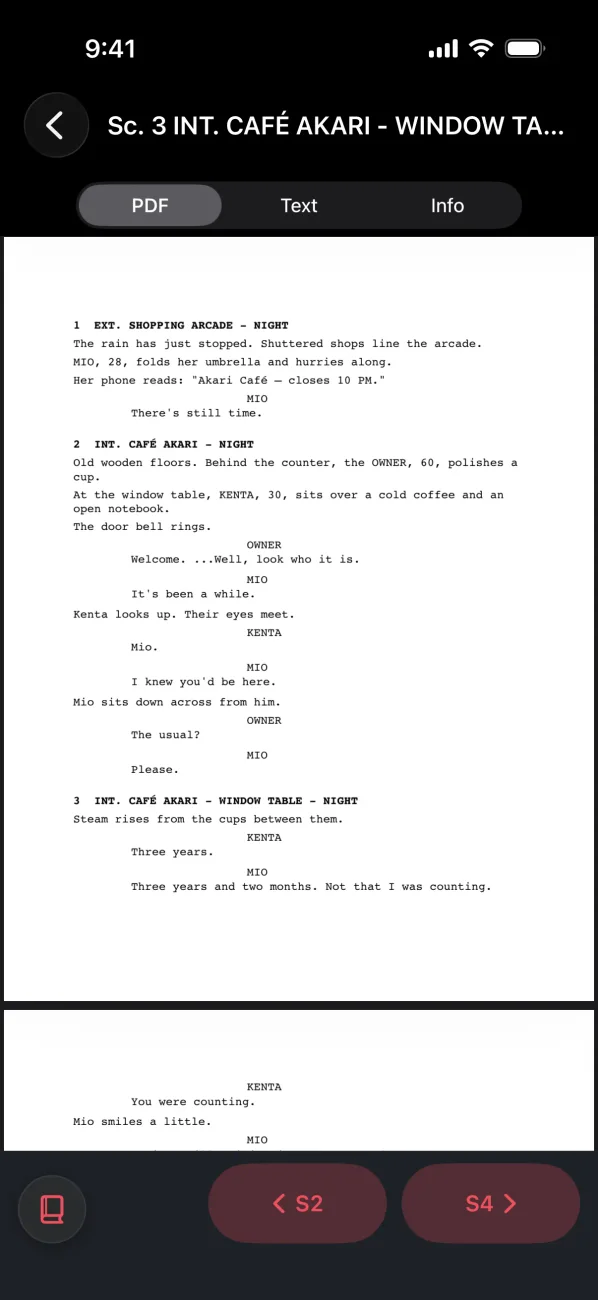
• PDF: the scene's page of the script, as written
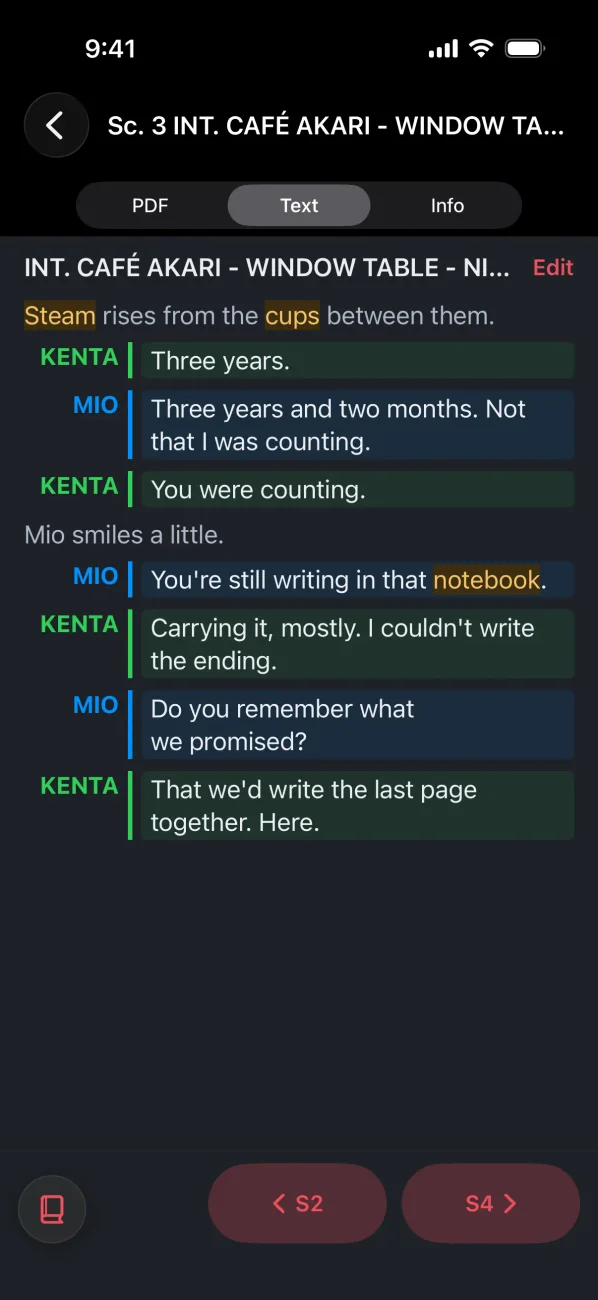
• Text: dialogue colored by character, names in action lines in bold, props and continuity highlighted
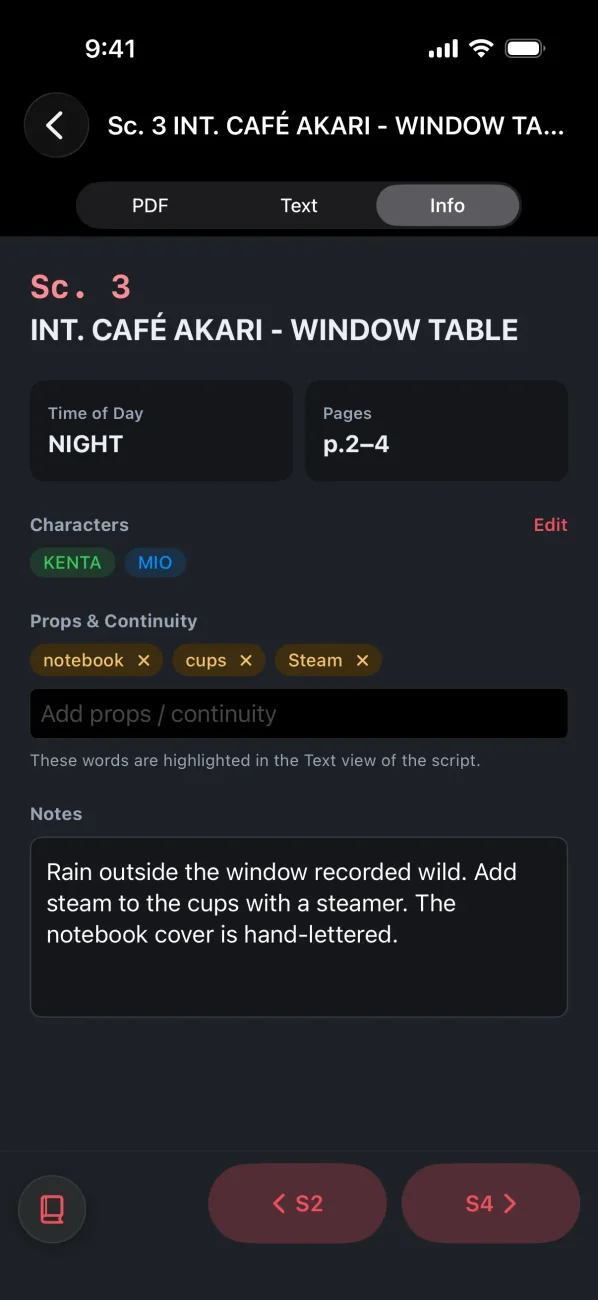
• Info: time of day, pages, characters, props and continuity, and notes
• Step to the previous or next scene from the bottom of the screen
CHARACTERS, PROPS AND NOTES
• Characters are found from the dialogue, and you can correct them
• Add props and continuity notes, and those words are highlighted in the script
• Keep a note for each scene: blocking, reminders, anything you need on the day
MATERIALS THAT LINK TO THE SCRIPT
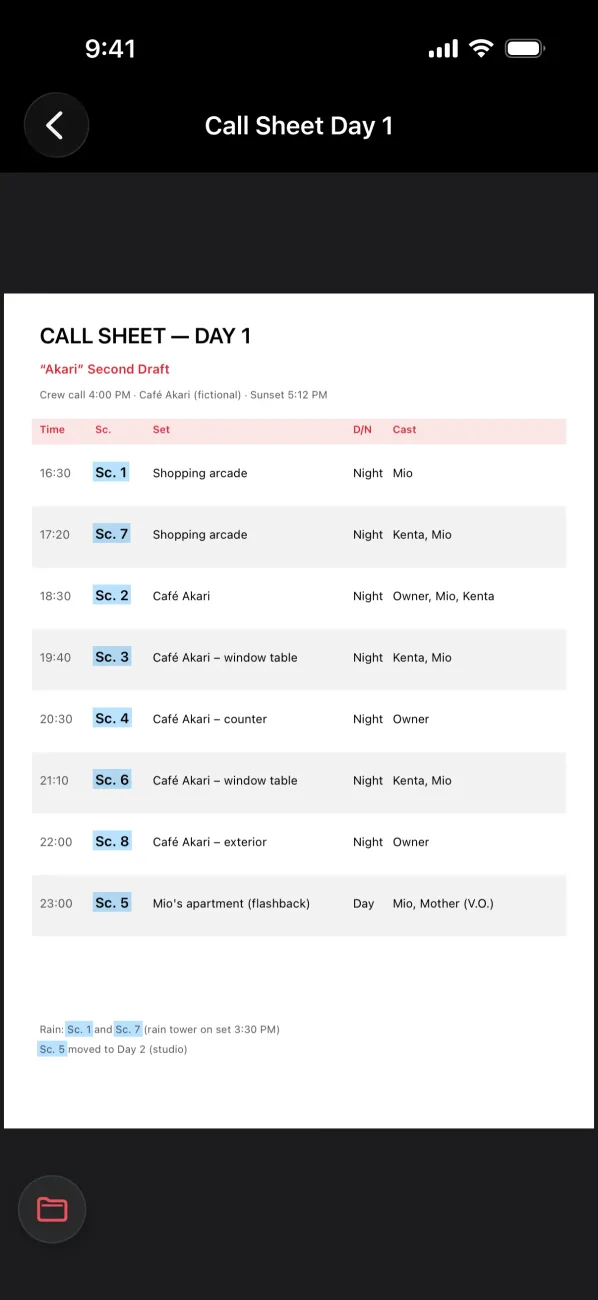
• Keep call sheets, floor plans, location maps and other PDFs and images with the project
• Tap a scene number in a PDF ("Sc. 12", "#12", "S#12") to open that scene of the script
MADE FOR THE SET
• A dark design that's easy on the eyes on a dark set
• Works upright and sideways
• Switch pages any time from the button at the bottom left
Projects are saved in the Files app under On My iPhone → Takeline View. There is no account, and nothing is sent anywhere.
Privacy Policy:https://sakai-filmworks.net/takeline-view-privacy/
Yenilikler
Sürüm 1.2 · 10.11.2026
New
- Export parsed text as PDF: The script page's "…" menu can now export the parsed script text as a PDF. Scene headings are decorated with their scene colour and tags, and dialogue is colour-coded per character, just as on screen. Props and continuity notes are highlighted, and each scene starts on a new page.
- Shooting locations: A new Locations tab in Materials keeps each location's name, address, Google Maps link and notes in one place. Tap a location to open it in Google Maps.
- Address links in material PDFs: Addresses in material PDFs are detected and linked to Google Maps. Long-press an address to add it to Locations or open it in Google Maps. When you add it, the place name written near the address is picked up too.
Improved
- Photo grid thumbnails now show about three across on iPhone and larger on iPad.
Uygulama gizliliği
Bu uygulamanın verileri nasıl işlediği hakkında Akihiro Sakai tarafından App Store üzerinde yapılan beyan.
-
Veri toplanmıyor
Geliştirici bu uygulamadan hiçbir veri toplamıyor.
Gizlilik uygulamaları, örneğin kullandığınız özelliklere veya yaşınıza göre değişiklik gösterebilir.
Bilgiler
- Satıcı
- Akihiro Sakai
- Kategori
- Yardımcılar
- Sürüm
- 1.2
- Güncellendi
- 10.11.2026
- Yayın tarihi
- 30.10.2026
- Boyut
- 1,5 MB
- Gereksinim
- iOS 17.0 veya sonrası
- Yaş sınırı
- 4+
- Fiyat
- Ücretsiz
- Diller
- İngilizce, Japonca
- Telif hakkı
- © Akihiro Sakai/Sakai Filmworks