
- Batasan usia4+
- KategoriPendidikan
- PengembangInfo Lounge Corporation
- BahasaJepang+ 1 lainnya
- Ukuran35,9 MB
Tertaut ke halaman resmi App Store
Download.org tidak menyimpan file TASUC Steps apa pun. Tombol ini membuka halaman aplikasi di App Store, tempat Info Lounge Corporation menerbitkannya. Halaman terakhir diperiksa pada 12/11/2026.
Tangkapan layar
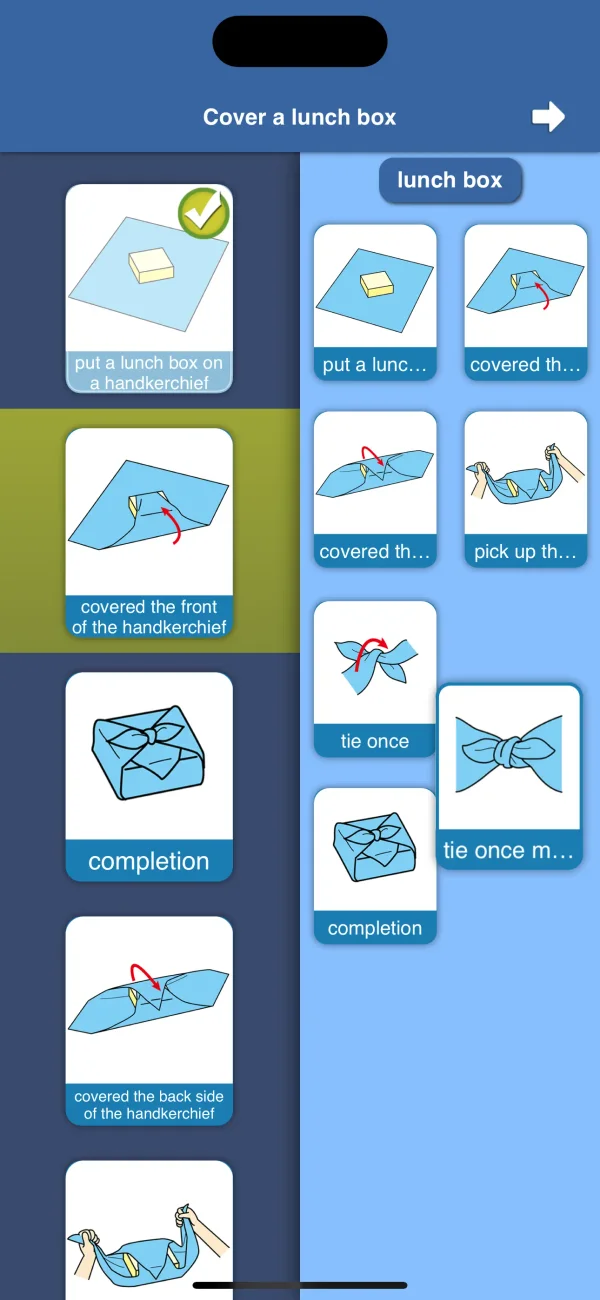
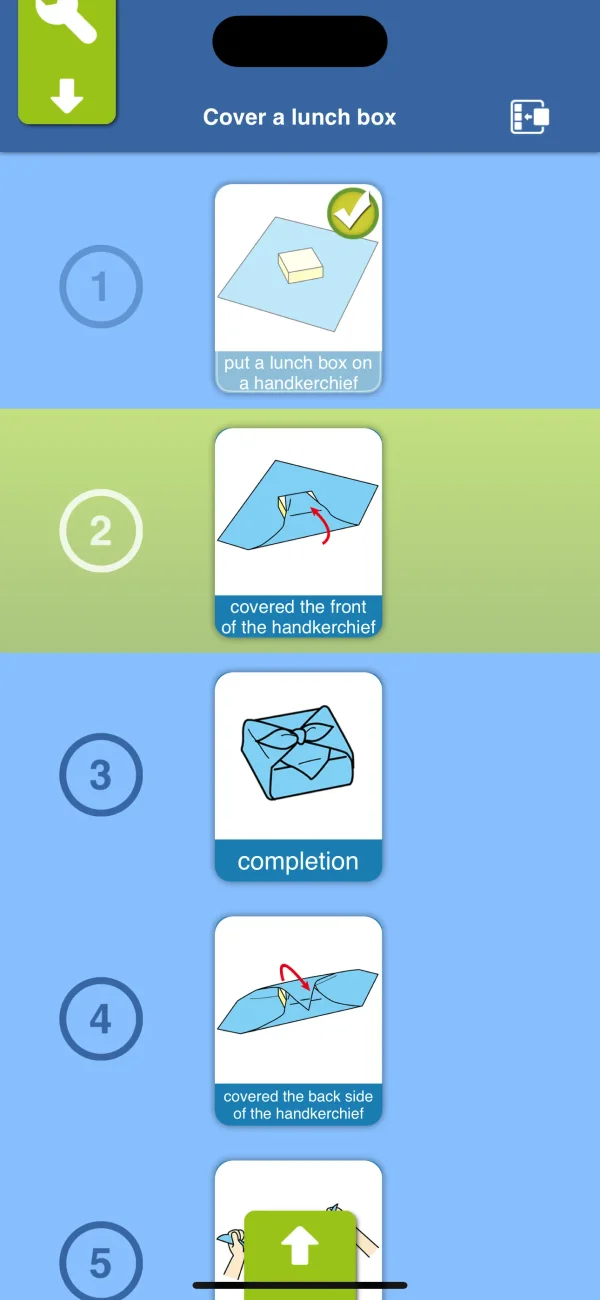
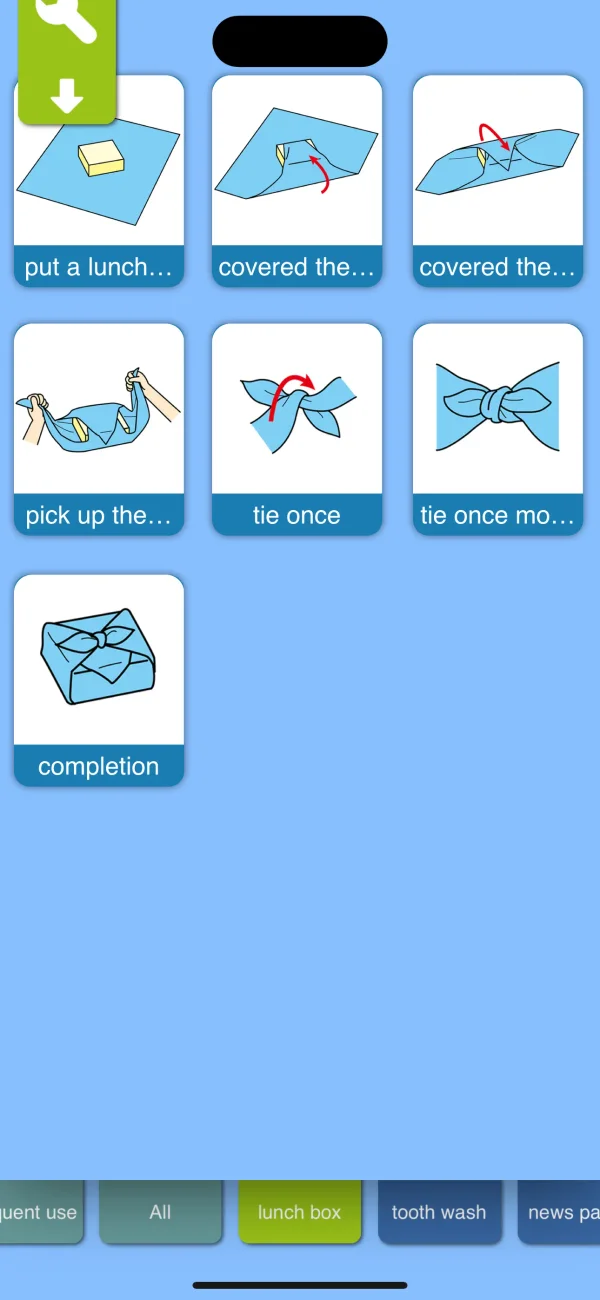
Tentang
Pengembang belum menyediakan teks ini dalam bahasa Anda.
"TASUC Steps" is a procedure manual maker with picture-based cards. Simple, intuitive, stressless user interface of "TASUC Steps" supply easy understanding "What to do next?" for verbally disabled children and people with developmental disabilities such as autism, and of course for ordinary children and adults as well.
Usage shown on http://apps.tasuc.com/ 'Usage'. You can watch manual movies on YouTube.
The initial cards don't include voices. Please enter 'Your' voice.
------------Functions-----------
- Toolbar -
You can jump to 'Top', 'Talk', 'Gallery', 'Create a card', 'Settings' views.
- Views -
1. Top
You can jump to 'Steps', 'Gallery', 'Help(Web)' views.
2. Steps (Make, check a "STEPS")
You can make manual of a procedure with picture-card.
2-1. Display Mode
2-1-1. A card is focsued by tapping. The voice is played.
2-1-2. A card is closed up by long press. If the card's visual is movie, it plays.
2-1-3. One 'step' is done by swiping a card. The next card will be focused.
2-2. Edit Mode
2-2-1. To enter Edit Mode by tapping the icon in upper right of the view.
2-2-2. Drag and drop a card from card-list to the step canvas.
2-2-3. You can re-order cards in step canvas by dragging, and delete a card by swiping to the left.
2-3. Save Mode
2-3-1. Appear Save View by tapping the bottom of the view.
2-3-2. You can select 'STEPS' (saves).
2-3-3. Swipe a 'STEPS' enter the edit mode(re-name, delete)
3. Gallery
You can show card list and some edits
3-1. Play voice by tapping a card
3-2. Jump to 'Card Edit' by double tapping a card
3-3. Reorder in a page, move and copy a card to another page, delete a card from a page by draging.
3-4. You can also edit page data at this view.
4. Card Edit, Create A Card
You can edit a selected card or make a new card
4-1. Edit card name, select pages, record voice and make card visual
4-2. Card visual is created by album in device, using a camera or text
4-3. Both photo and movie are available for card visual.
5. Settings
You can change settings
5-1. You can change settings are 'Sound', 'Text position of card name', 'Language of cards', 'Card edit Lock', 'Cards in a row'.
5-2. Rename page name, reorder, add or delete it.
5-3. You can lock editting steps.
5-4. Rename 'step' name, reorder, add or delete it.
5-5. Database initizalization is inizialize card data to first run condition.
5-6. Lock of 'Settings'. Passcode is required for unlock.
Yang baru
Versi 1.3.0 · 24/5/2024
Support latest iOS version.
Privasi aplikasi
Yang dinyatakan Info Lounge Corporation di App Store tentang cara aplikasi ini menangani data.
-
Data tidak dikumpulkan
Pengembang tidak mengumpulkan data apa pun dari aplikasi ini.
Praktik privasi dapat bervariasi, misalnya berdasarkan fitur yang Anda gunakan atau usia Anda.
Informasi
- Penjual
- Info Lounge Corporation
- Kategori
- Pendidikan
- Versi
- 1.3.0
- Diperbarui
- 24/5/2024
- Dirilis
- 27/6/2013
- Ukuran
- 35,9 MB
- Memerlukan
- iOS 15.5 atau yang lebih baru
- Batasan usia
- 4+
- Harga
- Rp 179ribu
- Bahasa
- Jepang, Inggris
- Hak cipta
- © 2013 TASUC Inc. & Info Lounge LLC All rights reserved.
Mungkin Anda juga suka
-
 ADOC-SPendidikan
-
 きもちPendidikan
-
 ひらがな・カタカナスクリーニングPendidikan
-
 COSMOPendidikan
-
 視線で動画を再生しよう!EyeMoviePlayer!!Pendidikan
-
 DropTapPendidikan
-
 視線入力!EyeCommunicationVT(縦向き)!!Pendidikan
-
 視線でお絵かき!EyePictureHz!!(横向き専用)Pendidikan
-
 英作文が身につくアプリ! BT WritingPendidikan
-
 Shadowing Bahasa Inggris·HanasShadowing & pelafalan AI