
- Độ tuổi4+
- Danh mụcGiáo Dục
- Nhà phát triểnInfo Lounge Corporation
- Ngôn ngữTiếng Nhật+ 1 ngôn ngữ khác
- Kích thước35,9 MB
Liên kết đến trang App Store chính thức
Download.org không lưu trữ tệp nào của TASUC Steps. Nút này mở trang ứng dụng trên App Store, nơi Info Lounge Corporation phát hành ứng dụng. Trang được kiểm tra lần cuối: 12/11/2026.
Ảnh chụp màn hình
Giới thiệu
Nhà phát triển chưa cung cấp nội dung này bằng ngôn ngữ của bạn.
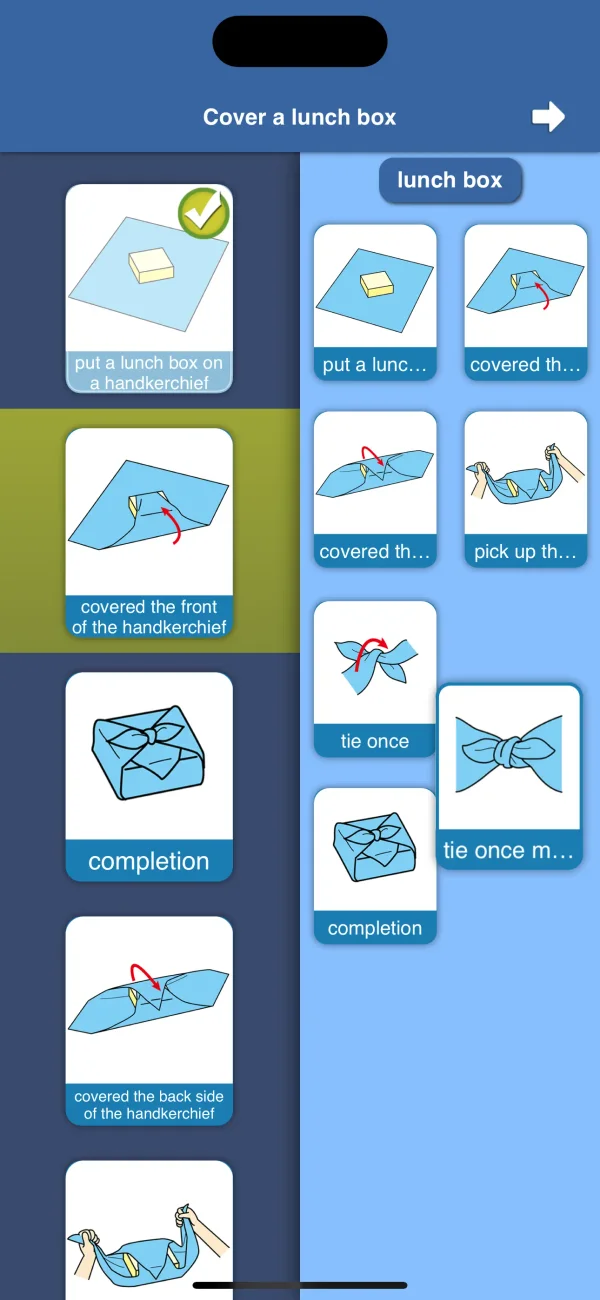
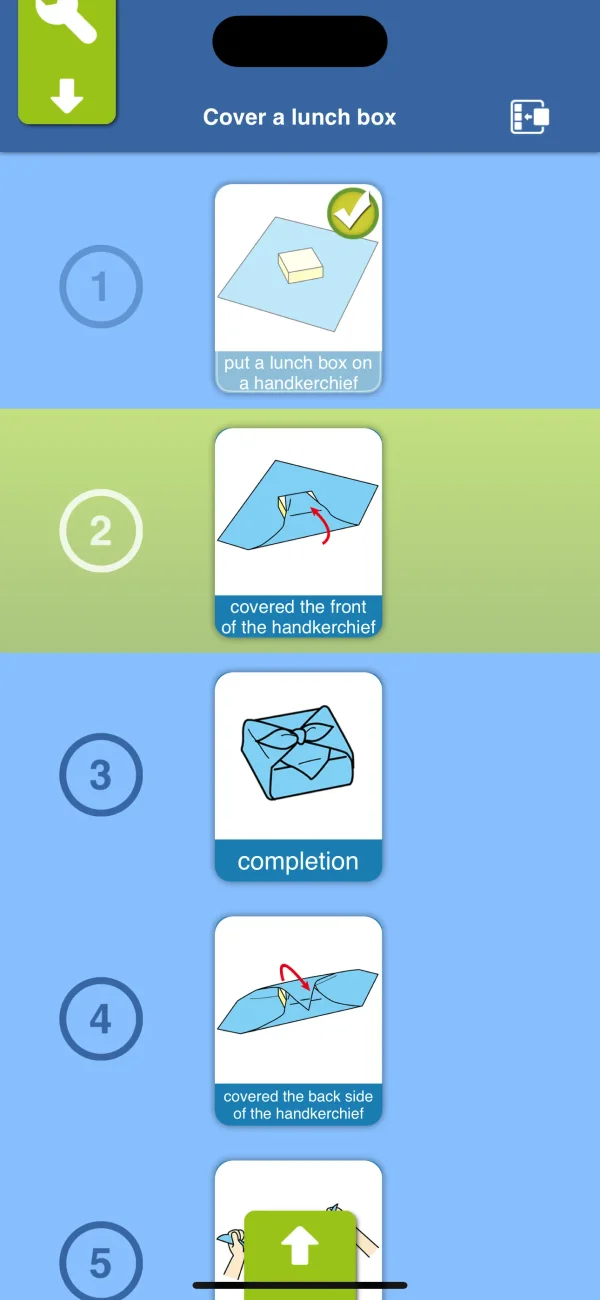
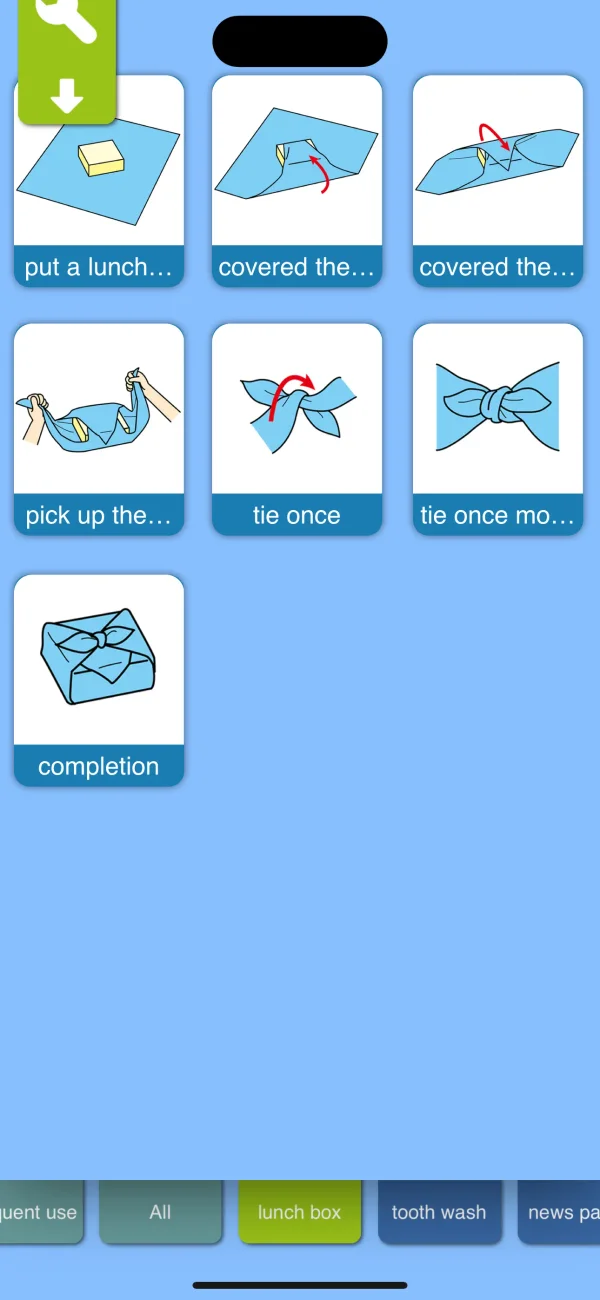
"TASUC Steps" is a procedure manual maker with picture-based cards. Simple, intuitive, stressless user interface of "TASUC Steps" supply easy understanding "What to do next?" for verbally disabled children and people with developmental disabilities such as autism, and of course for ordinary children and adults as well.
Usage shown on http://apps.tasuc.com/ 'Usage'. You can watch manual movies on YouTube.
The initial cards don't include voices. Please enter 'Your' voice.
------------Functions-----------
- Toolbar -
You can jump to 'Top', 'Talk', 'Gallery', 'Create a card', 'Settings' views.
- Views -
1. Top
You can jump to 'Steps', 'Gallery', 'Help(Web)' views.
2. Steps (Make, check a "STEPS")
You can make manual of a procedure with picture-card.
2-1. Display Mode
2-1-1. A card is focsued by tapping. The voice is played.
2-1-2. A card is closed up by long press. If the card's visual is movie, it plays.
2-1-3. One 'step' is done by swiping a card. The next card will be focused.
2-2. Edit Mode
2-2-1. To enter Edit Mode by tapping the icon in upper right of the view.
2-2-2. Drag and drop a card from card-list to the step canvas.
2-2-3. You can re-order cards in step canvas by dragging, and delete a card by swiping to the left.
2-3. Save Mode
2-3-1. Appear Save View by tapping the bottom of the view.
2-3-2. You can select 'STEPS' (saves).
2-3-3. Swipe a 'STEPS' enter the edit mode(re-name, delete)
3. Gallery
You can show card list and some edits
3-1. Play voice by tapping a card
3-2. Jump to 'Card Edit' by double tapping a card
3-3. Reorder in a page, move and copy a card to another page, delete a card from a page by draging.
3-4. You can also edit page data at this view.
4. Card Edit, Create A Card
You can edit a selected card or make a new card
4-1. Edit card name, select pages, record voice and make card visual
4-2. Card visual is created by album in device, using a camera or text
4-3. Both photo and movie are available for card visual.
5. Settings
You can change settings
5-1. You can change settings are 'Sound', 'Text position of card name', 'Language of cards', 'Card edit Lock', 'Cards in a row'.
5-2. Rename page name, reorder, add or delete it.
5-3. You can lock editting steps.
5-4. Rename 'step' name, reorder, add or delete it.
5-5. Database initizalization is inizialize card data to first run condition.
5-6. Lock of 'Settings'. Passcode is required for unlock.
Có gì mới
Phiên bản 1.3.0 · 24/05/2024
Support latest iOS version.
Quyền riêng tư của ứng dụng
Những gì Info Lounge Corporation khai báo trên App Store về cách ứng dụng này xử lý dữ liệu.
-
Dữ liệu không được thu thập
Nhà phát triển không thu thập bất kỳ dữ liệu nào từ ứng dụng này.
Phương thức đảm bảo quyền riêng tư có thể khác nhau, chẳng hạn như tuỳ theo các tính năng bạn sử dụng hoặc độ tuổi của bạn.
Thông tin
- Người bán
- Info Lounge Corporation
- Danh mục
- Giáo Dục
- Phiên bản
- 1.3.0
- Cập nhật
- 24/05/2024
- Phát hành
- 27/06/2013
- Kích thước
- 35,9 MB
- Yêu cầu
- iOS 15.5 trở lên
- Độ tuổi
- 4+
- Giá
- 299.000đ
- Ngôn ngữ
- Tiếng Nhật, Tiếng Anh
- Bản quyền
- © 2013 TASUC Inc. & Info Lounge LLC All rights reserved.