Teleprompter: Script & Camera
Voice Scroll Video Prompter
Dirancang untuk iPhone, iPad
Gratis · Pembelian dalam aplikasi
- Batasan usia4+
- KategoriFoto & Video
- PengembangObsidian Stone
- BahasaJerman+ 12 lainnya
- Ukuran15,8 MB
Tertaut ke halaman resmi App Store
Download.org tidak menyimpan file Teleprompter: Script & Camera apa pun. Tombol ini membuka halaman aplikasi di App Store, tempat Obsidian Stone menerbitkannya. Halaman terakhir diperiksa pada 14/11/2026.
Tangkapan layar
Tentang
Pengembang belum menyediakan teks ini dalam bahasa Anda.
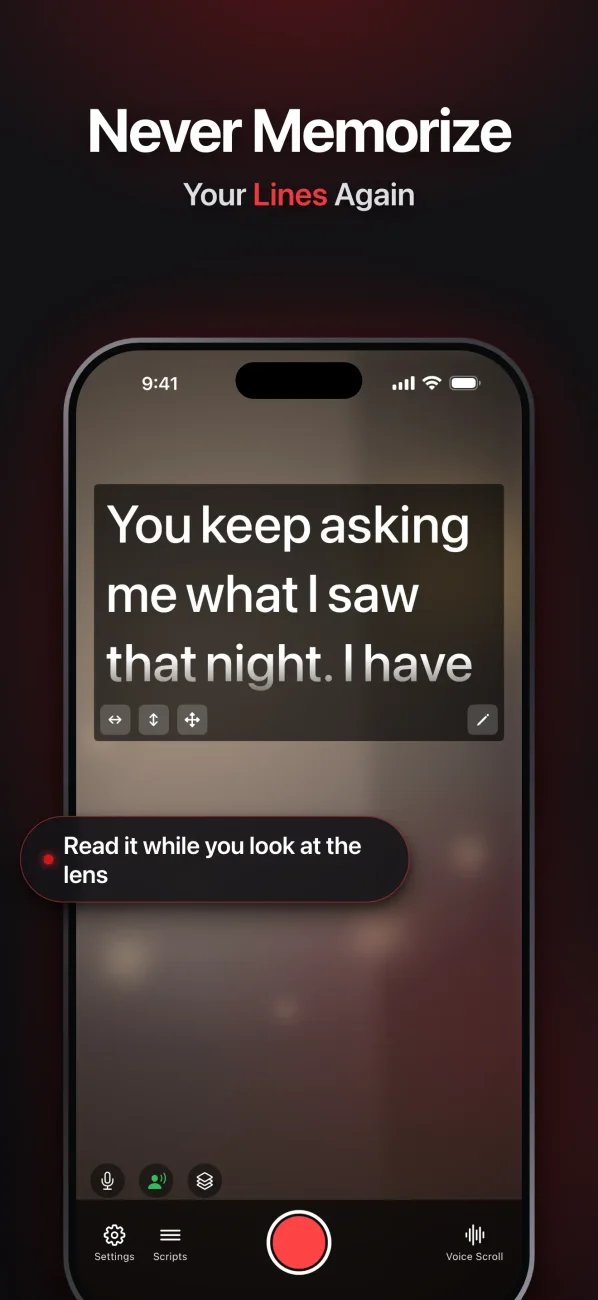
Read your script. Look at the lens. Get it in one take.
Teleprompter turns your iPhone into a real video teleprompter. Your script scrolls in a clean overlay right next to the camera, so you can read every word while still looking straight down the lens. No memorizing. No cutting around the part you forgot. No one off-screen holding cue cards.
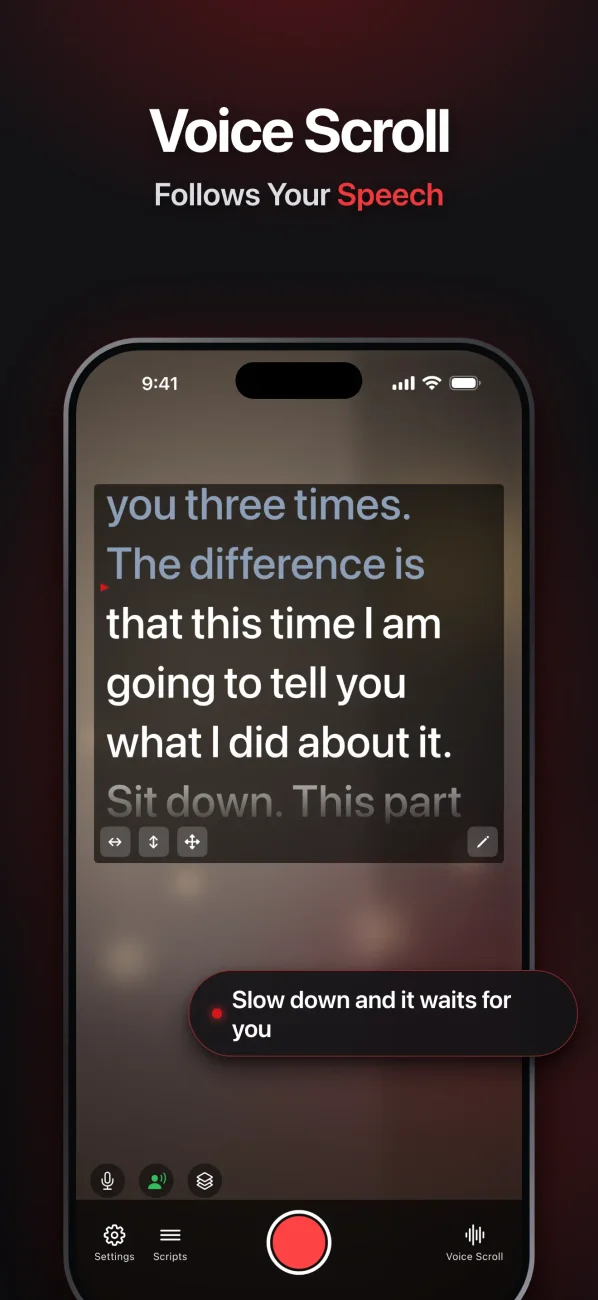
VOICE SCROLL — THE SCRIPT FOLLOWS YOU
Most teleprompter apps make you guess a scroll speed, then chase it. This one listens instead. Turn on Voice Scroll and the script advances as you speak, matching your natural pace. Slow down for emphasis and the prompter slows with you. Pause to collect a thought and it waits.
This is the difference between sounding like you're reading and sounding like you're talking.
AUTO SCROLL AT A SET PACE
Prefer a steady crawl? Switch to fixed-speed auto scroll and dial the speed in until it matches how you talk. Set it once and every take runs the same.
BUILT FOR READING ON CAMERA
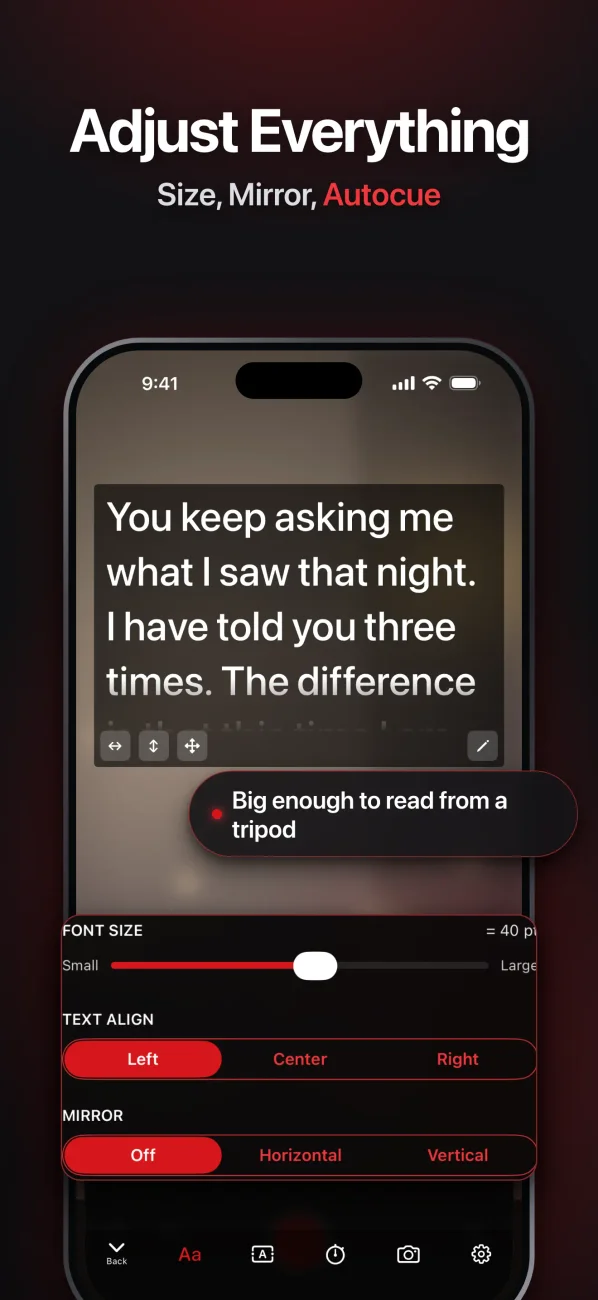
* Adjustable font size — set the text large enough to read from arm's length or a tripod
* Adjustable scroll speed for fixed-speed mode
* Semi-transparent prompter overlay sits over the live camera preview, so you can frame yourself and read at the same time
* Move and resize the prompter panel, and set how transparent it is
* Mirror mode for shooting through a glass teleprompter rig
* Countdown before recording starts, so you have time to get into position
* Front or rear camera, with a grid and quality settings
* Screen stays awake the whole time you're on the camera screen
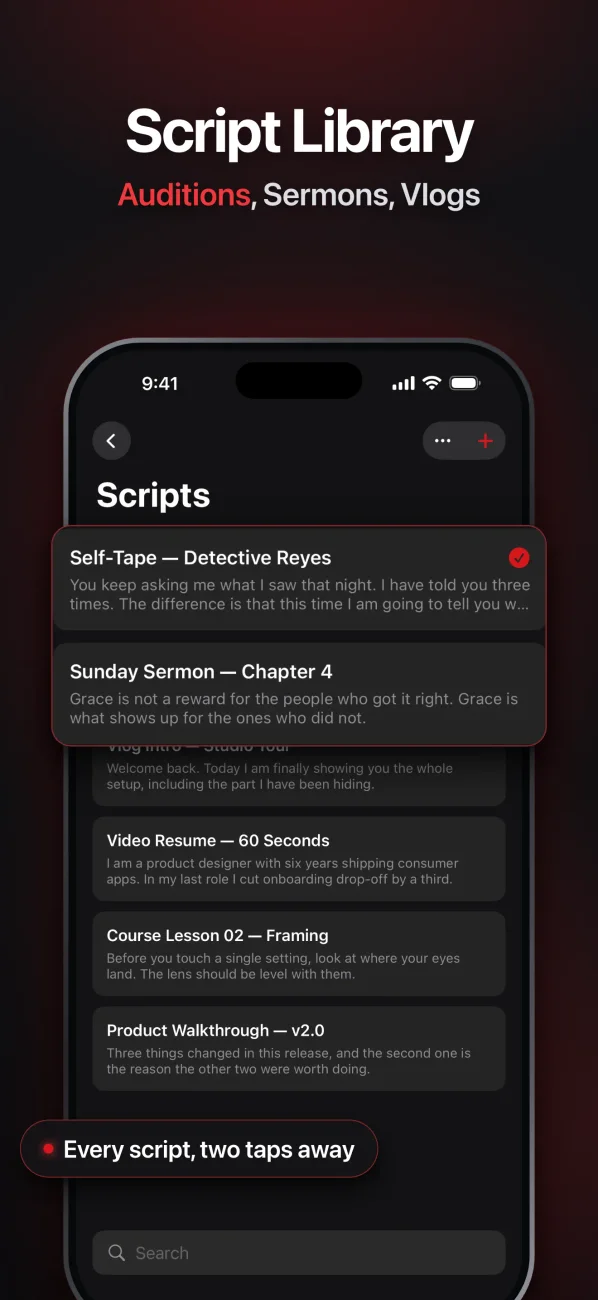
YOUR SCRIPT LIBRARY
Write or paste a script, save it, and it's there for next time. Build up a library of the scripts you use often — your intro, your pitch, your sermon, your audition sides — and pull any of them up in two taps. Edit any script whenever you want.
RECORD AND SAVE
Record with the camera while the prompter runs, review the take, and save it to your photo library when you're happy with it. Re-record as many times as you want first.
WHO USES THIS
* Creators recording talking-head videos, vlogs and short-form content
* Actors filming self-tape auditions and rehearsing lines
* Pastors and speakers running through a sermon or a talk
* Job seekers recording a video resume or an intro
* Anyone recording a company update, a product walkthrough or a course lesson
* Anyone who has ever recorded the same 30 seconds eleven times because they kept losing the thread
PRIVACY
Your scripts and your recordings stay on your device. There is no account and no sign-in. Voice Scroll uses Apple's built-in speech recognition, which runs on-device wherever your device and language support it.
PERMISSIONS
* Camera — to record video while the script scrolls
* Microphone — to record audio and to listen for Voice Scroll
* Speech Recognition — to advance the script as you speak
* Photos (add only) — to save finished recordings to your library
SUBSCRIPTION
Teleprompter is free to download. Recording requires a Teleprompter Pro subscription. The yearly plan includes a 3-day free trial.
Payment is charged to your Apple Account at confirmation of purchase. Subscriptions renew automatically unless auto-renew is turned off at least 24 hours before the end of the current period. Your account is charged for renewal within 24 hours prior to the end of the current period. Manage or cancel anytime in your Apple Account settings.
Terms of Use (EULA): https://www.apple.com/legal/internet-services/itunes/dev/stdeula/
Privacy Policy: https://obsidianstonegroup.com/privacy
Yang baru
Versi 1.3 · 8/11/2026
Bug fixes and performance improvements.
Privasi aplikasi
Yang dinyatakan Obsidian Stone di App Store tentang cara aplikasi ini menangani data.
-
Data yang tidak ditautkan dengan Anda
Dapat dikumpulkan, tetapi tidak ditautkan dengan identitas Anda.
- Pembelian
Praktik privasi dapat bervariasi, misalnya berdasarkan fitur yang Anda gunakan atau usia Anda.
Informasi
- Penjual
- Obsidian Stone LLC
- Kategori
- Foto & Video
- Versi
- 1.3
- Diperbarui
- 8/11/2026
- Dirilis
- 24/9/2026
- Ukuran
- 15,8 MB
- Memerlukan
- iOS 17.0 atau yang lebih baru
- Batasan usia
- 4+
- Harga
- Gratis
- Pembelian dalam aplikasi
- Ya
- Bahasa
- Jerman, Albanian, Inggris, Esti (Estonia), Suomi (Finlandia), Prancis, Italia, Belanda, Polski (Polandia), Portugis, Slovak (Slovakia), Slovenian + 1 lainnya
- Hak cipta
- © 2026 Obsidian Stone LLC
Mungkin Anda juga suka
-
 Teleprompter: Video & NaskahBaca dan rekam dekat kamera
-
 Promperly: Voice TeleprompterFoto & Video
-
 Offcue: Teleprompter VideoTeks Berjalan & Rekam Kamera
-
 GoScript - TeleprompterSkrip. Latihan. Rekam.
-
 Whisprompt: Voice TeleprompterFoto & Video
-
 Wispim: teleprompter suaraTeleprompter video terbaik
-
 Reflexa - TeleprompterFoto & Video
-
 FlowPrompter - AI TeleprompterFoto & Video
-
 Teleprompter: Teks BerjalanAplikasi Pembaca Naskah
-
 Teks Berjalan: TeleprompterBaca Naskah Sambil Rekam Video