
Teleprompter: Script & Camera
Voice Scroll Video Prompter
Được thiết kế cho iPhone, iPad
Miễn phí · Mua hàng trong ứng dụng
- Độ tuổi4+
- Danh mụcẢnh & Video
- Nhà phát triểnObsidian Stone
- Ngôn ngữTiếng Đức+ 12 ngôn ngữ khác
- Kích thước15,8 MB
Liên kết đến trang App Store chính thức
Download.org không lưu trữ tệp nào của Teleprompter: Script & Camera. Nút này mở trang ứng dụng trên App Store, nơi Obsidian Stone phát hành ứng dụng. Trang được kiểm tra lần cuối: 14/11/2026.
Ảnh chụp màn hình
Giới thiệu
Nhà phát triển chưa cung cấp nội dung này bằng ngôn ngữ của bạn.
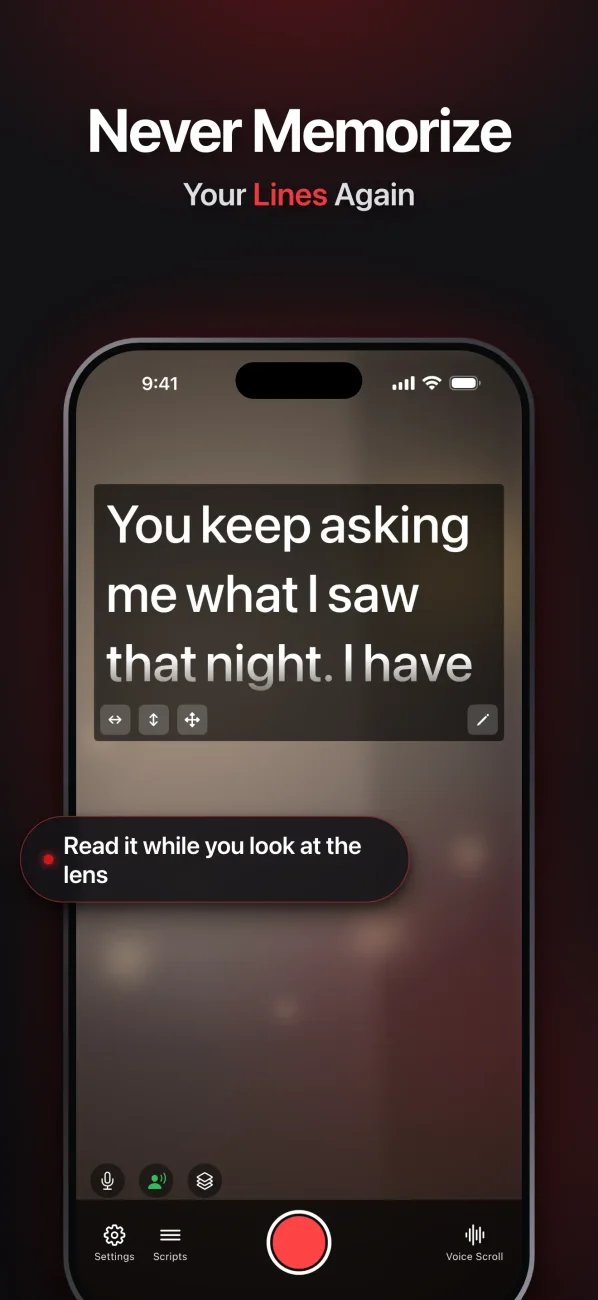
Read your script. Look at the lens. Get it in one take.
Teleprompter turns your iPhone into a real video teleprompter. Your script scrolls in a clean overlay right next to the camera, so you can read every word while still looking straight down the lens. No memorizing. No cutting around the part you forgot. No one off-screen holding cue cards.
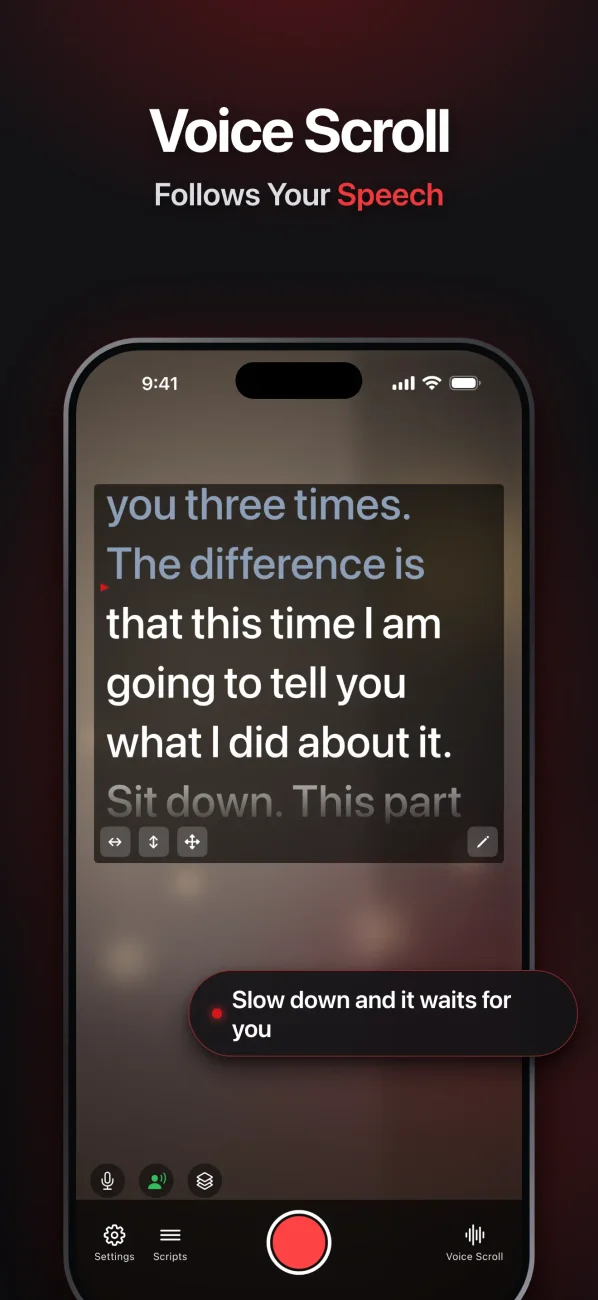
VOICE SCROLL — THE SCRIPT FOLLOWS YOU
Most teleprompter apps make you guess a scroll speed, then chase it. This one listens instead. Turn on Voice Scroll and the script advances as you speak, matching your natural pace. Slow down for emphasis and the prompter slows with you. Pause to collect a thought and it waits.
This is the difference between sounding like you're reading and sounding like you're talking.
AUTO SCROLL AT A SET PACE
Prefer a steady crawl? Switch to fixed-speed auto scroll and dial the speed in until it matches how you talk. Set it once and every take runs the same.
BUILT FOR READING ON CAMERA
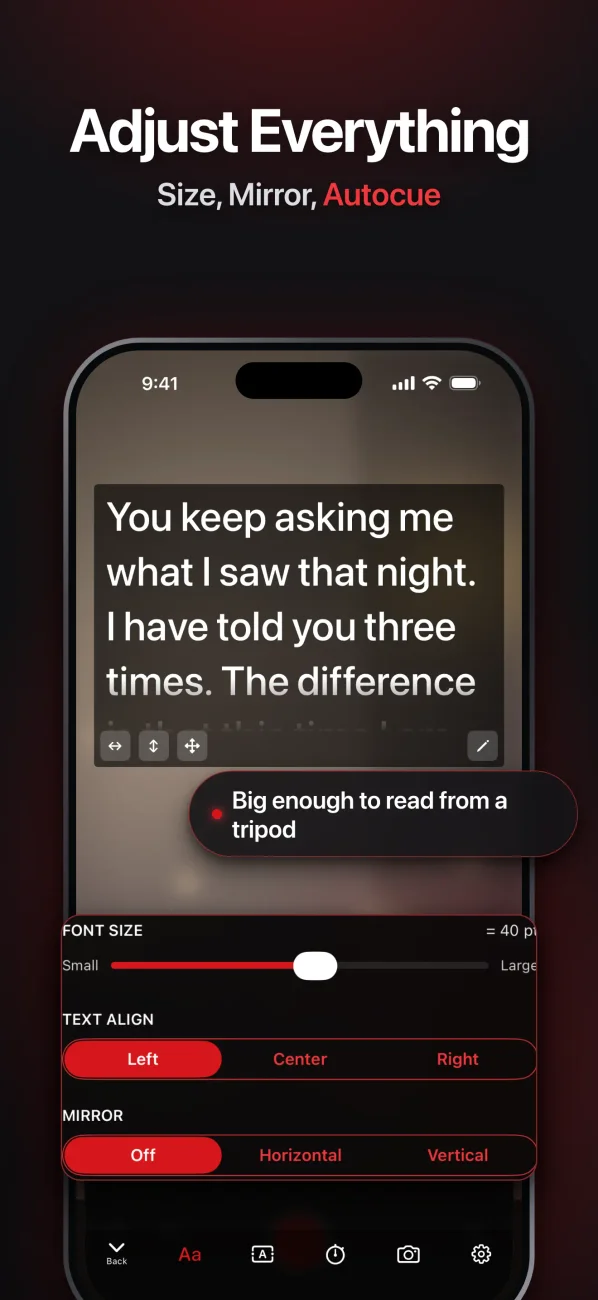
* Adjustable font size — set the text large enough to read from arm's length or a tripod
* Adjustable scroll speed for fixed-speed mode
* Semi-transparent prompter overlay sits over the live camera preview, so you can frame yourself and read at the same time
* Move and resize the prompter panel, and set how transparent it is
* Mirror mode for shooting through a glass teleprompter rig
* Countdown before recording starts, so you have time to get into position
* Front or rear camera, with a grid and quality settings
* Screen stays awake the whole time you're on the camera screen
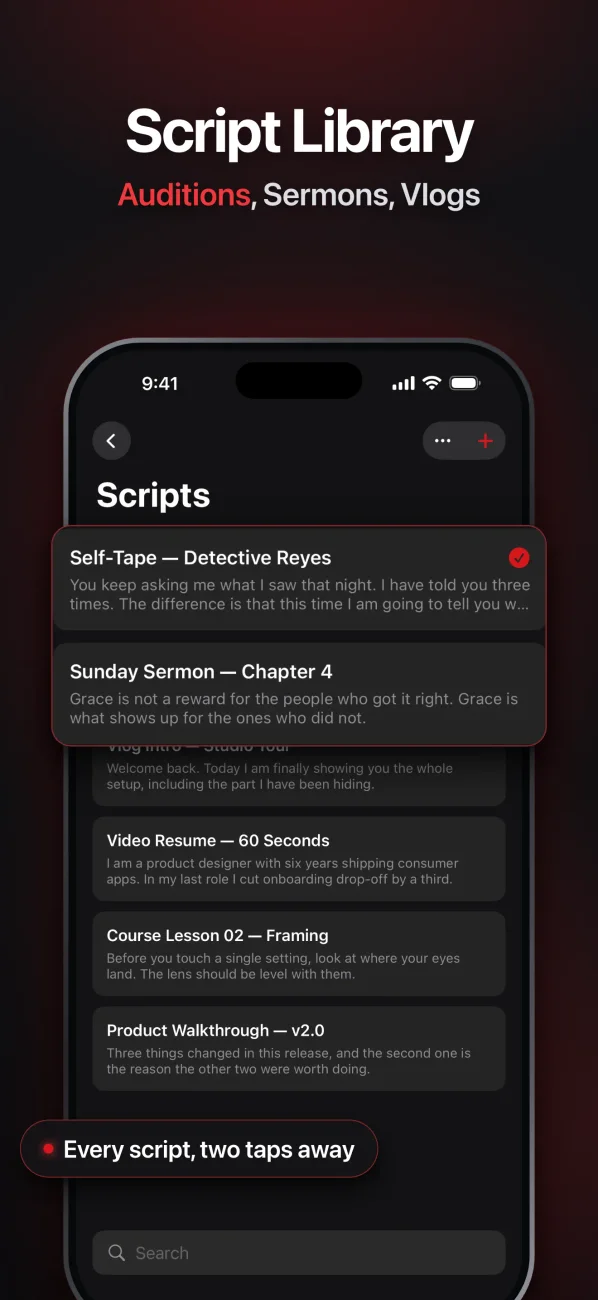
YOUR SCRIPT LIBRARY
Write or paste a script, save it, and it's there for next time. Build up a library of the scripts you use often — your intro, your pitch, your sermon, your audition sides — and pull any of them up in two taps. Edit any script whenever you want.
RECORD AND SAVE
Record with the camera while the prompter runs, review the take, and save it to your photo library when you're happy with it. Re-record as many times as you want first.
WHO USES THIS
* Creators recording talking-head videos, vlogs and short-form content
* Actors filming self-tape auditions and rehearsing lines
* Pastors and speakers running through a sermon or a talk
* Job seekers recording a video resume or an intro
* Anyone recording a company update, a product walkthrough or a course lesson
* Anyone who has ever recorded the same 30 seconds eleven times because they kept losing the thread
PRIVACY
Your scripts and your recordings stay on your device. There is no account and no sign-in. Voice Scroll uses Apple's built-in speech recognition, which runs on-device wherever your device and language support it.
PERMISSIONS
* Camera — to record video while the script scrolls
* Microphone — to record audio and to listen for Voice Scroll
* Speech Recognition — to advance the script as you speak
* Photos (add only) — to save finished recordings to your library
SUBSCRIPTION
Teleprompter is free to download. Recording requires a Teleprompter Pro subscription. The yearly plan includes a 3-day free trial.
Payment is charged to your Apple Account at confirmation of purchase. Subscriptions renew automatically unless auto-renew is turned off at least 24 hours before the end of the current period. Your account is charged for renewal within 24 hours prior to the end of the current period. Manage or cancel anytime in your Apple Account settings.
Terms of Use (EULA): https://www.apple.com/legal/internet-services/itunes/dev/stdeula/
Privacy Policy: https://obsidianstonegroup.com/privacy
Có gì mới
Phiên bản 1.3 · 08/11/2026
Bug fixes and performance improvements.
Quyền riêng tư của ứng dụng
Những gì Obsidian Stone khai báo trên App Store về cách ứng dụng này xử lý dữ liệu.
-
Dữ liệu không liên kết với bạn
Có thể được thu thập nhưng không liên kết với danh tính của bạn.
- Mục mua
Phương thức đảm bảo quyền riêng tư có thể khác nhau, chẳng hạn như tuỳ theo các tính năng bạn sử dụng hoặc độ tuổi của bạn.
Thông tin
- Người bán
- Obsidian Stone LLC
- Danh mục
- Ảnh & Video
- Phiên bản
- 1.3
- Cập nhật
- 08/11/2026
- Phát hành
- 24/09/2026
- Kích thước
- 15,8 MB
- Yêu cầu
- iOS 17.0 trở lên
- Độ tuổi
- 4+
- Giá
- Miễn phí
- Mua hàng trong ứng dụng
- Có
- Ngôn ngữ
- Tiếng Đức, Albanian, Tiếng Anh, Tiếng Estonia, Tiếng Phần Lan, Tiếng Pháp, Tiếng Ý, Tiếng Hà Lan, Tiếng Ba Lan, Tiếng Bồ Đào Nha, Tiếng Slovak, Slovenian + 1 ngôn ngữ khác
- Bản quyền
- © 2026 Obsidian Stone LLC
Có thể bạn cũng thích
-
 Teleprompter: Video & Kịch bảnĐọc và quay gần máy ảnh
-
 Promperly: Voice TeleprompterẢnh & Video
-
 Offcue: Máy Nhắc Chữ VideoTeleprompter, Đọc Kịch Bản
-
 GoScript: TeleprompterMáy nhắc chữ khi quay video
-
 Whisprompt: TeleprompterMáy nhắc chữ theo giọng nói
-
 Wispim: Teleprompter giọng nóiTeleprompter video tốt nhất
-
 Reflexa - TeleprompterẢnh & Video
-
 FlowPrompter - AI TeleprompterẢnh & Video
-
 Video Teleprompter Nhắc ChữMáy quay, đọc kịch bản, phụ đề
-
 Máy Nhắc Chữ: TeleprompterĐọc chữ khi quay video