TempTale App
Mobile Access to Temp Data
Dirancang untuk iPhone, iPod touch
Gratis
- Batasan usia4+
- KategoriReferensi
- PengembangSensitech Inc.
- BahasaInggris+ 8 lainnya
- Ukuran157,9 MB
Tertaut ke halaman resmi App Store
Download.org tidak menyimpan file TempTale App apa pun. Tombol ini membuka halaman aplikasi di App Store, tempat Sensitech Inc. menerbitkannya. Halaman terakhir diperiksa pada 22/11/2026.
Tangkapan layar
Tentang
Pengembang belum menyediakan teks ini dalam bahasa Anda.
TempTale® Mobile App supports reading temperature from these Sensitech wireless devices used in temperature-sensitive supply chain shipments:
TempTale® BLE (Bluetooth) monitor:
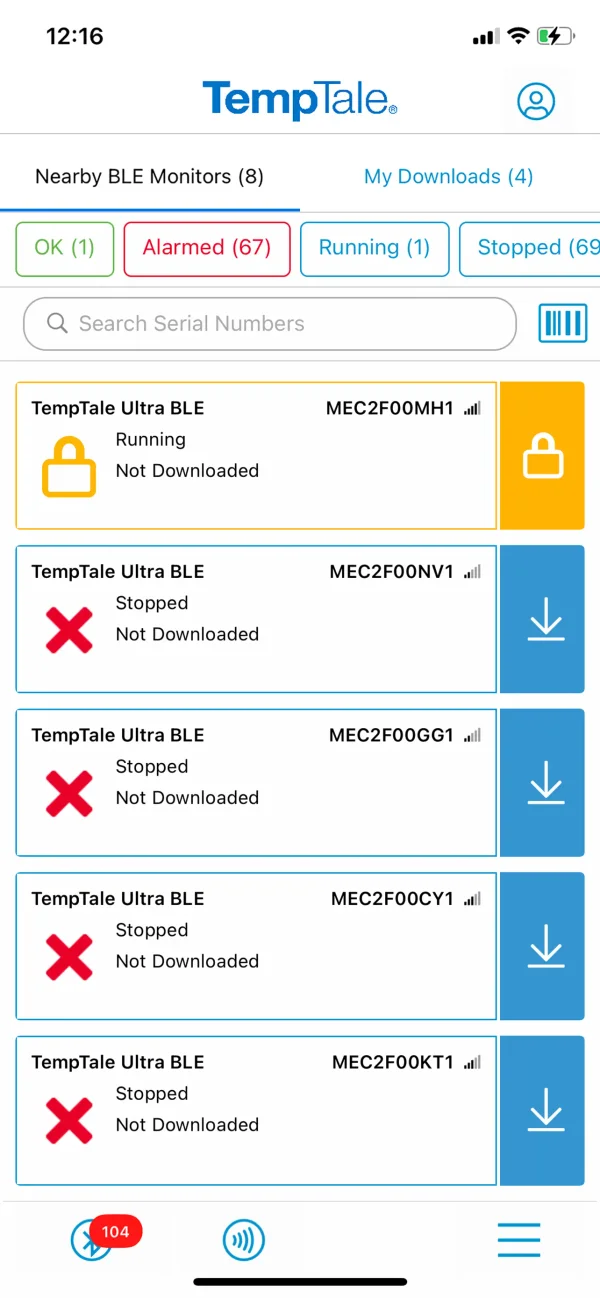
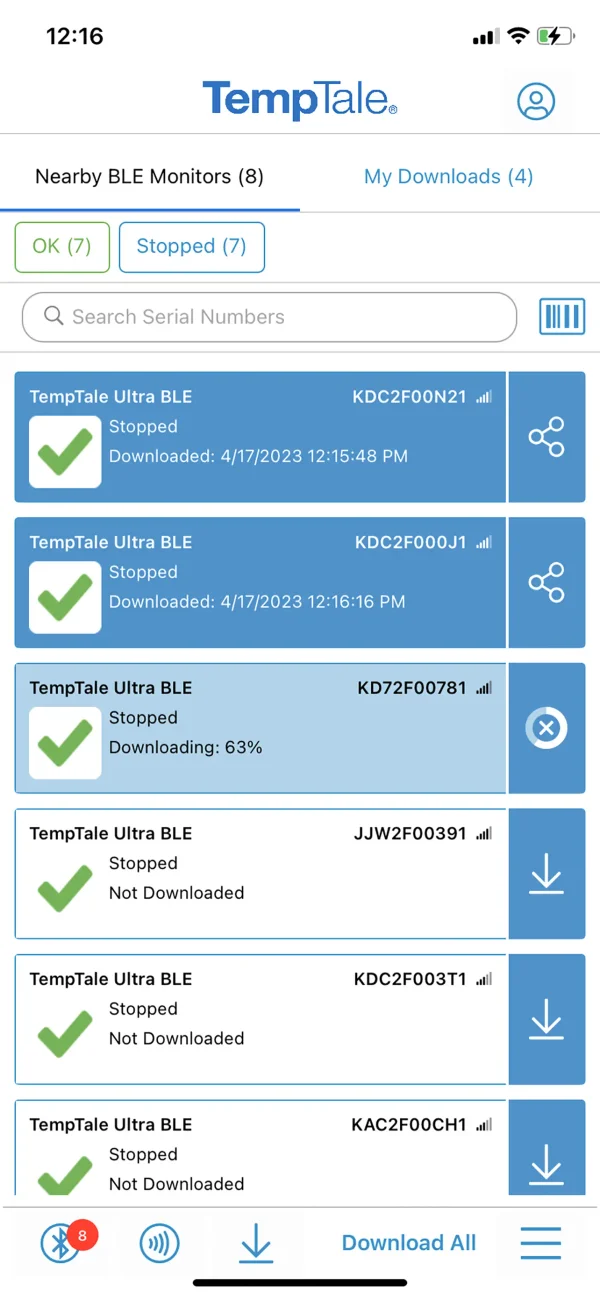
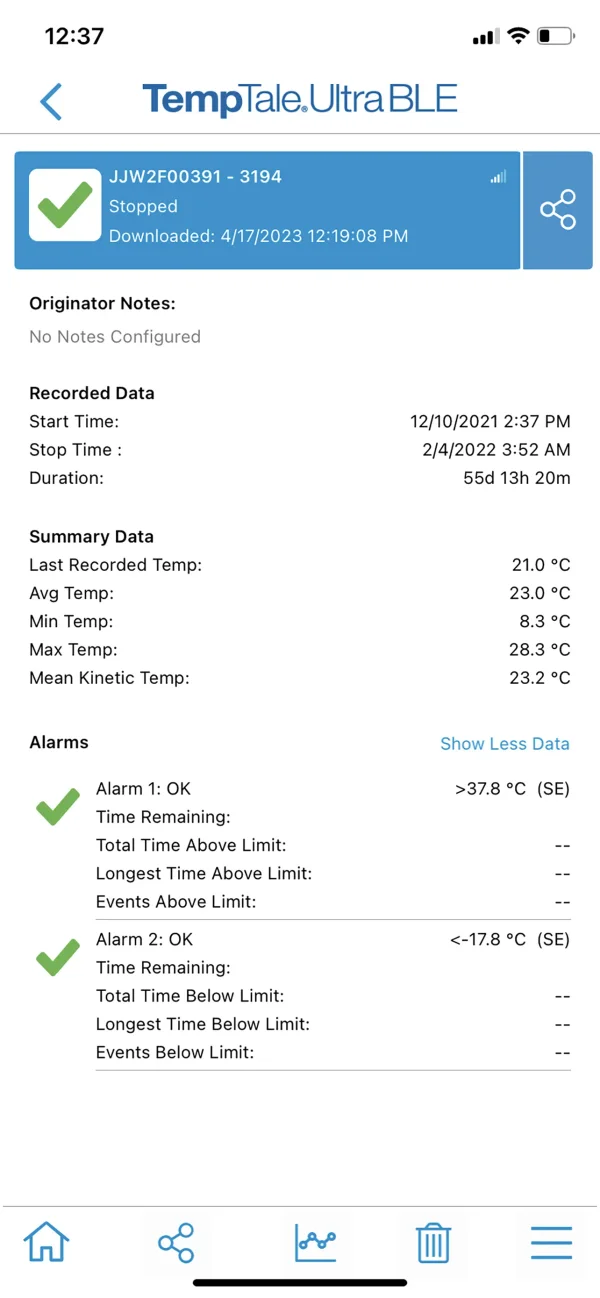
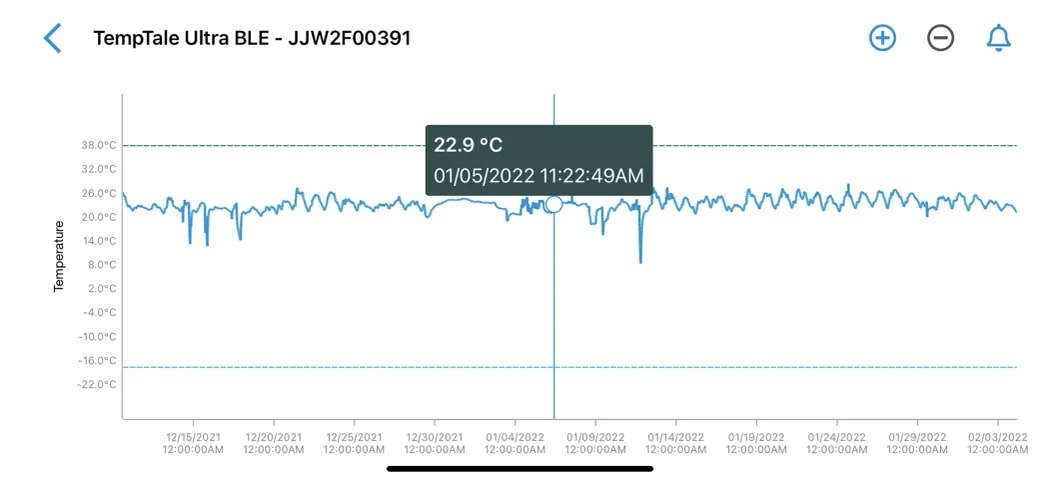
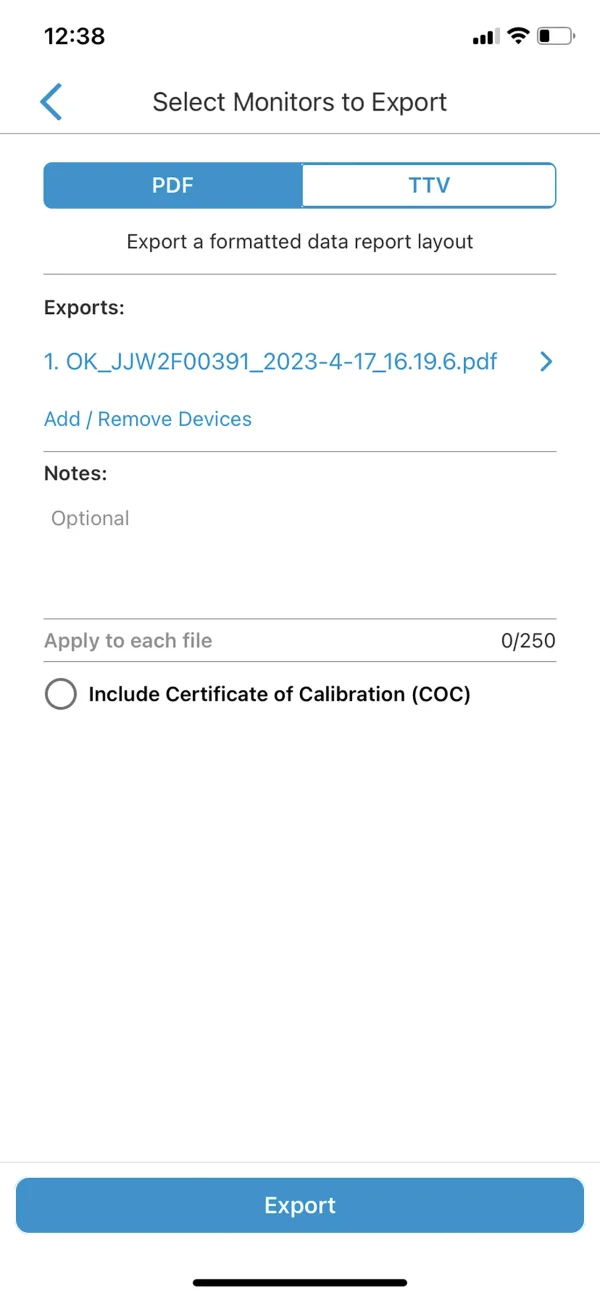
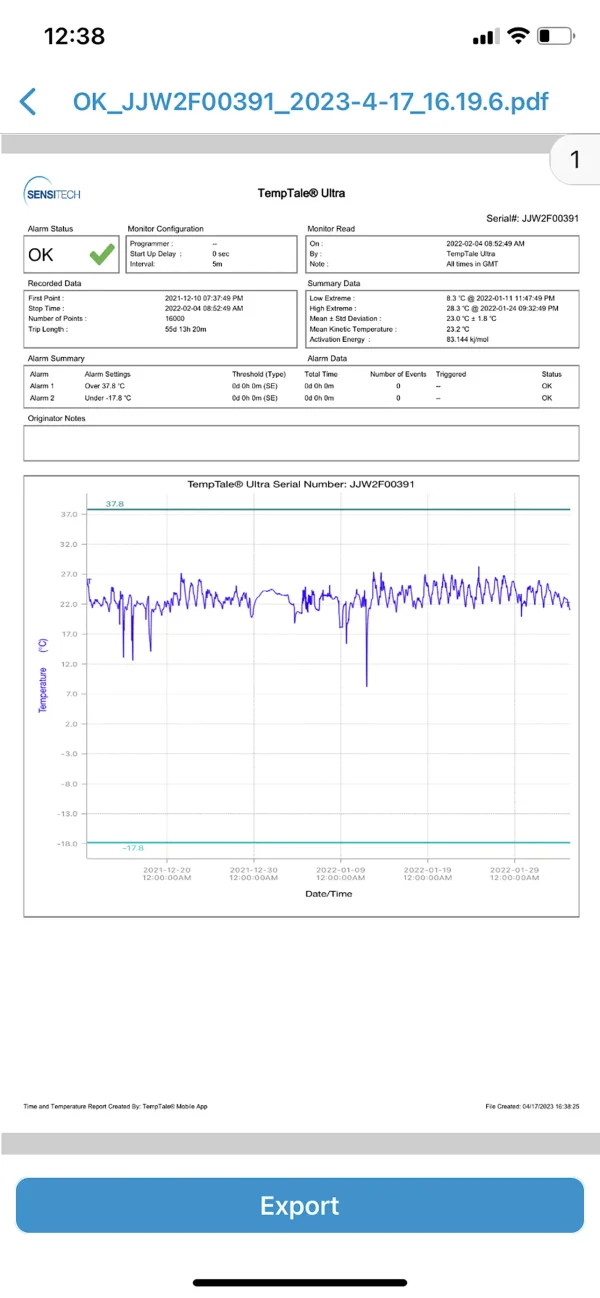
Provides a touchless Bluetooth read of the temperature of a package and determines if a package is alarmed for accept/reject decisions. Once the app is installed on your smartphone, simply open the app and the Bluetooth monitor will broadcast data within 9m or 30 ft (no pairing required). Tap to download the temperature data to your phone. Data automatically uploads to the cloud into ColdStream® Select once downloaded to the phone. Quickly export a PDF or TTV file—send using your smartphone file sharing options.
TempTale® GEO X Real-time/cellular monitor:
Provides an easy way to upload data to the cloud as a secondary method if no cellular connection is available at the final destination. “APP” will display on the LCD of the monitor. Press the start and stop buttons for 3 sec. to activate the Bluetooth connection. Once the app is installed on your smartphone, simply open the app and the Bluetooth monitor will broadcast data within 9m or 30 ft (no pairing required). Tap to download the temperature data to your phone. Data automatically uploads to the cloud once downloaded to the phone. Quickly export a PDF or TTV file—send using your smartphone file sharing options.
TempTale® GEO Ultra Real-time/cellular monitor:
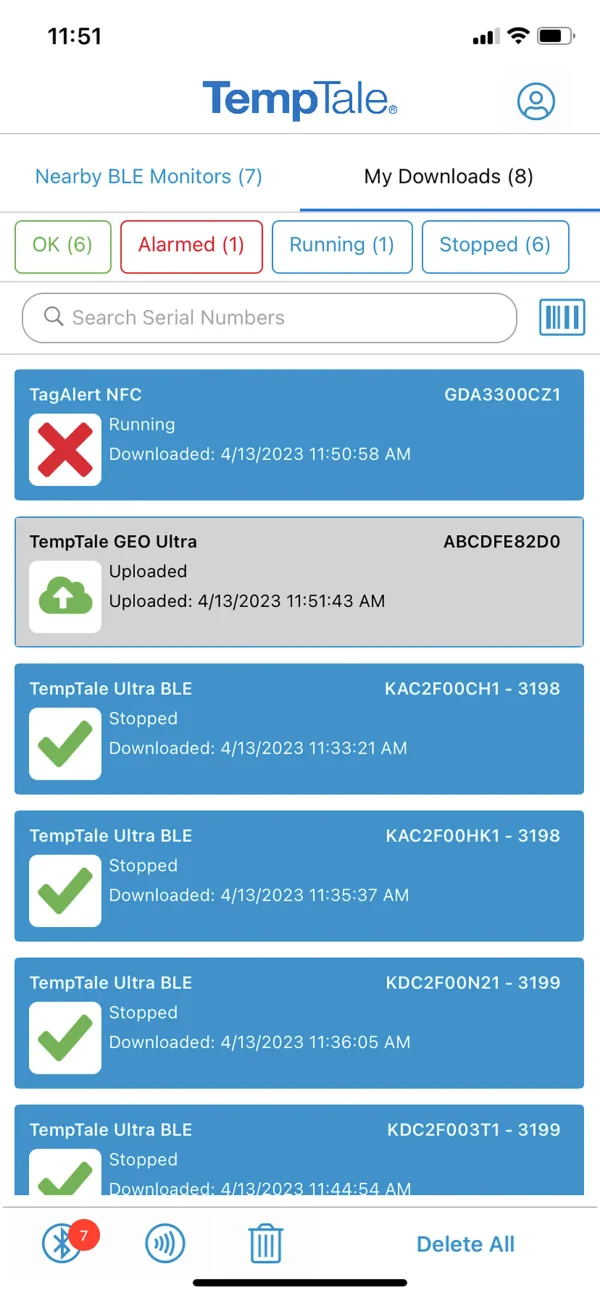
Provides an easy way to upload data to the cloud as a secondary method if no cellular connection is available at the final destination. Once the app is installed on your smartphone, simply open it and tap the device to scan the TempTale® GEO Ultra using the NFC wireless connection to upload monitor data to the cloud and stop the monitor. Login to ColdStream® Select / SensiWatch® Platform to check for shipment alarm status information.
TagAlert® NFC monitor:
Provides an easy-to-understand temperature status of your package. The read out indicates if the product has stayed within acceptable limits or if any temperature alarms have triggered. Once the app is installed on your smartphone, simply open it and tap the device to scan and read the TagAlert® NFC to check alarm statuses. Once data is downloaded using the app, feel confident in your accept/reject decision. Quickly export data reports in PDF format and send them using your smartphone file sharing options.
Selective Access:
Upon launching the TempTale App, users may need to login to obtain Selective Access with their SensiWatch® Platform credentials or continue as a Guest. Guest mode allows use of the app without login, for certain TempTale BLE programs. Monitors configured with Selective Access are set up in SensiWatch Platform. Please contact your administrator to receive a login set up email.
Easy to use:
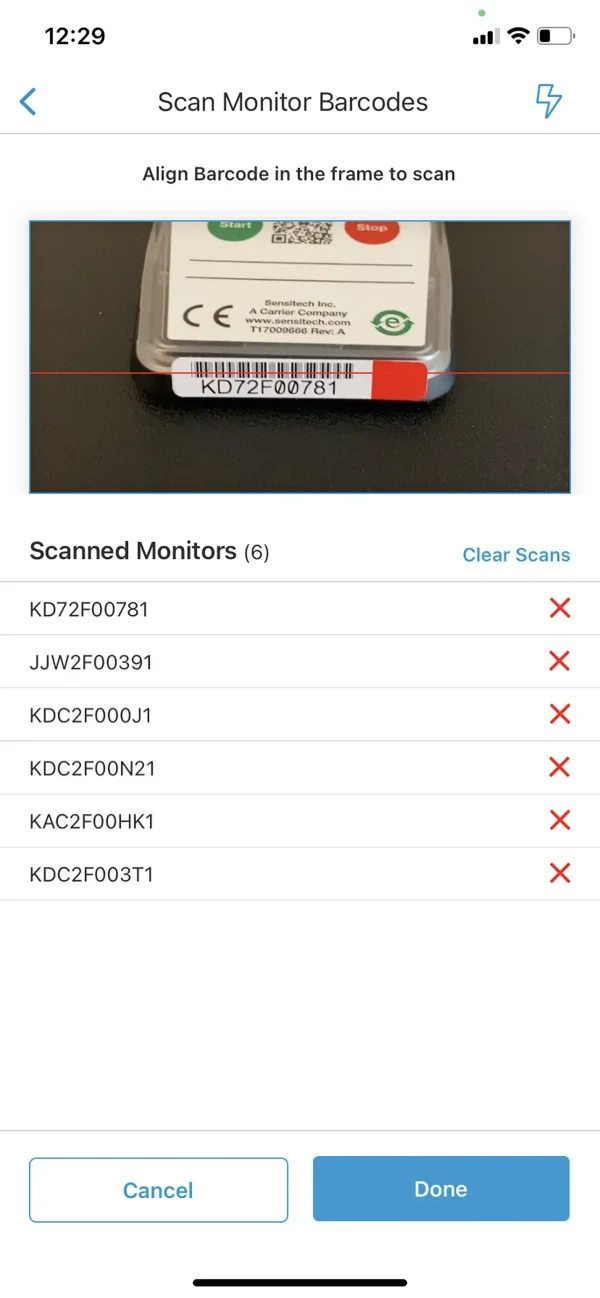
Once the app is installed on your smartphone, • Simply launch the app and the TempTale® BLE (Bluetooth) monitor will broadcast to the app (no pairing required). Click download arrow to download to your phone. Use the app for near field communication (NFC) to scan the TagAlert® NFC or TempTale® GEO Ultra by holding your smartphone and tapping the monitor—it will be read automatically.
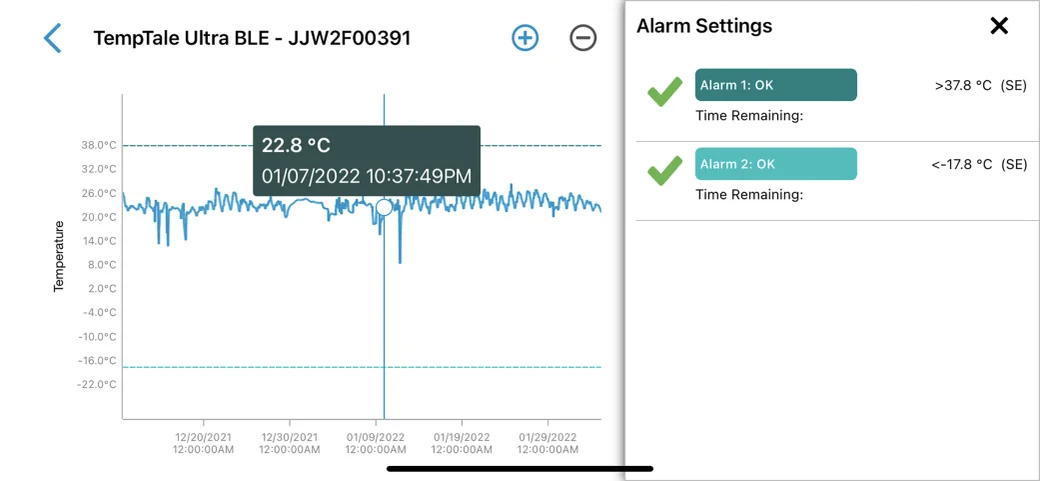
TempTale® GEO X, TempTale® BLE and TagAlert® NFC monitors can be programmed with up to six (6) temperature alarms and displayed in the app. TempTale® GEO Ultra alarms display in the software, login to ColdStream® Select / SensiWatch® Platform to check for shipment alarm status information.
If the time/temperature of your package has exceeded its limits, you will see the X icon, indicating an alarm (up to 6) has triggered. Follow the standard operating procedures (SOPs) set by your organization.
If your package has stayed within the time/temperature limits, you will see the √ icon (check mark), which means you can accept the shipment.
Yang baru
Versi 3.6.2 · 28/9/2026
-Bug fix and performance enhancements
Privasi aplikasi
Yang dinyatakan Sensitech Inc. di App Store tentang cara aplikasi ini menangani data.
-
Data yang tidak ditautkan dengan Anda
Dapat dikumpulkan, tetapi tidak ditautkan dengan identitas Anda.
- Info kontak
Praktik privasi dapat bervariasi, misalnya berdasarkan fitur yang Anda gunakan atau usia Anda.
Informasi
- Penjual
- Sensitech Inc.
- Kategori
- Referensi
- Versi
- 3.6.2
- Diperbarui
- 28/9/2026
- Dirilis
- 21/5/2019
- Ukuran
- 157,9 MB
- Memerlukan
- iOS 15.0 atau yang lebih baru
- Batasan usia
- 4+
- Harga
- Gratis
- Bahasa
- Inggris, Belanda, Prancis, Jerman, Jepang, Portugis, Rusia, Tionghoa Sederhana, Spanyol
- Hak cipta
- © 2025 Carrier. All Rights Reserved. Sensitech.com