TimerFit: Interval Timer
Simple, on-off workout timer
Dirancang untuk iPhone, iPad
Gratis
- Batasan usia4+
- KategoriKesehatan & Kebugaran
- PengembangKWANG ROK KIM
- BahasaKorea+ 1 lainnya
- Ukuran12,1 MB
Tertaut ke halaman resmi App Store
Download.org tidak menyimpan file TimerFit: Interval Timer apa pun. Tombol ini membuka halaman aplikasi di App Store, tempat KWANG ROK KIM menerbitkannya. Halaman terakhir diperiksa pada 16/11/2026.
Tangkapan layar


Tentang
Pengembang belum menyediakan teks ini dalam bahasa Anda.
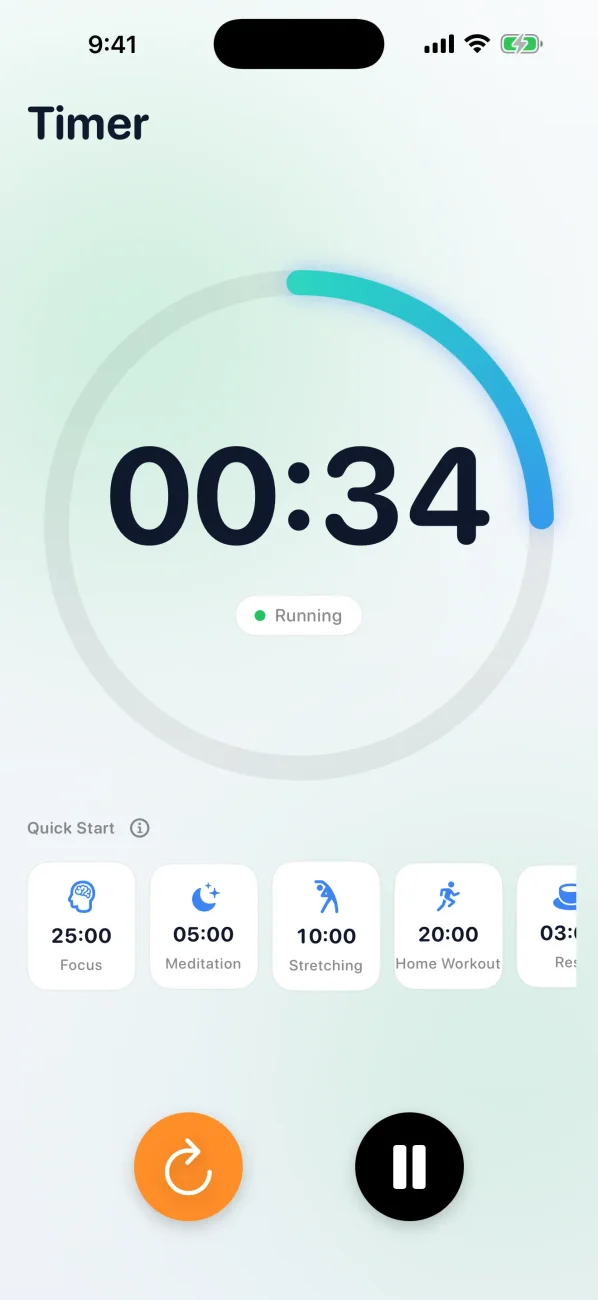
Just what you need for your workout — nothing more. TimerFit started from one simple idea: a beautiful timer you flip on and off while you train. It grew into a clean, focused interval timer for real workouts.
■ Two timers, one app
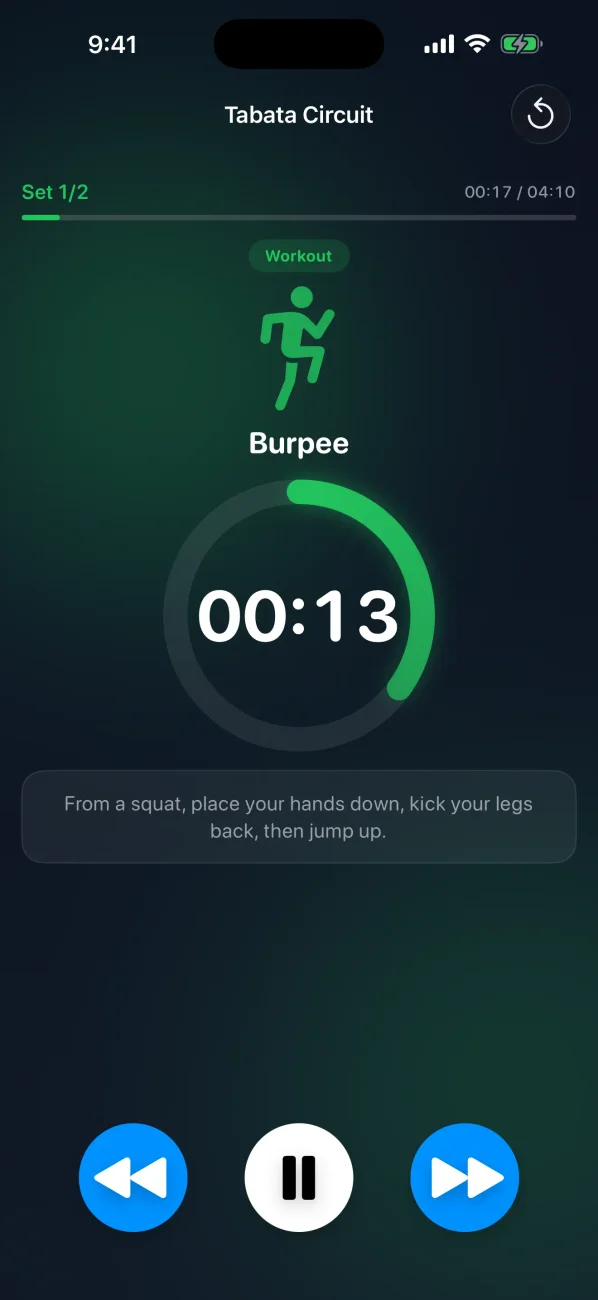
• Simple Timer — set the time and go. A big, clear progress ring shows time at a glance, and your go-to durations are one tap away under "Recent."
• Interval Circuit Timer — prepare → work → rest → next round, all handled automatically. Hands-free flow from start to finish.
■ A different move each round — follow along
Burpees, mountain climbers, jumping jacks, squats… each work interval shows the movement and a short form cue, big and clear. No more "what's next?" — just move.
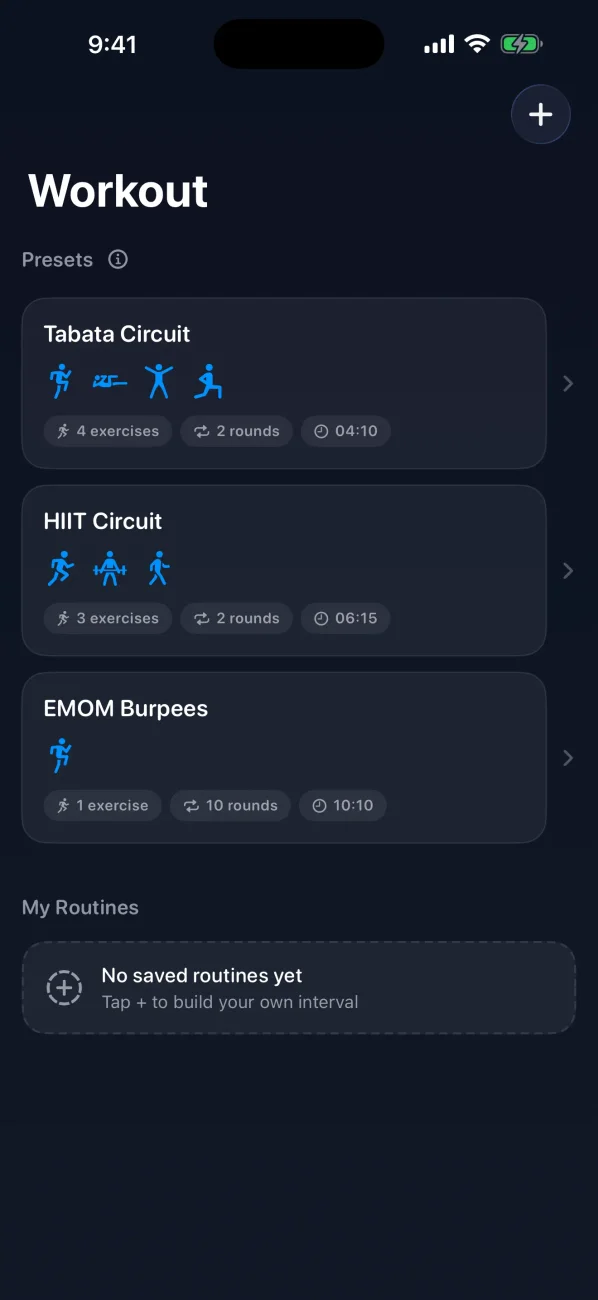
■ Ready-to-go presets
• Tabata (20s work / 10s rest)
• HIIT (40s work / 20s rest)
• EMOM Burpees
Tap and start. Perfect for beginners.
■ Build your own routine
Set work/rest durations and rounds your way. Add your own exercises with a custom icon, name, and form cue. Your routines are saved for next time.
■ Signals you won't miss
Sound and haptics on every interval change, plus a 3-2-1 countdown before each one ends. Stay on track without staring at the screen.
■ A glance at your Lock Screen
• Lock your phone — the current interval and time left stay on the Lock Screen and Dynamic Island.
• Tap a Home Screen widget to start your go-to routine instantly.
■ Right on your wrist with Apple Watch
• Start from the watch alone — no phone needed. Presets and the routines you build on iPhone sync straight over.
• Drop your wrist and let the screen sleep; the timer keeps running.
• A tap on the wrist at every interval change, so you never lose the flow.
■ Stay motivated with history
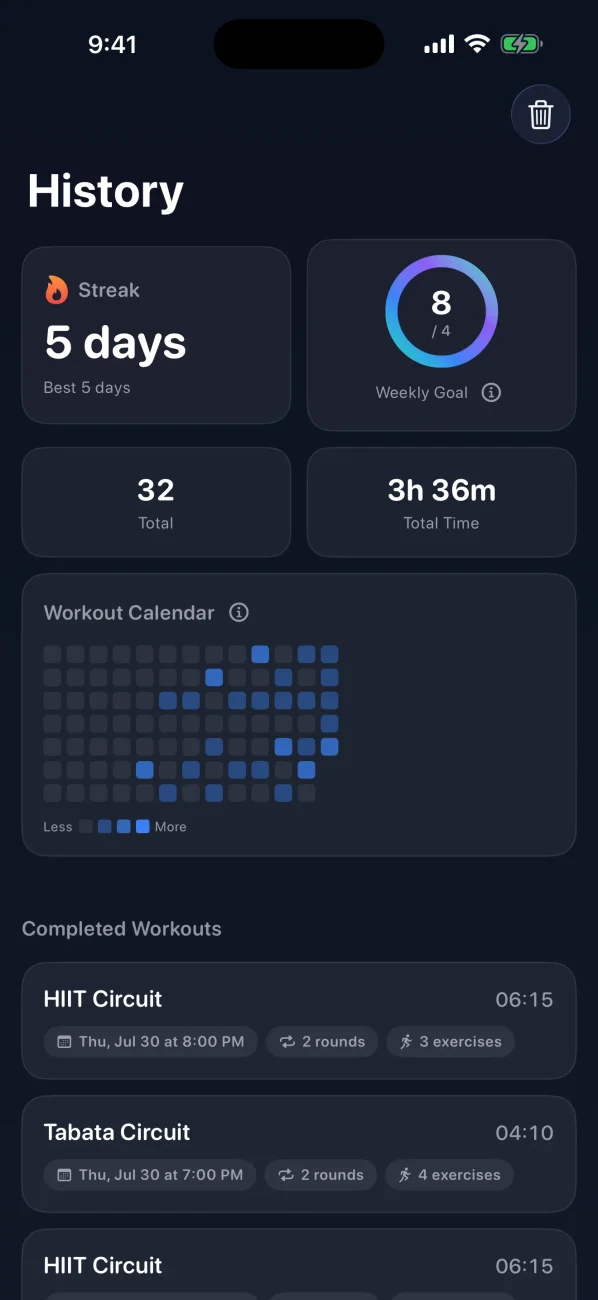
Completed workouts stack up in the History tab — see your total count, total time, and this week's activity at a glance.
■ Clean by design
• Dark mode by default, easy on the eyes (Light mode too)
• No ads · No account
• Keeps the screen awake during workouts
• iPhone, iPad & Apple Watch · English/Korean
Home workouts, CrossFit, core, stretching — or just a 3-minute timer. For every moment that needs one.
Start light. Start now.
Yang baru
Versi 1.9.0 · 11/11/2026
A tidier History tab.
• The Streak and Weekly Goal cards at the top of History now share the same height and layout, even with larger text sizes
• Fixed an internal measurement that missed timers started on Apple Watch. Only values such as counts are recorded, never anything you type
Privasi aplikasi
Yang dinyatakan KWANG ROK KIM di App Store tentang cara aplikasi ini menangani data.
-
Data yang tidak ditautkan dengan Anda
Dapat dikumpulkan, tetapi tidak ditautkan dengan identitas Anda.
- Pengenal
- Data penggunaan
- Diagnostik
Praktik privasi dapat bervariasi, misalnya berdasarkan fitur yang Anda gunakan atau usia Anda.
Informasi
- Penjual
- KWANG ROK KIM
- Kategori
- Kesehatan & Kebugaran
- Versi
- 1.9.0
- Diperbarui
- 11/11/2026
- Dirilis
- 21/7/2026
- Ukuran
- 12,1 MB
- Memerlukan
- iOS 17.0 atau yang lebih baru
- Batasan usia
- 4+
- Harga
- Gratis
- Bahasa
- Korea, Inggris
- Hak cipta
- © 2026 Kwangrok Kim
Mungkin Anda juga suka
-
 루틴 타이머 - 인터벌 운동 타이머Kesehatan & Kebugaran
-
 Workout Tracker: Timer & LogKesehatan & Kebugaran
-
 Pulse: Interval & Round TimerKesehatan & Kebugaran
-
 AnyTimer: Interval TimerKesehatan & Kebugaran
-
 FitMaxx: HIIT Interval TimerKesehatan & Kebugaran
-
 GlowMatch KoreaKesehatan & Kebugaran
-
 IntervalTimer-운동 휴식 타이머, HIITKesehatan & Kebugaran
-
 TimerFit - Workout PlannerKesehatan & Kebugaran
-
 Rep Counter: Voice WorkoutKesehatan & Kebugaran
-
 SmartHIIT: HIIT & Tabata TimerKesehatan & Kebugaran