TimerFit: Interval Timer
Simple, on-off workout timer
Projetado para iPhone, iPad
Grátis
- Classificação etária4+
- CategoriaSaúde e fitness
- DesenvolvedorKWANG ROK KIM
- IdiomasCoreanoe mais 1
- Tamanho12,1 MB
Leva à página oficial na App Store
O Download.org não hospeda nenhum arquivo de TimerFit: Interval Timer. O botão abre a página do app na App Store, onde KWANG ROK KIM o publica. Página verificada pela última vez em 16/11/2026.
Capturas de tela


Sobre
O desenvolvedor não forneceu este texto no seu idioma.
Just what you need for your workout — nothing more. TimerFit started from one simple idea: a beautiful timer you flip on and off while you train. It grew into a clean, focused interval timer for real workouts.
■ Two timers, one app
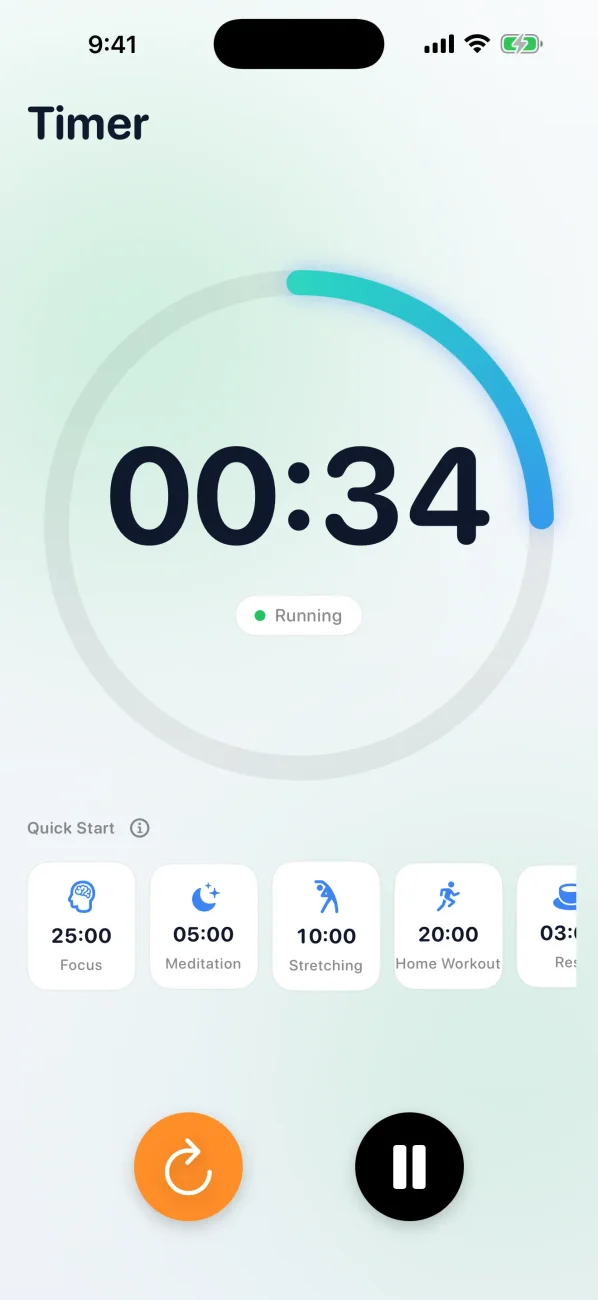
• Simple Timer — set the time and go. A big, clear progress ring shows time at a glance, and your go-to durations are one tap away under "Recent."
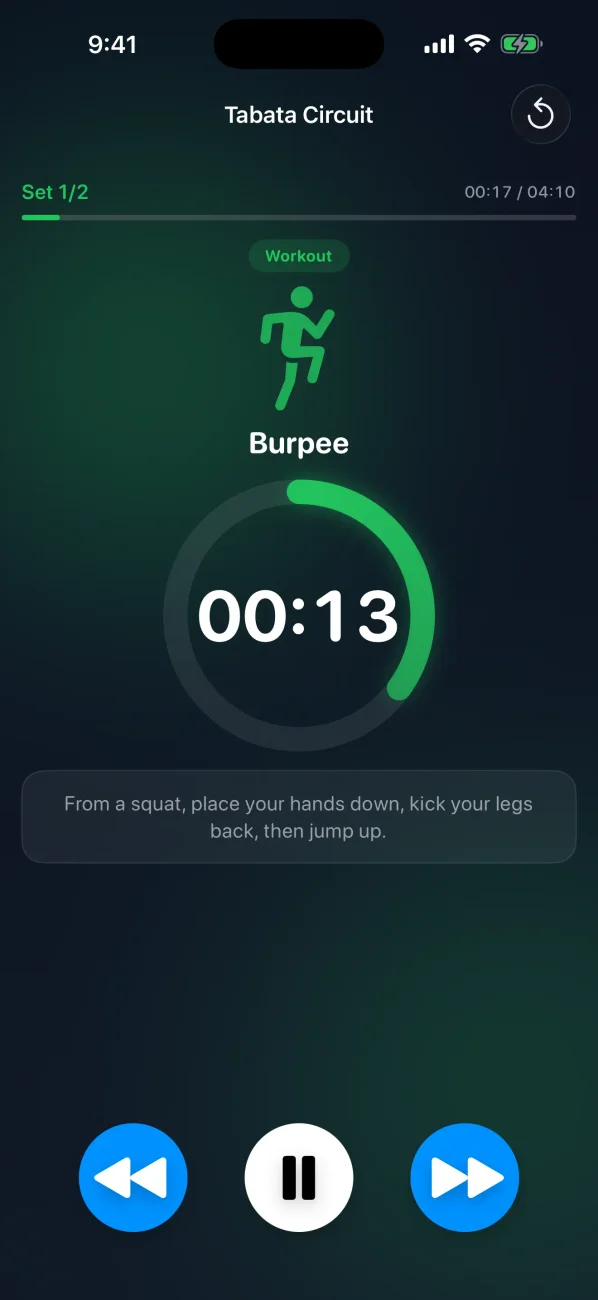
• Interval Circuit Timer — prepare → work → rest → next round, all handled automatically. Hands-free flow from start to finish.
■ A different move each round — follow along
Burpees, mountain climbers, jumping jacks, squats… each work interval shows the movement and a short form cue, big and clear. No more "what's next?" — just move.
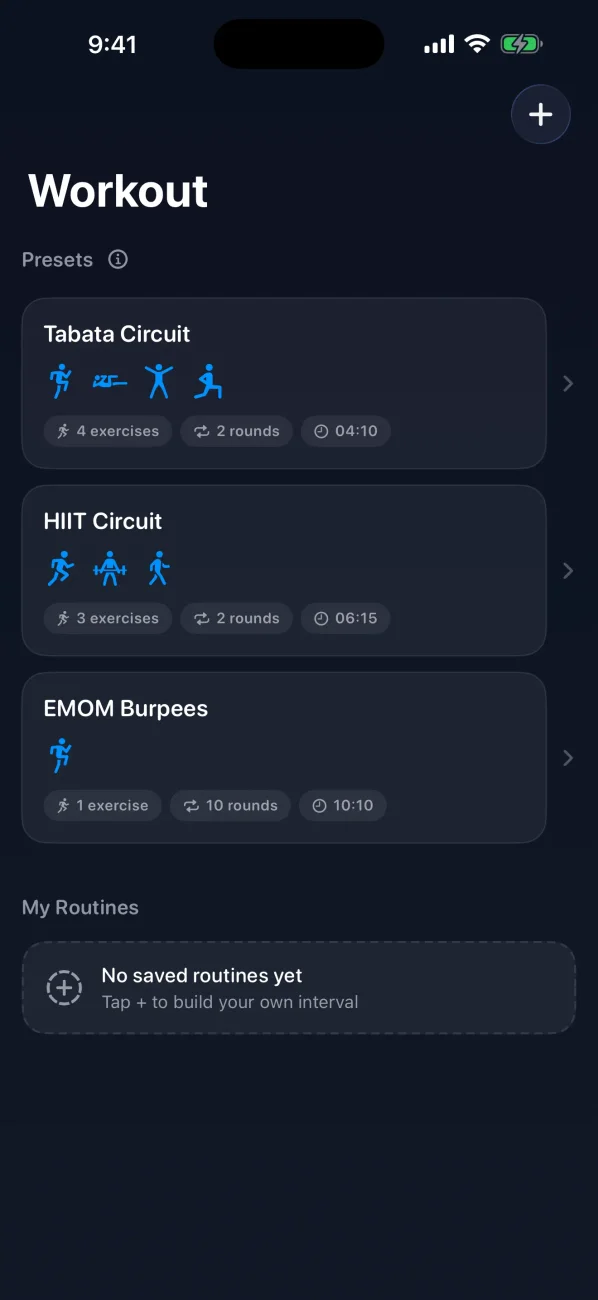
■ Ready-to-go presets
• Tabata (20s work / 10s rest)
• HIIT (40s work / 20s rest)
• EMOM Burpees
Tap and start. Perfect for beginners.
■ Build your own routine
Set work/rest durations and rounds your way. Add your own exercises with a custom icon, name, and form cue. Your routines are saved for next time.
■ Signals you won't miss
Sound and haptics on every interval change, plus a 3-2-1 countdown before each one ends. Stay on track without staring at the screen.
■ A glance at your Lock Screen
• Lock your phone — the current interval and time left stay on the Lock Screen and Dynamic Island.
• Tap a Home Screen widget to start your go-to routine instantly.
■ Right on your wrist with Apple Watch
• Start from the watch alone — no phone needed. Presets and the routines you build on iPhone sync straight over.
• Drop your wrist and let the screen sleep; the timer keeps running.
• A tap on the wrist at every interval change, so you never lose the flow.
■ Stay motivated with history
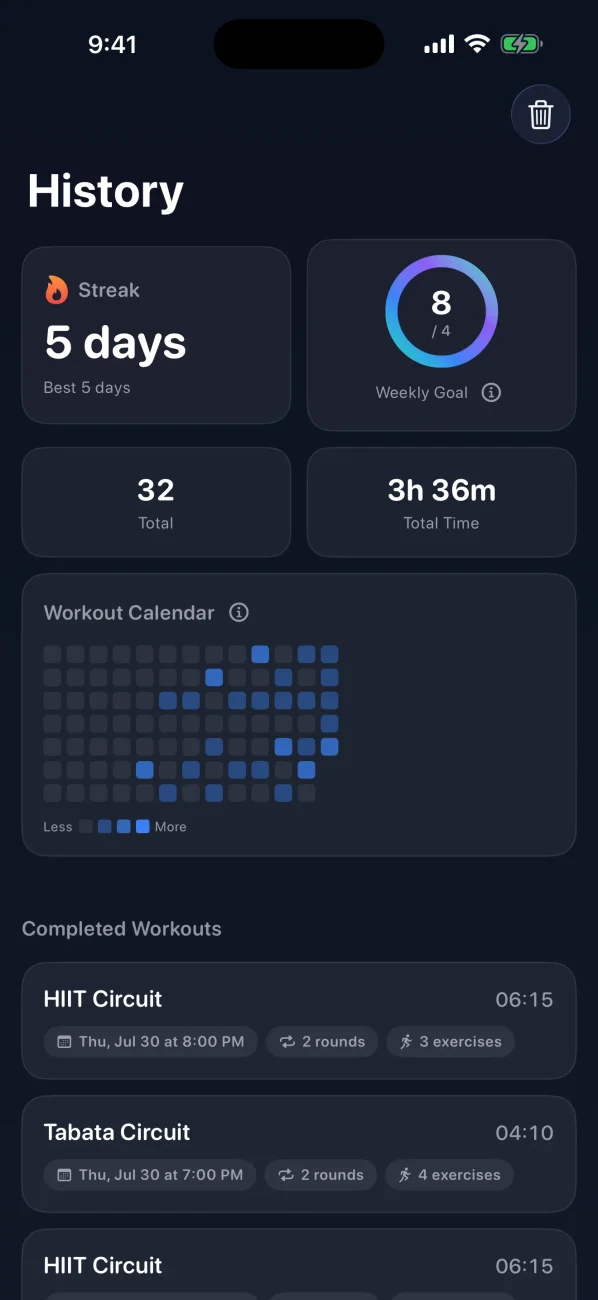
Completed workouts stack up in the History tab — see your total count, total time, and this week's activity at a glance.
■ Clean by design
• Dark mode by default, easy on the eyes (Light mode too)
• No ads · No account
• Keeps the screen awake during workouts
• iPhone, iPad & Apple Watch · English/Korean
Home workouts, CrossFit, core, stretching — or just a 3-minute timer. For every moment that needs one.
Start light. Start now.
Novidades
Versão 1.9.0 · 11/11/2026
A tidier History tab.
• The Streak and Weekly Goal cards at the top of History now share the same height and layout, even with larger text sizes
• Fixed an internal measurement that missed timers started on Apple Watch. Only values such as counts are recorded, never anything you type
Privacidade do app
O que KWANG ROK KIM declara na App Store sobre como este app lida com os dados.
-
Dados não vinculados a você
Podem ser coletados, mas não são vinculados à sua identidade.
- Identificadores
- Dados de uso
- Diagnóstico
As práticas de privacidade podem variar, por exemplo, com base nos recursos que você usa ou na sua idade.
Informações
- Vendedor
- KWANG ROK KIM
- Categoria
- Saúde e fitness
- Versão
- 1.9.0
- Atualizado
- 11/11/2026
- Lançamento
- 21/07/2026
- Tamanho
- 12,1 MB
- Requer
- iOS 17.0 ou posterior
- Classificação etária
- 4+
- Preço
- Grátis
- Idiomas
- Coreano, Inglês
- Copyright
- © 2026 Kwangrok Kim
Você também pode gostar
-
 루틴 타이머 - 인터벌 운동 타이머Saúde e fitness
-
 CronoTreino: Timer & LogCronômetro de Séries e Rotinas
-
 Pulse: Interval & Round TimerSaúde e fitness
-
 AnyTimer: Interval TimerSaúde e fitness
-
 FitMaxx: HIIT Interval TimerSaúde e fitness
-
 GlowMatch KoreaSaúde e fitness
-
 IntervalTimer-운동 휴식 타이머, HIITSaúde e fitness
-
 TimerFit - Workout PlannerSaúde e fitness
-
 Rep Counter: Voice WorkoutSaúde e fitness
-
 SmartHIIT: Timer HIIT e TabataTreino rápido com cronômetro