- Batasan usia4+
- KategoriKegunaan
- PengembangEugene Gershnik
- BahasaInggris+ 5 lainnya
- Ukuran2,8 MB
Tertaut ke halaman resmi App Store
Download.org tidak menyimpan file Tiny Intercom apa pun. Tombol ini membuka halaman aplikasi di App Store, tempat Eugene Gershnik menerbitkannya. Halaman terakhir diperiksa pada 17/11/2026.
Tangkapan layar


Tentang
Pengembang belum menyediakan teks ini dalam bahasa Anda.
Repurpose an old, unused iPhone/iPad into an audio intercom. Install the app on both your regular device and the unused one, put the unused device in a remote room in your house and you will be able to talk to whoever is in that room from your phone. No more yelling or walking over!
The app can run in two modes: terminal and controller.
The terminal is what you put in the remote room. In this mode, the app runs continuously (turning the screen off is OK), transmitting audio in both directions.
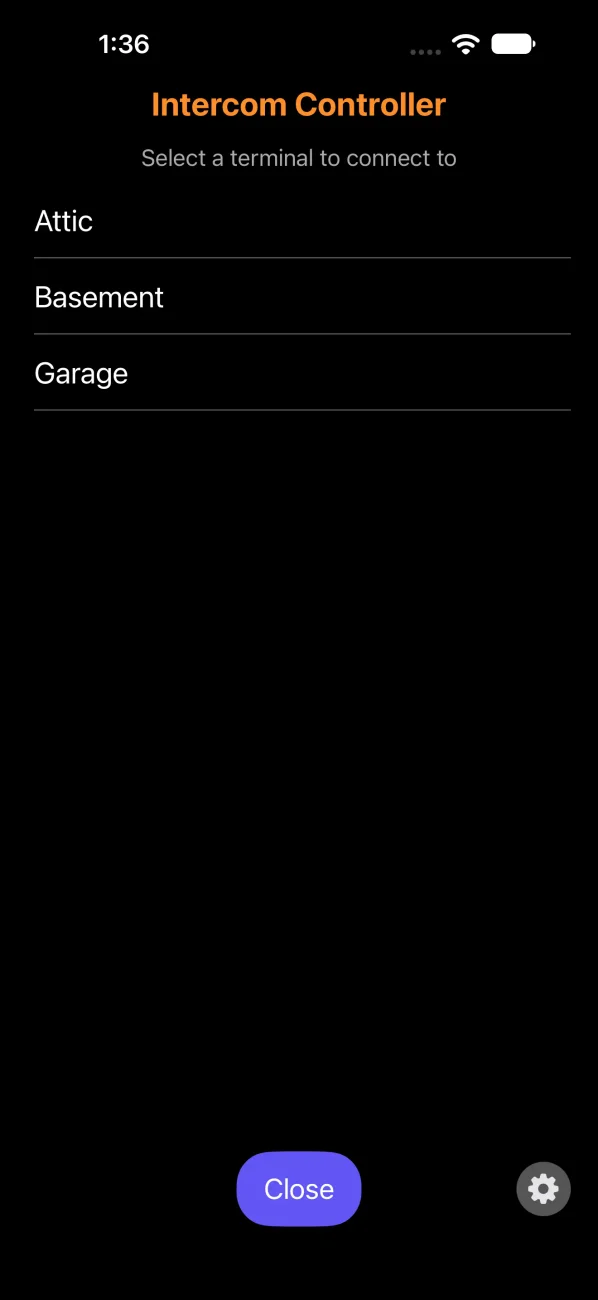
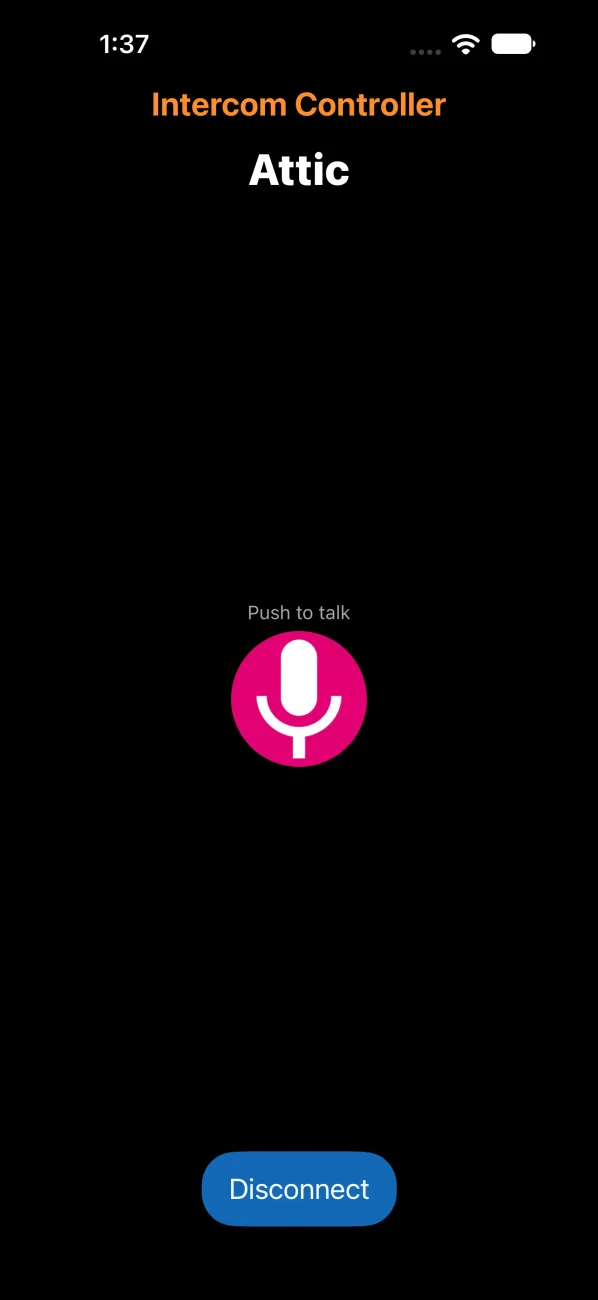
The controller mode is for your everyday phone, tablet or Mac. In this mode, you can connect to terminals to listen and talk through them.
The app works entirely on your local network, with no accounts, servers or cloud services involved. Connecting to a terminal requires pairing using an access code that is visible only on the terminal. All communications between controllers and terminals are encrypted.
You can have as many terminals and controllers as you wish. Multiple controllers can connect to the same terminal at the same time (and speak together), and a controller can connect to multiple terminals (but not at the same time).
If desired for privacy or other reasons, it is possible to set a terminal to an "announcement only" mode where you can speak via the terminal but not listen to it. Toggle "Mute microphone in terminal" in the iOS app settings to activate this mode.
TIP: You can use Apple Configurator to lock your terminal device into a “single app mode” (aka kiosk mode) to make it run just the intercom terminal app and not allow switching out of it.
Features and requirements:
• Audio only. This app does not support video.
• All devices must be on the same local Wi-Fi network to communicate.
• In order to connect to a terminal, a controller must first be paired with it. The pairing code is displayed on the terminal (press the "key" button) and can be scanned as a QR code or entered manually in the controller app.
• The app can also run in either controller or terminal mode on Apple Silicon Macs.
• A companion Apple Watch app lets you connect to terminals from your wrist. See below for watch app functionality and limitations.
• There are no in-app purchases or ads of any kind.
• Versions of this app are available for other platforms in case you have a mix of iOS and other devices. See the developer site for details.
Apple Watch support:
The companion watch app can be used as a controller to connect to terminals, but not as a terminal.
Please note:
• The paired phone must be on, nearby and connected to the local network where your terminals are.
• New terminals must be paired from the phone first. The watch app itself is unable to pair.
• Updates to terminal names or availability may take a moment to appear on the watch. They are not as instantaneous as on the phone.
• The UI when connected to a terminal is the standard Apple Watch "in-call" UI rather than a custom one as on the phone. Just like on the phone, you can either listen or talk, but not at the same time. Tap the "mute" button to switch between listening and talking.
• The watch app is not available in countries/territories that prohibit use of the Apple CallKit framework. If you start the watch app in such a country/territory, you will receive a "This app is not available in your country or region" error message.
Yang baru
Versi 2.1 · 11/11/2026
• App settings are now configured in the app
• Long-running controller sessions no longer drop audio
• Fixed loss of responsiveness when using the watch app paired with a terminal
• The missing camera permission error now takes the user to system settings
• It is now possible to email support from the app settings screen
• Fixed missing and incorrect translations
• Bug fixes and internal improvements
Privasi aplikasi
Yang dinyatakan Eugene Gershnik di App Store tentang cara aplikasi ini menangani data.
-
Data tidak dikumpulkan
Pengembang tidak mengumpulkan data apa pun dari aplikasi ini.
Praktik privasi dapat bervariasi, misalnya berdasarkan fitur yang Anda gunakan atau usia Anda.
Informasi
- Penjual
- Eugene Gershnik
- Kategori
- Kegunaan
- Versi
- 2.1
- Diperbarui
- 11/11/2026
- Dirilis
- 24/11/2025
- Ukuran
- 2,8 MB
- Memerlukan
- iOS 13 atau yang lebih baru
- Batasan usia
- 4+
- Harga
- Gratis
- Bahasa
- Inggris, Jerman, Ibrani, Jepang, Rusia, Spanyol
- Hak cipta
- © 2025 Eugene Gershnik
Mungkin Anda juga suka
-
 Intercom: VillacomKegunaan
-
 Signal (intercom)Kegunaan
-
 Speaker IntercomKegunaan
-
 Smart IntercomKegunaan
-
 DirectTalk (Walkie Talkie P2P)Kegunaan
-
 Talky: Walkie Talkie, Radio HTTanpa internet, CB, HF, SDR
-
 Midland ConnectKegunaan
-
 Mikrofon Bluetooth LiveMic ke Speaker - Mic Virtual
-
 Ubiquiti WiFimanKegunaan
-
 Camo CameraKegunaan