Trackpad & Keyboard
Your phone as a desktop pad
Dirancang untuk iPhone, iPad
Gratis · Pembelian dalam aplikasi
- Batasan usia4+
- KategoriKegunaan
- PengembangJunyang Ma
- BahasaInggris+ 11 lainnya
- Ukuran7,8 MB
Tertaut ke halaman resmi App Store
Download.org tidak menyimpan file Trackpad & Keyboard apa pun. Tombol ini membuka halaman aplikasi di App Store, tempat Junyang Ma menerbitkannya. Halaman terakhir diperiksa pada 23/11/2026.
Tangkapan layar
Tentang
Pengembang belum menyediakan teks ini dalam bahasa Anda.
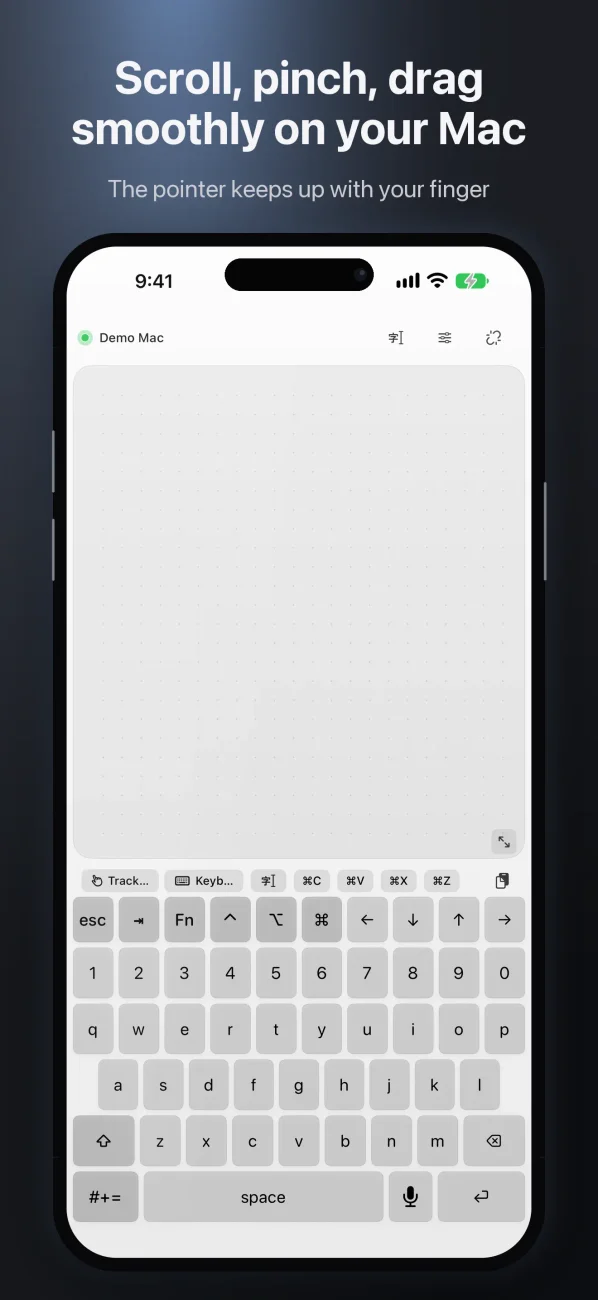
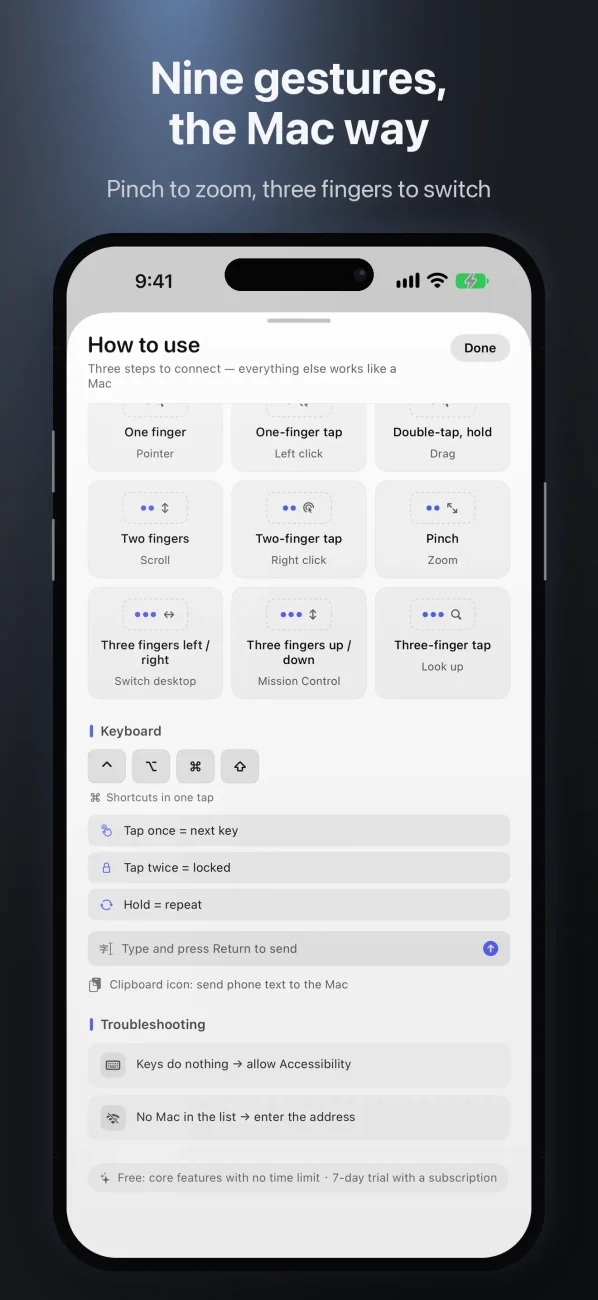
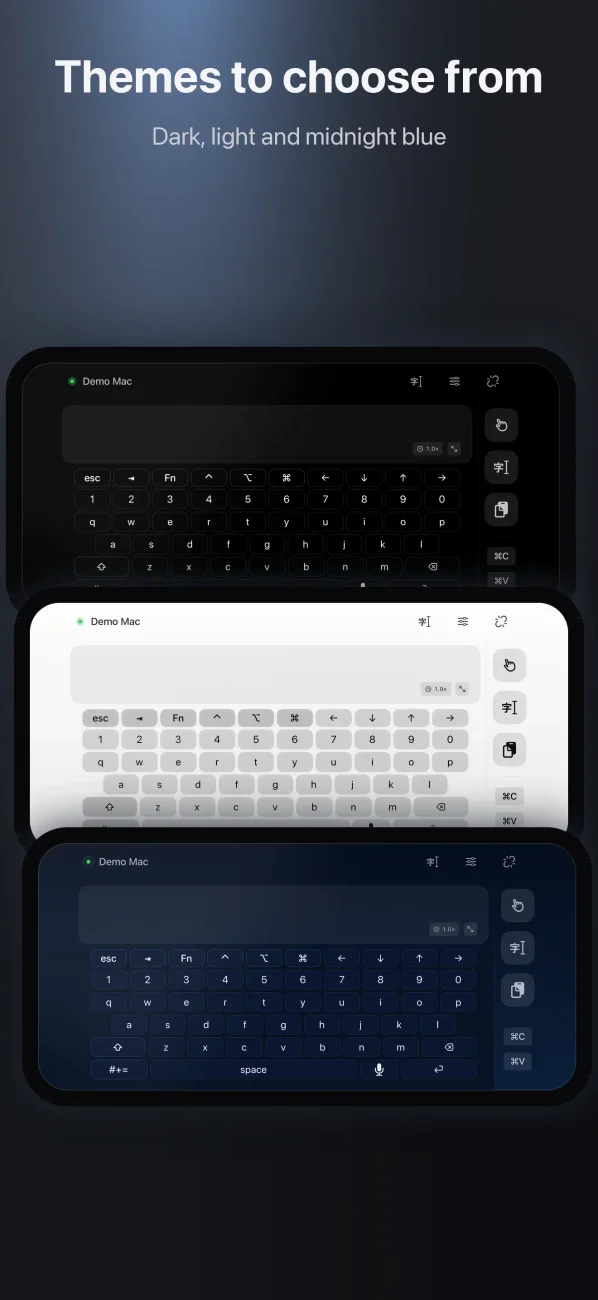
Hold your phone sideways and the whole screen becomes your computer's trackpad and keyboard; turn it upright to split the screen — trackpad above, keyboard below, both at once. One finger moves, two fingers scroll, pinch to zoom. Dragging is 1:1 and the pointer carries inertia, so it feels like a real trackpad.
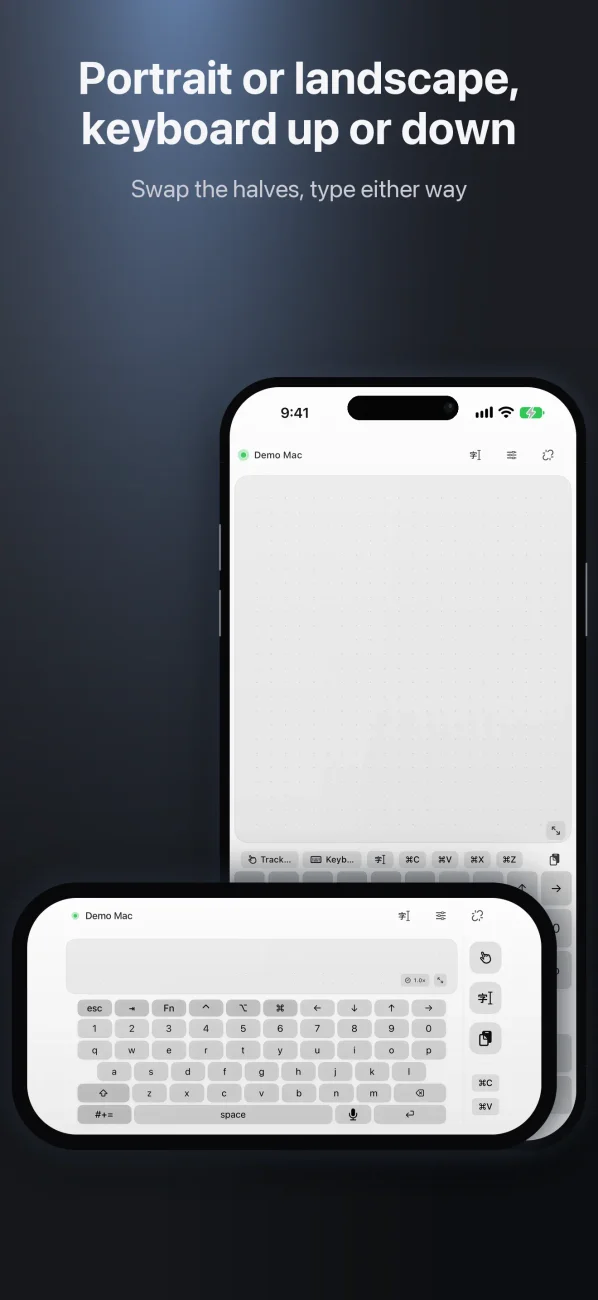
Landscape: the whole screen is the trackpad. One finger moves, two fingers scroll, pinch to zoom, three-finger tap, three-finger swipe to switch desktops — the same set of gestures as the real thing. Below sits a 75% desktop keyboard with modifier, media and function keys, so it feels like a laptop.
Portrait: use the whole screen as a trackpad, or split it — trackpad on top, keyboard below — so you can type one-handed while you watch. The layout follows the device orientation and switches automatically.
Feel: smoothing and latency are tuned, and a built-in connection test tells you whether lag comes from the phone, the network or the computer.
Keyboard: keycaps follow the computer's current input source and layout, with common shortcuts, clipboard sync and dictation. You can also switch to a small mouse you drag across the glass.
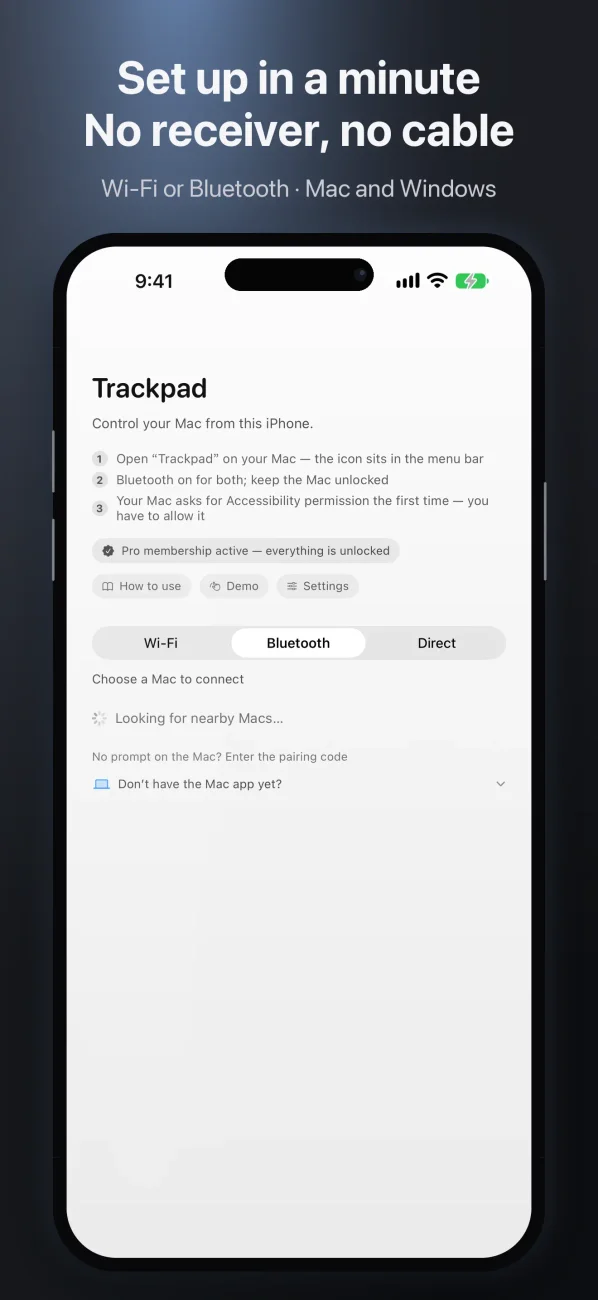
The computer side is just a menu bar icon — connect and you are done, no pairing. Several phones can drive the same computer at once, and themes, trails and trackpad size are all yours to tune.
Mac and Windows both work: the host lives in the menu bar on a Mac and in the system tray on a Windows PC. Install it once, and the phone finds it on the same network — no pairing.
Terms of Use (EULA): https://www.apple.com/legal/internet-services/itunes/dev/stdeula/
Privacy Policy: https://binglijia.cn/apps/trackpad/privacy/
Yang baru
Versi 1.2 · 14/11/2026
- iPhone Duo support: half-folded it becomes a laptop — trackpad on top, full-width keyboard below, split exactly in half at the crease; open it fully and it returns to the normal portrait layout, with a fold/unfold animation
- Touch feels better: two-finger drag is here — hold with one finger and drag with the other for a left-button drag. Scrolling follows more closely, and small-mouse wheel input is no longer treated as momentum
- Bluetooth direct: use your iPhone as a standard keyboard and mouse — no app needed on the Mac or Windows PC. Connected to several? Switch with one tap
- The keyboard works better: the portrait layout keeps a number row above the letters, and switching layers no longer changes the height
- Italian, Russian and Turkish added — 12 languages in total
- New "Keep screen on" switch; voice input can be cancelled, and your draft survives a reconnect
Privasi aplikasi
Yang dinyatakan Junyang Ma di App Store tentang cara aplikasi ini menangani data.
-
Data tidak dikumpulkan
Pengembang tidak mengumpulkan data apa pun dari aplikasi ini.
Praktik privasi dapat bervariasi, misalnya berdasarkan fitur yang Anda gunakan atau usia Anda.
Informasi
- Penjual
- Junyang Ma
- Kategori
- Kegunaan
- Versi
- 1.2
- Diperbarui
- 14/11/2026
- Dirilis
- 6/11/2026
- Ukuran
- 7,8 MB
- Memerlukan
- iOS 17.0 atau yang lebih baru
- Batasan usia
- 4+
- Harga
- Gratis
- Pembelian dalam aplikasi
- Ya
- Bahasa
- Inggris, Prancis, Jerman, Italia, Jepang, Korea, Portugis, Rusia, Tionghoa Sederhana, Spanyol, Tionghoa Tradisional, Turki
- Hak cipta
- © 2026 jianlu
Mungkin Anda juga suka
-
 PC Remote: Mouse & KeyboardTrackpad & Remote Presentasi
-
 Trackpad: Mouse & KeyboardKegunaan
-
 TouchLink: Trackpad & KeyboardKegunaan
-
 RPad: Remote Trackpad & MouseKegunaan
-
 eTrackPad: Wireless TrackpadKegunaan
-
 PadLinker: Trackpad & KeyboardKegunaan
-
 QuickTap - 触控一键掌握四大按键、触控面板与快捷小组件
-
 19xKegunaan
-
 喵呜企画Kegunaan
-
 LocalMind: Ollama & LM StudioKegunaan