
Trackpad & Keyboard
Your phone as a desktop pad
Designed for iPhone, iPad
Free · In-app purchases
- Age rating4+
- CategoryUtilities
- DeveloperJunyang Ma
- LanguagesEnglish+ 11 more
- Size7.8 MB
Links to the official App Store page
Download.org hosts no file of Trackpad & Keyboard. The button opens its official App Store page, published by Junyang Ma. Listing last checked on Nov 23, 2026.
Screenshots
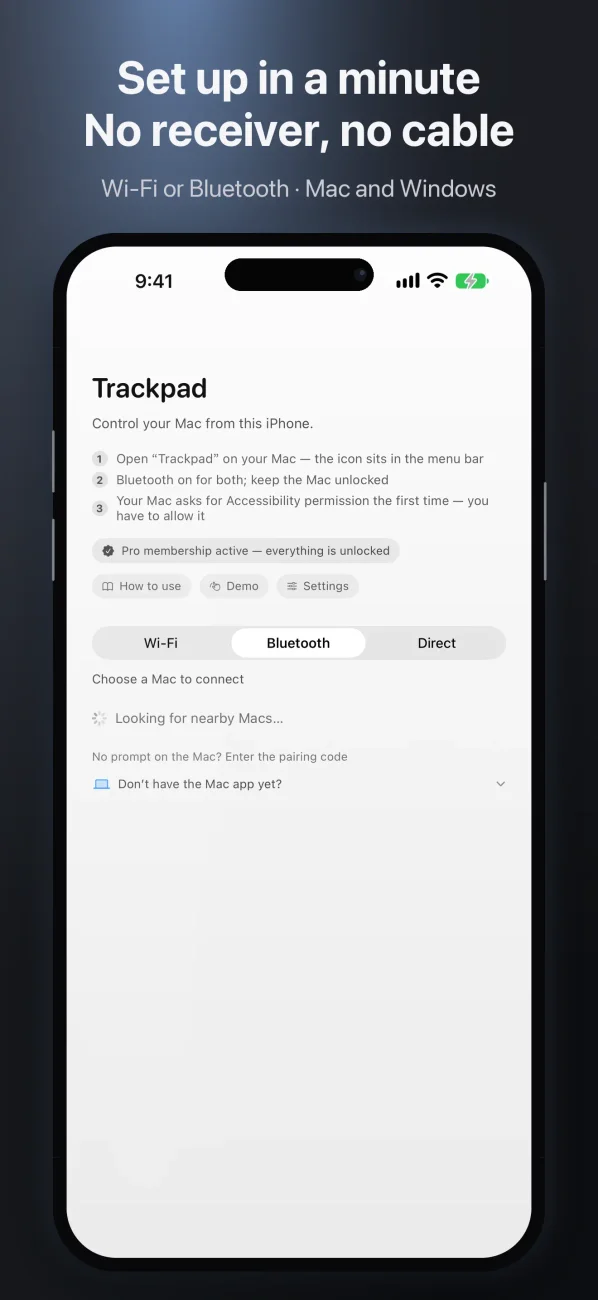
About
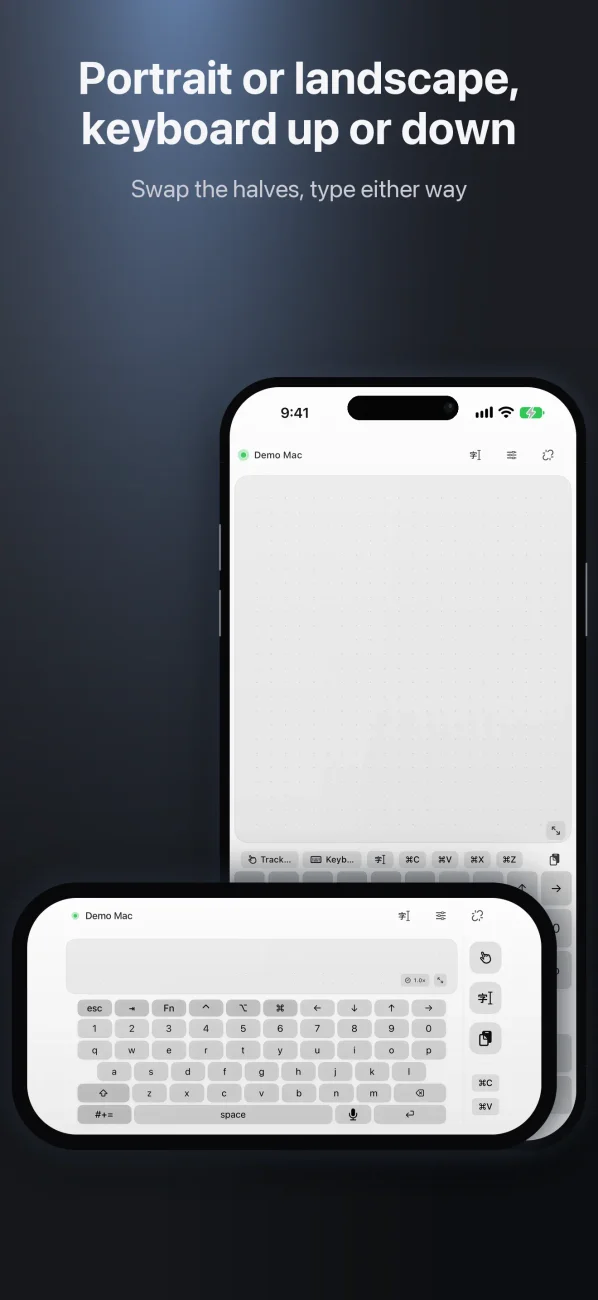
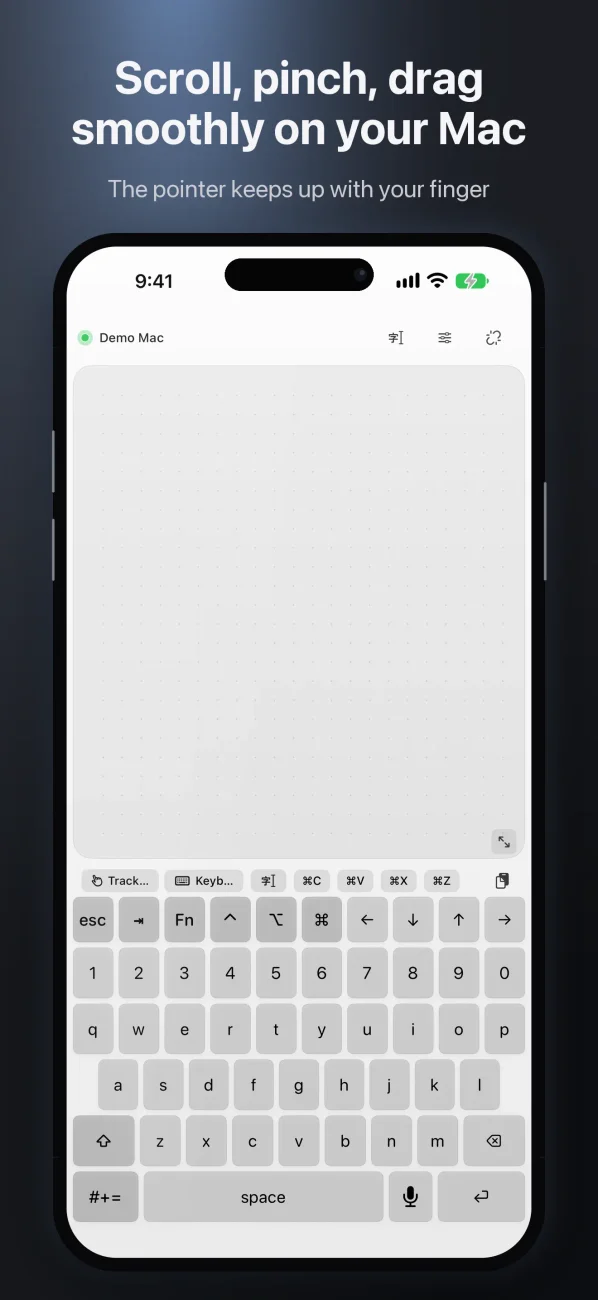
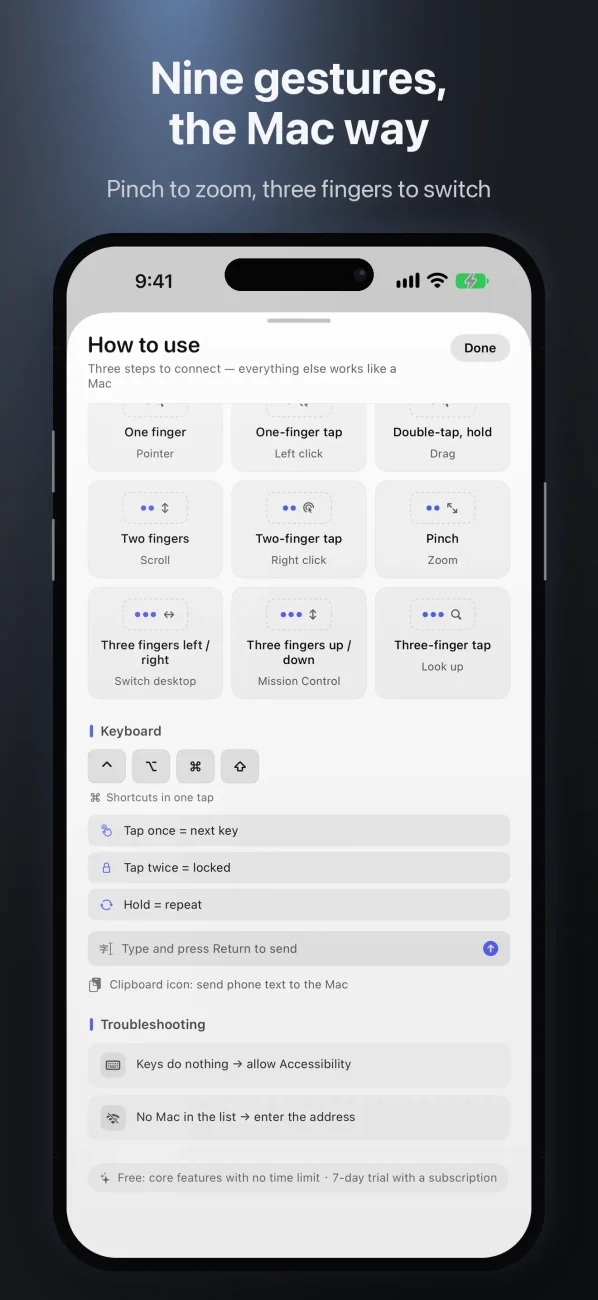
Hold your phone sideways and the whole screen becomes your computer's trackpad and keyboard; turn it upright to split the screen — trackpad above, keyboard below, both at once. One finger moves, two fingers scroll, pinch to zoom. Dragging is 1:1 and the pointer carries inertia, so it feels like a real trackpad.
Landscape: the whole screen is the trackpad. One finger moves, two fingers scroll, pinch to zoom, three-finger tap, three-finger swipe to switch desktops — the same set of gestures as the real thing. Below sits a 75% desktop keyboard with modifier, media and function keys, so it feels like a laptop.
Portrait: use the whole screen as a trackpad, or split it — trackpad on top, keyboard below — so you can type one-handed while you watch. The layout follows the device orientation and switches automatically.
Feel: smoothing and latency are tuned, and a built-in connection test tells you whether lag comes from the phone, the network or the computer.
Keyboard: keycaps follow the computer's current input source and layout, with common shortcuts, clipboard sync and dictation. You can also switch to a small mouse you drag across the glass.
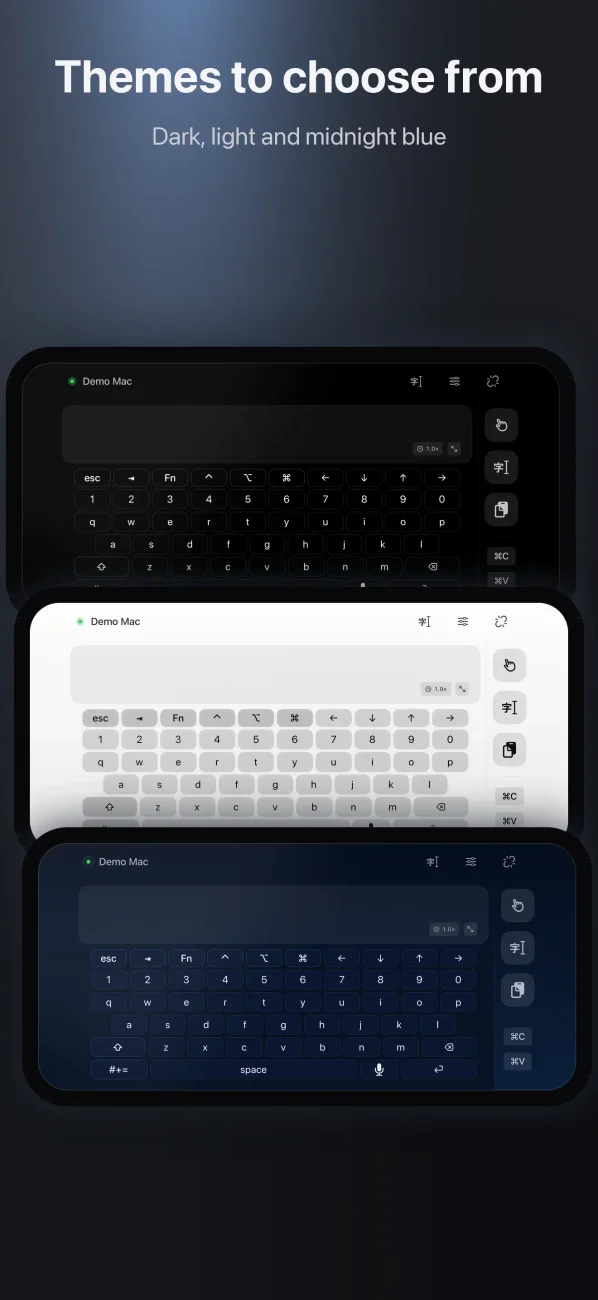
The computer side is just a menu bar icon — connect and you are done, no pairing. Several phones can drive the same computer at once, and themes, trails and trackpad size are all yours to tune.
Mac and Windows both work: the host lives in the menu bar on a Mac and in the system tray on a Windows PC. Install it once, and the phone finds it on the same network — no pairing.
Terms of Use (EULA): https://www.apple.com/legal/internet-services/itunes/dev/stdeula/
Privacy Policy: https://binglijia.cn/apps/trackpad/privacy/
What’s new
Version 1.2 · Nov 14, 2026
- iPhone Duo support: half-folded it becomes a laptop — trackpad on top, full-width keyboard below, split exactly in half at the crease; open it fully and it returns to the normal portrait layout, with a fold/unfold animation
- Touch feels better: two-finger drag is here — hold with one finger and drag with the other for a left-button drag. Scrolling follows more closely, and small-mouse wheel input is no longer treated as momentum
- Bluetooth direct: use your iPhone as a standard keyboard and mouse — no app needed on the Mac or Windows PC. Connected to several? Switch with one tap
- The keyboard works better: the portrait layout keeps a number row above the letters, and switching layers no longer changes the height
- Italian, Russian and Turkish added — 12 languages in total
- New "Keep screen on" switch; voice input can be cancelled, and your draft survives a reconnect
App privacy
What Junyang Ma declares on the App Store about how this app handles data.
-
Data not collected
The developer does not collect any data from this app.
Privacy practices may vary, for example with the features you use or your age.
Information
- Seller
- Junyang Ma
- Category
- Utilities
- Version
- 1.2
- Updated
- Nov 14, 2026
- Released
- Nov 6, 2026
- Size
- 7.8 MB
- Requires
- iOS 17.0 or later
- Age rating
- 4+
- Price
- Free
- In-app purchases
- Yes
- Languages
- English, French, German, Italian, Japanese, Korean, Portuguese, Russian, Simplified Chinese, Spanish, Traditional Chinese, Turkish
- Copyright
- © 2026 jianlu
You might also like
-
 PC Remote: Mouse & KeyboardTrackpad, Presentation Clicker
-
 Trackpad: Mouse & KeyboardBluetooth Remote for Mac
-
 TouchLink: Trackpad & KeyboardWireless trackpad & keyboard
-
 RPad: Remote Trackpad & MousePresentation Remote & Laser
-
 eTrackPad: Wireless TrackpadGestures, keyboard & remote
-
 PadLinker: Trackpad & KeyboardWireless remote mouse
-
 QuickTap - One Tap ControlTrackpad, buttons & widgets
-
 19xUtilities
-
 喵呜企画Utilities
-
 LocalMind: Ollama & LM StudioPrivate AI, offline & online