- Batasan usia4+
- KategoriAlat Pengembang
- PengembangAhmed Chebbi
- BahasaInggris
- Ukuran2,3 MB
Tertaut ke halaman resmi App Store
Download.org tidak menyimpan file Vendora DS apa pun. Tombol ini membuka halaman aplikasi di App Store, tempat Ahmed Chebbi menerbitkannya. Halaman terakhir diperiksa pada 18/11/2026.
Tangkapan layar
Tentang
Pengembang belum menyediakan teks ini dalam bahasa Anda.
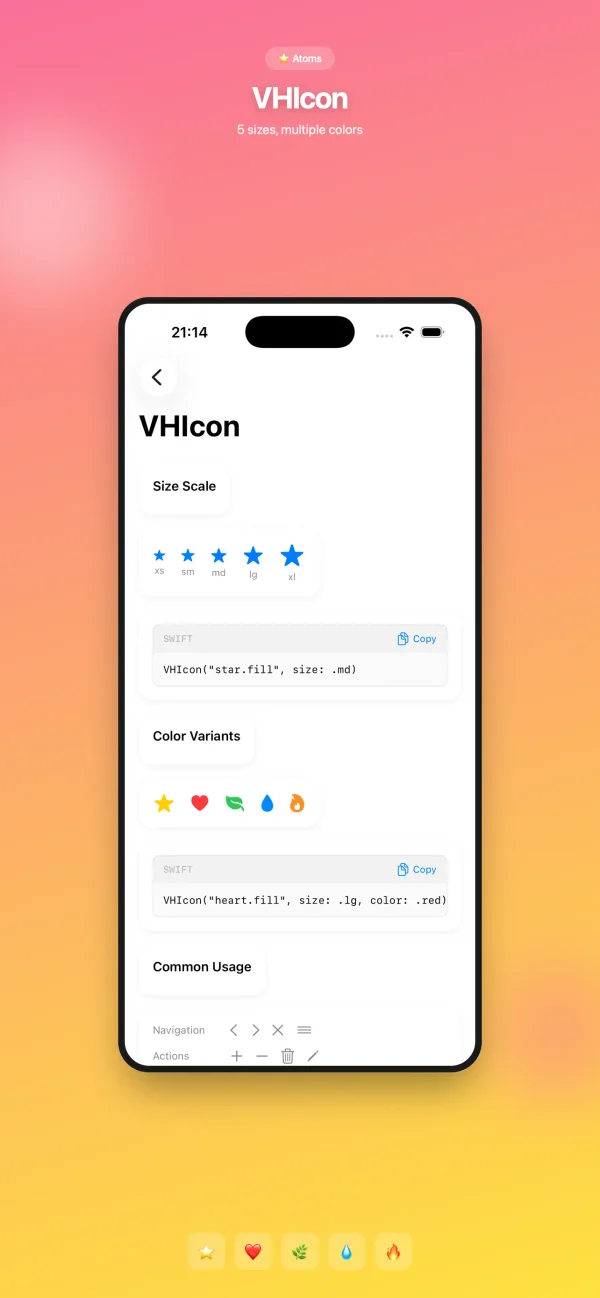
VendoraHUB Design System Showcases is your complete interactive guide to the VendoraHUB Design System for SwiftUI. Browse, explore, and copy production-ready code for 50+ beautifully crafted components.
EXPLORE THE DESIGN SYSTEM
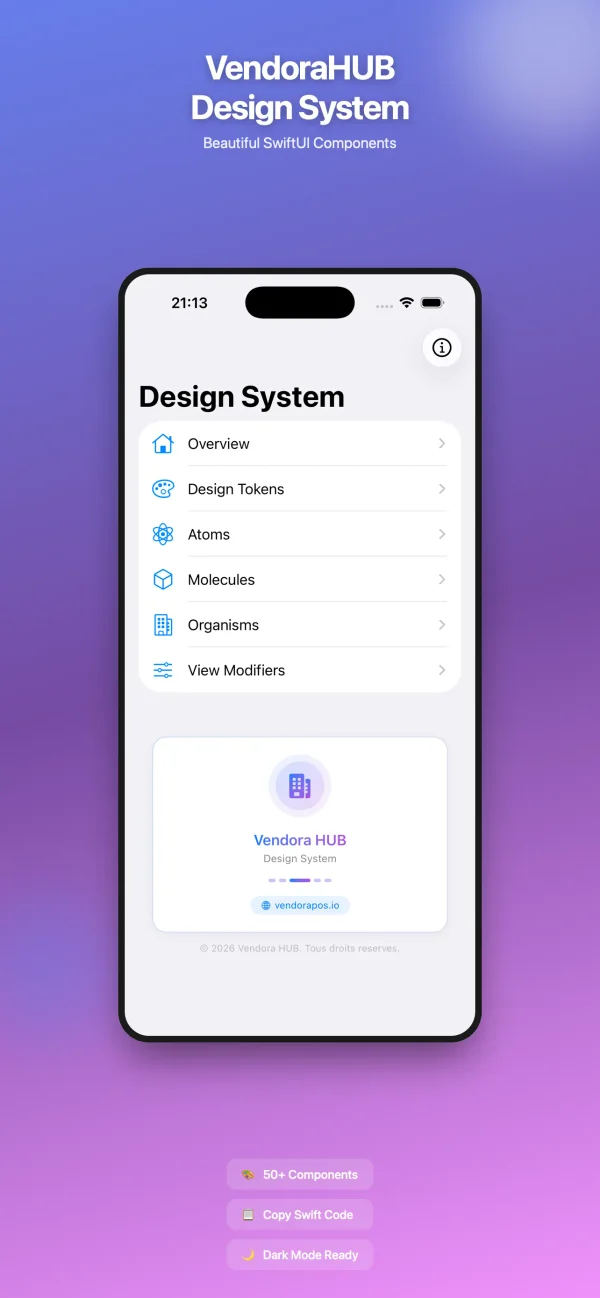
Navigate through a comprehensive library of SwiftUI components organized by category:
• Design Tokens - Colors, typography, spacing, and more
• Atoms - Basic building blocks like icons and text
• Molecules - Buttons, text fields, badges, toggles
• Organisms - Cards, list rows, empty states, forms
• View Modifiers - Custom SwiftUI modifiers
COPY CODE INSTANTLY
Every component comes with ready-to-use Swift code. Simply tap to copy and paste directly into your Xcode project. No more searching documentation or guessing syntax.
COMPONENT LIBRARY
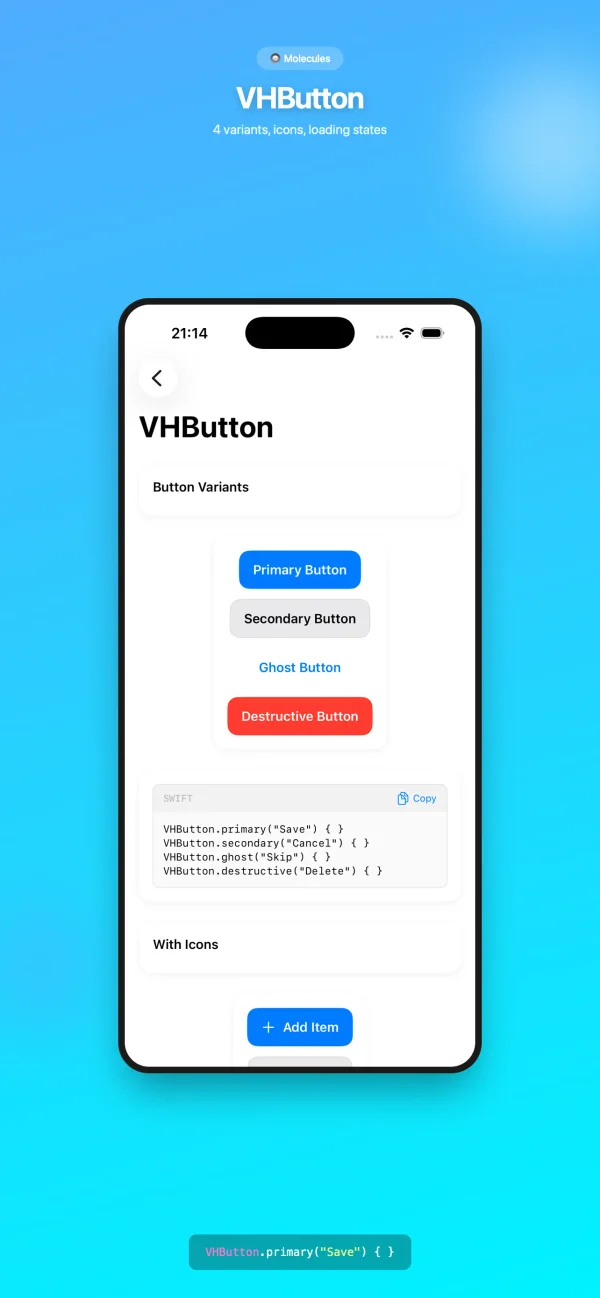
Buttons:
• VHButton - Primary, secondary, ghost, destructive variants
• VHIconButton - Icon-only buttons
• Loading states and icon support
Text Inputs:
• VHTextField - Text inputs with labels and validation
• VHCurrencyField - Formatted currency inputs
• VHFormField - Complete form field with label
Display Components:
• VHCard - Cards with shadows and styling
• VHListRow - Configurable list rows with icons
• VHBadge - Status badges and indicators
• VHQuickStat - Statistics display
Feedback:
• VHProgressBar - Progress indicators
• VHEmptyState - Empty state views with actions
• VHLoadingState - Loading indicators
Controls:
• VHToggle - Switch controls
• VHChip - Selectable chips and tags
DESIGN TOKENS
Explore the complete token system:
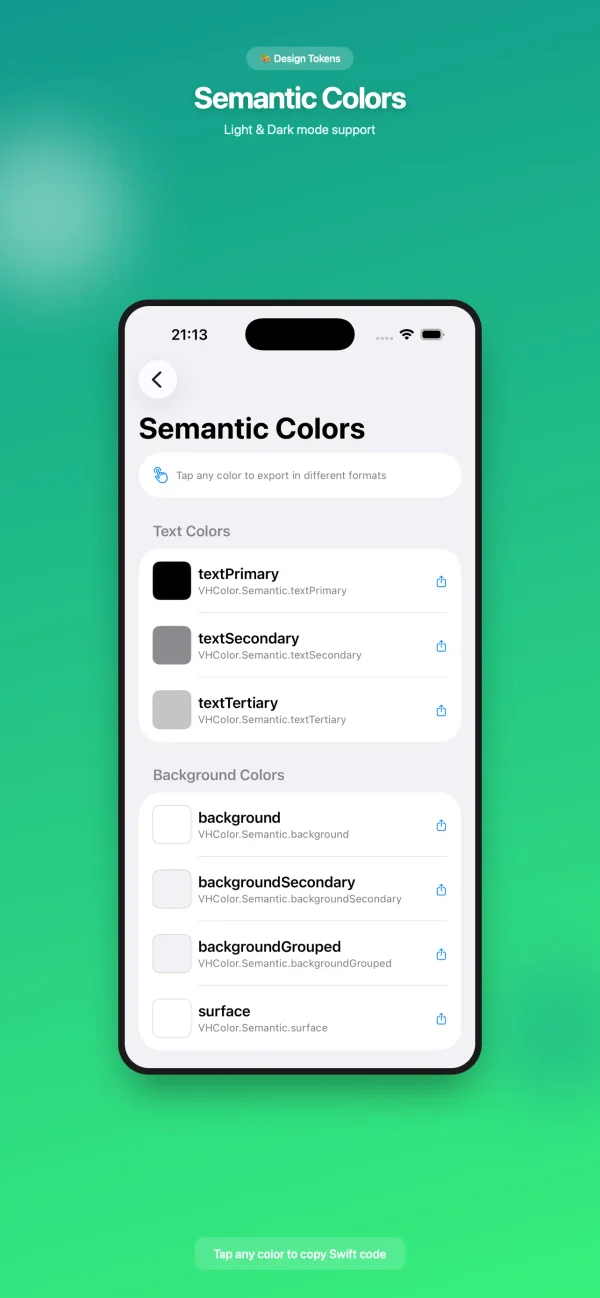
Colors:
• Semantic colors (textPrimary, background, surface)
• Brand colors (primary, secondary, accent)
• Status colors (success, warning, error)
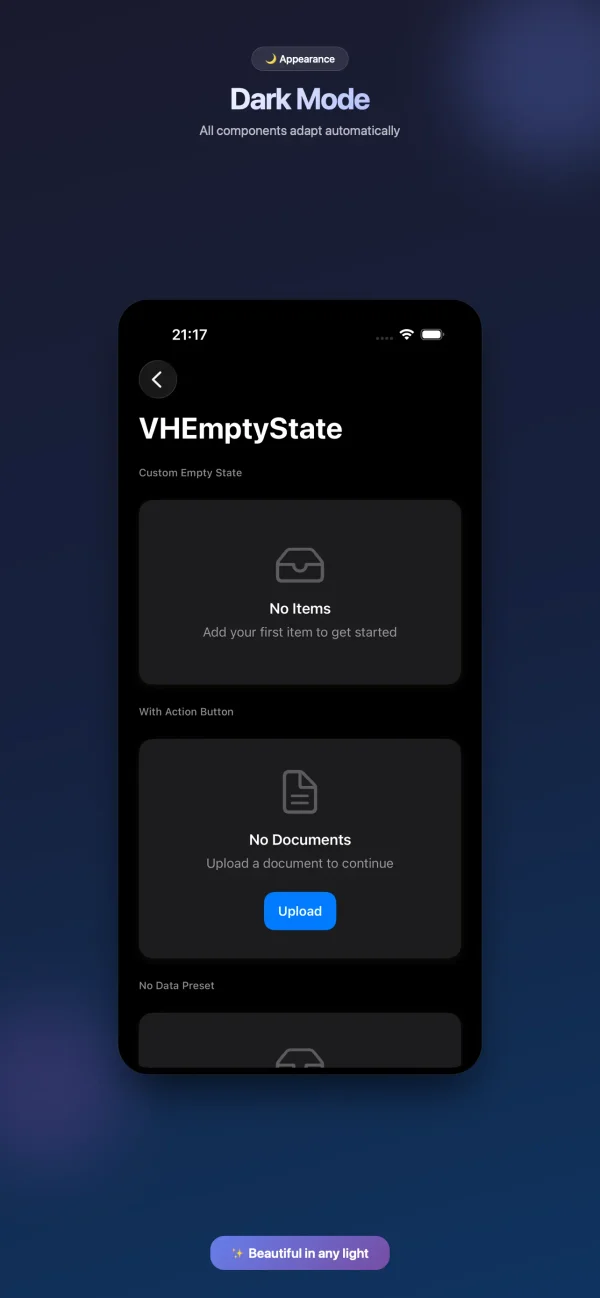
• All colors adapt to Light and Dark mode
Typography:
• Display, headline, body, caption styles
• Consistent font weights and sizes
Spacing:
• 4pt grid system
• Semantic spacing tokens
LIGHT & DARK MODE
Preview every component in both Light and Dark appearances. See exactly how colors and styles adapt to the user's system preference.
LIVE PREVIEWS
Interactive previews show each component in action. See different states, variants, and configurations before copying the code.
PERFECT FOR DEVELOPERS
Whether you're building a new app with VendoraHUB Design System or maintaining an existing project, this app is your essential companion:
• Quick reference while coding
• Learn component APIs and usage patterns
• Discover available variants and options
• Copy code snippets without leaving your workflow
ALWAYS UP TO DATE
The showcase reflects the latest version of VendoraHUB Design System, ensuring you always have access to current components and APIs.
Built with SwiftUI. Designed for developers.
Yang baru
Versi 1.1.0 · 26/1/2026
Add new components in design system
Privasi aplikasi
Yang dinyatakan Ahmed Chebbi di App Store tentang cara aplikasi ini menangani data.
-
Data tidak dikumpulkan
Pengembang tidak mengumpulkan data apa pun dari aplikasi ini.
Praktik privasi dapat bervariasi, misalnya berdasarkan fitur yang Anda gunakan atau usia Anda.
Informasi
- Penjual
- Ahmed Chebbi
- Kategori
- Alat Pengembang
- Versi
- 1.1.0
- Diperbarui
- 26/1/2026
- Dirilis
- 13/1/2026
- Ukuran
- 2,3 MB
- Memerlukan
- iOS 17.0 atau yang lebih baru
- Batasan usia
- 4+
- Harga
- Gratis
- Bahasa
- Inggris
- Hak cipta
- © 2026 Vendora HUB. All rights reserved.
Mungkin Anda juga suka
-
 MF ComponentsAlat Pengembang
-
 SwiftCatalog: SwiftUI CodeAlat Pengembang
-
 UI Components PlaygroundAlat Pengembang
-
 UI PlaygroundAlat Pengembang
-
 ComponentsKit: develop fasterAlat Pengembang
-
 Haptic HeroAlat Pengembang
-
 SF SearchAlat Pengembang
-
 SymboleroAlat Pengembang
-
 DevTutor: Learn Swift, SwiftUlAlat Pengembang
-
 Haptics ExplorerAlat Pengembang